
Suplanet K96155
Suplanet Space Station Building Block Set K96155 Instruction Manual
Model: K96155
1. Introduction
Thank you for choosing the Suplanet Space Station Building Block Set K96155. This comprehensive kit allows you to construct a detailed space station model featuring a motor-driven rotating body and integrated LED lighting. Designed for enthusiasts of all ages, this set provides an engaging and educational building experience.

Figure 1: Fully assembled Suplanet Space Station Building Block Set K96155.
2. Safety Information
WARNING: Choking Hazard - Small Parts. Not for children under 3 years of age.
- Keep all small parts away from young children to prevent choking.
- Ensure proper adult supervision during assembly, especially for younger builders.
- Do not attempt to modify the electrical components (motor, LED lights) as this may cause damage or injury.
- Dispose of packaging materials responsibly.
3. What's in the Box
Your Suplanet Space Station Building Block Set K96155 includes the following components:
- Building Blocks (1583 PCS)
- Motor Module (x1)
- LED Lighting Components (x8)
- Display Stand
- Instruction Manual
- Sticker Sheet for details

Figure 2: Overview of included components and the instruction manual.
4. Setup and Assembly
Follow the detailed, step-by-step instructions provided in the included manual to assemble your space station model. The manual is designed for clarity and ease of use.
- Unpack Components: Carefully open all numbered bags containing the building blocks. It is recommended to sort pieces by type or color to facilitate assembly.
- Follow Instruction Manual: Refer to the printed instruction manual for sequential assembly steps. Each step illustrates the required pieces and their placement.
- Install Motor Module: Integrate the motor module into the designated section of the space station as shown in the manual. Ensure all connections are secure.
- Install LED Lighting: Place the 8 LED lighting components into their respective positions. The manual will guide you on where to connect these to the power source.
- Apply Stickers: Use the provided sticker sheet to add intricate details and markings to your space station model.
- Mount on Display Stand: Once assembly is complete, securely attach the model to the display stand.

Figure 3: Illustration of LED lighting component installation.
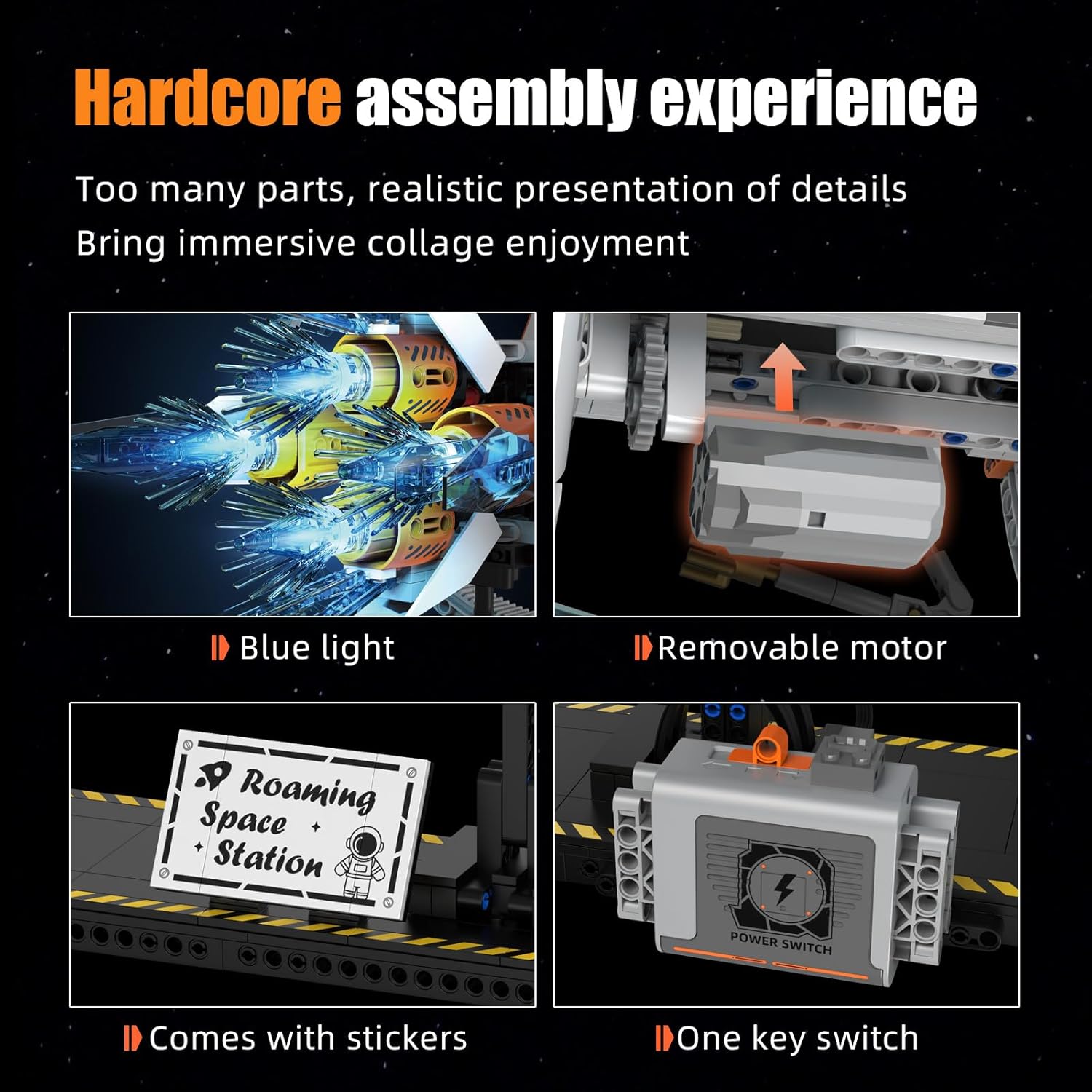
Figure 4: Details of the motor and lighting integration during assembly.
5. Operating Instructions
Your Suplanet Space Station K96155 features interactive elements for an enhanced experience.
- Powering On/Off: Locate the "Power Switch" on the motor module. Slide the switch to the "ON" position to activate the motor and LED lights. Slide to "OFF" to power down.
- Motorized Rotation: The central thruster disc is designed to rotate 360 degrees. Once powered on, the motor will drive this rotation, simulating a space station's movement.
- LED Lights: The integrated LED lights will illuminate upon activation, creating a realistic glow for the thrusters and other sections of the model.
- Adjustable Tail Wing: The tail wing of the space station can be manually adjusted for opening and closing, allowing for dynamic display options.

Figure 5: Controls for motor and tail wing adjustments.

Figure 6: The motorized thruster disc in operation.
Video 1: Official demonstration of the Suplanet Space Station Building Block Set K96155, showcasing its features including motorized rotation and LED lights.
6. Maintenance
- Cleaning: Use a soft, dry cloth to gently wipe dust from the model. Avoid using harsh chemicals or abrasive materials.
- Storage: Store the model in a cool, dry place away from direct sunlight to prevent discoloration or damage to the plastic components.
- Battery Replacement: If the motor or LED lights stop functioning, replace the batteries in the motor module as indicated in the assembly manual.
- Loose Parts: Periodically check for any loose building blocks and reattach them securely to maintain the model's integrity.
7. Troubleshooting
| Problem | Possible Cause | Solution |
|---|---|---|
| Motor or LED lights do not turn on. |
|
|
| Rotating parts are stuck or move slowly. |
|
|
| Model is unstable on the display stand. |
|
|
8. Specifications
| Feature | Detail |
|---|---|
| Product Dimensions | 32.76 x 9.37 x 12.2 inches (85 x 24 x 31 cm) |
| Item Weight | 4.58 pounds |
| Model Number | K96155 |
| Number of Pieces | 1583 |
| Motorized Features | 360-degree rotating body |
| Lighting Features | Integrated LED lights for thrusters and other sections |
| Recommended Age | 8 - 11 years (Manufacturer recommended) |
| Manufacturer | Suplanet |
9. Warranty and Support
For warranty information, missing parts, or technical support, please contact Suplanet customer service. Refer to the product packaging or the official Suplanet website for contact details.
Note: Keep your purchase receipt as proof of purchase for any warranty claims.