
1. Introduction
Thank you for choosing Chshn Motorized 100% Blackout Roller Shades. These smart blinds are designed to provide ultimate light control, privacy, and energy efficiency for your home or office. Featuring remote, app, and voice control options, they offer seamless automation and convenience. This manual provides detailed instructions for installation, operation, and maintenance to ensure optimal performance and longevity of your product.
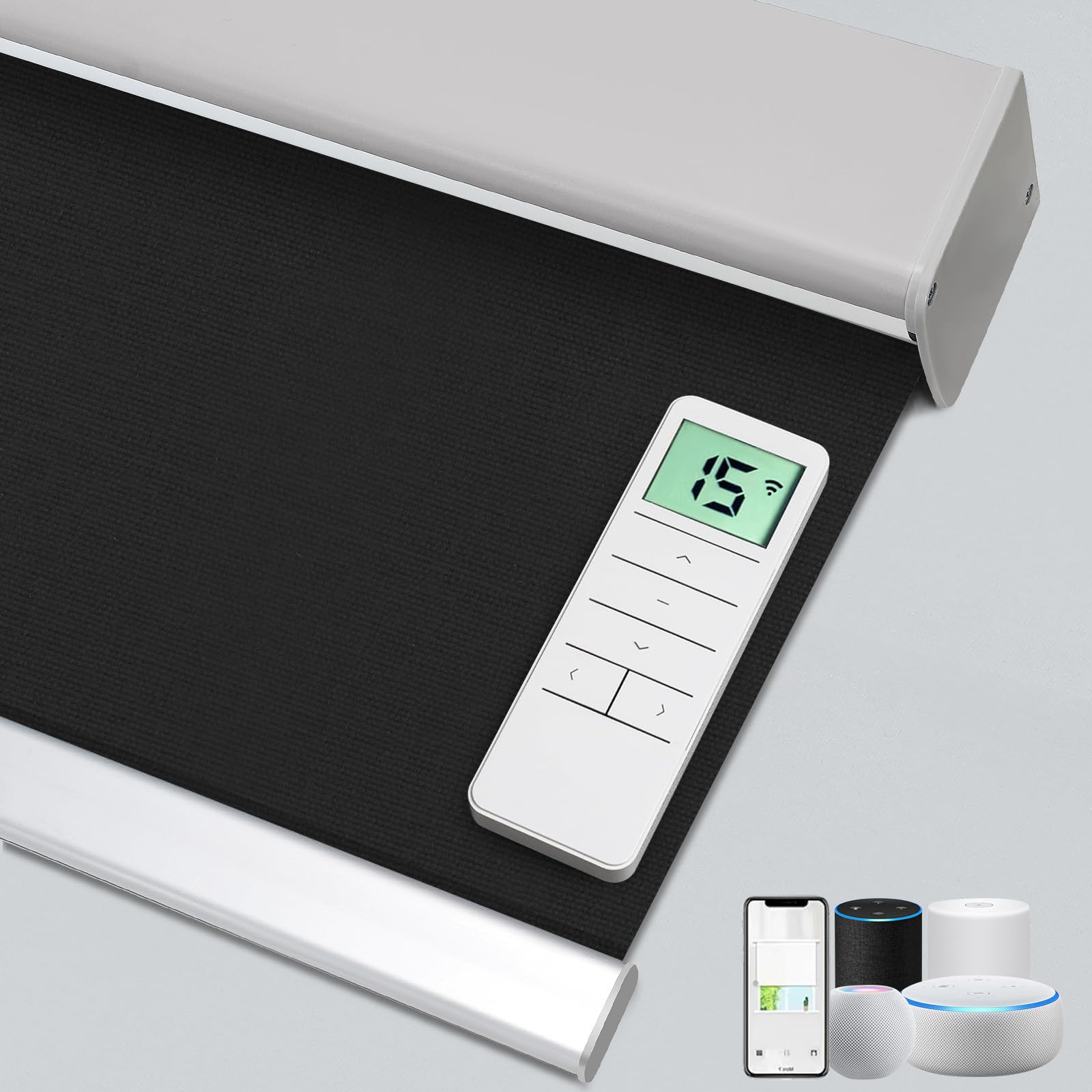
Image 1: Chshn Motorized Blackout Roller Shades installed in a modern living room, demonstrating their aesthetic appeal and functionality.
2. Safety Information
- Read all instructions carefully before installation and use.
- Keep children and pets away from the blinds during operation to prevent entanglement.
- Ensure all mounting hardware is securely fastened to prevent the blinds from falling.
- Do not attempt to disassemble or repair the motor or control unit yourself. Contact qualified personnel for service.
- Use only the provided power adapter or a compatible replacement for charging the battery motor.
- Avoid exposing the motor or control unit to water or excessive moisture.
3. Package Contents
Verify that all components are present before beginning installation:
- Motorized Roller Shade (pre-assembled)
- Remote Control
- Mounting Brackets (quantity varies by shade width)
- Screws and Wall Anchors
- Charging Cable (for rechargeable battery motor option)
- Instruction Manual
4. Setup & Installation
4.1 Pre-Installation Check
Before mounting, ensure the program button and charging hole on the motor are facing the ground for easy access after installation.

Image 2: Detail of the smart motor, highlighting the program button and charging hole for proper orientation during installation.
4.2 Measurement Guide
Accurate measurements are crucial for a proper fit. Determine whether you will use an Inside Mount or Outside Mount installation.

Image 3: A detailed diagram showing how to measure for both inside mount and outside mount installations, including depth, width, and height considerations.
Inside Mount:
- Depth: Your window frame must be at least 3 inches deep to fit the motor and blind. If less than 3 inches, outside mount is advised.
- Width & Height: Submit the MIN width (W1, W2, W3) and MAX height (H1, H2, H3) of the window frame you measured.
- Order Width: Minimum Width.
- Order Height: Maximum Height.
- No need to adjust – we will automatically subtract 1/8 inch for a perfect fit.
Outside Mount:
- Width & Height: Measure the exact area you want to cover. Take the MAX width (W1, W2, W3) and MAX Height (H1, H2, H3).
- Order Width: Maximum Width + 6 inches (for better light blocking and privacy).
- Order Height: Maximum Height + 6 inches.
4.3 Installation Steps
- Determine Punch Position: Use your shade to determine the ideal mounting position for the brackets. Mark the positions with a pencil, ensuring equal distance from the edges.
- Drill Holes: Drill pilot holes at the marked positions. For drywall, insert wall anchors.
- Install Brackets: Secure the mounting brackets using screws. Ensure they are level and firmly attached.
- Mount the Shade: Carefully align the shade with the installed brackets and snap it into place. Ensure it is securely seated.
For a visual guide, please refer to the official installation video:
Video 1: Official installation guide for Chshn Motorized Blinds, demonstrating step-by-step mounting procedures for both inside and outside mount options.
5. Operating Instructions
5.1 Remote Control
The included remote control allows for easy operation of your shades.
- Up/Down Buttons: Press to raise or lower the shade.
- Stop Button: Press to stop the shade at any desired position.
- Favorite Position: Set and recall a preferred shade position.
- Group Control: Control multiple shades simultaneously if programmed.
- Max Control Channels: The remote supports up to 15 control channels.
- Slight Up/Down: For minor adjustments to the shade position.

Image 4: An illustration of the remote control and its various functions, including favorite position, group control, and precise up/down adjustments.
5.2 Smart App Control
Connect your shades to the Tuya smart app for advanced control and automation features. The app is compatible with Smart Life, Alexa, Google Home, and Apple HomeKit.
- Download the Tuya Smart app from your device's app store.
- Follow the in-app instructions to add your motorized shades.
- Control shades individually or create groups for simultaneous operation.
- Adjust shade position to specific percentages (e.g., 30%, 50%, 70%).

Image 5: A user interacting with the smart app on a smartphone to control the roller shades, demonstrating the ease of app-based operation.
5.3 Voice Control
Integrate your shades with Amazon Alexa, Google Assistant, or Apple HomeKit for hands-free voice control.
- Ensure your shades are connected to the Tuya Smart app and linked to your preferred smart home assistant.
- Use commands such as:
- "Alexa, open the kitchen shade."
- "Hey Google, close the living room blinds."
- "Siri, set the bedroom shade to 50%."

Image 6: A woman using voice control with a smart speaker to adjust her shades, illustrating the convenience of hands-free operation.
5.4 Automated Scheduling
Set custom schedules through the Tuya app or your smart home assistant to automate shade movements based on time or sunrise/sunset.
- Program shades to open at sunrise for natural light.
- Schedule shades to close at sunset for privacy and energy saving.
- Set intermediate positions throughout the day to manage glare or heat.

Image 7: A visual representation of automated scheduling features on a smartphone, showing how users can program shades to open, adjust, or close at specific times.
6. Maintenance
Proper maintenance ensures the longevity and optimal performance of your motorized shades.
- Cleaning the Fabric: Gently wipe the shade fabric with a soft, damp cloth. For stubborn spots, use a mild detergent solution and blot dry. Do not saturate the fabric.
- Motor Care: The motor is designed for durability and requires minimal maintenance. Keep it free from dust and debris. Do not lubricate the motor.
- Battery Charging (if applicable): If your shades use a rechargeable battery motor, charge it when the battery indicator is low. A full charge typically takes 6 hours and provides up to 800 uses.
- Hardware Check: Periodically check that all mounting hardware is secure. Tighten any loose screws.

Image 8: A cross-section view of the blackout fabric, highlighting its multi-layered construction for 100% light blocking, UV protection, thermal insulation, and energy saving.
7. Troubleshooting
| Problem | Possible Cause | Solution |
|---|---|---|
| Shade does not move. | No power; Remote battery low; Motor malfunction. | Check power connection or charge battery. Replace remote battery. Contact support if motor is unresponsive. |
| Remote not controlling shade. | Remote not paired; Obstruction; Remote battery low. | Re-pair remote with shade (refer to pairing instructions). Remove obstructions. Replace remote battery. |
| App control not working. | No Wi-Fi connection; App not linked; Shade offline. | Check Wi-Fi connection. Ensure app is correctly linked to shades. Restart app and shade. |
| Shade stops unexpectedly. | Obstruction; Low battery. | Check for any physical obstructions. Charge battery if applicable. |
8. Specifications
- Model Number: MB001
- Brand: Chshn
- Material: Polyester
- Opacity: 100% Blackout
- Operation Mode: Automatic (Motorized)
- Control Type: Motorized (Remote, App, Voice)
- Motor Noise Level: <35dB (Ultra-Quiet)
- Power Options: Rechargeable Battery or Plug-in Motor
- Additional Features: Eco-Friendly, Fade Resistant, Thermal Insulation, UV Protection
- Mounting Type: Inside Mount or Outside Mount
- Recommended Uses: Indoor (Bathroom, Bedroom, Dining Room, Home Office, Living Room)
- UPC: 701915674095
9. Warranty & Support
Chshn products are backed by a commitment to quality and customer satisfaction. For specific warranty details, please refer to the warranty card included with your product or contact our customer support.
If you encounter any issues or have questions regarding your motorized shades, please contact our professional support team through Amazon messages. We are dedicated to assisting with installation, customization, and operation to ensure your complete satisfaction.