
1. Introduction
Thank you for choosing the GarveeHome 9000 BTU Mini Split Air Conditioner. This unit is designed to provide efficient and comfortable climate control for your living space. Featuring a 20 SEER rating for energy efficiency, WiFi connectivity for smart control, and quiet operation, this system ensures a pleasant indoor environment. This manual provides essential information for safe installation, operation, and maintenance of your air conditioning unit.
2. Safety Information
Please read all safety warnings and instructions carefully before installing or operating the unit to prevent injury or damage. Keep this manual for future reference.
- Electrical Safety: Ensure the unit is connected to a properly grounded power outlet with the correct voltage (230V). Do not use extension cords. All electrical work must be performed by a qualified electrician.
- Refrigerant: This unit uses R454B refrigerant. Servicing involving the refrigerant circuit must only be performed by certified personnel. Do not attempt to repair or modify the refrigerant system yourself.
- Installation: Installation must comply with all local and national electrical codes. Ensure the outdoor unit is installed on a stable, level surface and that there is adequate clearance for airflow.
- Operation: Do not insert objects into the air outlet or inlet. Keep children away from the unit during operation.
- Maintenance: Always disconnect power before performing any maintenance or cleaning.
3. Package Contents
Carefully unpack your GarveeHome Mini Split Air Conditioner and verify that all components are present. If any items are missing or damaged, contact customer support immediately.

Image: Complete package contents including indoor unit, outdoor unit, remote control, and installation accessories.
- Indoor Unit (Wall mount air handler)
- Outdoor Unit (Outdoor condenser)
- Remote Control
- Pre-flared and insulated copper line set (16.4 FT)
- Drainage extension with small accessories
- Communication wires
- Mounting accessories (screws, anchors, tape, etc.)
- User Manual
4. Setup and Installation
The GarveeHome Mini Split AC is designed for straightforward installation. However, due to the nature of refrigerant and electrical connections, professional installation is recommended to ensure optimal performance and safety. Refer to the detailed installation guide included in your package for step-by-step instructions.
Key Installation Considerations:
- Location: Choose appropriate locations for both the indoor and outdoor units, ensuring proper airflow and drainage.
- Mounting: Securely mount the indoor unit to a wall and the outdoor unit on a stable surface, following the provided templates and hardware.
- Line Set Connection: Connect the pre-flared copper line set between the indoor and outdoor units. Ensure connections are tight to prevent refrigerant leaks.
- Electrical Wiring: Connect the communication wires and power supply according to the wiring diagram in the installation guide. This step requires electrical expertise.
- Drainage: Install the drainage extension to ensure proper condensate removal from the indoor unit.
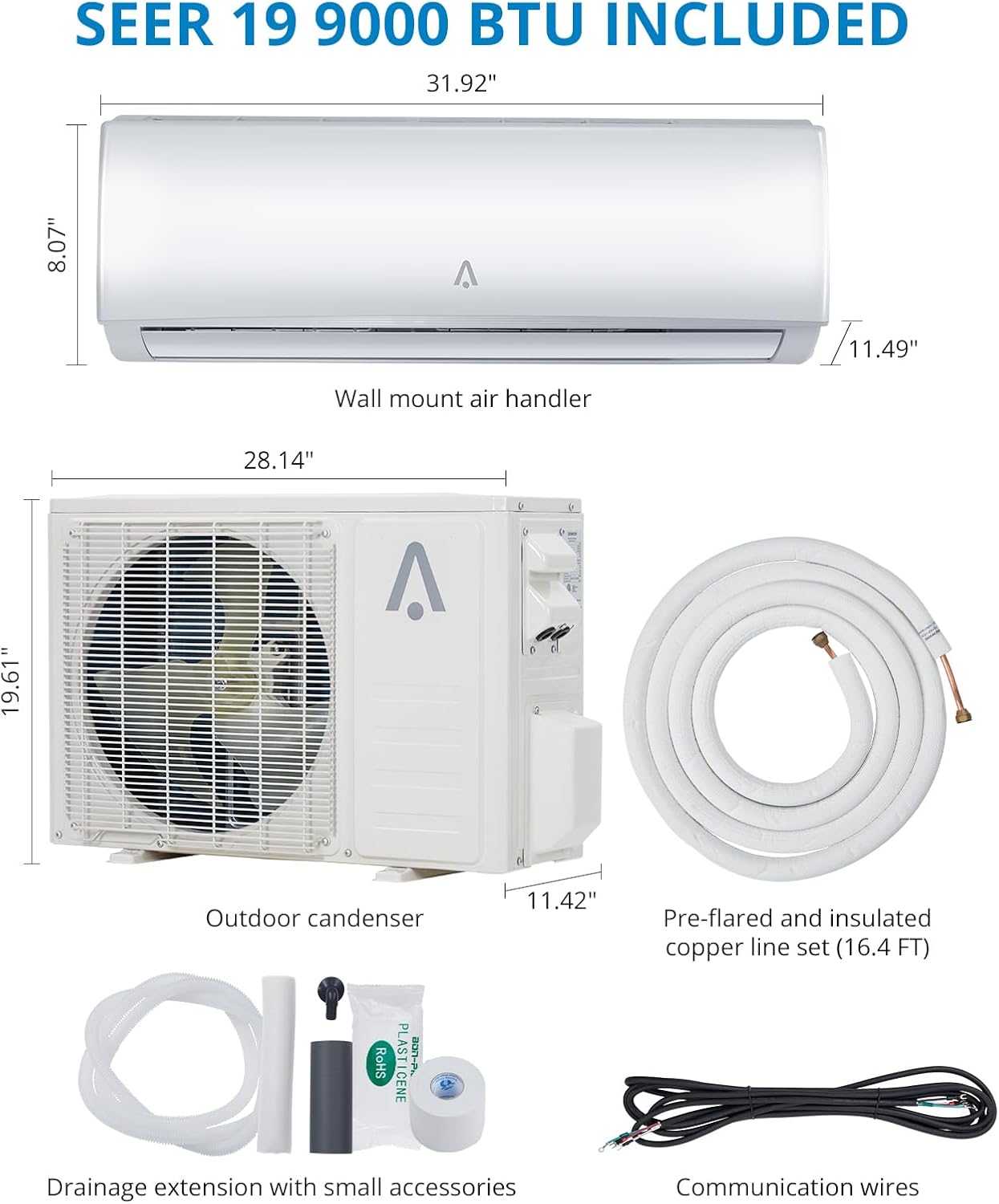
Image: Dimensional diagram of the indoor wall mount air handler, outdoor condenser, and pre-flared copper line set.
5. Operating Instructions
Your GarveeHome Mini Split AC offers multiple modes and smart features for optimal comfort.
5.1 Basic Operation (Remote Control)
Use the included remote control to manage your unit. Point the remote directly at the indoor unit's receiver.
- Power On/Off: Press the ON/OFF button to start or stop the unit.
- Mode Selection: Press the MODE button to cycle through available modes:
- Cooling: Reduces room temperature (down to 60°F).
- Heating: Increases room temperature (up to 90°F).
- Fan: Circulates air without heating or cooling (Low/Medium/High/Auto Speed).
- Dry: Dehumidifies the room (up to 36 Pints/Day).
- Temperature Adjustment: Use the TEMP UP/DOWN buttons to set your desired temperature.
- Fan Speed: Adjust fan speed using the FAN button.
- Sleep Mode: Activates quiet operation and adjusts temperature for comfortable sleep.

Image: Visual representation of the four operating modes: Heating, Cooling, Fan, and Dry, with their respective temperature ranges and capacities.
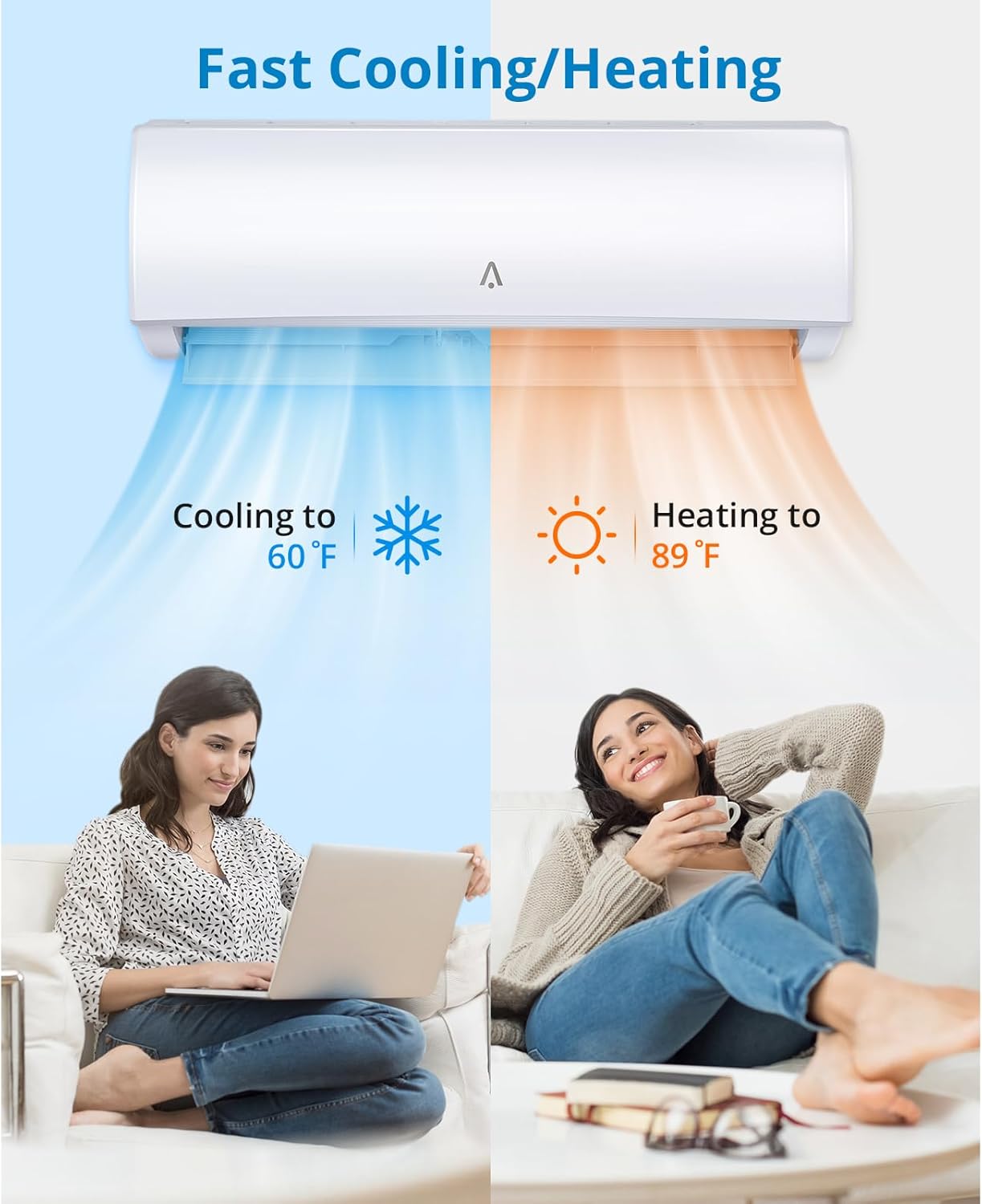
Image: Depiction of the unit's ability to provide fast cooling down to 60°F and heating up to 89°F.
5.2 Smart Control System (WiFi Enabled)
Control your air conditioner from anywhere using your smartphone or tablet via the dedicated GarveeHome app. The unit also supports AI voice control for added convenience.
- App Download: Download the GarveeHome smart home app from your device's app store.
- Pairing: Follow the in-app instructions to pair your air conditioner with your home WiFi network.
- Remote Management: Adjust settings, schedule operations, and monitor energy usage directly from your smartphone.
- Voice Control: Integrate with compatible smart home assistants (e.g., Alexa) for hands-free control.

Image: Demonstrates the smart control system, including WiFi control via a smartphone app and AI voice control compatibility with devices like Amazon Alexa.
5.3 Quiet Operation and Sleep Mode
The GarveeHome Mini Split AC is engineered for whisper-quiet operation, ensuring minimal disturbance. Activate Sleep Mode for an even quieter experience and optimized temperature adjustments during rest.

Image: Illustrates the quiet operation of the unit in Sleep Mode, indicating a noise level of 27 dB for a peaceful environment.
6. Maintenance
Regular maintenance ensures the longevity and efficient operation of your air conditioner. Always disconnect power to the unit before performing any maintenance.
6.1 Air Filter Cleaning
The air filters in the indoor unit should be cleaned every two weeks, or more frequently depending on usage and air quality.
- Open the front panel of the indoor unit.
- Remove the air filters.
- Clean the filters with a vacuum cleaner or wash them with lukewarm water and a mild detergent.
- Allow filters to dry completely before reinstalling.
- Close the front panel securely.
6.2 Outdoor Unit Cleaning
Periodically clean the outdoor unit's coils and fins to remove dirt, leaves, and debris. Use a soft brush or a garden hose with low pressure. Ensure the area around the outdoor unit is clear of obstructions.
6.3 Seasonal Checks
Before the cooling or heating season, inspect the refrigerant lines for any visible damage and ensure all electrical connections are secure. If you notice any issues, contact a qualified technician.
7. Troubleshooting
Before contacting customer support, refer to the following table for common issues and their solutions.
| Problem | Possible Cause | Solution |
|---|---|---|
| Unit does not start | No power supply; Remote control batteries low; Circuit breaker tripped. | Check power connection; Replace remote batteries; Reset circuit breaker. |
| Insufficient cooling/heating | Dirty air filters; Temperature setting incorrect; Doors/windows open; Outdoor unit obstructed. | Clean air filters; Adjust temperature; Close doors/windows; Clear obstructions around outdoor unit. |
| Unusual noise | Loose parts; Unit not level; Debris in fan. | Check for loose components; Ensure unit is level; Inspect for debris. |
| Water leakage from indoor unit | Clogged drain pipe; Improper installation. | Clear drain pipe; Contact a qualified technician for inspection. |
8. Specifications
Detailed technical specifications for the GarveeHome 9000 BTU Mini Split Air Conditioner.
| Feature | Detail |
|---|---|
| Brand | GarveeHome |
| Model Name | XE9SKUA |
| Item Model Number | nalUeKOt6qsmRpg_e3b1_gQeu |
| Cooling Capacity | 9000 BTU |
| SEER Rating | 20 SEER2 |
| Refrigerant | R454B |
| Voltage | 230V |
| Wattage | 750W |
| Item Weight | 90.4 pounds |
| Product Dimensions (Indoor Unit) | 31.92"W x 8.07"H x 11.49"D (approximate, based on image) |
| Product Dimensions (Outdoor Unit) | 28.14"W x 19.61"H x 11.42"D (approximate, based on image) |
| Color | White |
| Special Feature | WiFi Enabled |
| Included Components | Outdoor unit, indoor unit, mounting accessories |
9. Warranty and Support
For warranty information, please refer to the warranty card included with your product or visit the official GarveeHome website. If you require technical assistance, troubleshooting beyond this manual, or have questions about your product, please contact GarveeHome customer support.
GarveeHome Customer Support: Please refer to the contact information provided in your product packaging or on the official GarveeHome website.