
Introduction
This manual provides essential instructions for the installation, operation, and maintenance of your Bghdas DG96-00850H Gas Range Touch Control Panel. This replacement part is designed to restore the functionality of compatible Samsung gas ranges, including models NE63A6511SS/AA-00, NE63A6511SS/AC, NE63A6511SG/AA-00, and NE63A6511SS/AA. Please read all instructions carefully before proceeding with installation or use.
Safety Information
Always prioritize safety when working with appliances. Failure to follow these safety guidelines may result in property damage, personal injury, or death.
- Disconnect Power and Gas: Before beginning any installation or repair, ensure the gas supply to the range is turned off and the appliance is unplugged from the electrical outlet.
- Qualified Personnel: If you are unsure about any step, consult a qualified appliance technician.
- Proper Tools: Use appropriate tools for the task to prevent damage to the appliance or injury.
- Inspect for Damage: Before installation, inspect the new control panel for any signs of damage. Do not install a damaged part.
- Ventilation: Ensure adequate ventilation when working with gas appliances.
Setup and Installation
The DG96-00850H control panel is designed for straightforward DIY installation. Follow these steps carefully.

This image illustrates the replacement of a damaged control panel with a new DG96-00850H unit, designed to fix common issues like unresponsive buttons or cracked surfaces.
Installation Steps:
- Turn off Gas and Power: Locate the gas shut-off valve for your range and turn it to the OFF position. Unplug the range from the electrical outlet. This is a critical safety step.
- Access the Control Panel: Depending on your specific Samsung range model, you may need to remove screws or clips securing the existing control panel. Refer to your appliance's original service manual for precise access instructions.
- Disconnect Old Panel: Carefully disconnect the wiring harnesses and any ribbon cables from the old control panel. Note their orientation for reinstallation.
- Remove Old Panel: Once disconnected, remove the old, damaged control panel from the appliance.
- Install New DG96-00850H Panel: Position the new DG96-00850H control panel in place. Reconnect all wiring harnesses and ribbon cables, ensuring they are securely seated.
- Secure New Panel: Reattach any screws or clips to secure the new control panel.
- Restore Power and Gas: Plug the range back into the electrical outlet and turn the gas supply back ON.
- Test Functionality: Power on the range and test all functions of the new control panel to ensure proper operation.

This diagram outlines the four key steps for replacing the control panel: ensuring safety by turning off gas, removing the old unit, installing the new DG96-00850H panel, and finally testing the equipment.
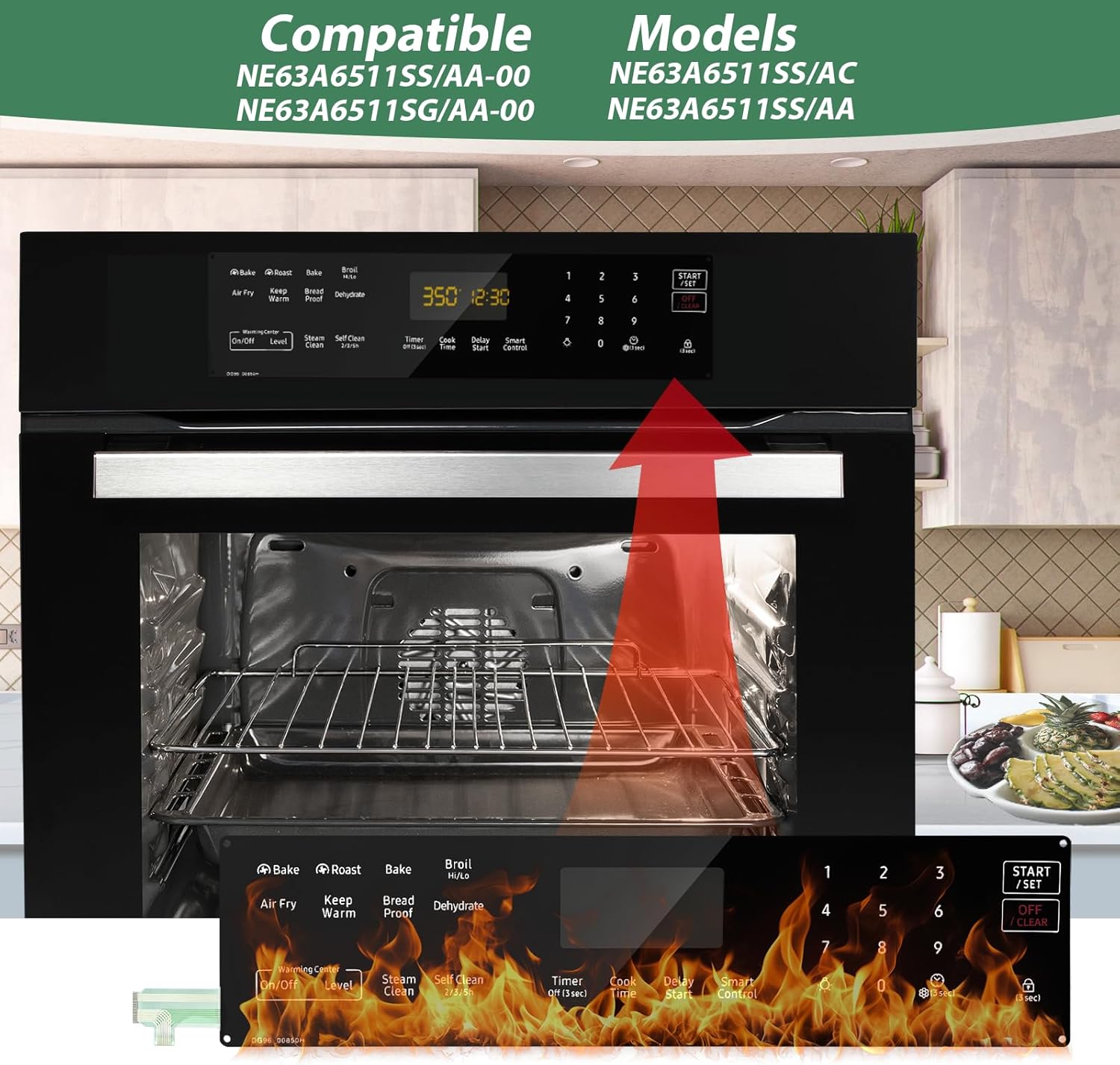
The image demonstrates the physical installation of the DG96-00850H control panel into a compatible Samsung gas range, emphasizing its precise fit for models like NE63A6511SS/AA-00.
Operating the Control Panel
The Bghdas DG96-00850H Touch Control Panel is an exact replacement part, designed to restore the original functionality of your Samsung gas range. Once installed, operate your appliance as described in your original Samsung range owner's manual. The panel features high-sensitivity tempered glass for instant response to touch commands.

This image highlights the sensitive touch response of the DG96-00850H control panel, ensuring accurate and immediate command input.
Maintenance
Proper care will extend the life and maintain the appearance of your control panel.
- Cleaning: The panel features a scratch-proof surface with an anti-fingerprint coating. For cleaning, use a soft, damp cloth with mild soap and water. Avoid abrasive cleaners, scouring pads, or harsh chemicals, as these can damage the surface.
- Spills: The panel is IPX4-rated for splash resistance. Wipe up spills promptly to prevent residue buildup.
- Protection: While scratch-proof, avoid placing sharp or heavy objects directly on the control panel to prevent potential damage.
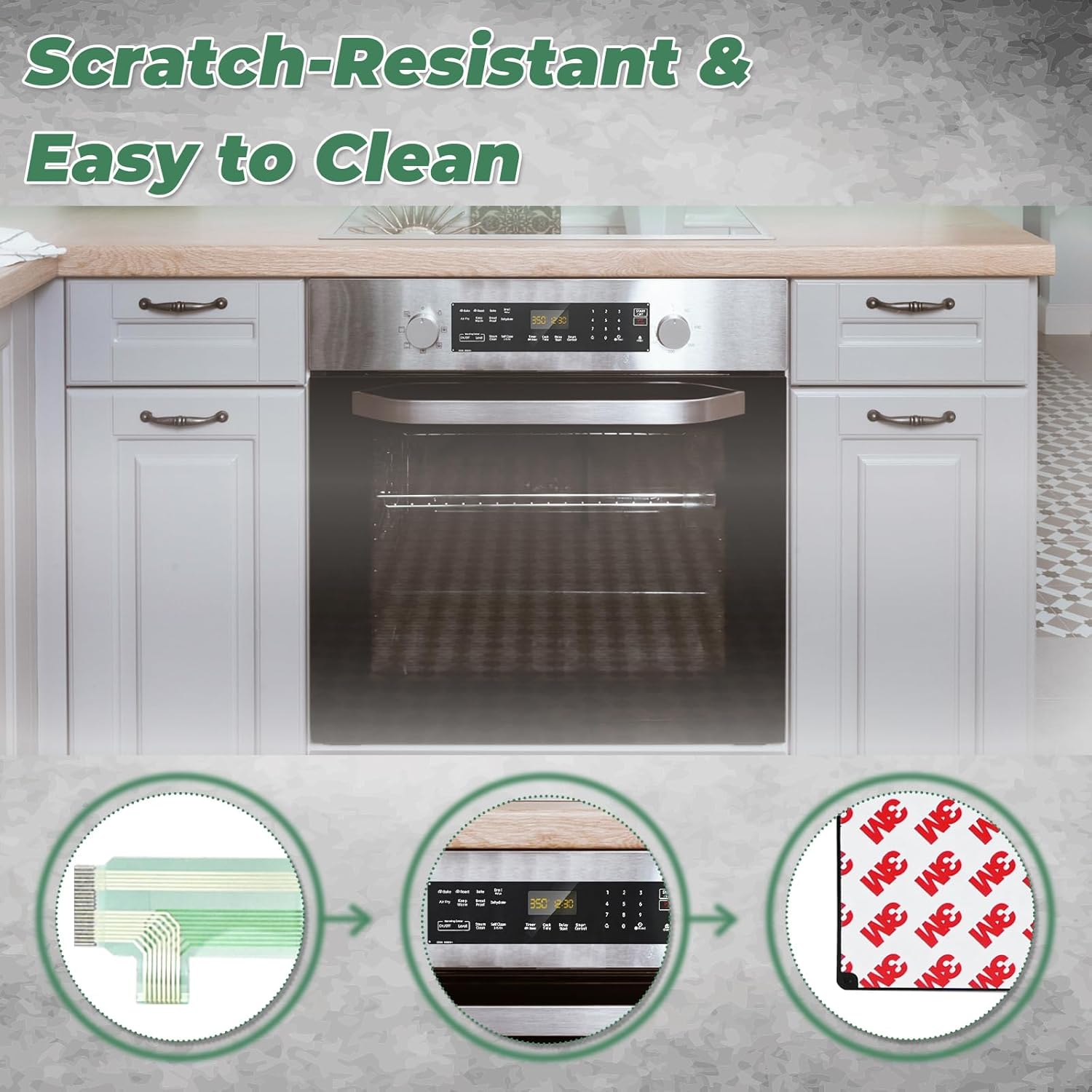
This image illustrates the durable construction of the control panel, highlighting its scratch-resistant surface and ease of cleaning for long-term maintenance.
Troubleshooting
If you encounter issues after installing the DG96-00850H control panel, consider the following:
- Panel Not Responding:
- Ensure the range is properly plugged in and receiving power.
- Verify all wiring harnesses and ribbon cables are securely connected to the control panel and the appliance's main board.
- Try resetting the appliance by unplugging it for 5 minutes, then plugging it back in.
- Incorrect Display:
- Check for any loose connections to the display module.
- Ensure the panel is correctly seated and not under undue pressure.
- Buttons Not Functioning:
- Confirm that the protective film (if any) has been removed from the panel surface.
- Ensure your fingers are clean and dry when operating the touch controls.
If problems persist, contact customer support for further assistance.
Specifications
| Feature | Detail |
|---|---|
| Part Number | DG96-00850H |
| Compatible Models | Samsung NE63A6511SS/AA-00, NE63A6511SS/AC, NE63A6511SG/AA-00, NE63A6511SS/AA |
| Item Weight | 3.84 ounces |
| Product Dimensions | 16.9 x 4.1 x 1.1 inches |
| Material | Tempered Glass |
| Resistance | Heat-resistant, Scratch-proof, IPX4 Splash Resistance |
Warranty and Support
The Bghdas DG96-00850H Gas Range Touch Control Panel comes with a 2-year warranty from the date of purchase. This warranty covers defects in materials and workmanship under normal use.
For technical assistance, warranty claims, or any questions regarding your product, please contact our customer support. We offer 24/7 customer support to assist you.
Contact Information: Refer to your purchase documentation or the seller's contact details for specific support channels.