
1. Product Overview
This MAHVEC car stereo is designed for the Audi TT MK2 (8J) models manufactured between 2006 and 2014. It features an Android 13 operating system, a 4-core processor, 2GB RAM, and 64GB of internal storage for smooth performance. The unit includes a 9-inch 1280x720P IPS touch screen, offering a clear and responsive user interface.
Key functionalities include Wireless CarPlay and Wireless Android Auto for seamless smartphone integration, a DSP with 46-band equalizer for enhanced audio customization, Bluetooth 5.0 for connectivity, integrated GPS navigation, Wi-Fi, and support for Steering Wheel Controls (SWC). An IP69K waterproof AHD backup camera is also included for improved safety.

Image: MAHVEC Car Stereo integrated into an Audi TT MK2 dashboard, displaying navigation and media. This image illustrates the product's compatibility and appearance when installed.
2. Setup and Installation
2.1 Package Contents
Before beginning installation, verify that all components are present in the package:
- MAHVEC Car Stereo Unit
- Power Cable
- RCA Cable (multiple)
- Rear Camera Input Cable
- Radio Antenna
- Microphone (MIC)
- USB Cable
- GPS Antenna
- Canbus Decoder
- Installation Tool
- User Manual
- Backup Camera

Image: A visual representation of all items included in the MAHVEC car stereo package, such as the main unit, various cables, antennas, and tools.
2.2 Wiring Instructions
Carefully follow the wiring diagrams provided. Incorrect wiring can lead to malfunction or damage.
- AUX Connection: Select the corresponding AUX FR OUT/AUX FL OUT on the power cable according to your original car interface and connect them to the RCA FR/RCA FL on the RCA cable.
- Amplifier Connection: Connect the power cable amplifier wire (labeled AMP CTRL) to the corresponding amplifier wire (labeled AMP CONT) on the RCA cable to ensure the amplifier functions properly.

Image: Detailed wiring diagram illustrating connections for AUX audio outputs and amplifier control, showing how to connect the power cable to the RCA cable.
Important Note: If your car is a high-end model, you may need to purchase a separate filter box for the amplifier to function correctly. Please contact customer service for assistance if you encounter sound issues after connecting, specifically requesting wiring harness Y4110.
3. Operating Instructions
3.1 Wireless CarPlay & Android Auto
The car stereo supports both wired (USB) and wireless (Bluetooth) connections for Apple CarPlay and Android Auto. This allows access to navigation, music, hands-free calling, and voice control directly from the touchscreen.

Image: User interface examples of Wireless CarPlay and Android Auto, showcasing navigation, music, calls, and voice commands on the car stereo display.
Wireless Apple CarPlay Connection:
- Pair your iPhone's Bluetooth with the car stereo.
- Open the "zlink" application on the car stereo.
- Wait for the connection to establish.
Wireless Android Auto Connection:
- Download and install the Android Auto app on your Android phone.
- Connect your phone's Bluetooth with the car stereo.
- Turn on the "zlink" application on the car stereo.
- Wait for the connection to establish.
3.2 DSP 46EQ & RDS/FM Radio
The integrated Digital Sound Processor (DSP) with a 46-band equalizer allows for precise audio customization, enhancing sound quality with rich, live-like audio. The RDS/FM radio function provides access to music, news, and traffic updates.
3.3 Bluetooth 5.0, GPS & WiFi
The unit features Bluetooth 5.0 for stable music streaming, hands-free calls, and file transfers. It includes offline GPS navigation with support for pre-downloaded maps, and Wi-Fi connectivity for online maps and updates. Enhanced directional Bluetooth ensures precise positioning.
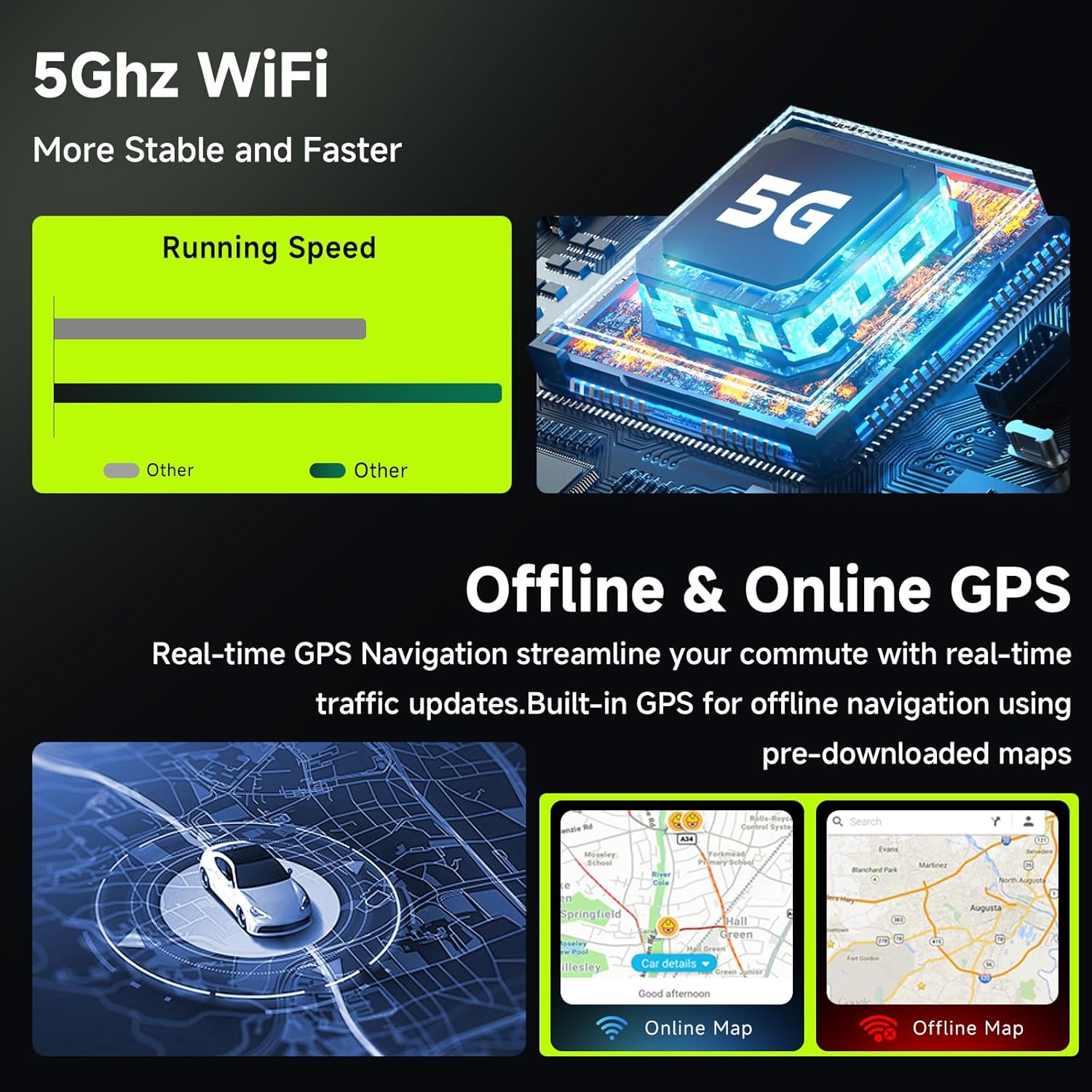
Image: Visuals demonstrating the 5GHz WiFi for faster performance and the dual functionality of offline and online GPS navigation.
3.4 Touch Screen Interface & Features
The 9-inch 1280x720P IPS touch screen offers a clear display with a 3-panel homepage, 2 split-view options, and 59 customizable user themes. Applications can be switched interactively by long-pressing icons.
3.5 Steering Wheel Control (SWC)
Connect the unit to your vehicle's steering wheel controls to manage audio, volume, calls, and track adjustments hands-free, ensuring safer driving.
3.6 RCA Output
The RCA cable supports video output to car headrest monitors, allowing passengers in the backseat to enjoy videos.
3.7 IP69K AHD Backup Camera
The included 1280x720 IP69K waterproof and dustproof AHD backup camera features night vision and a 170-degree wide-angle view with reversing guidelines, enhancing safety during parking and reversing in various conditions.

Image: A visual representation of the IP69K AHD backup camera, highlighting its waterproof rating, wide-angle view, and night vision capabilities, with a simulated view on the car stereo screen.
4. Maintenance
To ensure the longevity and optimal performance of your MAHVEC car stereo, follow these maintenance guidelines:
- Screen Cleaning: Use a soft, lint-free cloth to gently wipe the touchscreen. For stubborn smudges, slightly dampen the cloth with water or a screen-safe cleaner. Avoid harsh chemicals or abrasive materials.
- Temperature Control: Avoid exposing the unit to extreme temperatures, both hot and cold, for extended periods.
- Connection Checks: Periodically check all wiring connections to ensure they are secure and free from corrosion.
- Software Updates: Keep the system software updated to benefit from the latest features and performance improvements. Refer to the system settings for update options.
5. Troubleshooting
If you encounter issues with your car stereo, refer to the following common problems and solutions:
| Problem | Possible Cause | Solution |
|---|---|---|
| No Sound or Poor Sound Quality | Incorrect wiring, amplifier issues, wrong audio settings. | Check all wiring connections, especially AUX and amplifier wires. If your car is a high-end model, a separate amplifier filter box might be needed. Contact customer service for wiring harness Y4110 if sound problems persist. Adjust DSP/EQ settings. |
| Difficulty Connecting CarPlay/Android Auto | Bluetooth not paired, "zlink" app not running, phone compatibility issues. | Ensure your phone's Bluetooth is enabled and paired correctly with the stereo. Verify the "zlink" app is open and running on the stereo. Check phone compatibility and update phone OS if necessary. |
| GPS Not Functioning or Inaccurate | GPS antenna not connected, poor signal, outdated maps. | Ensure the GPS antenna is securely connected and placed in an unobstructed location. Check for map updates via Wi-Fi. |
| Touchscreen Unresponsive | Temporary software glitch, screen protector interference. | Restart the car stereo. Ensure the screen is clean and free of debris. If a screen protector is installed, ensure it is properly applied. |
| Steering Wheel Controls Not Working | Incorrect SWC wiring, system not configured. | Verify SWC wiring connections. Access the stereo's settings to configure steering wheel controls. |
6. Specifications
| Feature | Detail |
|---|---|
| Brand | MAHVEC |
| Model | 4Core 2G+64G |
| Compatible Vehicle | Audi TT MK2 (8J) 2006-2014 |
| Operating System | Android 13 |
| Processor | 4-Core Chip |
| RAM | 2GB |
| Internal Storage | 64GB |
| Screen Size | 9 Inches |
| Display Resolution | 1280x720P |
| Display Type | IPS Touch Screen (Capacitive) |
| Connectivity | Bluetooth 5.0, USB, Wi-Fi (5GHz) |
| Navigation | Built-in GPS (Worldwide Map Type) |
| Audio Features | DSP 46EQ, RDS/FM Radio, Stereo Output |
| Smartphone Integration | Wireless CarPlay, Wireless Android Auto, Mirror Link |
| Backup Camera | IP69K Waterproof AHD (1280x720), Night Vision, 170° Wide-Angle |
| Control Method | Touchscreen, Steering Wheel Control (SWC) |
| Mounting Type | Dashboard Mount |
| Included Components | MAHVEC car stereo, wiring harness, GPS antenna, USB cables, backup camera, installation tools. |
7. Warranty and Support
7.1 Product Warranty
This MAHVEC car stereo comes with a 2-year warranty from the date of purchase. This warranty covers manufacturing defects and malfunctions under normal use. Please retain your proof of purchase for warranty claims.
7.2 Customer Support
For any questions, technical assistance, or warranty claims, please contact MAHVEC customer service. Our support team is available to provide assistance with installation, troubleshooting, and general inquiries.
If you require a specific wiring harness (e.g., Y4110 for sound issues) or need guidance on amplifier filter boxes for high-end car models, please reach out to our support team for specialized assistance.
You can typically find contact information for MAHVEC customer service on the product packaging, our official website, or through your purchase platform.


