
1. Introduction
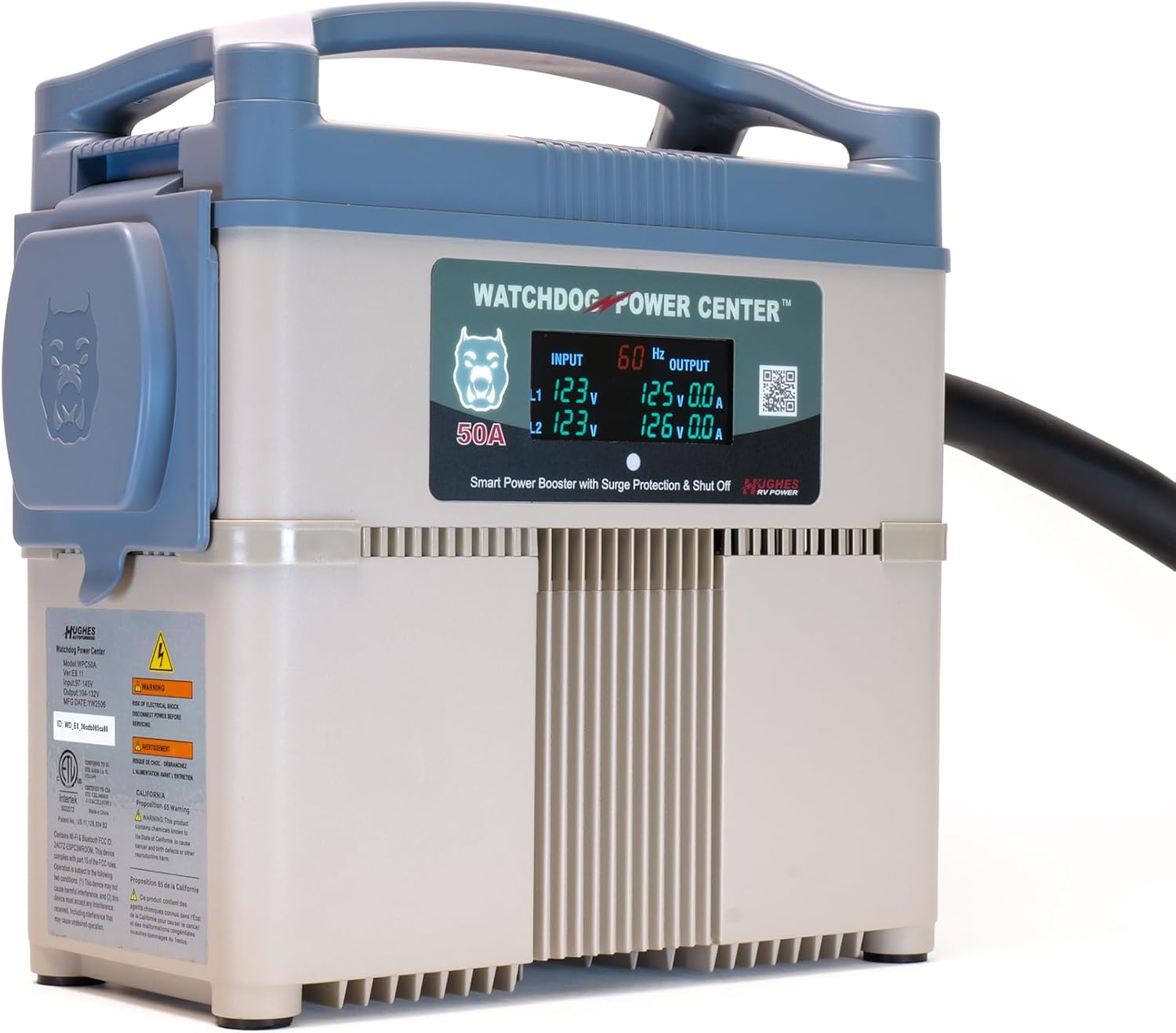
The Power Watchdog WPC50A Power Center is an advanced RV power protection system designed to safeguard your recreational vehicle from electrical hazards. It combines robust surge protection with patented voltage boosting technology to ensure your RV's electrical system and appliances operate safely and efficiently, even in conditions of low or high park voltage. This unit features an Emergency Power Off (EPO) system, Bluetooth and Wi-Fi connectivity for smart monitoring, and an LCD display for real-time data.

Product Overview Video
This video provides a detailed explanation of the Power Watchdog Power Center's features and benefits, demonstrating its functionality and how it protects your RV's electrical system.
2. Setup Instructions
Proper setup is crucial for the optimal performance and safety of your Power Watchdog WPC50A. Follow these steps carefully:
- Placement: Position the Power Watchdog WPC50A on a stable, dry surface near your RV's shore power inlet and the campground pedestal. Ensure it is protected from direct heavy rain or standing water.
- Connect to Pedestal: Plug the Power Watchdog WPC50A's male 50 Amp plug into the 50 Amp receptacle on the campground power pedestal. Ensure the connection is secure.
- Connect to RV: Plug your RV's 50 Amp shore power cord into the female receptacle on the Power Watchdog WPC50A. Ensure this connection is also secure.
- Power On: Turn on the 50 Amp breaker at the campground pedestal. The Power Watchdog WPC50A will perform a diagnostic check.
- Initial Diagnostics: Observe the LCD display. It will show input voltage, frequency, and perform a circuit analysis. If any faults are detected (e.g., open neutral, open ground), the unit will display an error code and prevent power from reaching your RV. Address any detected faults at the pedestal before proceeding.
- Mobile App Setup: Download the Power Watchdog mobile app from your device's app store. Follow the in-app instructions to connect your WPC50A via Bluetooth and then configure Wi-Fi for remote monitoring.

3. Operating Instructions
Once set up, the Power Watchdog WPC50A operates largely automatically, continuously monitoring and protecting your RV's power.
Automatic Voltage Boosting
The unit automatically senses low park voltage (brownout conditions) and boosts the power back to a safe operating level. This prevents damage to your RV's air conditioners and other appliances caused by insufficient voltage. The LCD display will show both input and boosted output voltage.
Surge Protection
The WPC50A provides massive surge protection against high voltage spikes. In the event of a damaging surge, the unit will absorb the excess energy, protecting your RV's electrical system. The surge module is replaceable, eliminating the need to replace the entire unit after a major surge event.
Emergency Power Off (EPO)
Upon detection of critical faults such as open neutral or open ground, the EPO system instantly shuts off power to your RV. This prevents severe damage. Power is automatically restored after a safe 90-second delay once the fault clears, without requiring manual intervention.
Smart Monitoring & Remote Control (Mobile App)
Utilize the Power Watchdog mobile app (available for iOS and Android) to monitor your RV's power from anywhere. The app provides:
- Real-time current draw and voltage displays.
- Park circuit analysis.
- Energy Use Meter (kilowatt-hour tracking).
- Remote Power Control (On/Off functionality).
- Fault history logs.


4. Maintenance
The Power Watchdog WPC50A is designed for minimal maintenance. However, periodic checks and specific procedures are recommended:
- Cleaning: Keep the unit clean and free of dirt, dust, and debris. Use a soft, dry cloth for cleaning. Do not use harsh chemicals or abrasive cleaners.
- Connection Inspection: Regularly inspect the power cord connections for any signs of wear, damage, or corrosion. Ensure all connections are tight and secure.
- Replaceable Surge Module: The WPC50A features a patented replaceable surge module. If the unit experiences a significant surge event and the surge protection is compromised, the module can be replaced without needing to replace the entire unit. Refer to the manufacturer's website or contact support for instructions on how to identify if the module needs replacement and how to perform the replacement.
- Storage: When not in use, store the unit in a cool, dry place, protected from extreme temperatures and moisture.
5. Troubleshooting
If you encounter issues with your Power Watchdog WPC50A, refer to the following common troubleshooting steps:
- No Power to RV:
- Check the campground pedestal breaker. Ensure it is ON.
- Verify all connections between the pedestal, WPC50A, and RV are secure.
- Check the WPC50A's LCD display for error codes. Common codes indicate issues like open ground, open neutral, or reverse polarity at the pedestal.
- If an error code persists, disconnect the WPC50A and try a different pedestal if available, or contact campground management.
- Low Voltage Indication:
- The WPC50A is designed to boost low voltage. If the input voltage is consistently low but the output voltage is boosted to a safe range (e.g., 115-120V), the unit is functioning correctly.
- If the output voltage remains low, ensure the unit is properly connected and not overloaded.
- Mobile App Connectivity Issues:
- Ensure your phone's Bluetooth is enabled and you are within range for initial setup.
- Verify the WPC50A is connected to a stable Wi-Fi network for remote monitoring. Check Wi-Fi signal strength.
- Restart the mobile app and/or your phone.
- Refer to the app's help section or the manufacturer's online resources for specific connectivity troubleshooting.
- Error Codes: The LCD display will show specific error codes for detected faults. Consult the Power Watchdog mobile app's fault history log or the manufacturer's support documentation for a comprehensive list of codes and their meanings.
6. Specifications
| Feature | Specification |
|---|---|
| Model Number | WPC50A |
| Amperage | 50 Amp |
| Voltage Boosting | Automatic, up to 10% boost |
| Surge Protection | Yes, with replaceable module |
| Connectivity | Wi-Fi & Bluetooth |
| Display | LCD for real-time data |
| Emergency Power Off (EPO) | Yes, with auto-restore |
| Energy Meter | Integrated kilowatt-hour (kWh) tracking |
| Item Weight | 41.9 pounds |
| Package Dimensions | 18.5 x 15.25 x 9.75 inches |
| What's in the Box | Voltage Booster & Surge Protector unit |
7. Warranty and Support
Warranty Information
For detailed warranty information regarding your Power Watchdog WPC50A Power Center, please refer to the official Power Watchdog website or the documentation included with your product. Warranty terms typically cover manufacturing defects and specific components under normal use conditions.
Customer Support
If you require technical assistance, have questions about product operation, or need to report an issue, please contact Power Watchdog customer support. Contact information can typically be found on the manufacturer's website or within the product packaging.
For the most up-to-date information and resources, visit the official Power Watchdog website: www.powerwatchdog.com


