
Introduction
This manual provides detailed instructions for the setup, operation, and maintenance of your Aurumbach Dual Lens Indoor Security Camera. Designed for comprehensive indoor surveillance, this camera features a dual-lens system, 2K+2K resolution, dual-band Wi-Fi, color night vision, AI human/pet detection, two-way audio, and a physical privacy mode. Please read this manual thoroughly before use to ensure optimal performance and safety.
What's in the Box
- Camera
- Power Adapter
- Instruction Manual
- Mounting Bracket
- USB Cable
- Screw Bag
Product Overview
The Aurumbach Dual Lens Indoor Security Camera offers advanced monitoring capabilities with its innovative design. Key features include:
- Dual-Lens System: Combines a 355° pan & tilt lens for wide coverage and a 142° wide-angle lens for detailed focus, eliminating blind spots.
- 2K+2K Ultra HD Clarity: Delivers sharp 2.5K video for clear identification of events.
- Dual-Band WiFi (2.4GHz & 5GHz): Ensures a stable and reliable connection for seamless streaming.
- Full Color Night Vision: Provides clear, detailed images in low-light conditions.
- AI Human/Pet Detection & Tracking: Automatically identifies and tracks movement, sending smart alerts.
- Two-Way Audio: Enables clear communication through the camera.
- Physical Privacy Mode: Allows the lens to physically rotate downward for complete privacy.

Figure 1: Aurumbach Dual Lens Indoor Security Camera and its smartphone app interface.
Setup Instructions
- Download the Aurumbach App: Scan the QR code in the included user manual or search for "Aurumbach Smart App" on your smartphone's app store.
- Power On the Camera: Connect the camera to the power adapter using the provided USB cable and plug it into a power outlet. The camera will initiate its startup sequence.
- Place Your Camera: Position the camera in your desired indoor location. The flexible mounting options allow for placement on a flat surface or wall mounting using the included bracket and screws.
- Connect to Wi-Fi: Follow the in-app instructions to connect the camera to your 2.4GHz or 5GHz Wi-Fi network. Ensure your smartphone is connected to the same network during the initial setup.
- Insert Micro SD Card (Optional): If local storage is desired, gently tilt the top lens upwards to reveal the Micro SD card slot. Insert a Micro SD card (up to 256GB, not included) into the slot. The app will prompt you to format the card.

Figure 2: Quick setup guide for the Aurumbach camera.
Operating Instructions
Live View and Navigation
Once connected, open the Aurumbach app to access the live feed. The dual-lens view will be displayed, allowing you to monitor different areas simultaneously. Use the on-screen controls to pan and tilt the top lens for a 355° horizontal and ±90° vertical view.
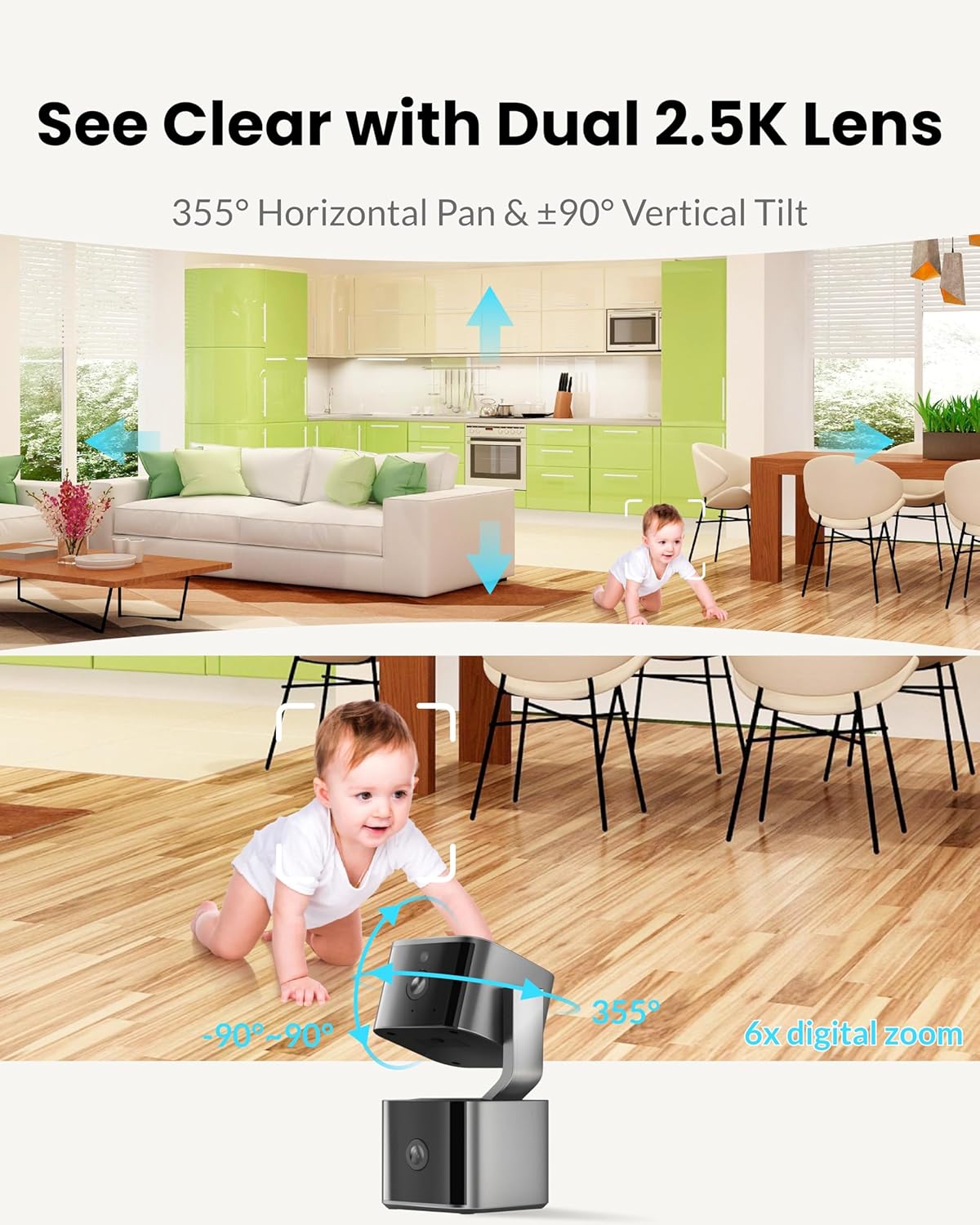
Figure 3: Dual 2.5K lens view with pan and tilt functionality.
Two-Way Audio
Tap the microphone icon in the app to enable two-way audio. This allows you to speak through the camera's speaker and hear audio from the camera's location.

Figure 4: Two-way audio feature in action.
Color Night Vision
The camera automatically switches to night vision in low-light conditions. Activate "Color Night Vision" in the app settings for enhanced visibility, providing clear and detailed images in darkness up to 33 feet.

Figure 5: Color Night Vision capability.
AI Dynamic Tracking
Enable AI Human Detection and Pet Tracking in the app settings. The camera will automatically follow detected movement, ensuring targets remain in view and sending real-time notifications to your device.

Figure 6: AI Dynamic Tracking for humans and pets.
Privacy Mode
To ensure privacy, activate the physical privacy mode via the app. With a single tap, the camera lens will physically rotate downward, blocking the view completely.
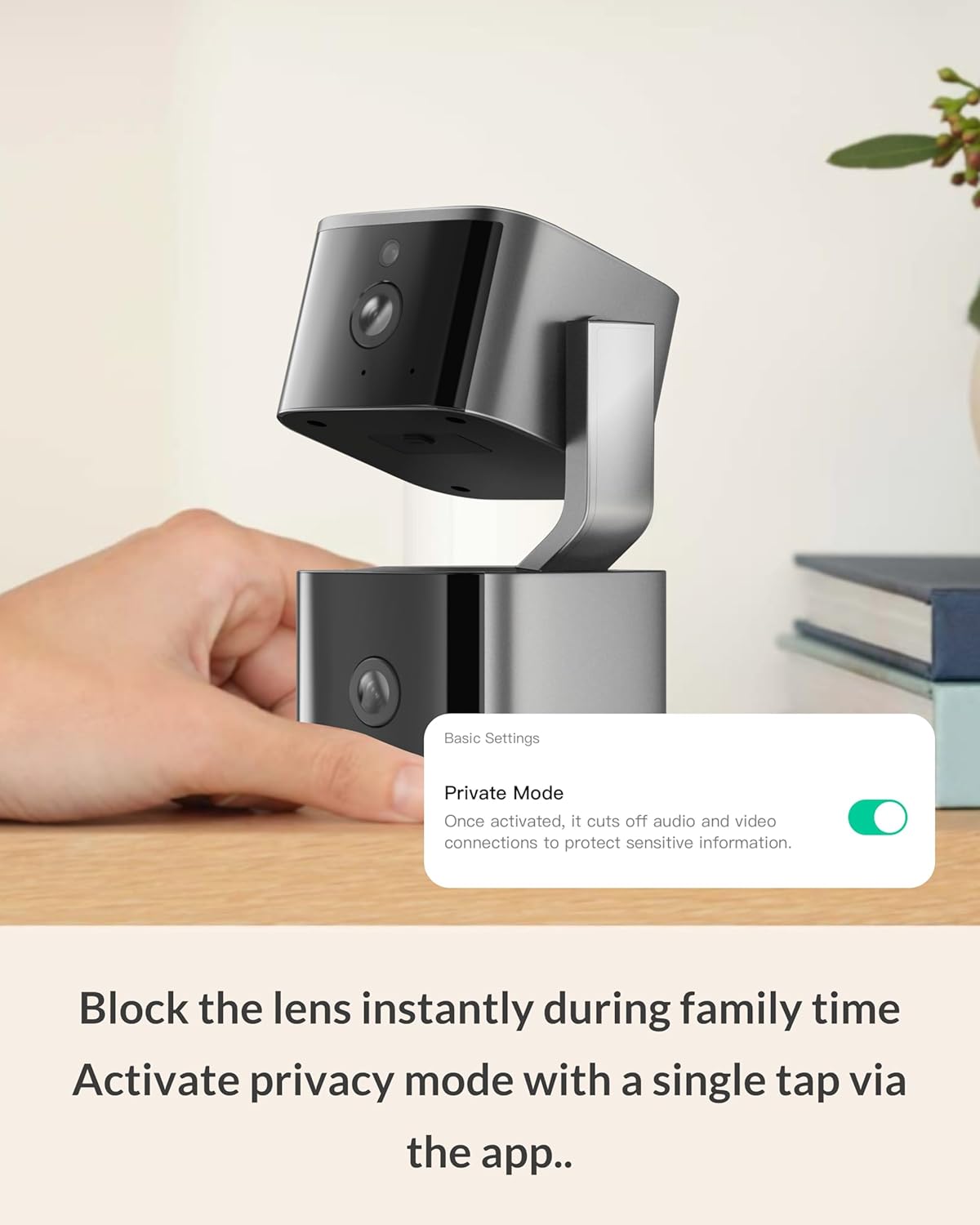
Figure 7: Activating physical privacy mode.
Smart Home Integration
The camera is compatible with Amazon Alexa and Google Assistant. Follow the instructions in the app to link your camera with your preferred smart home ecosystem for voice control and integrated monitoring. Note: Image quality may adjust to 1080P when using certain integrations.
Video Playback and Storage
Access recorded footage through the app. If an SD card is installed, recordings are stored locally. Cloud storage options may also be available through the app (subscription may be required). The app supports 4X playback for quick review of historical video.

Figure 8: 4X Playback feature for reviewing recorded video.
Maintenance
- Cleaning: Use a soft, dry cloth to clean the camera lens and body. Avoid abrasive cleaners or solvents.
- Firmware Updates: Regularly check the app for firmware updates to ensure your camera has the latest features and security enhancements.
- Optimal Placement: Ensure the camera is placed in an area with good Wi-Fi signal strength for uninterrupted performance.
Troubleshooting
- Camera Offline: Check Wi-Fi connection, power supply, and ensure the camera is within range of your router. Restart the camera and router if necessary.
- Poor Video Quality: Ensure a strong Wi-Fi signal. Switch from 5GHz to 2.4GHz if experiencing instability, or select Standard Definition (SD) mode in the app if your network is weak.
- Motion Detection Issues: Verify AI detection settings are enabled in the app. Adjust sensitivity levels if receiving too many or too few alerts.
- Overheating: If the camera becomes excessively hot, disconnect power immediately and contact customer support.
- Resetting the Device: Locate the reset button (often a small pinhole) on the camera. Use a pin to press and hold the button for several seconds until the camera indicates a reset.
Specifications
| Feature | Detail |
|---|---|
| Indoor/Outdoor Usage | Indoor |
| Video Capture Resolution | 4MP (2K+2K) |
| Connectivity Protocol | Wi-Fi (2.4GHz & 5GHz) |
| Controller Type | Amazon Alexa, Aurumbach Smart App |
| Mounting Type | Wall Mount, Freestanding |
| Special Features | 2-Way Audio, Monitor Tracking, Motion Sensor, Night Vision, PTZ Technology |
| Night Vision Range | 33 Feet |
| Frame Rate | 24 frames per second |
| Max Flash Memory Supported | 256 GB |
| Product Dimensions | 2.56 x 2.9 x 4.6 inches |
| Item Weight | 13.7 ounces |
Official Product Videos
Watch these official videos from Aurumbach LLC. for a visual guide to the camera's features and functionality.
Video 1: "Indoor Security Camera Dual Lenses" - An overview of the camera's dual-lens system and key features.
Warranty and Support
For warranty information, technical support, or any inquiries regarding your Aurumbach Dual Lens Indoor Security Camera, please refer to the contact details provided in the packaging or visit the official Aurumbach website. Keep your purchase receipt for warranty claims.