
Important Safety Instructions
Please read all instructions carefully before using this appliance. Keep this manual for future reference.
- Electrical Safety: This product is only suitable for voltage 110-120V. Do not use with voltage outside this range. Ensure the power cord is properly connected to a grounded outlet.
- Emergency Stop: Always attach the safety key to your clothing before starting the treadmill. In case of an emergency or if you need to stop quickly, the safety key will disengage, stopping the treadmill.
- User Weight Limit: Do not exceed the maximum user weight capacity of 265 lbs (120 kg).
- Clearance: Maintain adequate clear space around the treadmill during operation.
- Children and Pets: Keep children and pets away from the treadmill during operation. This appliance is not intended for use by persons with reduced physical, sensory or mental capabilities unless they have been given supervision or instruction.
- Maintenance: Perform regular maintenance as described in this manual to ensure safe and optimal performance. Unplug the treadmill before cleaning or performing any maintenance.
- Placement: Place the treadmill on a flat, stable surface. Do not operate in damp or wet conditions.
- Proper Attire: Wear appropriate athletic footwear and clothing when using the treadmill.
Product Overview
The SubSun 2-in-1 Folding Treadmill is designed for versatile home fitness, offering both traditional treadmill functionality and a compact walking pad mode. Its innovative design allows for easy storage and use in various settings.
Key Features
- 2-in-1 Design: Functions as a traditional treadmill with a handlebar or a compact under-desk walking pad.
- Foldable and Portable: Space-saving design with built-in transport wheels for easy movement and storage.
- Adjustable Speed: Speed range from 0.6 MPH to 7.6 MPH to accommodate walking, jogging, and light running.
- Manual Incline: Features a 2.2-degree manual incline to simulate varied terrain and increase workout intensity.
- Low-Noise Motor: Operates quietly, making it suitable for use in shared living spaces or during quiet hours.
- Shock Absorption System: Equipped with a 6-layer running belt and shock absorber pad to reduce joint strain.
- Integrated Display: LED display tracks speed, distance, time, and calories burned.
- Control Options: Control buttons on the handlebar and a remote control for convenient operation.
- Safety Key: Magnetic safety key for immediate emergency stops.
Product Components
- Treadmill Unit (Main Body, Running Belt, Motor)
- Handlebar Assembly
- LED Display Console
- Safety Key
- Remote Control
- Power Cord
- Tool Kit (for assembly)
- Lubricant (for maintenance)
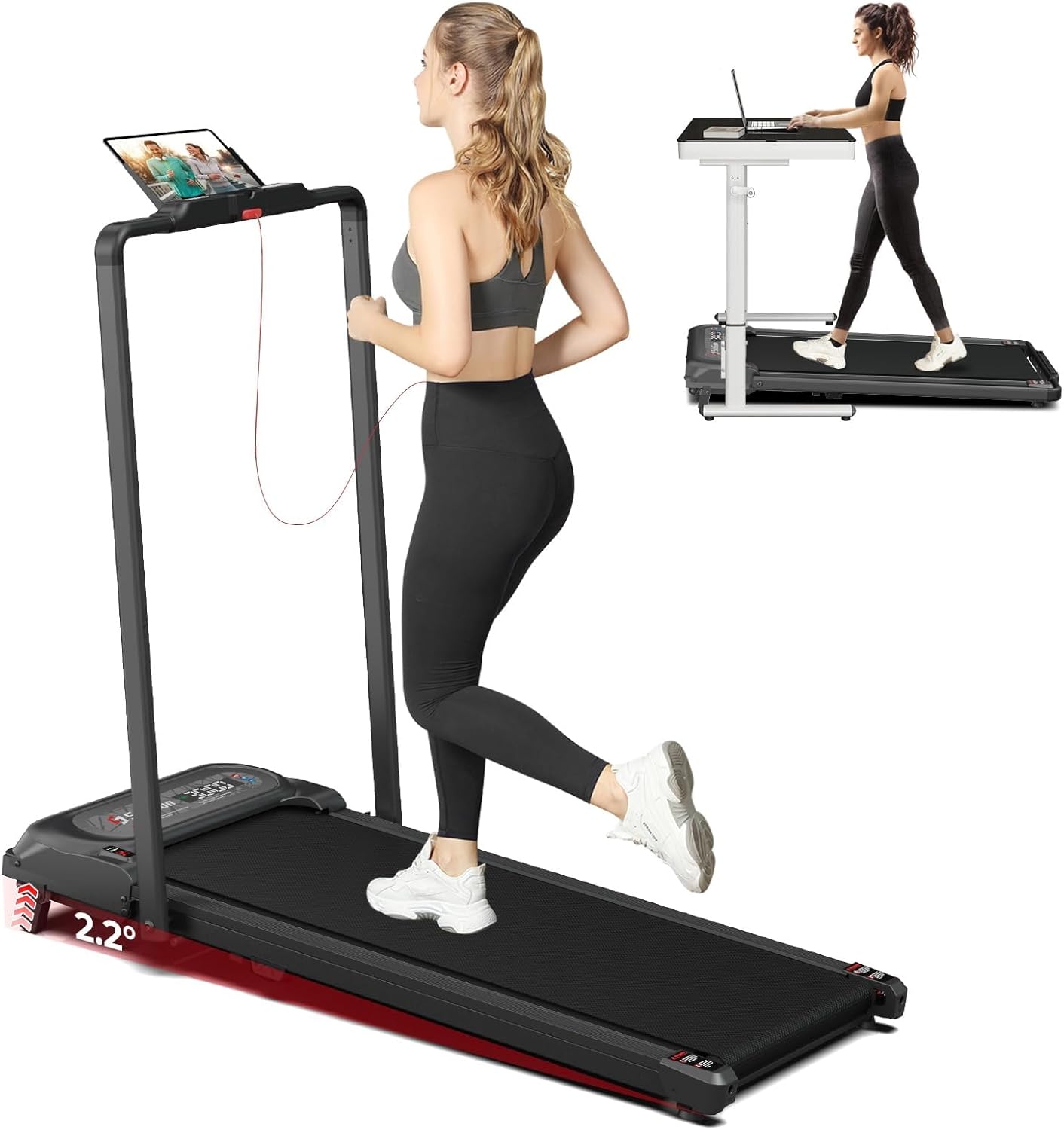
This image illustrates the SubSun 2-in-1 Folding Treadmill in both its upright mode with the handlebar for walking or jogging, and its compact under-desk mode for working while walking. The treadmill features a sleek black design.

This diagram highlights the versatile operating modes of the SubSun treadmill. It can be used for low-speed working (0.6-2 MPH), moderate-speed walking (2-4 MPH), or higher-speed running (4-7.6 MPH), adapting to various fitness needs.

This image shows the ergonomic handlebar of the SubSun treadmill, equipped with control buttons for easy operation. It also highlights the magnetic safety key, which is essential for emergency stops and safe use.
Setup and Assembly
The SubSun treadmill requires some assembly before first use. Please follow these steps carefully.
- Unpack: Carefully remove all components from the packaging. Place them on a clean, flat surface.
- Base Stabilization: Ensure the treadmill base is placed on a stable, level floor.
- Handlebar Installation: Attach the handlebar assembly to the main unit using the provided screws and tools from the tool kit. Ensure all connections are secure.
- Power Connection: Connect the power cord to the treadmill and then to a grounded 110-120V electrical outlet.
- Safety Key Placement: Familiarize yourself with the safety key and its magnetic attachment point on the console.
Note: Assembly typically takes about an hour for one person. Refer to the included quick start guide for detailed diagrams.
Operating Instructions
Before each use, ensure the treadmill is on a stable surface and the safety key is properly attached.
Starting a Workout
- Power On: Plug in the treadmill and turn on the main power switch, usually located near the front of the unit.
- Attach Safety Key: Clip the safety key to your clothing. The treadmill will not operate without the safety key in place.
- Select Mode:
- Treadmill Mode: With the handlebar upright, use the control buttons on the handlebar or the remote control to start and adjust speed.
- Walking Pad Mode: Fold down the handlebar. The treadmill will typically operate in a lower speed range suitable for walking. Use the remote control to operate.
- Adjust Speed: Use the '+' and '-' buttons on the handlebar or remote to increase or decrease speed. The LED display will show your current speed.
- Monitor Progress: The LED display will show real-time data including speed, distance, time, and calories burned.
Adjusting Incline
The SubSun treadmill features a manual incline adjustment of 2.2 degrees. To adjust the incline, you will need to manually lift or lower the rear of the treadmill. Ensure the treadmill is powered off and unplugged before attempting to adjust the incline. Consult the quick start guide for specific instructions on how to engage or disengage the incline mechanism.
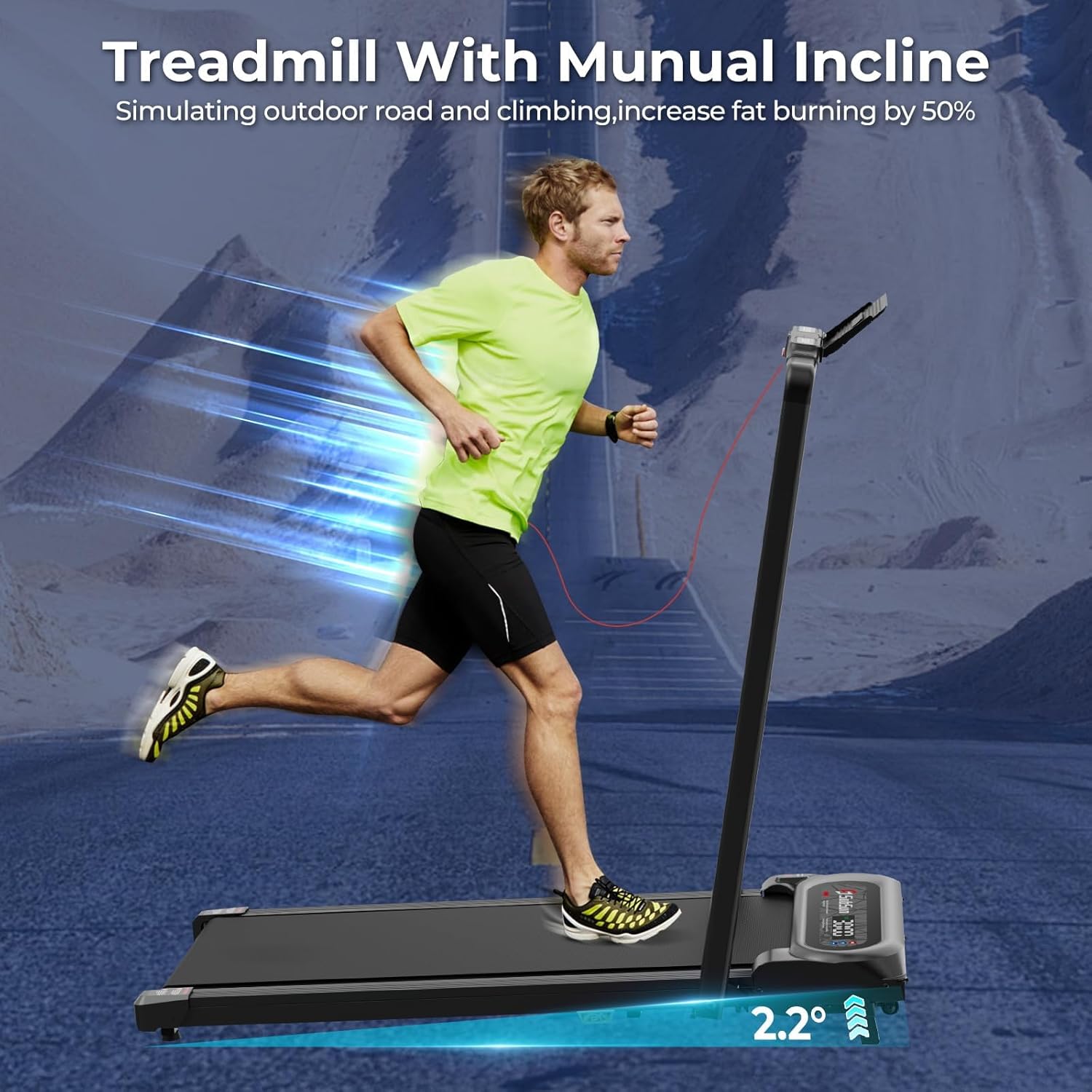
The image demonstrates the manual incline feature of the SubSun treadmill, set at 2.2 degrees, which simulates an outdoor road or climbing experience to enhance calorie burning during workouts.
Stopping a Workout
- Normal Stop: Press the 'Stop' button on the handlebar or remote control. The treadmill will gradually slow down and stop.
- Emergency Stop: Pull the safety key from its magnetic attachment point. The treadmill will stop immediately.
- Power Off: After your workout, turn off the main power switch and unplug the treadmill from the outlet.
Maintenance
Regular maintenance ensures the longevity and optimal performance of your SubSun treadmill. Always unplug the treadmill before performing any maintenance.
- Cleaning: Wipe down the treadmill surfaces with a damp cloth after each use to remove sweat and dust. Do not use abrasive cleaners.
- Belt Lubrication: The running belt requires periodic lubrication to reduce friction and extend its lifespan. Use the provided lubricant or a silicone-based treadmill lubricant.
- Frequency: Lubricate every 3-6 months, or after approximately 50-100 hours of use, depending on usage intensity.
- Application: Lift the edge of the running belt and apply a thin line of lubricant evenly across the center of the deck. Run the treadmill at a low speed (e.g., 1-2 MPH) for a few minutes to distribute the lubricant.
- Belt Tension and Alignment: Periodically check the running belt for proper tension and alignment. If the belt slips or drifts to one side, consult the troubleshooting section or contact customer support.
- Motor Area: Keep the area around the motor clean and free of dust and debris to ensure proper ventilation.
Troubleshooting
If you encounter any issues with your SubSun treadmill, refer to the following common problems and solutions.
| Problem | Possible Cause | Solution |
|---|---|---|
| Treadmill does not power on. | Power cord not plugged in; main power switch off; circuit breaker tripped. | Ensure power cord is securely plugged into a 110-120V outlet. Check if the main power switch is ON. Reset the circuit breaker if necessary. |
| Running belt does not move. | Safety key not in place; motor issue; belt tension. | Ensure the safety key is correctly inserted into its slot. If the motor runs but the belt doesn't move, the belt might be too loose or there's an internal issue. Contact customer support. |
| Unusual noise during operation. | Lack of lubrication; loose components; foreign object. | Lubricate the running belt as per maintenance instructions. Check for any loose screws or components and tighten them. Inspect for any foreign objects under the belt. |
| Belt slips or hesitates. | Belt too loose; insufficient lubrication. | Lubricate the running belt. Adjust belt tension if necessary (refer to specific instructions in the full manual or contact support). |
| Display not working correctly. | Loose cable connection; display malfunction. | Check all cable connections to the display console. If the issue persists, contact customer support. |
If the problem persists after trying these solutions, please contact SubSun customer support.
Specifications
| Feature | Detail |
|---|---|
| Brand | SubSun |
| Model Name | SH01-A |
| Color | Black |
| Product Dimensions (LxWxH) | 46.85"D x 22.05"W x 39.76"H |
| Folded Size (LxWxH) | 49.4" x 22.05" x 3.94" |
| Item Weight | 48 Pounds (approx. 21.77 kg) |
| Maximum Weight Recommendation | 265 Pounds (approx. 120 kg) |
| Material | Metal, Acrylonitrile Butadiene Styrene (ABS) |
| Maximum Speed | 7.6 Miles per Hour (approx. 12.2 km/h) |
| Maximum Horsepower | 2.5 Horsepower |
| Special Features | Portable, Manual Incline, Foldable, Wheeled |
| Display Type | LED |
| Included Components | Safety Key, Power Cord, Remote Control, Tool Kit, Lubricant |
| Assembly Required | Yes |
| UPC | 798476605736 |

This visual emphasizes the knee protection features of the SubSun treadmill, including a 6-layer running belt, integrated shock absorption pad, and non-slip surface for a safer and more comfortable workout. Key dimensions are also indicated.
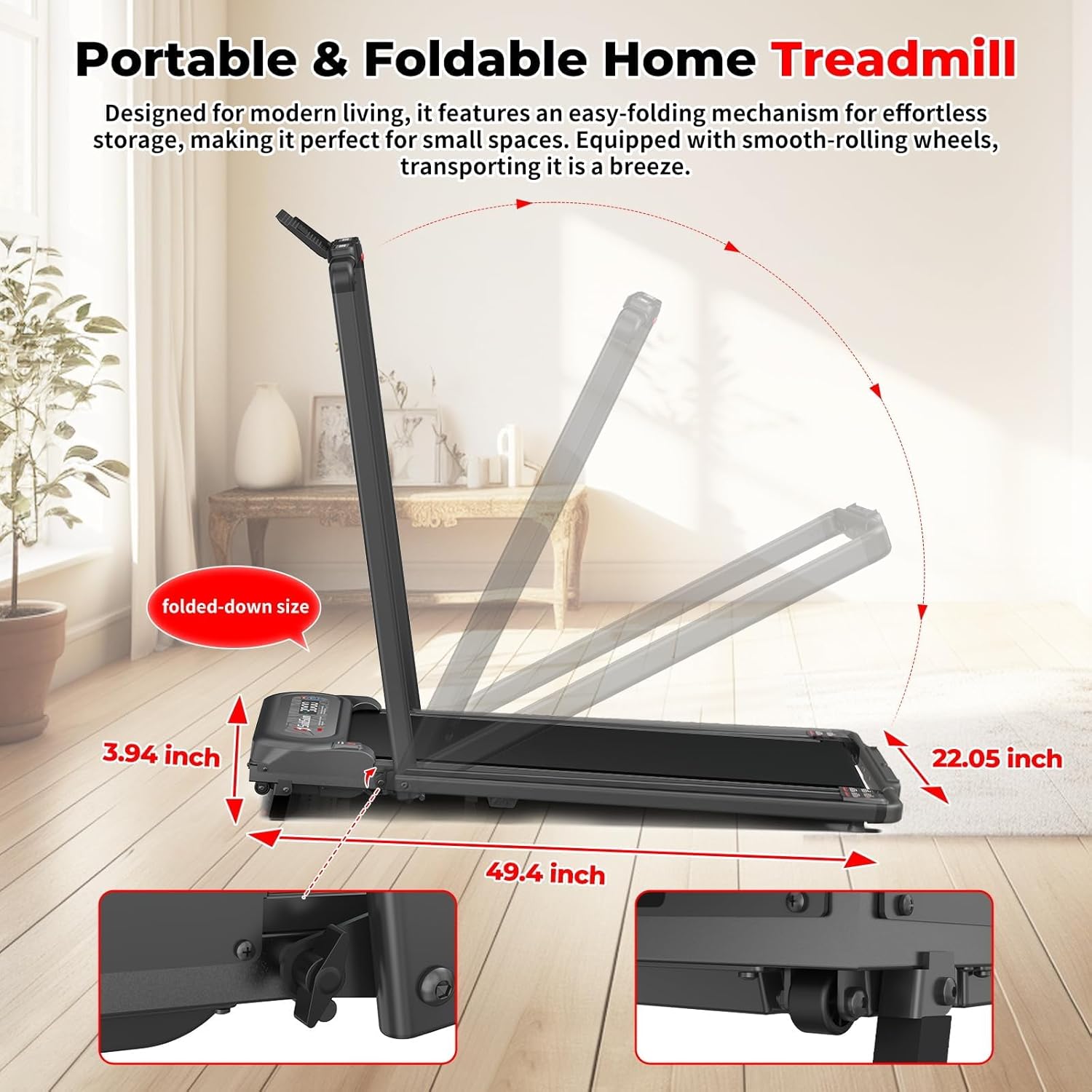
This image demonstrates the easy-folding mechanism of the SubSun treadmill, allowing it to be stored compactly. It highlights the folded dimensions and the built-in transport wheels for convenient movement and storage in small spaces.

The image showcases the quiet operation of the SubSun treadmill's low-noise motor, allowing for workouts without disturbing others, even a sleeping baby. The running surface dimensions (15.75 x 39.37 inches) are also visible.
Warranty and Support
Warranty Description: The SubSun 2-in-1 Folding Treadmill comes with a 1-year limited warranty from the date of purchase. This warranty covers manufacturing defects in materials and workmanship under normal use.
For warranty claims, technical support, or any questions regarding your product, please contact SubSun customer service. Please have your model number (SH01-A) and proof of purchase ready when contacting support.
Contact information (placeholder):
- Email: support@subsun.com
- Phone: 1-800-XXX-XXXX (Mon-Fri, 9 AM - 5 PM EST)
- Website: www.subsun.com/support


