
1. Introduction
Thank you for choosing the DuneVoyager DV-SW3 Smart Watch. This manual provides essential information for the proper setup, operation, and maintenance of your device. Please read it carefully to ensure optimal performance and longevity of your smart watch.

Image 1.1: The DuneVoyager DV-SW3 Smart Watch showing its main display and a call notification.
2. Product Overview
2.1 Key Features
- Display: 1.43-inch HD AMOLED screen with 466*466 resolution.
- Health Monitoring: Real-time heart rate, blood oxygen (SpO2), blood pressure, and 24-hour advanced sleep monitoring. Includes women's health management and breathing exercises.
- Sports Modes: Supports over 100 sports modes with phone-connected GPS tracking.
- Connectivity: HD Bluetooth calls, app and call reminders.
- Battery Life: 280mAh battery, offering up to 7 days of typical use and 30 days of standby time.
- Water Resistance: IP68 rated for water resistance.
- Customization: 100+ watch faces for real-time switching.
- Tools: Built-in calculator, stopwatch, timer, flashlight, and music control.
- Language Support: Supports multiple languages including Arabic, English, and Chinese.
2.2 Package Contents
Please check the package for the following items:
- DuneVoyager DV-SW3 Smart Watch
- Charging Cable
- User Manual
3. Setup
3.1 Charging the Device
- Connect the magnetic charging cable to the charging contacts on the back of the watch.
- Plug the USB end of the cable into a standard USB power adapter (5V/1A recommended) or a computer's USB port.
- The watch screen will display a charging indicator. Ensure the watch is fully charged before first use. A full charge typically takes approximately 2 hours.
3.2 Pairing with Your Smartphone
To unlock the full functionality of your DV-SW3 Smart Watch, you need to pair it with your smartphone via the companion application.
- Download the App: Scan the QR code provided in the watch packaging or search for the official DuneVoyager app in your phone's app store (Google Play Store for Android, Apple App Store for iOS).
- Enable Bluetooth: Ensure Bluetooth is enabled on your smartphone.
- Open the App: Launch the DuneVoyager app and follow the on-screen instructions to create an account or log in.
- Add Device: In the app, navigate to the 'Device' or 'Add Device' section. The app will search for available devices.
- Select Your Watch: Select 'DV-SW3' from the list of found devices. Confirm the pairing request on both your phone and the watch.
- Complete Setup: Once paired, the app will guide you through initial settings such as personal information, notification preferences, and watch face synchronization.
4. Operating Instructions
4.1 Basic Navigation
- Touch Screen: Swipe up, down, left, or right to navigate through menus and features. Tap to select an option.
- Side Button: Press the side button to return to the main watch face or to access the app list. A long press may activate specific functions (customizable in settings).
4.2 Customizing Watch Faces
The DV-SW3 offers over 100 watch faces. You can change them directly on the watch or through the app.
- On the Watch: From the main watch face, long-press the screen. Swipe left or right to browse available watch faces and tap to select.
- Via App: Open the DuneVoyager app, go to 'Watch Faces' or 'Dial Market' to explore and download more options.

Image 4.1: The 1.43-inch AMOLED display showcasing multiple customizable watch faces.
4.3 Making and Receiving Calls
With Bluetooth calling enabled, you can make and receive calls directly from your watch.
- Making a Call: Access the 'Dialer' or 'Contacts' function on your watch. You can dial a number directly or select a contact from your synchronized phonebook.
- Receiving a Call: When a call comes in, the watch will display the caller ID. Tap the green icon to answer or the red icon to reject.

Image 4.2: The smart watch demonstrating its Bluetooth dialing and answer capabilities.
4.4 Health Monitoring
The DV-SW3 provides comprehensive health data to help you understand your well-being.
- Heart Rate: Access the heart rate monitor from the app list. The watch will measure your heart rate in real-time. Continuous monitoring can be enabled in the app settings.
- Blood Oxygen (SpO2): Select the SpO2 function to measure your blood oxygen levels.
- Blood Pressure: Use the blood pressure monitoring feature for readings.
- Sleep Monitoring: Wear the watch to bed for automatic 24-hour sleep tracking. View detailed sleep analysis (deep sleep, light sleep, awake time) in the app.
- Women's Health: Track menstrual cycles and receive relevant reminders through the app.
- Breathing Exercises: Follow guided breathing exercises on the watch to help reduce stress.

Image 4.3: Visual representation of the comprehensive health monitoring features, including blood pressure, heart rate, and blood oxygen.

Image 4.4: The smart watch and companion app interface displaying 24-hour advanced sleep monitoring data.
Note: The health monitoring features are for reference only and should not be used for medical diagnosis or treatment. Consult a medical professional for health concerns.
4.5 Sports Modes and GPS Tracking
The DV-SW3 supports over 100 sports modes to accurately record your activity data.
- Selecting a Sport: From the app list, select 'Workout' or 'Sports'. Choose your desired activity (e.g., running, cycling, swimming).
- GPS Tracking: For outdoor activities, ensure your phone is connected and has GPS enabled. The watch will use your phone's GPS to track your route, distance, and pace.
- Data Recording: The watch will record duration, calories burned, heart rate, and other relevant metrics for your chosen sport. Review detailed statistics in the app after your workout.
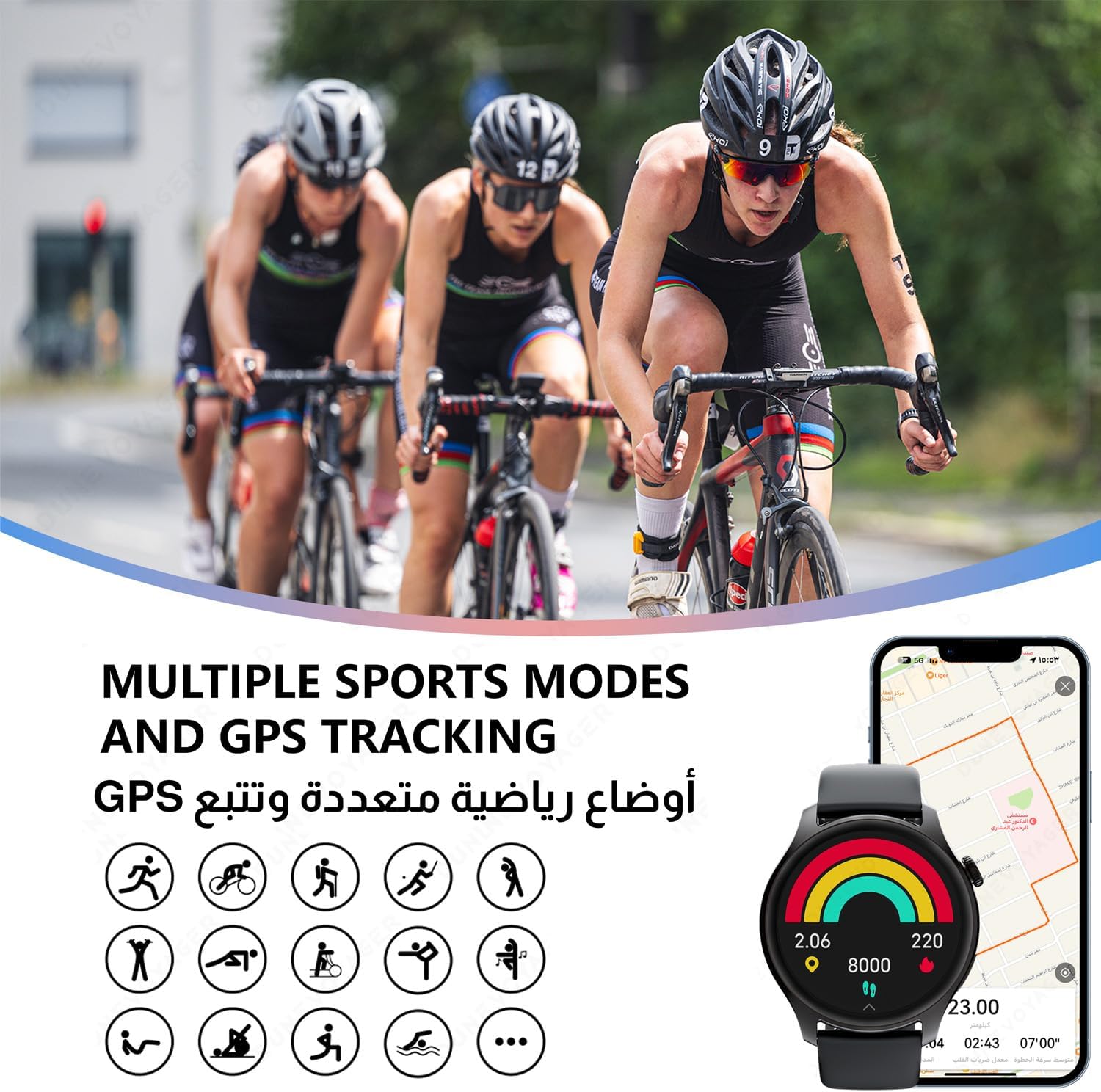
Image 4.5: The smart watch illustrating its support for multiple sports modes and phone-connected GPS tracking.
4.6 Notifications and Other Functions
- Notifications: Enable app notifications in the DuneVoyager app to receive alerts for calls, messages, and social media directly on your watch.
- Music Control: Control music playback on your smartphone (play, pause, skip tracks) from your watch.
- Built-in Tools: Access the calculator, stopwatch, timer, and flashlight from the watch's app list.
5. Maintenance
5.1 Cleaning and Care
- Regularly clean your watch and strap with a soft, dry cloth.
- If necessary, use a slightly damp cloth with mild soap for stubborn dirt, then wipe dry.
- Avoid using harsh chemicals, abrasive cleaners, or solvents, as these can damage the watch's finish and seals.
5.2 Water Resistance (IP68)
The DV-SW3 Smart Watch is rated IP68 water resistant. This means it can withstand immersion in water up to 1.5 meters for up to 30 minutes. It is suitable for daily use, such as hand washing, rain, and shallow swimming.
- Do not use the watch in hot water, saunas, or steam rooms.
- Avoid pressing buttons underwater.
- After exposure to water, especially saltwater, wipe the watch dry to prevent corrosion.
- Water resistance is not a permanent condition and may decrease over time with normal wear and tear.
5.3 Battery Care
- To prolong battery life, avoid fully discharging the watch frequently.
- Charge the watch using the provided charging cable and a compatible power adapter.
- Store the watch in a cool, dry place when not in use for extended periods.

Image 5.1: The smart watch screen indicating its 280mAh battery capacity and charging status.
6. Troubleshooting
| Problem | Possible Cause | Solution |
|---|---|---|
| Watch does not turn on | Low battery | Charge the watch for at least 30 minutes. |
| Cannot pair with phone | Bluetooth off, app issue, watch not discoverable | Ensure phone Bluetooth is on. Restart both watch and phone. Reinstall the app. |
| Notifications not received | App permissions, notification settings | Check app notification permissions on your phone. Ensure notifications are enabled in the DuneVoyager app. |
| Inaccurate health data | Improper fit, movement during measurement | Ensure the watch is worn snugly on your wrist. Remain still during measurements. |
| Short battery life | Frequent use of power-intensive features, high brightness | Reduce screen brightness. Disable continuous heart rate monitoring if not needed. Limit frequent use of calls or GPS. |
7. Specifications
| Feature | Specification |
|---|---|
| Model Name | DV-SW3 |
| Brand | DuneVoyager |
| Screen Size | 1.43 Inches |
| Screen Resolution | 466x466 |
| Display Type | AMOLED |
| Shape | Round |
| Battery Capacity | 280 mAh |
| Typical Usage Battery Life | Up to 7 days |
| Standby Battery Life | Up to 30 days |
| Water Resistance Rating | IP68 |
| Connectivity | Bluetooth |
| GPS | No (uses phone's GPS) |
| Special Features | Activity Tracker, Music Player, Phone Call |
| Package Dimensions | 15 x 12 x 3 cm; 130 g |
| Manufacturer | DuneVoyager |
| Country of Origin | China |
8. Warranty and Support
For warranty information and customer support, please refer to the warranty card included in your product packaging or visit the official DuneVoyager website. If you encounter any issues not covered in this manual, please contact DuneVoyager customer service for assistance.
Online Support: Visit the DuneVoyager store on Amazon: DuneVoyager Store