
HEYAXA 791684455414
HEYAXA Wireless WiFi Pool Thermometer User Manual
Model: 791684455414
Product Overview
The HEYAXA Wireless WiFi Pool Thermometer provides accurate temperature readings for various water environments, including swimming pools, hot tubs, spas, aquariums, ponds, and baths. It features a large 4.3-inch LCD color display for easy readability and offers WiFi connectivity for remote monitoring via a dedicated app. The system includes an indoor display unit and an IPX7 waterproof outdoor sensor.

Image: HEYAXA Wireless WiFi Pool Thermometer with indoor display and floating outdoor sensor.
Key Features:
- 4.3-inch Large Color LCD & Brightness Controller: Adjustable brightness (10%, 40%, 70%, 100%) for comfortable viewing.
- High Accuracy & 24h APP Records: Real-time indoor and outdoor temperature/humidity, with historical data and curve generation via app. Indoor range: -9.9℃ to 50℃ (14.2℉ to 122℉). Outdoor range: -40℃ to 70℃ (-40℉ to 158℉).
- IPX7 Waterproof & Multi-location Data: Ideal for various water bodies. Supports connection to up to 3 outdoor sensors (one sensor included).
- Two Power Modes: Operates on battery for portability or charging mode for continuous power.
What's in the Box
Your HEYAXA Wireless WiFi Pool Thermometer package includes the following components:
- 1 x Outdoor Thermometer (Floating Sensor)
- 1 x Digital LCD Display (Indoor Unit)
- 1 x User Manual

Image: All components included in the package: outdoor thermometer, indoor display, power adapter, and user manual.
Unboxing Video:
Video: HEYAXA Pool Thermometer Unboxing and User Review. This video demonstrates the contents of the package and initial impressions of the product.
Parts Identification
Familiarize yourself with the different parts of your HEYAXA Wireless WiFi Pool Thermometer system:

Image: Detailed diagram identifying the components and buttons of both the indoor display and the outdoor sensor.
Part A - Color LCD (Indoor Display)
- A1: Time
- A2: Indoor temperature
- A3: Indoor humidity
- A4: Remote wireless channel
- A5: Comfort level display of pool temperature
- A6: Outdoor pool temperature
- A7: Maximum temperature of outdoor temperature
- A8: Minimum temperature of outdoor temperature
Part B - Button Switch (Indoor Display)
- B1: "SET/MODE" button
- B2: "ALARM" button
- B3: "+" button
- B4: "MEM" button
- B5: "SNZ/LIGHT" button
- B6: "-" button
Part C - Outdoor Sensor
- C1: Temperature value
- C2: LED indicator for signal transmitting
- C3: Temperature sensor
Setup
1. Battery Installation (Outdoor Sensor)
The outdoor sensor requires 2 x AAA batteries (not included). Follow these steps to install them:
- Turn the lid of the thermometer counter-clockwise to open it.
- Pull out the battery slot and insert 2 AAA batteries, ensuring correct polarity.
- Insert the battery slot back into the sensor.
- Turn the lid clockwise to tighten it securely. Ensure it is fully tightened to maintain IPX7 waterproof rating.

Image: Step-by-step guide for battery installation in the outdoor sensor.
Battery Installation Video:
Video: How to install the battery for HEYAXA pool thermometer. This video provides a visual demonstration of the battery installation process for the outdoor sensor.
2. Powering the Indoor Display
The indoor display unit offers two power modes: direct charging or battery backup.
- Charging Mode: Connect the included DC 5V/1A power adapter to the indoor display unit. This provides continuous power without needing battery replacement.
- Battery Mode: Insert 2 x LR6 (AA size) batteries (not included) into the battery compartment on the back of the unit. This allows for wireless placement of the display.

Image: The indoor display unit can be powered via a DC 5V/1A adapter or 2 AA batteries.
3. App Connection and Pairing
To utilize the WiFi features and remote monitoring, connect your device to the HEYAXA app:
- Download the "HEYAXA" app from the App Store or Google Play, or scan the QR code provided in the manual. Create an account if you don't have one.
- Power up the indoor display station until it enters "AP Mode".
- Open the "HEYAXA" app and click "Add Device".
- The app will begin discovering devices. Select your thermometer when it appears.
- Select your 2.4GHz Wi-Fi network and enter the password. (Note: 5GHz Wi-Fi networks are not supported).
- Once connected, the device will be added successfully to your app.

Image: Visual guide for downloading the app, powering up, adding the device, and connecting to Wi-Fi.
For direct app download, visit: https://a.smart321.com/kalevolsmart
App Connection Video:
Video: Heyaxa Wireless WiFi Pool Thermometer. This video demonstrates the app's interface and connectivity features.
Operating Instructions
Temperature Monitoring
Once set up, the indoor display will show real-time indoor temperature and humidity, as well as the outdoor water temperature from the floating sensor. The outdoor sensor transmits data approximately every 50 seconds.
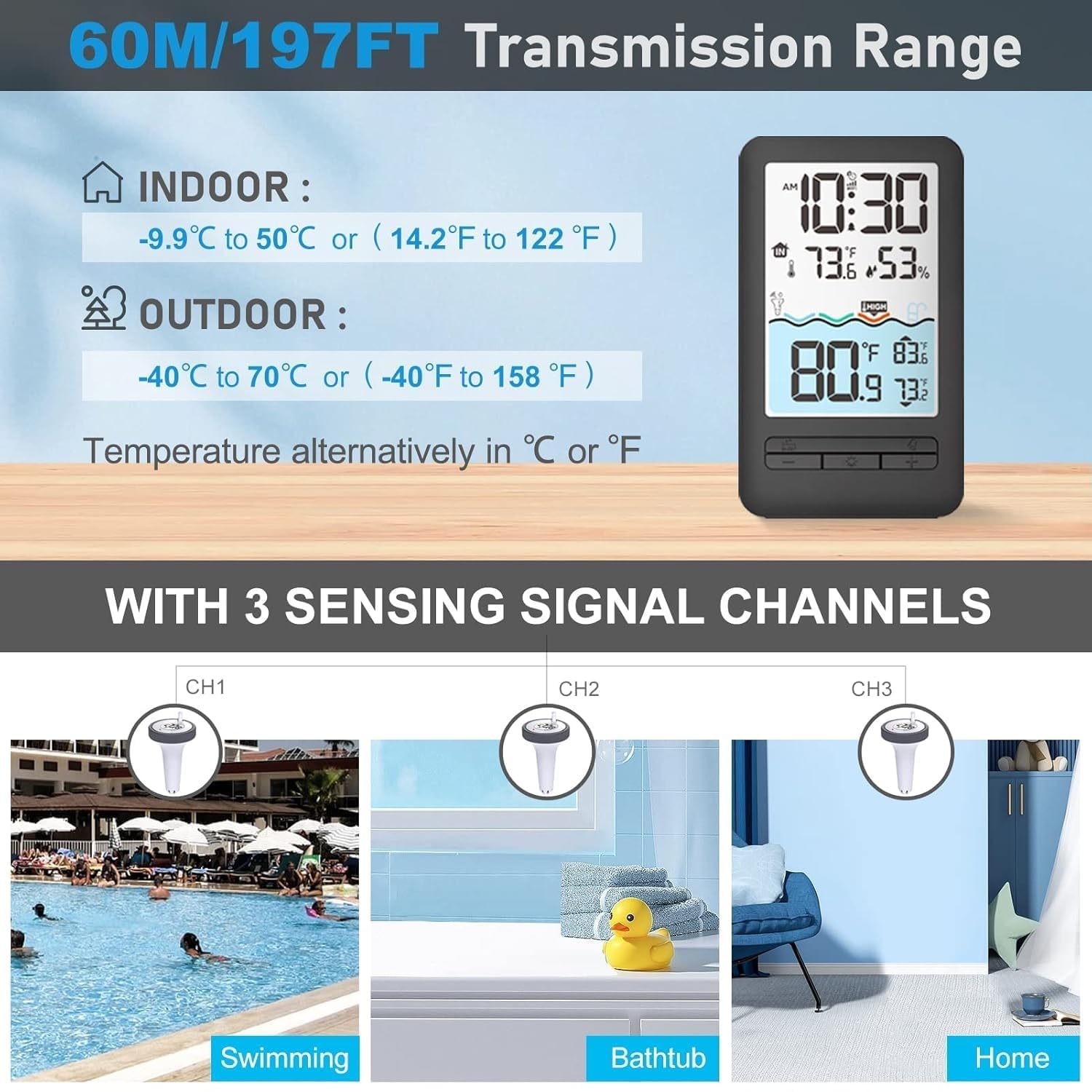
Image: The indoor display shows current time, indoor temperature and humidity, and outdoor water temperature. The app interface mirrors these readings.
The outdoor sensor has a transmission range of up to 197 feet (60 meters). Ensure the path between the outdoor sensor and the indoor display is clear of obstacles for optimal signal strength.

Image: The device supports a 197ft/60m transmission range and can track temperatures from multiple locations.
Multi-location Monitoring
The indoor display unit can connect to up to 3 outdoor sensors, allowing you to monitor temperatures in different environments simultaneously. Use the channel selection feature on the outdoor sensors to assign them to different channels (CH1, CH2, CH3).
Brightness Adjustment
The LCD display has four adjustable brightness levels (10%, 40%, 70%, 100%) to suit your viewing preference and environment. Adjust the brightness using the dedicated buttons on the indoor display unit.
Product Demonstration Video:
Video: Demo Review Heyaxa Wifi Pool Thermometer. This video provides a comprehensive demonstration of the thermometer's features and operation.
Maintenance
Waterproof Rating
The outdoor sensor is IPX7 waterproof, meaning it can withstand immersion in water up to 1 meter for 30 minutes. It includes a built-in desiccant to prevent moisture damage to internal components.

Image: The outdoor sensor is designed with IPX7 waterproofing to ensure durability in water environments.
Temperature Resistance
The outdoor sensor is designed to operate reliably in a wide range of temperatures, from -40℃ to 70℃ (-40℉ to 158℉).

Image: The sensor is built to withstand extreme heat and cold, operating from -40°C to 70°C.
General Care
- Regularly check the battery compartment of the outdoor sensor to ensure the lid is tightly sealed.
- Keep the transmission path between the outdoor sensor and indoor display clear of large obstacles (e.g., thick walls) to prevent signal reduction.
- Clean the display and sensor with a soft, damp cloth. Avoid abrasive cleaners.
Troubleshooting
- Inconsistent Connection/No Reading: Ensure the outdoor sensor and indoor display are within the 197ft (60m) transmission range. Walls and other obstacles can significantly reduce this distance. Try repositioning the indoor unit closer to the outdoor sensor or in a location with fewer obstructions.
- Pairing Issues: If the device does not pair easily, some users have found success by holding the '+' key on the indoor unit until 'AP' is shown, then attempting to pair via the app. Ensure your Wi-Fi network is 2.4GHz.
- App Connectivity Problems: If the HEYAXA app has difficulty finding the device, ensure your phone's Wi-Fi is connected to a 2.4GHz network. Some users have reported success with alternative smart home apps like Tuya Smart if the official app encounters persistent issues.
- Display Brightness Not Holding: If the display brightness does not retain its setting, ensure the unit is consistently powered via the charging mode, as battery mode may default to a lower brightness to conserve power.
Specifications
| Feature | Detail |
|---|---|
| Brand | HEYAXA |
| Model Number | 791684455414 |
| Package Dimensions | 7.24 x 4.41 x 3.98 inches; 1.01 Pounds |
| First Available Date | March 4, 2025 |
| Color | Grey |
| Outer Material | Acrylonitrile Butadiene Styrene |
| Display Type | Digital |
| Connectivity Technology | Wi Fi (2.4GHz only) |
| Special Feature | High Accuracy |
| Included Components | 1*Outdoor thermometer, 1*Digital LCD Display, 1*Manual |
Usage Scenarios
The HEYAXA Wireless WiFi Pool Thermometer is versatile and can be used in a variety of water environments:
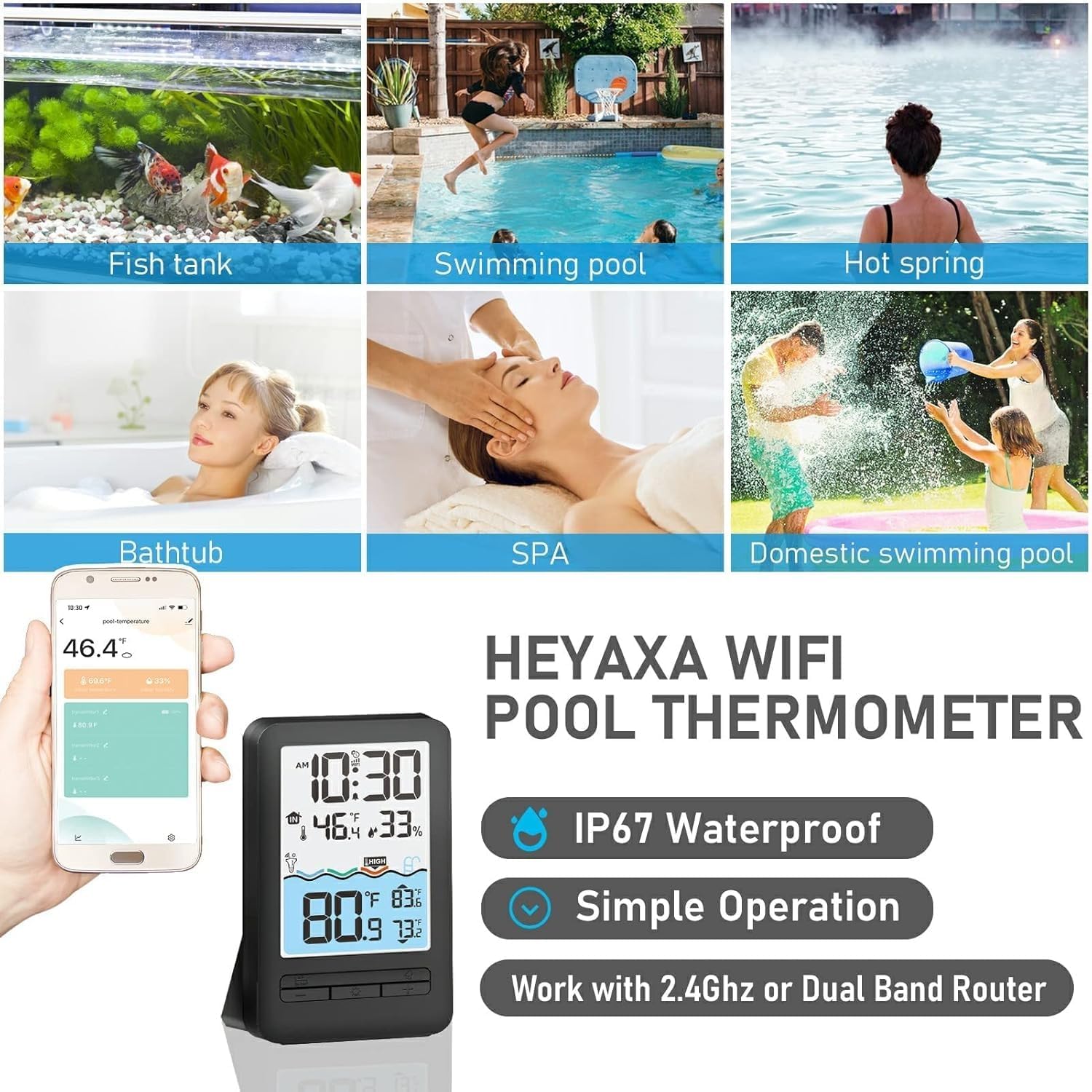
Image: The thermometer is suitable for fish tanks, swimming pools, hot springs, bathtubs, spas, and domestic swimming pools.
- Swimming Pools: Monitor your pool's temperature for optimal swimming conditions.
- Hot Tubs & Spas: Ensure your hot tub or spa is at the perfect temperature for relaxation.
- Aquariums & Fish Ponds: Maintain ideal water temperatures for aquatic life.
- Baby Baths: Safely check bath water temperature for infants.
Warranty and Support
Your satisfaction is our highest priority. HEYAXA provides professional service and technical guidance for all customers.

Image: HEYAXA offers 24-hour after-sales service via email.
If you have any questions about the WiFi pool thermometer, please contact us by email:
support@heyaxa.com
Our customer service team will solve your problem within 24 hours.
Ask a question about this manual
Ask about setup, troubleshooting, compatibility, parts, safety, or missing instructions. Manuals+ will review the question and use this page’s manual context to help answer it.