
1. Introduction
This manual provides essential information for the safe and efficient use of your LG 65-Inch Class QNED AI 4K Smart TV (Model 65QNED82AUA). Please read these instructions thoroughly before operating the television and retain them for future reference. This television features LG's QNED color technology, an α7 AI Processor Gen8 for optimized picture and sound, webOS 24 for smart features, and advanced gaming capabilities.

Front view of the LG 65-Inch Class QNED AI 4K Smart TV.
2. What's in the Box
Verify that all components are present before proceeding with setup.
- LG 65-Inch Class QNED AI 4K Smart TV (Model 65QNED82AUA)
- Magic Remote Control
- Remote Control Batteries (AAA x 2)
- Power Cable
- Stand Components
- User Manual (this document)
- Quick Start Guide

Illustration of TV dimensions and contents included in the packaging.
3. Setup
3.1 Stand Installation
Carefully place the TV screen-down on a soft, flat surface. Attach the stand components to the designated slots on the bottom of the TV using the provided screws. Ensure the stand is securely fastened before placing the TV upright.
3.2 Wall Mounting (Optional)
If wall-mounting, refer to the wall mount kit instructions. Ensure proper ventilation around the TV. Remove the stand before wall mounting.
3.3 Connecting External Devices
Connect your external devices (e.g., cable box, Blu-ray player, gaming console) to the appropriate ports on the back of the TV.
- HDMI Ports: For high-definition audio and video connections. This model includes four HDMI 2.1 ports.
- USB Ports: For connecting USB storage devices to play media files or for service.
- Ethernet (LAN) Port: For a wired internet connection.
- Antenna/Cable Input: For connecting an antenna or cable TV signal.

Rear view of the television displaying available input and output ports.
3.4 Initial Power On and Network Setup
After connecting the power cable, press the power button on the remote control. Follow the on-screen instructions to complete the initial setup, including language selection, network connection (Wi-Fi or Ethernet), and channel scanning.
4. Operating Your TV
4.1 Magic Remote Control
The Magic Remote allows for intuitive control using pointing, clicking, scrolling, and voice commands. Insert the two AAA batteries into the remote control.

The LG Magic Remote control, featuring various buttons for navigation and smart functions.

Key features of the AI Magic Remote, including point and click functionality, scrolling, and the dedicated AI button.
4.2 Picture Settings and Enhancements
- Dynamic QNED Color: Experience vivid and lifelike colors with LG's wide color gamut technology, providing 100% Color Volume.
- Dimming Pro: This feature improves contrast and minimizes halo effects through precise local dimming control.
- Alpha 7 AI Processor Gen8: The α7 AI Processor Gen8 enhances brightness, refines picture detail with 4K upscaling, and optimizes sound for an immersive viewing experience.
- HDR10 Pro: Delivers a dramatic visual experience by enhancing each color on your screen, providing improved contrast and vibrancy.
- Filmmaker Mode: Preserves the director’s original colors, settings, and frame rates for an authentic cinematic experience.
- 4K Super Upscaling: Transforms lower-resolution content into near-4K quality, enhancing detail and clarity.

Visual representation of LG's Dynamic QNED Color technology, highlighting enhanced color reproduction.
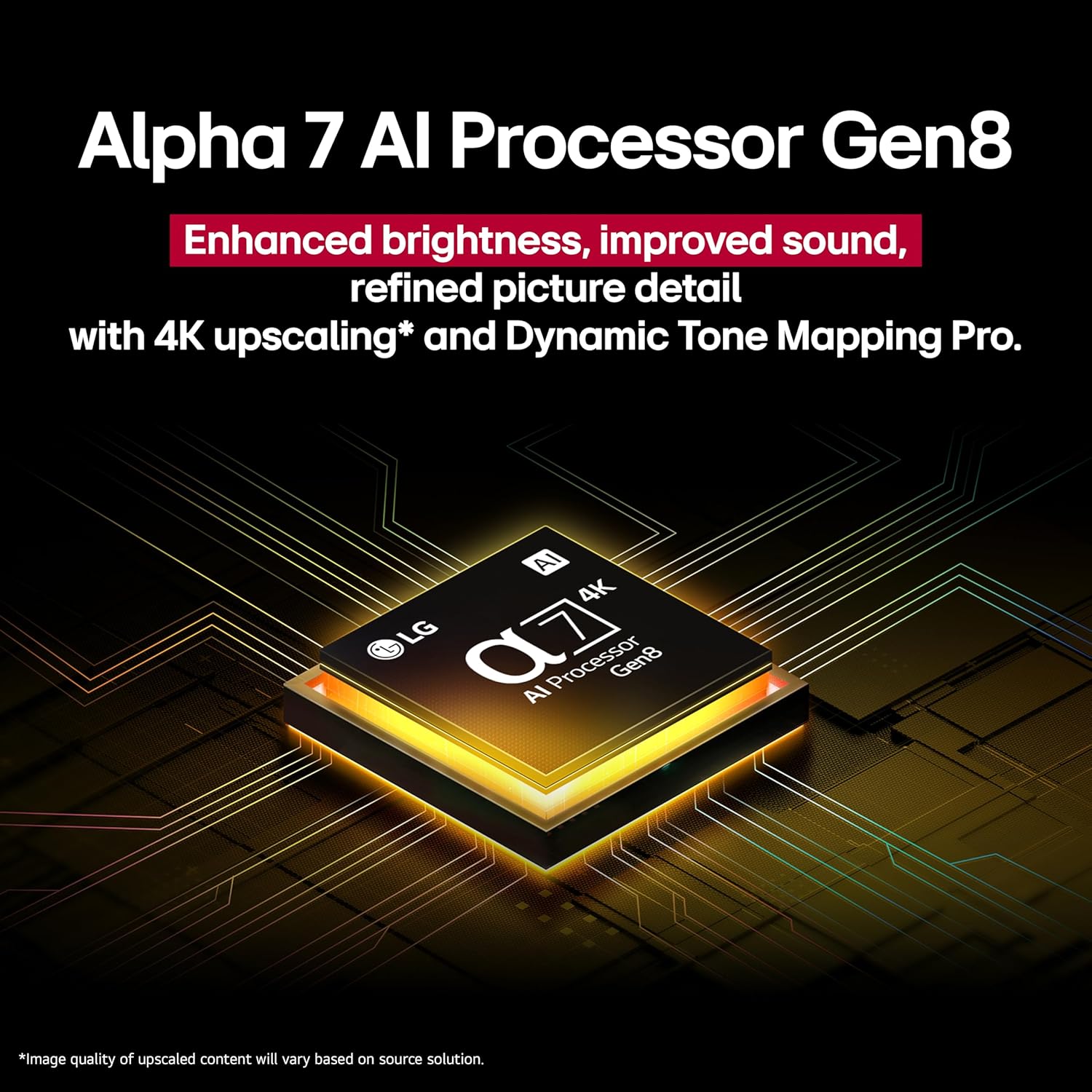
An illustration of the Alpha 7 AI Processor Gen8, emphasizing its role in picture and sound enhancement.

A side-by-side comparison demonstrating the visual improvement with HDR10 Pro compared to standard dynamic range (SDR).

An illustration showing how 4K Super Upscaling enhances image detail from a lower resolution source.
4.3 Sound Features
- AI Sound: The α7 AI Processor Gen8 optimizes audio based on content type, providing an enhanced listening experience.
- Wow Orchestra: Integrates the TV's speakers with a compatible LG soundbar for a more expansive soundstage.
- Virtual 5.1 Surround Sound: Provides an immersive audio experience without additional speakers.
4.4 Smart TV Features (webOS 24)
LG webOS 24 offers a personalized and intuitive smart TV experience.
- Customizable Quick Cards: Organize your favorite apps and services for quick access.
- LG Channels: Access over 350 free channels and thousands of on-demand titles.
- AI Search: Provides personalized recommendations and solutions based on your requests, integrating with services like Microsoft Copilot.
- AI Voice ID with My Profile: The TV recognizes your voice and offers tailored content recommendations.
- webOS Re:New Program: Enjoy future software updates and feature refreshes for up to 5 years, ensuring your TV stays current.
- Personalized Picture and Sound Wizard: Uses AI to analyze your preferences and create customized picture and audio settings.
- Smart Home Integration: Built-in Alexa, Google Assistant, Apple HomeKit, and Matter compatibility for controlling smart home devices.

The AI Search interface on the LG TV, demonstrating personalized recommendations and Microsoft Copilot integration.

The AI Voice ID feature on the LG TV, allowing for personalized profiles and content recommendations.

Information about the webOS Re:New Program, which provides software updates and feature refreshes.
4.5 Gaming Features
The TV is equipped with features designed to enhance your gaming experience.
- FreeSync & VRR (Variable Refresh Rate): Reduces screen tearing and stuttering for smoother gameplay.
- GeForce NOW & Xbox Cloud Gaming: Access cloud gaming services directly on your TV (subscription and compatible controller may be required).
- LG Game Optimizer & Game Dashboard: Centralized settings and quick access to gaming-specific adjustments.
- HDMI 2.1 Ports: Four HDMI 2.1 ports support advanced gaming features like 4K at higher refresh rates.

An overview of gaming features such as Variable Refresh Rate (VRR), GeForce NOW, Auto Low Latency Mode (ALLM), and Enhanced Audio Return Channel (eARC).
5. Maintenance
5.1 Cleaning the Screen
Gently wipe the screen with a soft, dry microfiber cloth. For stubborn marks, lightly dampen the cloth with water or a specialized screen cleaner. Avoid harsh chemicals, abrasive materials, or direct spraying onto the screen.
5.2 Cleaning the Cabinet
Wipe the TV cabinet with a soft, dry cloth. Do not use water or cleaning solutions directly on the cabinet.
5.3 Remote Control Care
Keep the remote control dry and clean. Replace batteries when the remote's responsiveness decreases.
6. Troubleshooting
If you encounter issues with your TV, refer to the following common solutions before contacting service.
| Problem | Possible Solution |
|---|---|
| No power | Ensure the power cable is securely plugged into both the TV and a working electrical outlet. Check the power indicator light on the TV. |
| No picture, but sound is present | Check the input source. Ensure the external device is powered on and connected correctly. Try a different HDMI cable. |
| No sound, but picture is present | Check the volume level. Ensure Mute is not activated. Verify audio output settings (e.g., TV speakers, external sound system). |
| Remote control not working | Replace the batteries. Ensure there are no obstructions between the remote and the TV. Re-pair the Magic Remote if necessary (refer to the on-screen guide). |
| Poor picture quality | Check the signal source. Adjust picture settings (brightness, contrast, sharpness). Ensure the TV's software is up to date. |
| Cannot connect to Wi-Fi | Ensure your Wi-Fi router is on and functioning. Re-enter the Wi-Fi password. Try restarting both the TV and the router. |
7. Specifications
| Feature | Detail |
|---|---|
| Brand | LG |
| Model Number | 65QNED82AUA |
| Screen Size | 65 Inches |
| Display Technology | LED (QNED) |
| Resolution | 4K (3840 x 2160) |
| Refresh Rate | 60 Hz |
| Processor | α7 AI Processor Gen8 |
| Operating System | webOS 24 |
| Connectivity | Bluetooth, Ethernet, HDMI (x4, HDMI 2.1), USB (x2), Wi-Fi |
| Special Features | Built-In Speaker, Game Mode, Google Cast built-in, Local Dimming, Multiple Voice Assistance (Alexa Built-in, Google Assistant, Apple HomeKit, Matter) |
| Product Dimensions (with stand) | 57.3" W x 35.7" H x 11.6" D |
| Item Weight (with stand) | 51.5 Pounds |
| Voltage | 120 Volts |
| On-mode Power Consumption | 119 watts |
| Annual Energy Consumption | 220 Kilowatt Hours Per Year (based on 4 hours/day) |
8. Warranty and Support
8.1 Product Warranty
Your LG TV is covered by a limited warranty. Please refer to the warranty card included with your product or visit the official LG website for detailed warranty terms and conditions specific to your region.
8.2 Customer Support
For technical assistance, troubleshooting beyond this manual, or service inquiries, please contact LG Customer Support. You can find contact information on the official LG website or in the Quick Start Guide.
Online Resources: Visit LG Support for FAQs, software updates, and additional product information.


