
1. Introduction
This manual provides detailed instructions for the assembly, operation, and maintenance of your Kingant Standing Desk. This electric standing desk is designed to offer an ergonomic workstation solution, allowing seamless transitions between sitting and standing positions to promote a healthier work environment. It features a robust electric lift system and programmable memory presets for personalized height adjustments.
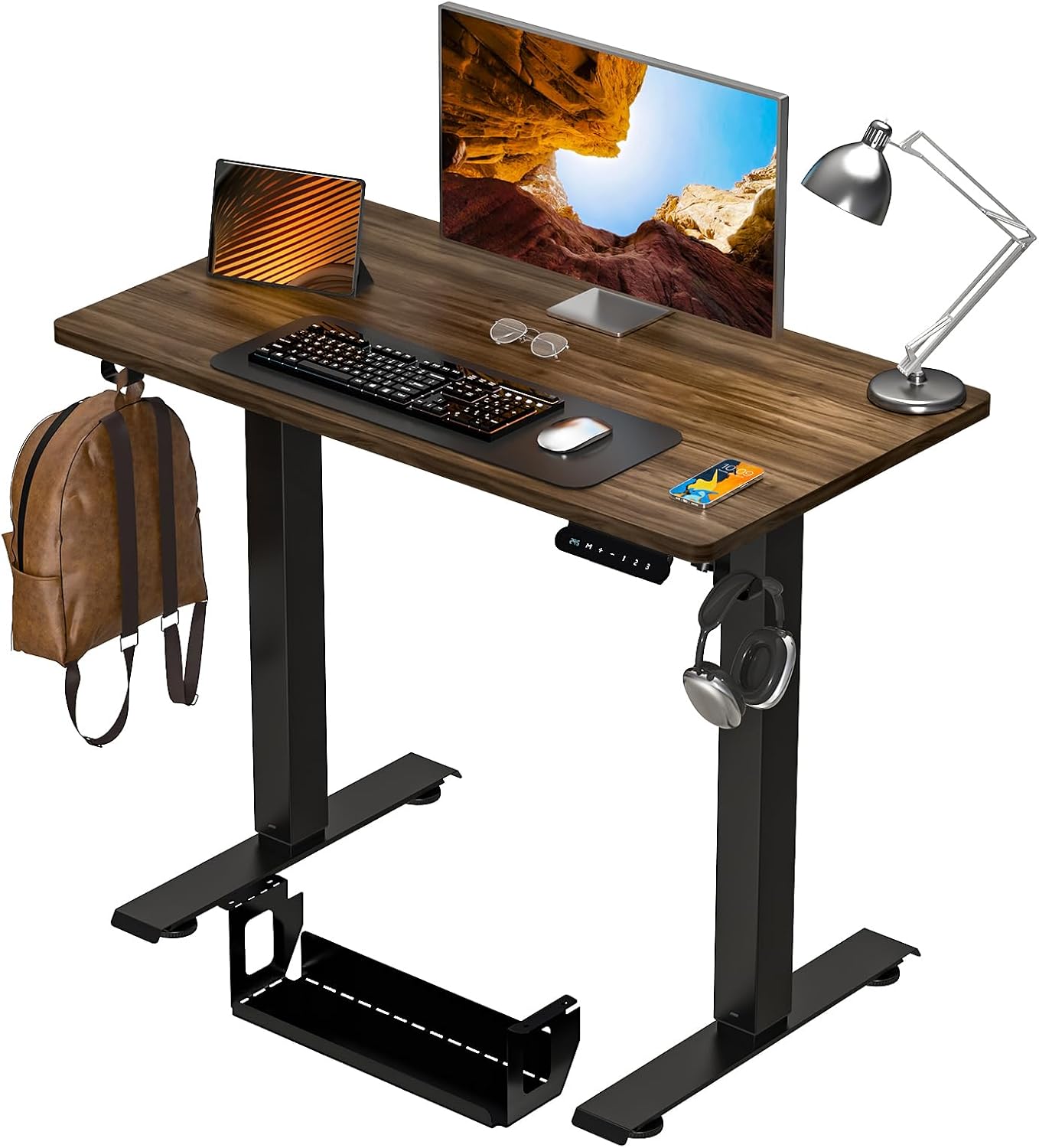
Image 1.1: The Kingant Standing Desk in a typical home office environment, showcasing its design and functionality.
2. Safety Information
- Always ensure the desk is properly anchored to the floor.
- Do not exceed the maximum weight limit of 180 lbs (81.6 kg) to prevent instability and potential injury.
- Keep children and pets away from the desk during operation.
- Ensure no obstacles are in the path of the desk's movement (up or down) to prevent damage or injury.
- Do not sit or stand on the desk.
- Avoid placing liquids directly on the control panel or motor components.
- Disconnect power before cleaning or maintenance.
3. Package Contents
Please verify that all components are present and undamaged before beginning assembly. If any parts are missing or damaged, please contact customer support.
- Desktop (35" x 20" Dark Walnut)
- Electric Lift Legs (2 units)
- Foot Pads (2 units)
- Control Panel with Memory Presets
- Motor and Power Cable
- Cable Management Tray
- Headphone Hook
- Assembly Hardware (screws, Allen wrenches, etc.)
- Instruction Manual

Image 3.1: An exploded view illustrating the main components of the Kingant Standing Desk, including the desktop, legs, and control panel.
4. Setup and Assembly
Assembly of the Kingant Standing Desk is designed to be straightforward. Please follow these steps carefully. All necessary tools are included.
- Unpack Components: Carefully remove all parts from the packaging and lay them out on a clean, soft surface to prevent scratches.
- Attach Lift Legs: Secure the electric lift legs to the desktop using the provided screws. Ensure the motor and cable connections are oriented correctly.
- Install Foot Pads: Attach the foot pads to the bottom of the lift legs.
- Mount Control Panel: Secure the control panel to the underside of the desktop in an easily accessible location.
- Connect Wiring: Connect the motor cable to the control panel and then connect the power cable. Route cables neatly.
- Install Cable Management Tray and Headphone Hook: Attach the cable management tray and headphone hook to the designated areas under the desktop.
- Final Check: Double-check all screws are tightened and connections are secure.
Important Note: Pay close attention to the screw types during assembly, especially if there are screws that appear similar but have different threadings. Refer to the pictorial instructions for correct screw placement.

Image 4.1: The assembled desk showing the integrated cable management tray and headphone hook, designed for an organized workspace.
5. Operating Instructions
5.1 Height Adjustment
The desk features a smooth and quiet electric lift system. The height can be adjusted between 27.9 inches and 46.9 inches.
- Press and hold the UP (▲) arrow button to raise the desk.
- Press and hold the DOWN (▼) arrow button to lower the desk.
- Release the button at your desired height.
5.2 Memory Presets
The control panel allows you to save up to three preferred height settings for quick adjustments.
- Adjust the desk to your desired height using the UP/DOWN buttons.
- Press the "S" button (Set). The display will flash.
- Within 3 seconds, press one of the memory buttons (1, 2, or 3). The display will show "S-" followed by the number, indicating the height is saved.
- To recall a saved height, simply press the corresponding memory button (1, 2, or 3). The desk will automatically move to the saved position.

Image 5.1: The smart keyboard controller, highlighting the up/down arrows for manual adjustment and the 'S' button with three memory presets for quick height recall.

Image 5.2: An illustration demonstrating the adjustable height range of the desk from 27.5 inches to 46.8 inches, accommodating sitting, standing, and even treadmill use.
6. Maintenance
- Cleaning: Wipe the desktop and frame with a soft, damp cloth. Avoid abrasive cleaners or harsh chemicals.
- Cable Management: Periodically check and organize cables to prevent tangling or damage.
- Lubrication: The telescoping legs have a light film of lubricant. Do not remove this film as it is essential for smooth operation.
- Inspection: Regularly inspect all screws and connections to ensure they remain tight and secure.
7. Troubleshooting
| Problem | Possible Cause | Solution |
|---|---|---|
| Desk does not move. | Power cable disconnected; motor cable loose; overload. | Check power connection; ensure motor cable is securely plugged in; reduce weight on desk (max 180 lbs). |
| Desk moves unevenly or makes unusual noise. | Loose connections; uneven weight distribution; obstruction. | Check all assembly screws; redistribute weight evenly; ensure no objects are obstructing the legs. |
| Memory presets not working. | Presets not saved correctly. | Follow the "5.2 Memory Presets" instructions to re-save your desired heights. |
| Desk stops mid-movement. | Overload protection activated; thermal protection activated. | Reduce weight on the desk. Allow the motor to cool down for 20 minutes before attempting operation again. |
8. Specifications
| Feature | Detail |
|---|---|
| Brand | Kingant |
| Model Number | 04 Standing Desk |
| Product Dimensions (D x W x H) | 35"D x 20"W x 27.5"H (minimum height) |
| Color | Dark Walnut |
| Style | Modern |
| Base Material | Alloy Steel |
| Top Material Type | Wood |
| Special Feature | Electric Adjustable Height |
| Recommended Uses | Gaming, Office, Working |
| Included Components | Headphone Hook |
| Maximum Weight Recommendation | 180 Pounds |
| Required Assembly | Yes (Includes All Assembly Tools) |
| Tabletop Thickness | 0.06 Inches |
| Maximum Height | 46.9 Inches |
| Minimum Height | 27.9 Inches |
| Lifting Mechanism | Electric |

Image 8.1: Detailed product dimensions of the Kingant Standing Desk, showing the desktop size (35" x 20") and height adjustment range (27.9" to 46.9").
Image 8.2: The Kingant Standing Desk in a dark walnut finish, highlighting its compact size and integrated accessories like the headphone hook and cable management.
9. Warranty and Support
The Kingant Standing Desk comes with a Limited Warranty. For specific details regarding warranty coverage, duration, and terms, please refer to the warranty card included in your package or contact Kingant customer support.
For technical assistance, missing parts, or warranty claims, please contact Kingant customer service through the retailer where the product was purchased or visit the official Kingant website.
Manufacturer: Kingant
