
PJGCWB PD-1504
PJGCWB PD-1504 Portable DVD Player User Manual
Model: PD-1504
1. Introduction
This manual provides essential instructions for the safe and efficient operation of your PJGCWB PD-1504 Portable DVD Player. Please read this manual thoroughly before using the device and retain it for future reference.
The PJGCWB PD-1504 is a portable DVD player featuring a 15.6-inch HD swivel screen, designed for versatile entertainment. It includes a rechargeable battery for extended use, dual speakers for clear audio, and supports various disc and media formats.
2. Important Safety Instructions
- Do not expose the device to rain or moisture to prevent fire or electric shock.
- Do not block ventilation openings. Ensure proper airflow around the device.
- Use only attachments/accessories specified by the manufacturer.
- Unplug the device during lightning storms or when unused for long periods.
- Refer all servicing to qualified service personnel.
- Keep the device away from direct sunlight, heat sources, and extreme temperatures.
- Handle discs carefully to avoid scratches or damage.
3. Product Overview and Components
Familiarize yourself with the main components and included accessories of your portable DVD player.

Figure 3.1: Front view of the PJGCWB PD-1504 Portable DVD Player with the screen open, displaying controls and the disc tray area.
3.1 Package Contents
The following items are included in your package:
- 1 x Portable DVD Player
- 1 x AC Charger
- 1 x Remote Control (battery not included)
- 1 x 3-in-1 AV Cable
- 1 x Car Charger
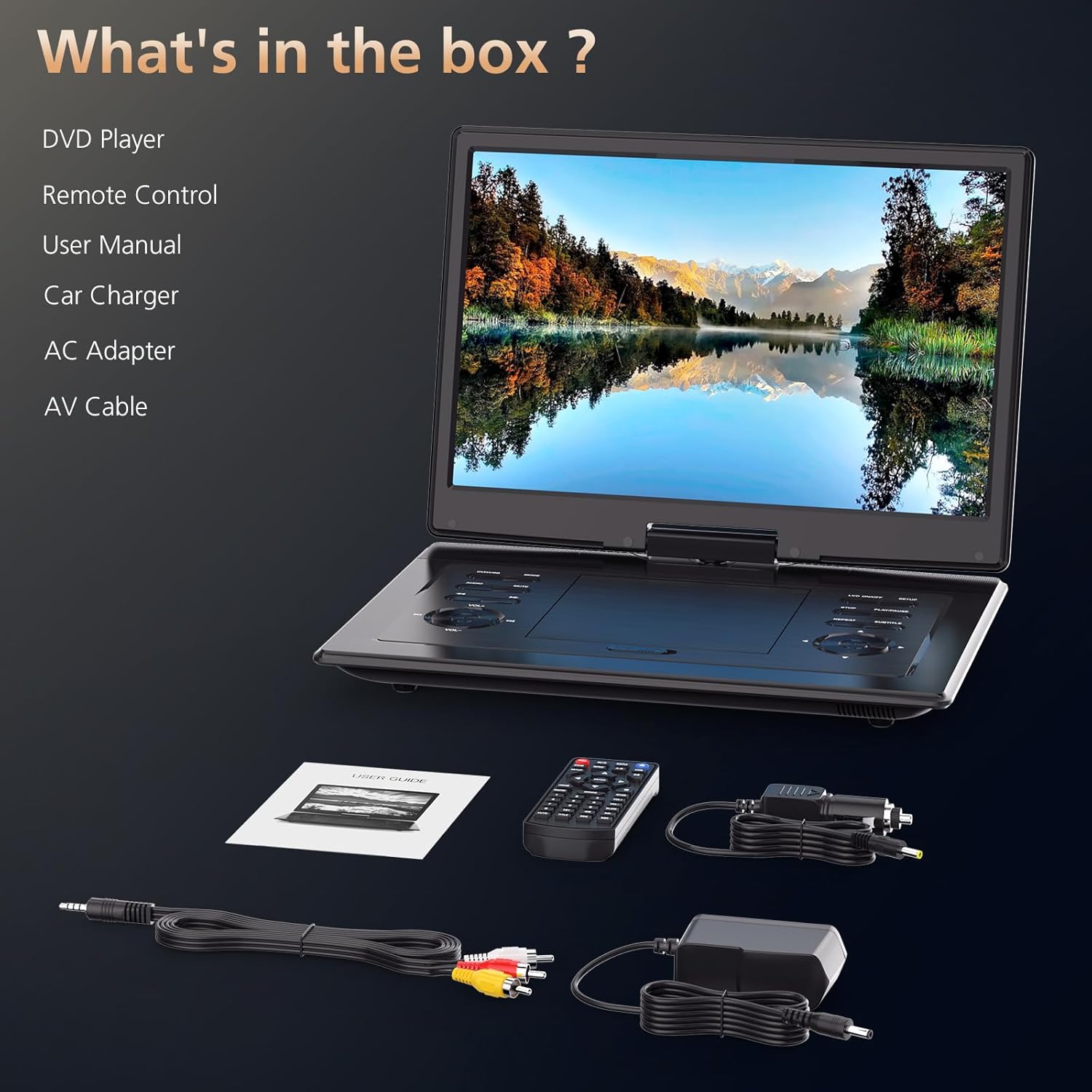
Figure 3.2: All items included in the PJGCWB PD-1504 Portable DVD Player package: the player, remote control, AC charger, car charger, and AV cable.
3.2 Device Interfaces
The player features various ports for connectivity and power:

Figure 3.3: Side view illustrating the various ports: USB, SD Card slot, Earphone port, AV Out, AV In, DC In for power, and the Power ON/OFF switch.
- USB Port: For connecting USB flash drives (up to 32GB).
- SD Card Slot: For inserting SD memory cards (up to 32GB).
- Earphone Port: For connecting headphones.
- AV OUT: Audio/Video output for connecting to an external display.
- AV IN: Audio/Video input for connecting external devices.
- DC IN: Power input for AC adapter or car charger.
- OFF/ON Switch: Main power switch for the device.
4. Setup
4.1 Charging the Battery
The portable DVD player has a built-in rechargeable lithium polymer battery. Before first use, fully charge the battery.
- Connect the AC charger to the DC IN port on the player and then to a wall outlet.
- The charging indicator light will illuminate.
- A full charge typically takes 4-6 hours. The indicator light may change or turn off when charging is complete.
For car use, connect the car charger to the DC IN port and your vehicle's cigarette lighter socket.
4.2 Initial Power On
- Ensure the battery is charged or the player is connected to a power source.
- Slide the OFF/ON switch to the ON position.
- The screen will power on, and the main menu will appear.
5. Operating Instructions
5.1 Inserting and Playing Discs
The player supports CD, DVD, CD-R/RW, DVD±R/±RW, VCD/SVCD discs (Blu-ray discs are not supported).
- Open the disc cover gently.
- Place a compatible disc onto the spindle with the label side facing up.
- Close the disc cover. The player will automatically detect and begin playing the disc.
- Use the control buttons on the player or the remote control for playback functions (Play, Pause, Stop, Skip, Volume).
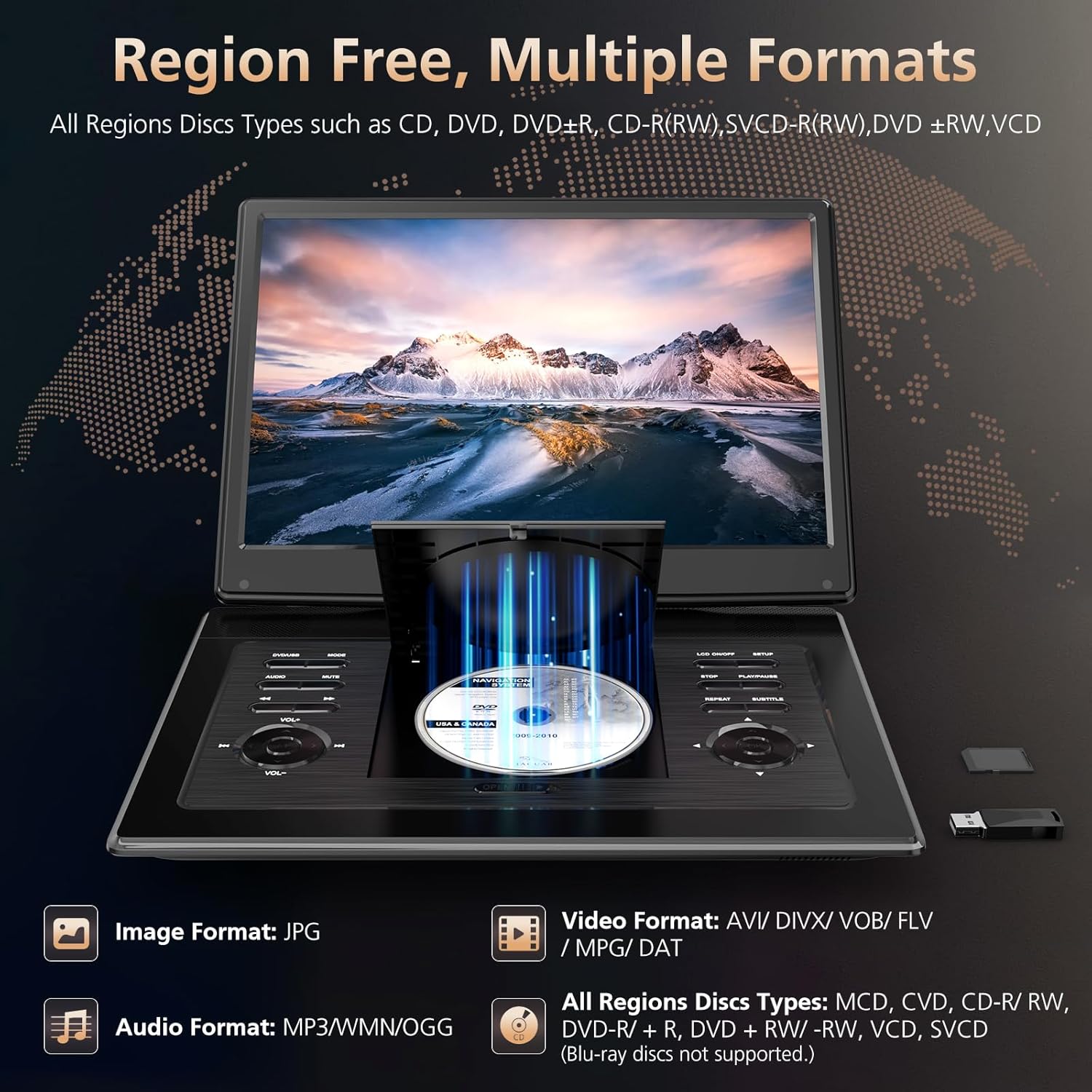
Figure 5.1: The disc tray open, showing how to insert a DVD into the player.
5.2 Using USB Drives and SD Cards
The player supports USB drives and SD cards up to 32GB, compatible with VOB, AVI, MPEG, MP3, WMA, and JPEG formats.
- Insert your USB drive into the USB Port or your SD card into the SD Card Slot.
- The player will typically prompt you to select the media source. If not, navigate to the "USB" or "SD" option in the main menu.
- Browse your files and select the desired media to play.
5.3 Screen Adjustment and Swivel Function
The 15.6-inch screen can rotate 270° and flip 180° for optimal viewing angles.

Figure 5.2: Illustration of the screen's swivel capabilities, showing 180-degree flip and 270-degree rotation.
- Gently rotate the screen clockwise or counter-clockwise to your desired angle.
- The screen can also be folded flat against the base, transforming the player into a tablet-like display.
5.4 Volume Control
Adjust the volume using the VOL+ and VOL- buttons on the player or the corresponding buttons on the remote control.
5.5 Remote Control Usage
The included remote control provides full functionality from a distance. Ensure batteries are inserted correctly (not included).

Figure 5.3: The portable DVD player shown with its remote control, highlighting flexible screen and convenient control.
5.6 Break-Point Memory Function
The player features a break-point memory function, allowing you to resume playback from where you left off after powering off the device.

Figure 5.4: Visual representation of the break-point memory function, showing playback resuming after power off.
6. Maintenance
- Cleaning: Use a soft, dry cloth to clean the device. For stubborn stains, slightly dampen the cloth with water. Do not use abrasive cleaners or solvents.
- Screen Care: Clean the screen with a soft, lint-free cloth specifically designed for electronics. Avoid pressing hard on the screen.
- Battery Care: To prolong battery life, avoid fully discharging the battery frequently. If storing the device for a long period, charge it to about 50% every few months.
- Disc Handling: Always hold discs by their edges. Store discs in their cases to prevent scratches and dust accumulation.
7. Troubleshooting
| Problem | Possible Cause | Solution |
|---|---|---|
| No power | Battery drained; Power adapter not connected properly. | Charge the battery; Ensure AC adapter or car charger is securely connected. |
| Disc not playing / "No Disc" error | Disc inserted incorrectly; Disc is dirty or scratched; Incompatible disc format (e.g., Blu-ray). | Reinsert disc correctly; Clean disc with a soft cloth; Use compatible disc formats. |
| Poor video quality / Flickering screen | Disc issue; Video file resolution too high. | Try a different disc; Ensure video files are 720*480 resolution or lower. |
| No sound | Volume too low; Mute function activated; Headphones connected. | Increase volume; Deactivate mute; Disconnect headphones if using speakers. |
| Remote control not working | Batteries dead or inserted incorrectly; Obstruction between remote and player. | Replace batteries; Ensure correct polarity; Remove obstructions. |
If the problem persists after attempting these solutions, please contact customer support.
8. Specifications
- Model: PD-1504
- Screen Size: 15.6 Inches (17.9" diagonal overall)
- Display Type: LCD
- Screen Resolution: 1280*800 HD
- Battery: 1 Lithium Polymer battery (included), 4-6 hours playback
- Supported Disc Formats: CD, DVD, CD-R/RW, DVD±R/±RW, VCD/SVCD (Note: Blu-ray discs are not supported)
- Supported USB/SD Card Capacity: Up to 32GB
- Supported Video Formats (USB/SD): VOB, AVI, MPEG (Note: Supports video files with a resolution of 720*480 or lower. Not compatible with 1080P or 4K.)
- Supported Audio Formats (USB/SD): MP3, WMA
- Supported Image Formats (USB/SD): JPEG (Note: Supports image files with a resolution of 2650*1440 or lower.)
- Speakers: Dual Stereo Speakers
- Connectivity: USB, SD Card, Earphone, AV In, AV Out, DC In
- Item Weight: 5.24 pounds
- Package Dimensions: 19.5 x 12 x 3.5 inches
9. Warranty and Customer Support
Your PJGCWB PD-1504 Portable DVD Player comes with a 24-month after-sales service period.
If you encounter any issues or have questions regarding your device, please contact our customer support team. We aim to respond to all inquiries within 24 hours.
For support, please refer to the contact information provided with your purchase or visit the official PJGCWB website.

Figure 9.1: PJGCWB customer support is available to assist with any product inquiries or issues.
Related Documents - PD-1504
 |
Power Acoustik PD-348B Flip-down/Detachable 3.4" Monitor DVD/CD/MP3/MP4 Player Owner's Manual Comprehensive owner's manual for the Power Acoustik PD-348B car stereo system, covering installation, operation, features like Bluetooth, DVD/CD/MP3/MP4 playback, radio, troubleshooting, and specifications. |
 |
Power Acoustik PD-710/PD-710T In-Dash Multimedia Receiver Owner's Manual Comprehensive owner's manual for the Power Acoustik PD-710 and PD-710T in-dash multimedia receivers. Learn about installation, operation, features like touch screen, DVD/CD/MP3/MP4 playback, AM/FM radio, and built-in TV tuner. |
 |
Power Acoustik PD-710/PD-710T In-Dash 7" Monitor Owner's Manual Comprehensive owner's manual for the Power Acoustik PD-710 and PD-710T in-dash 7-inch monitor DVD/CD/MP3/MP4 receiver with AM/FM radio and built-in TV tuner. Covers installation, operation, features, troubleshooting, and technical specifications. |
 |
Megatek PD-1256 Portable DVD Player User Manual Comprehensive user manual for the Megatek PD-1256 portable DVD player, covering setup, operation, features, troubleshooting, and warranty information. |
 |
Power Acoustik PD-650/PD-650B In-Dash Monitor Owner's Manual User manual for the Power Acoustik PD-650 and PD-650B In-Dash 6.5" Monitor. Covers installation, operation, features like DVD/CD/MP3/MP4 playback, AM/FM radio, Bluetooth, and troubleshooting. |
 |
Návod k obsluze myčky nádobí PHILCO PD 156 WTE / PD 156 XTE Kompletní uživatelský manuál pro myčku nádobí PHILCO modelů PD 156 WTE a PD 156 XTE. Obsahuje bezpečnostní pokyny, provozní informace, tipy pro instalaci, údržbu, řešení problémů a technické specifikace. |