
Introduction
This manual provides comprehensive instructions for the Slinkdsco External Tri-Band 802.11BE WiFi 7 Antenna. This antenna is designed to enhance your wireless network performance by providing superior connectivity and bandwidth for compatible devices. It features a magnetic base for flexible placement and an RP-SMA connector for broad compatibility. Please read this manual carefully before installation and operation to ensure optimal performance and proper use.
Setup Instructions
The Slinkdsco WiFi 7 Antenna offers a simple plug-and-play setup. Follow these steps for installation:
- Verify Connector Type: Ensure your device (WiFi 7 router, WiFi 7 motherboard, or PCIe WiFi card) has an RP-SMA connector. This antenna is equipped with RP-SMA connectors. Note: This antenna is not compatible with the latest ASUS WiFi 7 interfaces that do not use RP-SMA. Please check your device's specifications before connecting.
- Connect the Antenna: Carefully screw the two RP-SMA connectors from the antenna's extension cables onto the corresponding RP-SMA ports on your WiFi device. Ensure they are finger-tight to establish a secure connection.
- Position the Antenna: Utilize the magnetic base to position the antenna. The magnetic base allows for secure and adjustable mounting on metallic surfaces, providing flexible placement options for optimal signal reception. The antenna includes dual 4-foot cables for extended reach.

Image: Close-up view of the two RP-SMA connectors, highlighting their design for secure attachment to compatible devices.

Image: Illustration demonstrating the antenna's compatibility with various devices, including WiFi 7 routers, motherboards, and PCIe WiFi cards, all requiring RP-SMA connectors.

Image: The antenna's magnetic base design, illustrating how the antenna unit can be detached from the base for flexible positioning and application.
Operating Instructions
The Slinkdsco WiFi 7 Antenna is an omni-directional antenna, meaning it does not require aiming in a specific direction. However, for optimal WiFi and Bluetooth coverage and signal strength, consider the following:
- Optimal Placement: Position the antenna as far from and as high as possible above your PC or router. This helps minimize interference and maximize signal reach.
- Clear Line of Sight: Avoid placing the antenna behind large metal objects or thick walls, which can obstruct the signal.
- Compatibility: This antenna supports WiFi 7 (802.11BE) across tri-bands, and is also compatible with WiFi 2.4GHz, 5GHz, 6GHz, WiFi 6, and WiFi 6E routers and motherboards.

Image: Overview of the antenna's key features, including WiFi 7 support, the 4-foot extension cable, and its easy installation process.
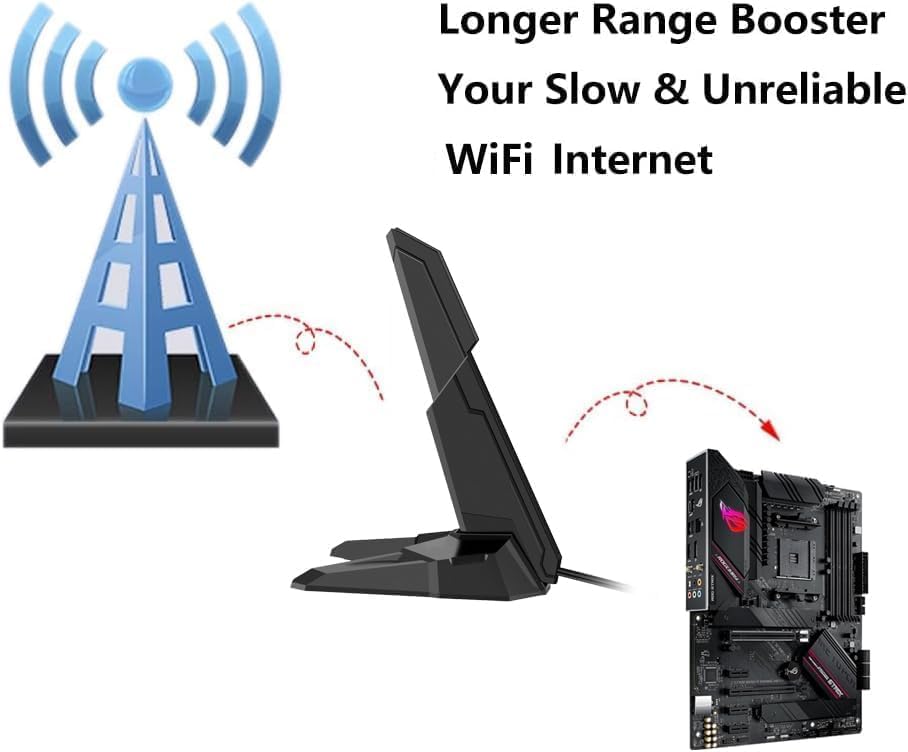
Image: Conceptual diagram showing the antenna acting as a range booster, improving signal strength from a motherboard for a more reliable WiFi connection.
Maintenance
The Slinkdsco WiFi 7 Antenna requires minimal maintenance. To ensure longevity and optimal performance:
- Cleaning: Periodically wipe the antenna and its base with a soft, dry cloth to remove dust. Do not use liquid cleaners or abrasive materials.
- Cable Inspection: Occasionally check the antenna cables for any signs of wear, kinks, or damage. Ensure the connectors remain securely fastened to your device.
- Environmental Conditions: Keep the antenna in a dry environment and avoid exposure to extreme temperatures or direct moisture.
Troubleshooting
If you encounter issues with your Slinkdsco WiFi 7 Antenna, consider the following troubleshooting steps:
- No WiFi Signal or Weak Connection:
- Ensure the RP-SMA connectors are securely attached to your device.
- Verify that your device's WiFi module is enabled and functioning correctly.
- Adjust the antenna's position. Try placing it higher or in a different location to improve line of sight to your router.
- Check for potential sources of interference (e.g., other electronic devices, large metal objects).
- Antenna Not Fitting Device:
- Confirm that your device uses RP-SMA connectors. This antenna is specifically designed for RP-SMA. It is not compatible with all WiFi 7 interfaces, especially some newer ASUS models that may use different connector types.
- Magnetic Base Not Holding:
- Ensure the surface you are attaching the base to is metallic and flat.
- Clean the bottom of the magnetic base and the surface to remove any dust or debris that might reduce magnetic adhesion.
Specifications
| Brand | Slinkdsco |
| Model | B0F1LDMQTH |
| Antenna Type | External Tri-Band Omni-directional |
| Wireless Standard | 802.11BE (WiFi 7) |
| Frequency Bands | 2.4GHz, 5GHz, 6GHz |
| Connector Type | RP-SMA |
| Cable Length | Dual 4-foot cables |
| Mounting | Magnetic Base |
| Impedance | 50 Ohms |
| Maximum Range | 100 Feet (approximate, depends on environment) |
| Product Dimensions | 8"L x 3"W x 4"H (approximate) |
| Item Weight | 4.6 ounces |
| Number of Channels | 3 |

Image: Physical dimensions of the antenna, showing its height (14.8cm) and base width (10cm).
Warranty Information
Specific warranty details are typically provided at the point of purchase or within the product packaging. Please refer to your purchase documentation for information regarding the warranty period and terms for your Slinkdsco WiFi 7 Antenna.
Customer Support
For any questions regarding the product, technical assistance, or after-sales service, please contact Slinkdsco customer support. You can typically reach support via email, and inquiries are generally resolved and replied to within 24 hours.
Please refer to the contact information provided with your product packaging or on the official Slinkdsco website for the most current support channels.