

1. Introduction
This manual provides essential instructions for the installation, maintenance, and care of your SHELIKI Replacement Dust Box and Water Tank, designed for the D60S and D60S MAX LiDAR Navigation Smart Vacuuming and Mopping Robots. Proper use and maintenance will ensure optimal performance and extend the lifespan of your robotic vacuum's cleaning system.
2. Product Overview
The replacement accessory includes a combined dust box and water tank unit. This integrated design allows your robotic vacuum to perform both vacuuming and mopping functions efficiently. It is crucial for collecting dust and debris while simultaneously supplying water for the mopping pad.
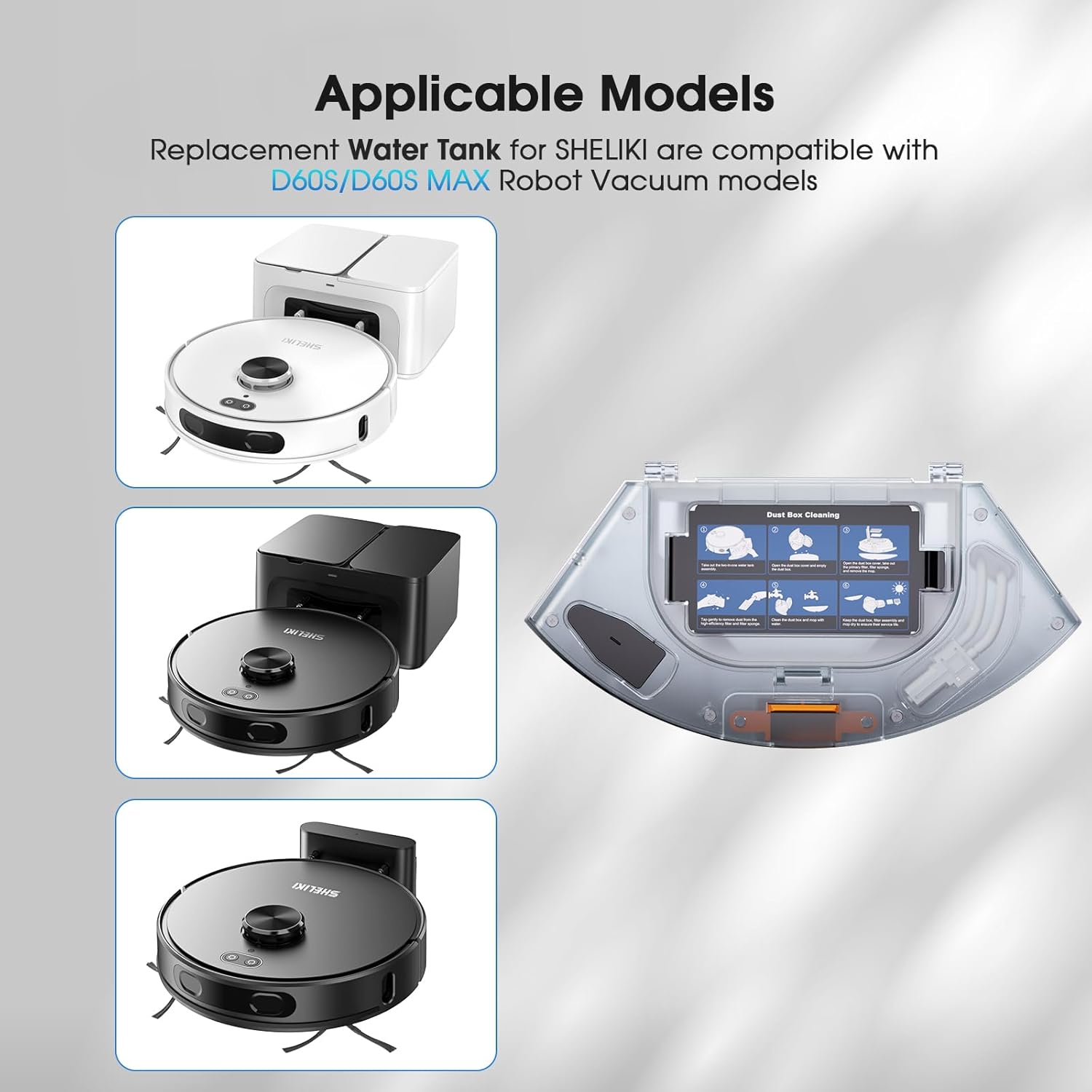
Image: The replacement dust box and water tank unit, shown alongside compatible SHELIKI D60S and D60S MAX robotic vacuum models, illustrating its design and intended use.
This replacement unit is specifically engineered to be compatible with the SHELIKI D60S and D60S MAX LiDAR Navigation Smart Vacuuming and Mopping Robots, ensuring a perfect fit and seamless operation.
3. Installation
Follow these steps to correctly install the replacement dust box and water tank into your robotic vacuum:
- Remove the Old Unit: Gently open the top cover of your D60S or D60S MAX robot. Locate the existing dust box and water tank assembly. Press the release button or tab, and carefully pull out the old unit.
- Prepare the New Unit: Ensure the new dust box and water tank unit is clean and dry before installation. If using the mopping function, fill the water tank with clean water.
- Insert the New Unit: Align the new dust box and water tank assembly with the slot in the robot. Push it firmly until you hear a click, indicating it is securely in place.
- Close the Cover: Close the top cover of the robotic vacuum.
Ensure the unit is properly seated to prevent leaks or operational issues.
4. Operation with the Robot
Once the replacement dust box and water tank are installed, your SHELIKI D60S/D60S MAX robot is ready for operation. The unit facilitates both dry vacuuming and wet mopping functions.
- Vacuuming: The dust box component collects dust, dirt, and debris as the robot navigates and vacuums your floors.
- Mopping: When the water tank is filled and a mopping pad is attached (if applicable to your robot model), the water is dispensed to moisten the pad, allowing the robot to mop hard floor surfaces.
Refer to your main SHELIKI D60S/D60S MAX robotic vacuum manual for detailed instructions on operating the robot and selecting cleaning modes.
5. Maintenance and Cleaning
Regular cleaning of the dust box and water tank is essential for maintaining the robot's cleaning efficiency and preventing odors or blockages. Follow these steps for proper maintenance:

Image: Visual guide demonstrating the six-step process for cleaning the dust box and water tank assembly, including removal, emptying, filter cleaning, washing, and drying.
- Remove the Unit: Take out the two-in-one water tank and dust box assembly from the robot.
- Empty the Dust Box: Open the dust box cover and empty all collected dust and debris into a waste bin.
- Remove Filters: Take out the primary filter, filter sponge, and remove the mopping pad (if attached).
- Clean Filters: Tap the high-efficiency filter and filter sponge gently to remove any remaining dust. Do not wash the high-efficiency filter with water unless specified by the main robot manual.
- Wash the Tank: Clean the dust box and water tank thoroughly with water. Ensure all compartments are rinsed.
- Dry Components: Keep the dust box, filter assembly, and mopping pad (if applicable) to dry completely in a well-ventilated area before reassembling and reinserting into the robot. This prevents mold and odors.
Perform this cleaning routine regularly, ideally after each significant cleaning cycle, to maintain optimal performance.
6. Troubleshooting
If you encounter issues with your replacement dust box and water tank, consider the following common solutions:
- Unit Not Fitting: Ensure the unit is aligned correctly with the robot's slot. Apply gentle, even pressure until it clicks into place. Do not force it.
- Reduced Suction/Mopping:
- Check if the dust box is full and needs emptying.
- Inspect filters for blockages and clean them as per maintenance instructions.
- Ensure the water tank is filled and the water outlet is not clogged for mopping.
- Water Leakage:
- Verify the unit is securely installed and fully seated in the robot.
- Check for any cracks or damage on the unit.
- Ensure the water tank cap (if removable) is tightly closed.
- Unusual Odors: This often indicates the dust box or filters need thorough cleaning and drying. Ensure all components are completely dry before reassembly.
If problems persist, refer to your main SHELIKI D60S/D60S MAX robotic vacuum manual or contact customer support.
7. Specifications
| Brand | SHELIKI |
| Model Compatibility | D60S, D60S MAX LiDAR Navigation Smart Vacuuming and Mopping Robot |
| Product Type | Replacement Dust Box & Water Tank (1 Pack) |
| Dimensions (L x W x H) | 10.24"L x 5.12"W x 2.56"H |
| Item Weight | 12.7 ounces |
| Filter Type | Foam (and High-Efficiency Filter) |
| Color | Clear |
8. Warranty and Support
For warranty information regarding this replacement accessory, please refer to the original purchase documentation or contact the retailer. For technical support or further assistance with your SHELIKI D60S/D60S MAX robotic vacuum or its accessories, please visit the official SHELIKI website or contact their customer service department.
You can often find support contact details on the brand's official website or within the original product packaging.


