1. Introduction
This manual provides detailed instructions for the safe and effective use of your FFGHUI Premium Wireless Hair Clipper Set. This set includes a larger hair clipper and a smaller precision trimmer, both designed for personal hair grooming.
Key features of this product include:
- Designed for home use, offering professional-grade cutting.
- Lightweight and portable design.
- Ergonomic and durable design.
- Compact size for easy storage and travel.
- Features a low-noise, high-power motor.
2. Safety Information
Please read all safety instructions before using the appliance to reduce the risk of fire, electric shock, or injury.
- Keep the appliance dry. Do not use it near water or in wet conditions.
- Do not immerse the appliance in water or other liquids.
- Keep out of reach of children.
- Always inspect the blades before use. Do not use if blades are damaged or broken.
- Use only the charging cable provided with the appliance.
- Unplug the appliance before cleaning.
- Do not disassemble the appliance. For service, contact the manufacturer.
3. Product Overview
The FFGHUI Premium Wireless Hair Clipper Set includes two distinct devices: a standard hair clipper and a smaller precision trimmer. Both feature a durable gold-tone finish and an LED display.
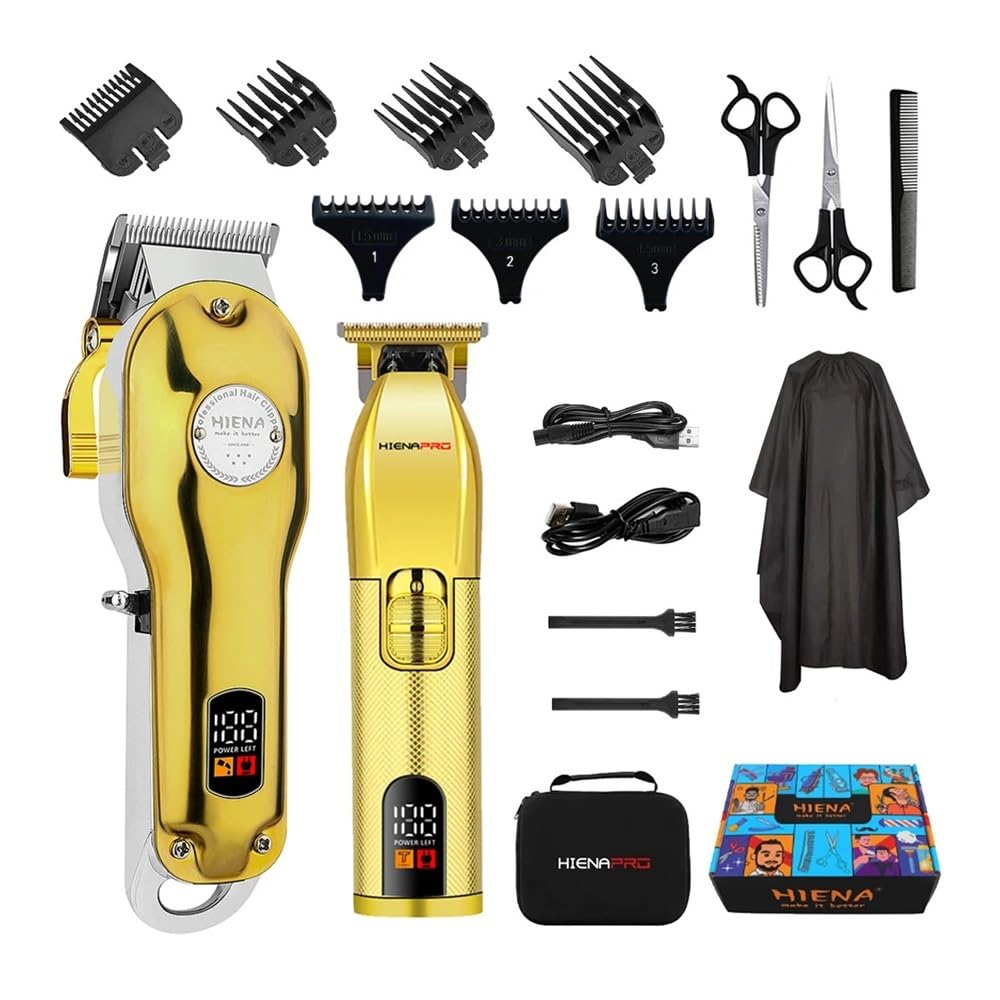
Image 1: Overview of the hair clipper and precision trimmer with their respective dimensions. The larger clipper measures approximately 18.5cm (7.28 inches) in length and 4.1cm (1.61 inches) in width. The smaller trimmer measures approximately 15.5cm (6.1 inches) in length and 4cm (1.6 inches) in width.
Clipper Components:

Image 2: Detailed view of the larger hair clipper, highlighting its features. These include a fine adjustment gear, an LED digit display for power left, an ON/OFF switch, a charging port, a stainless steel blade, and four types of limit combs for various cutting lengths.
- Stainless Steel Blade: Durable and sharp for efficient cutting.
- Fine Adjustment Gear: For precise blade length settings.
- LED Digit Display: Shows remaining battery power.
- ON/OFF Switch: Controls power to the device.
- Charging Port: For connecting the USB charging cable.
- Limit Combs: Attachments for achieving different hair lengths.
4. Setup
4.1 Initial Charging
Before first use, fully charge the hair clipper and trimmer. The devices are equipped with a high-performance Li-ion battery.

Image 3: Illustration of the USB charging capability and battery performance. The device requires approximately 3 hours for a full charge, providing up to 180 minutes of work time. It supports multiple charging methods, including computer, notebook, USB charger, and power bank.
- Connect the USB charging cable to the charging port on the device.
- Plug the other end of the USB cable into a compatible USB power source (e.g., computer, USB wall adapter, power bank).
- The LED display will indicate charging status. A full charge typically takes 3 hours.
- Once fully charged, the device can operate for approximately 180 minutes.
5. Operating Instructions
5.1 Powering On/Off
To turn the device on or off, press the ON/OFF switch located on the body of the clipper/trimmer.
5.2 Adjusting Cutting Length
The hair clipper offers multiple ways to adjust the cutting length:
- Fine Adjustment Gear: The built-in fine adjustment gear allows for taper levels from 0.5mm to 1.7mm without an attachment comb.
- Limit Combs: For longer hair lengths, attach one of the provided limit combs to the blade. Ensure the comb is securely fastened before use.

Image 4: Close-up view demonstrating the blade length adjustment mechanism. The taper levels can be set between 0.5mm and 1.7mm, allowing for precise control over hair length.
5.3 Hair Cutting and Trimming
- Ensure hair is clean and dry before cutting.
- Select the desired cutting length using the fine adjustment gear or by attaching a limit comb.
- Turn on the clipper/trimmer.
- Hold the device firmly and move it against the direction of hair growth for an even cut.
- For detailing or outlining, use the precision trimmer without a comb attachment.
- After use, turn off the device.
6. Maintenance
6.1 Cleaning the Blades
Regular cleaning ensures optimal performance and extends the life of your clipper/trimmer. The blades are made of stainless steel with a titanium alloy knife plate for durability.
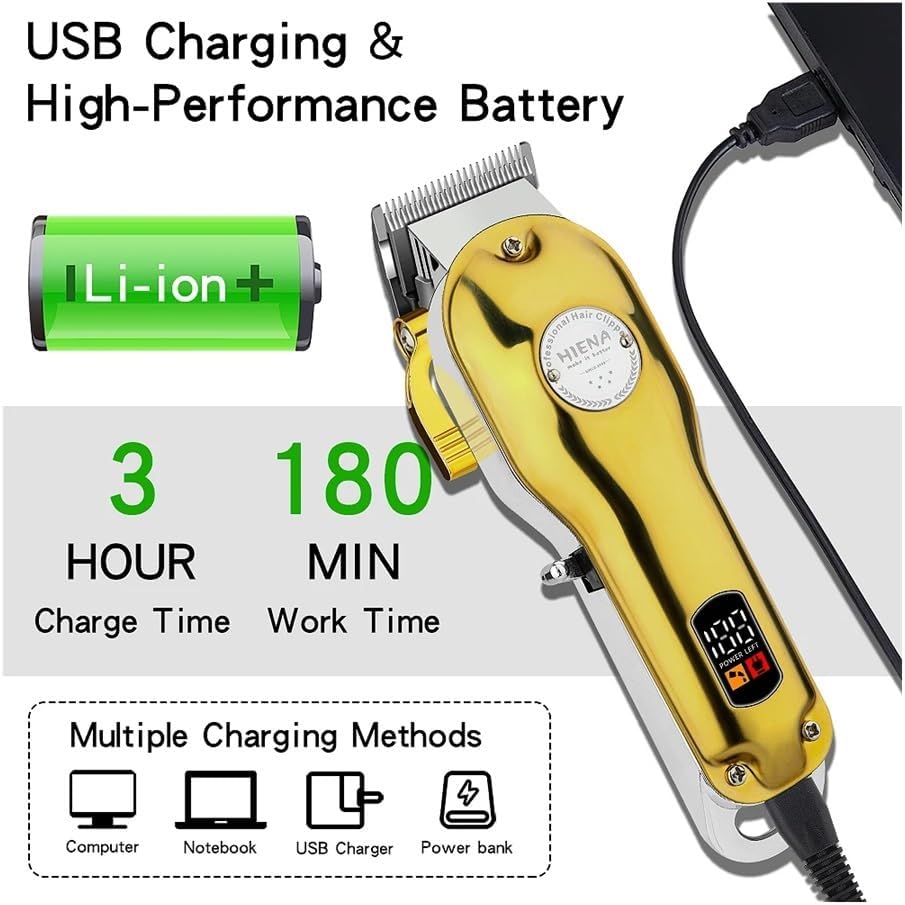
Image 5: Close-up of the clipper's blade, highlighting the titanium alloy knife plate construction for smoother, sharper, and stronger cutting performance. The blade is designed to be sturdy and durable.
- Ensure the device is turned off and unplugged from any power source.
- Carefully remove any attached limit comb.
- Use the cleaning brush (if included) to brush away loose hairs from the blades.
- For thorough cleaning, the blades can be rinsed under running water. Ensure the device body does not get wet. Dry the blades completely before reattaching or storing.
- Apply a small drop of lubricating oil (if included) to the blades periodically to maintain smooth operation.
6.2 Storage
Store the clipper/trimmer in a dry, cool place, away from direct sunlight and moisture. Keep the blades protected to prevent damage.
7. Troubleshooting
- Device does not turn on:
- Check if the battery is charged. Recharge the device if necessary.
- Ensure the ON/OFF switch is fully engaged.
- Poor cutting performance:
- Clean the blades to remove any accumulated hair or debris.
- Lubricate the blades with a drop of oil.
- Ensure the limit comb is correctly attached.
- The blades may be dull. Contact customer support for assistance.
- Device gets hot during use:
- This can be normal during extended use. Allow the device to cool down.
- Ensure blades are clean and lubricated to reduce friction.
8. Specifications
- Motor Type: ROTARY
- Functions: Electric length adjustment, wet haircut capability, fast charging, charging indication, battery operation.
- Length Adjustment Method: Change of nozzles (limit combs) and fine adjustment gear.
- Minimum Haircut Length: 0.5 - 1 mm (without comb).
- Usage Time: 160 minutes (approx.)
- Charging Time: 3 hours (approx.)
- Blade Material: STAINLESS STEEL with Titanium alloy knife plate.
- Voltage: Global Universal (100-240V)
- Power Type: Rechargeable
- Model Number: FFGHUI (HIENA Model: HYN-201)
- Certifications: CE, FCC, RoHS, WEEE
- Package Dimensions: 1.18 x 0.79 x 0.39 inches; 1.76 ounces (Note: These dimensions appear to be for a small component, not the full set. Refer to Image 1 for device dimensions.)
- Manufacturer: FFGHUI
9. Warranty and Support
Specific warranty details for the FFGHUI Premium Wireless Hair Clipper Set are not provided in this manual. For warranty information, technical support, or replacement parts, please contact the manufacturer directly through their official website or the retailer where the product was purchased.
Please retain your proof of purchase for any warranty claims.