Introduction
This manual provides comprehensive instructions for the safe and efficient operation of your VEVOR Upgraded Coin Counter & Sorter. Please read this manual thoroughly before use and retain it for future reference.
The VEVOR Upgraded Coin Counter & Sorter is designed for efficient and accurate counting and sorting of USD coins (1¢, 5¢, 10¢, 25¢, $1). It features upgraded sorting technology for increased speed, a large capacity design, and user-friendly operation, making coin handling tasks easier and more efficient for various scenarios.
Product Features
- Efficient Sorting: Newly upgraded sorting technology increases work efficiency by 10%, sorting up to 300 coins per minute. This significantly reduces manual counting time and boosts productivity.
- Large Capacity Design: The coin sorter can hold up to 2000 coins, minimizing the need for frequent emptying and enhancing overall efficiency.
- Simple Operation: Equipped with an easy-to-read LED interface and intuitive control buttons for user-friendly management and tracking of the coin sorting process.
- Easy Packaging: Designed to automatically fill coin packaging paper placed into the tubes, simplifying the process of packaging large quantities of coins.
- Multi-Scenario Application: Suitable for various environments including cashier stations, offices, retail stores, restaurants, and homes, providing convenience and efficiency wherever needed.

Figure 1: VEVOR Upgraded Coin Counter & Sorter with coin tubes.

Figure 2: The coin sorter demonstrating its efficient sorting speed of 300 coins per minute.
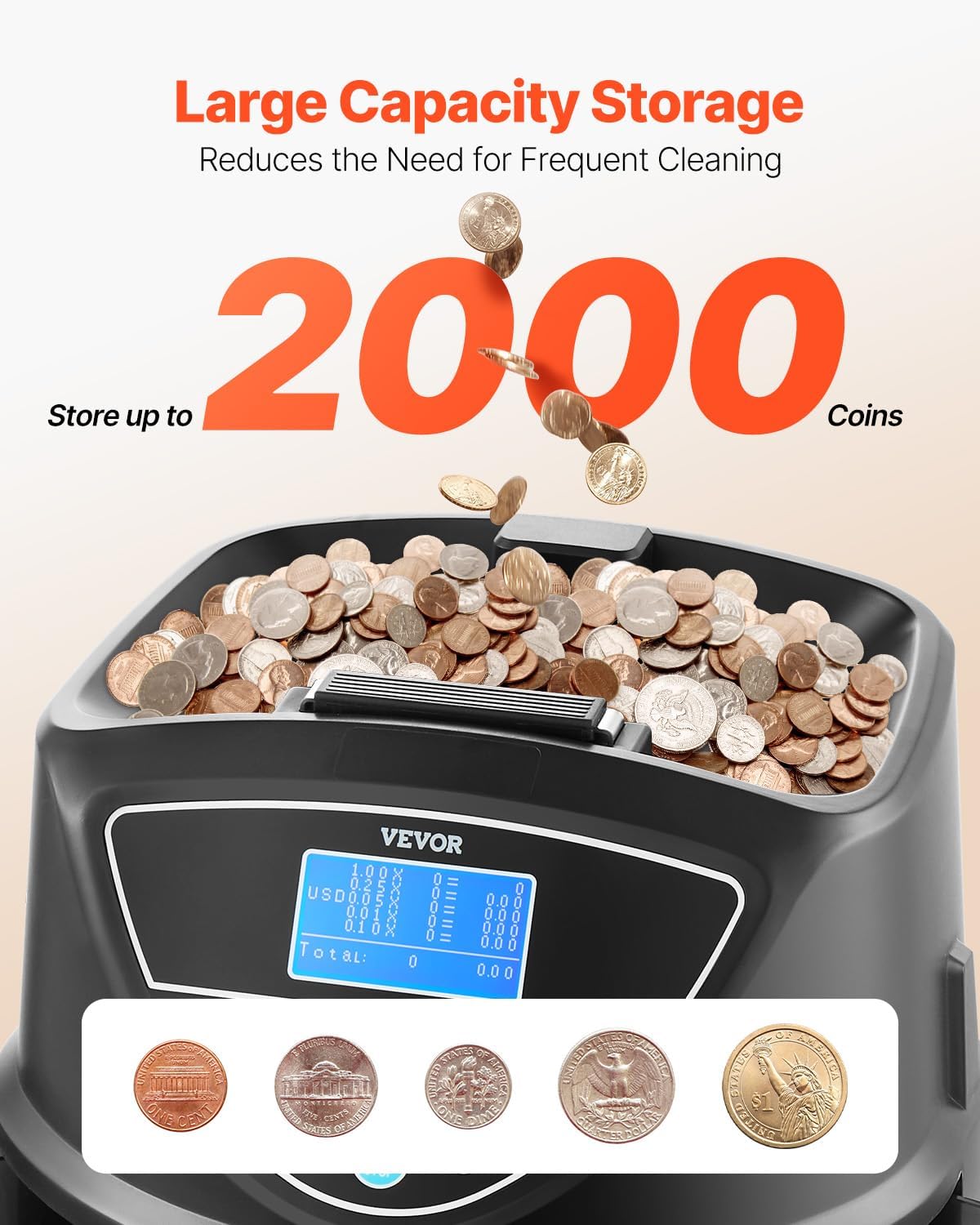
Figure 3: The large capacity hopper capable of holding up to 2000 coins.
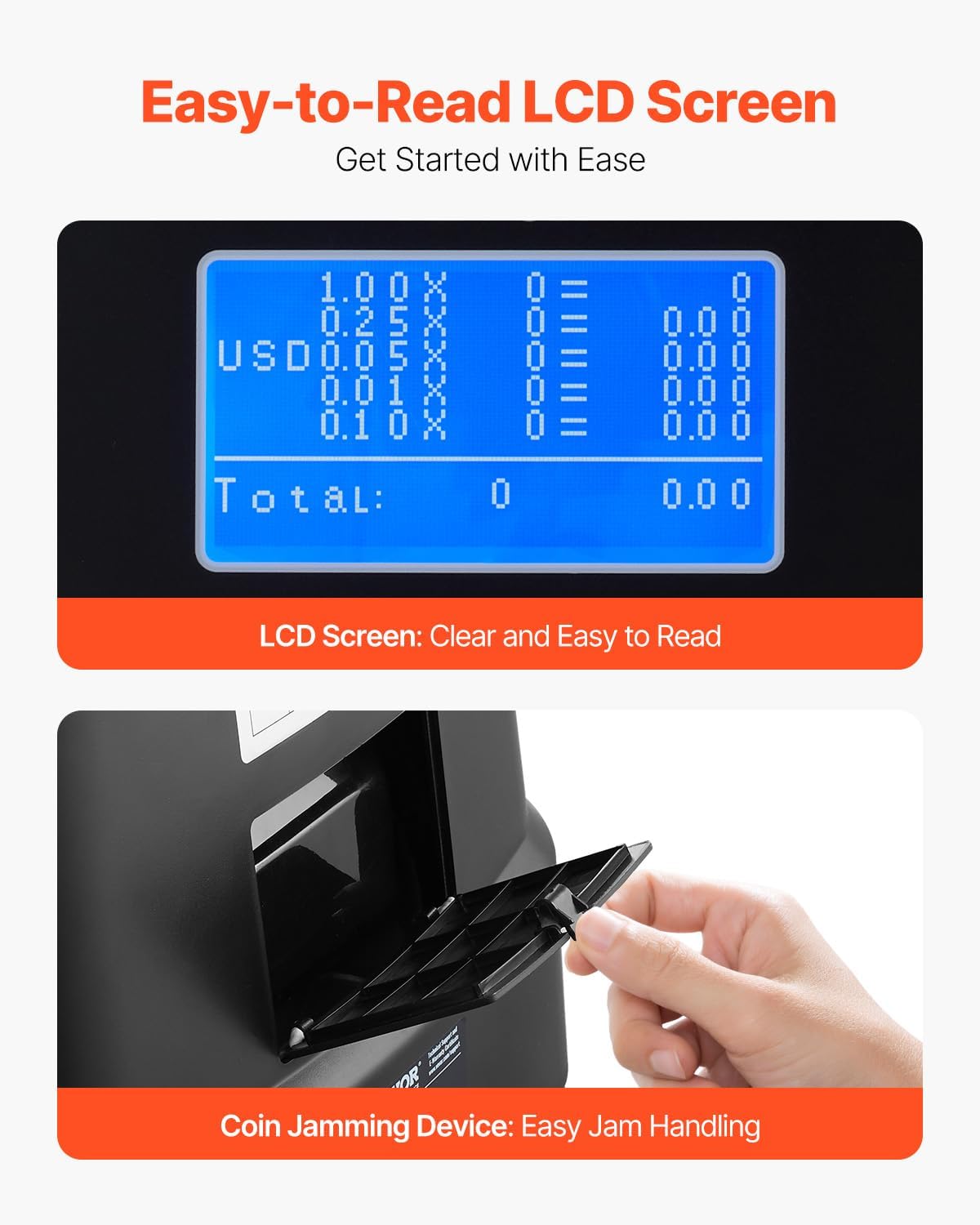
Figure 4: Close-up of the easy-to-read LCD screen and the coin jamming device for easy handling.
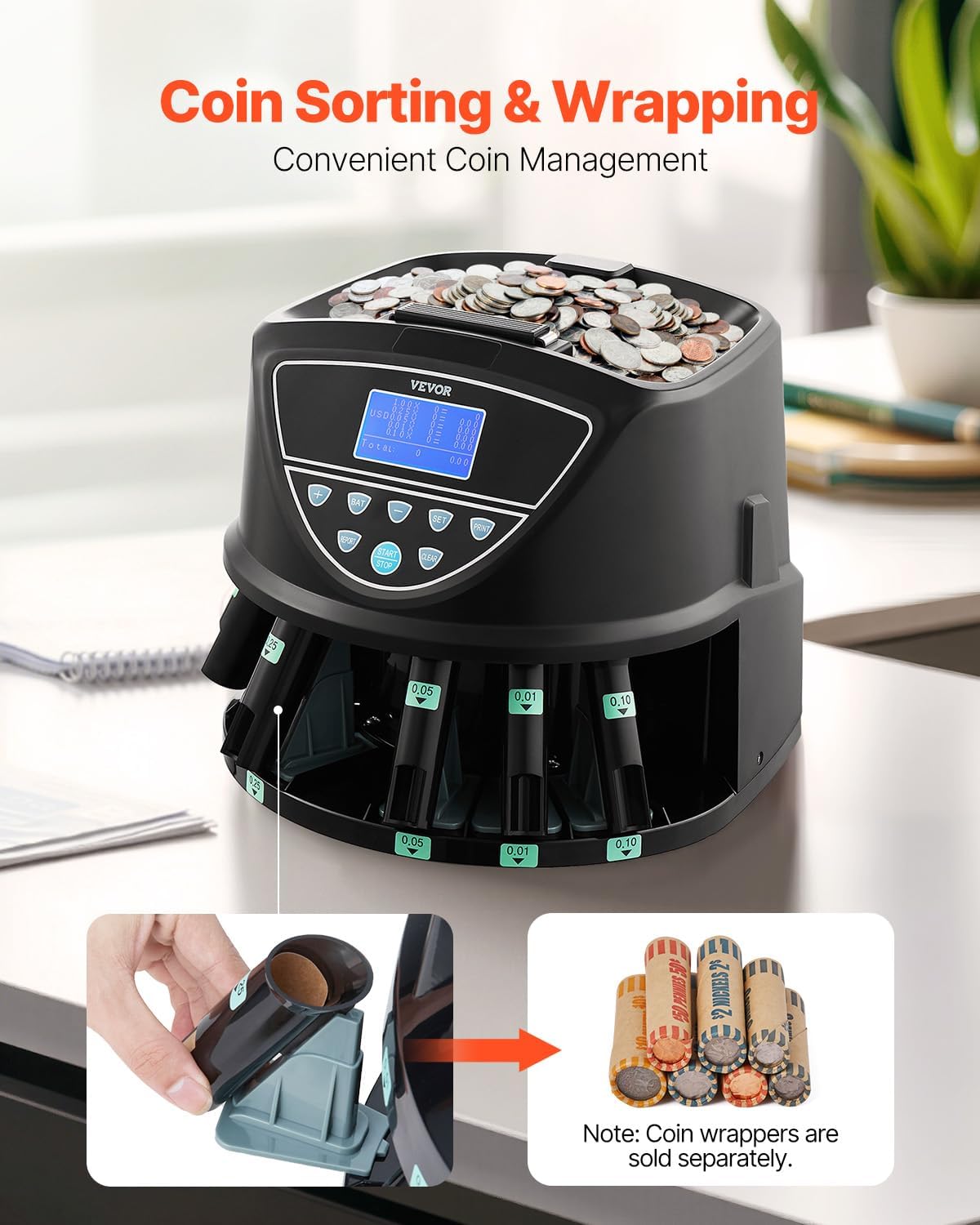
Figure 5: Illustration of the coin sorting and wrapping process, showing how coin wrappers are inserted.
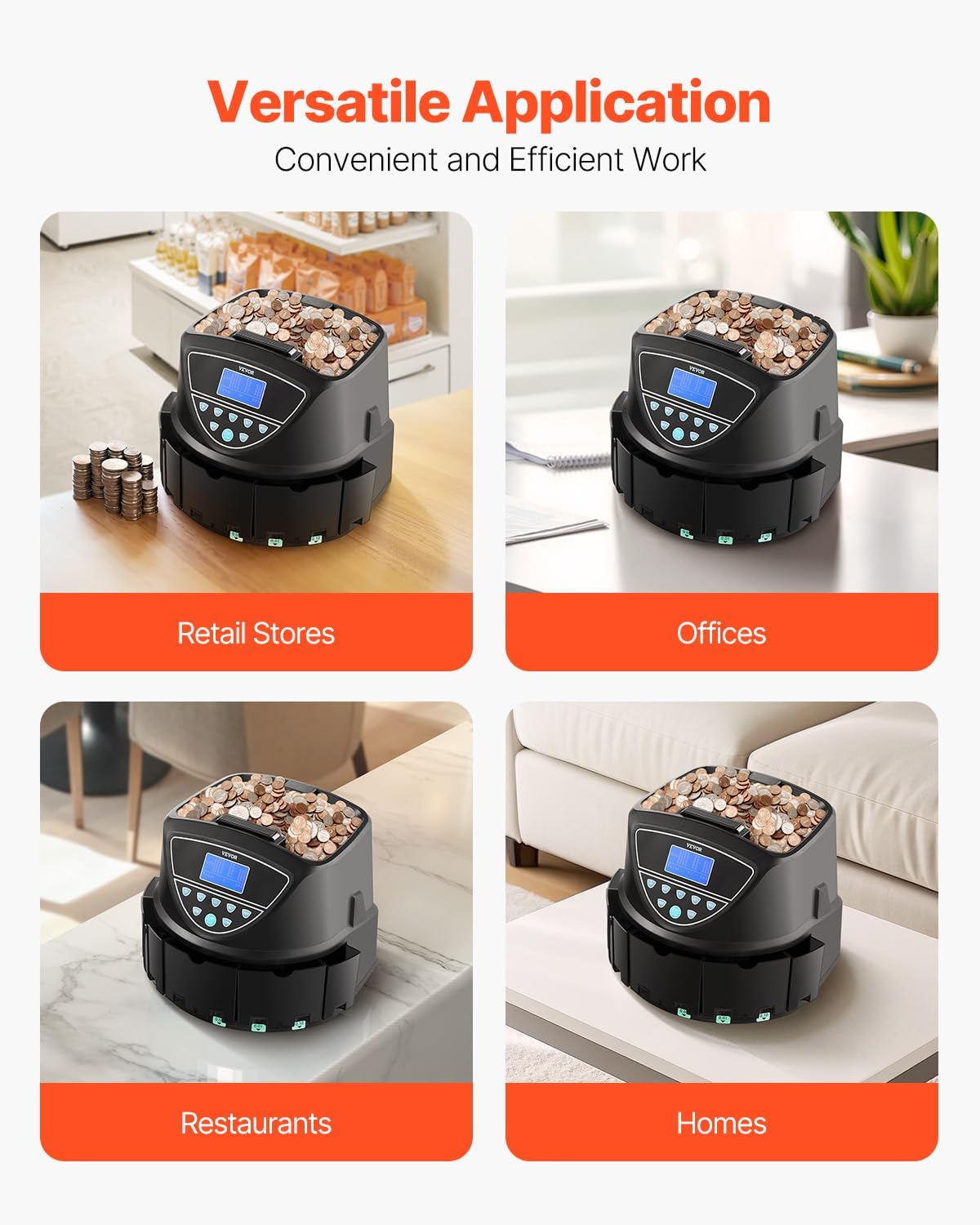
Figure 6: Examples of versatile application scenarios for the coin sorter, including retail, offices, restaurants, and homes.
Setup
- Unpacking: Carefully remove the coin counter and all accessories from the packaging. Retain packaging materials for future storage or transport.
- Placement: Place the unit on a stable, flat, and dry surface. Ensure there is enough space around the unit for operation and maintenance.
- Insert Coin Trays: Ensure all five coin trays are correctly inserted into their designated slots around the base of the machine. Each slot is labeled with the corresponding coin denomination (e.g., 0.01 for pennies, 0.25 for quarters).
- Power Connection: Connect the power cord to the unit and then plug it into a standard electrical outlet.
- Initial Power On: Press the power button (usually located on the back or side) to turn on the unit. The LED display should illuminate.
Operating Instructions
Control Panel Overview:
The control panel features an LED display and several buttons for various functions:
- START/STOP: Initiates or pauses the coin sorting process.
- REPORT: Displays a detailed report of counted coins by denomination and total value.
- SET: Used to enter batch setting mode or confirm settings.
- BAT (+/-): Adjusts the batch quantity when in batch setting mode.
- CLEAR: Clears the current count or error messages.
- PRINT: (If applicable) Initiates printing of the report.
Basic Sorting Operation:
- Prepare Trays: Ensure all coin trays are empty and correctly placed in their respective slots.
- Load Coins: Pour unsorted coins into the top hopper. Do not overfill.
- Start Sorting: Press the START/STOP button. The machine will begin sorting and counting coins, depositing them into the correct trays. The display will show real-time counts and total value.
- Monitor Progress: Observe the display for current counts of each denomination and the running total.
- Stop Sorting: To pause or stop the process, press the START/STOP button again.
- Retrieve Coins: Once sorting is complete or paused, carefully remove the filled coin trays.
Batch Counting:
The batch function allows you to sort a specific number of coins for each denomination.
- Enter Batch Mode: Press the SET button. The display will show batch settings for each denomination.
- Select Denomination: Use the SET button to cycle through denominations (1¢, 5¢, 10¢, 25¢, $1).
- Adjust Batch Quantity: Use the + or - buttons to set the desired batch quantity for the selected denomination. The BAT button can quickly increase the number by a higher amount.
- Confirm Settings: Once all batch quantities are set, press SET again to exit batch mode.
- Start Batch Sorting: Load coins into the hopper and press START/STOP. The machine will sort until the set batch quantity for a denomination is reached, then pause.
- Continue Sorting: Empty the full tray and press START/STOP to resume sorting for the next batch or remaining coins.
Coin Wrapping:
For convenient coin wrapping, use the provided coin tubes:
- Insert Wrapper: Place a coin wrapper into the corresponding coin tube.
- Place Tube: Insert the coin tube with the wrapper into the designated slot on the machine's base, aligning it with the correct denomination.
- Sort Coins: Start the sorting process. Coins will automatically fill the wrapper in the tube.
- Remove Wrapped Coins: Once the tube is full, remove it and secure the wrapped coins.
Maintenance
- Cleaning: Regularly clean the coin hopper, sorting mechanism, and coin trays to prevent dust and debris buildup, which can affect performance. Use a soft, dry cloth. Do not use abrasive cleaners or solvents.
- Jam Clearing: If a coin jam occurs, the machine may stop and display an error. Refer to the "Coin Jamming Device" section (Figure 4) for access. Carefully remove any jammed coins. Ensure the unit is unplugged before attempting to clear jams in hard-to-reach areas.
- Storage: When not in use for extended periods, unplug the unit and store it in a cool, dry place.
Troubleshooting
- Machine Not Turning On:
- Check if the power cord is securely plugged into both the unit and the electrical outlet.
- Ensure the power outlet is functional.
- Coins Not Sorting Correctly:
- Verify that the coin trays are correctly inserted and aligned with their respective denominations.
- Clean the sorting mechanism and sensors for any obstructions or debris.
- Ensure only valid USD coins are being used.
- Coin Jams:
- Follow the jam clearing instructions in the Maintenance section.
- Avoid overfilling the hopper.
- Inaccurate Counts:
- Ensure coins are clean and free from foreign objects.
- Perform regular maintenance to keep sensors clear.
Specifications
| Feature | Specification |
|---|---|
| Item Model Number | KSW550-4 LDM DM |
| Power | 20W |
| Sorting Speed | Up to 300 pcs/min |
| Coin Storage Capacity | Up to 2000 pcs |
| Supported Currencies | 5 Types of U.S. Coins (1¢, 5¢, 10¢, 25¢, $1) |
| Additional Features | Pre-set Batch Processing (0-999 pcs), Memory Function |
| Product Weight | 9.70 lbs / 4.4 kg |
| Product Dimensions | 11.81 x 13.39 x 11.02 inches |
Figure 7: Detailed specifications of the VEVOR Upgraded Coin Counter & Sorter.

Figure 8: Visual representation of the product dimensions and a list of included accessories.
Warranty and Support
For warranty information, technical support, or service inquiries, please refer to the VEVOR official website or contact their customer service directly. Keep your purchase receipt as proof of purchase for warranty claims.
VEVOR Official Website: www.vevor.com