
1. Introduction
Thank you for choosing the Qiilu AI Language Translator Earbuds. This device is designed to facilitate seamless communication across language barriers, supporting real-time translation for 133 languages. With advanced noise-cancelling technology and a comfortable ergonomic design, these earbuds are ideal for travel, business, and daily use. Please read this manual carefully to ensure proper use and optimal performance of your new translator earbuds.
2. Package Contents
Please verify that all items are present in your package:
- AI Language Translator Earbuds (Left and Right)
- Charging Case
- USB Charging Cable
- Cleaning Brush
- Lanyard
- User Manual (this document)

Image: All components included in the product package.
3. Product Overview
Familiarize yourself with the components of your Qiilu AI Language Translator Earbuds.

Image: A single earbud and its charging case.

Image: Both earbuds.
Earbuds
- Microphone: Captures your voice for translation and calls.
- Speaker: Delivers translated audio and music.
- Touch Control Area: For various functions like play/pause, answer/end calls, and activating translation modes.
- Charging Contacts: Connects with the charging case for power.
Charging Case
- Charging Ports: For connecting the USB charging cable.
- Indicator Lights: Show charging status and battery level.
- Earbud Slots: Securely hold and charge the earbuds.
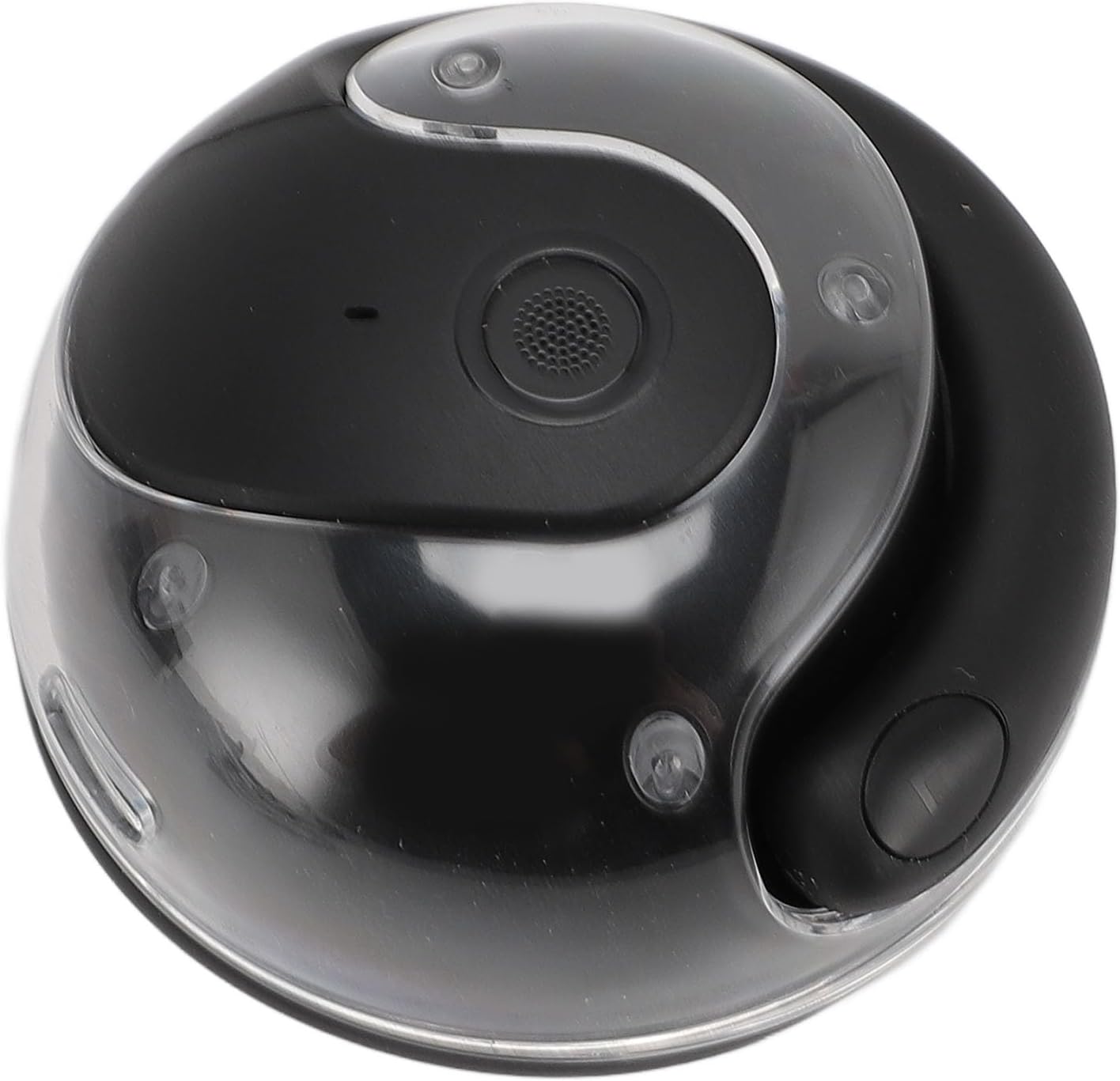
Image: Top view of the charging case.
4. Setup
4.1 Charging the Earbuds and Case
- Place the earbuds into the charging case, ensuring they are correctly seated.
- Connect the USB charging cable to the charging port on the case and plug the other end into a USB power source (e.g., wall adapter, computer USB port).
- The indicator lights on the case will show the charging status. A full charge for the earbuds takes approximately 1.5 hours, and the charging case takes approximately 2 hours.
4.2 Pairing with Your Device
- Ensure the earbuds are charged.
- Open the charging case. The earbuds will automatically enter pairing mode (indicator lights will flash).
- On your smartphone or device, enable Bluetooth and search for available devices.
- Select "Qiilu Translator Earbuds" (or similar name) from the list of detected devices.
- Once connected, the indicator lights on the earbuds will stop flashing, indicating successful pairing.
4.3 App Installation (Recommended)
For full functionality, including language selection and advanced translation modes, it is recommended to download the dedicated translation app. Scan the QR code provided in the product packaging or search for the "Qiilu Translator" app (or similar name) on your device's app store (Google Play Store for Android, Apple App Store for iOS).
5. Operating Instructions
5.1 Power On/Off
- Power On: Open the charging case, and the earbuds will automatically power on and attempt to connect to the last paired device.
- Power Off: Place the earbuds back into the charging case and close the lid. They will automatically power off and begin charging.
5.2 Basic Controls (Music & Calls)
- Play/Pause: Single tap on either earbud's touch control area.
- Next Track: Double tap on the right earbud.
- Previous Track: Double tap on the left earbud.
- Answer/End Call: Single tap on either earbud during an incoming call.
- Reject Call: Press and hold either earbud for 2 seconds during an incoming call.
- Activate Voice Assistant: Triple tap on either earbud.
5.3 Real-Time Translation Modes
Utilize the dedicated app to select languages and switch between translation modes.
- Touch Mode: Ideal for one-on-one conversations. Each person wears one earbud. Tap your earbud when you want to speak, and the translation will be heard by the other person.
- External Speaker Mode: Suitable for group discussions or when you want others to hear the translation without wearing an earbud. Your speech is translated and played through your phone's speaker, while the other person's speech is translated and played through your earbuds.
- Talk Freely Mode: For simultaneous translation in a natural conversation flow. Both earbuds translate in real-time without requiring a tap, allowing for more fluid communication.
5.4 Language Selection
Within the companion app, you can select the input and output languages from the supported list of 133 languages. Ensure the correct languages are set for accurate translation.
6. Maintenance
Proper maintenance ensures the longevity and performance of your earbuds.
- Cleaning: Use the provided cleaning brush to gently remove any earwax or debris from the earbud speakers and charging contacts. Wipe the earbuds and charging case with a soft, dry, lint-free cloth. Do not use abrasive cleaners or immerse the device in water.
- Storage: When not in use, always store the earbuds in their charging case to protect them from dust and damage. Store in a cool, dry place away from direct sunlight and extreme temperatures.
- Battery Care: To preserve battery life, avoid fully discharging the earbuds and charging case frequently. Charge them regularly, even if not in constant use.
7. Troubleshooting
If you encounter any issues, please refer to the following common solutions:
| Problem | Possible Solution |
|---|---|
| Earbuds not pairing |
|
| No sound from earbuds |
|
| Translation inaccuracy |
|
| Earbuds not charging |
|
8. Specifications
Detailed technical specifications for the Qiilu AI Language Translator Earbuds:
- Item Type: Language Translator Earbuds
- Material: ABS, PC
- Bluetooth Version: V5.4
- Earbuds Battery: Li-Ion Battery 30mAh x 2
- Charging Case Battery: Li-Ion Battery 200mAh
- Transmission Distance: 10m (approx. 33 feet)
- Talk Time: Up to 5 hours
- Play Time: Up to 5 hours
- Earbuds Charging Time: Approx. 1.5 hours
- Charging Case Charging Time: Approx. 2 hours
- Features: AI Real-Time Translation, Recording to Text, Water Resistant, Long Battery Life, Calling Function, Music Support
- Supported Input Languages: 133 languages including Filipino, Indonesian, Malay, Vietnamese, Korean, Russian, Italian, Thai, Spanish, German, French, Japanese, English, Mandarin, Arabic, Hindi, Portuguese, Polish, Turkish, Greek, Hungarian, and many more.
- Supported Output Languages: Kazakh, Spanish, Russian, French, Korean, Japanese, English, Mandarin, Arabic, Vietnamese, Filipino, Indonesian, Malay, Italian, Thai, German, Tamil, Portuguese, Dutch, Romanian, Ukrainian, Polish, Turkish, Greek, Hungarian, and more.
- Model Number: Qiilumq9h82i1w7
- Dimensions: 10 x 8 x 5 cm (Parcel Dimensions)
- Weight: 106 g (Parcel Weight)
9. Warranty Information
Qiilu products are manufactured to high quality standards. This product comes with a standard manufacturer's warranty against defects in materials and workmanship. Please refer to the specific warranty terms provided with your purchase documentation or contact the seller for details regarding warranty duration and claims process. Keep your proof of purchase for warranty service.
10. Support
If you require further assistance or have questions not covered in this manual, please contact the seller or manufacturer directly. You can typically find contact information on the product packaging, the seller's page on the e-commerce platform, or the manufacturer's official website. Please have your product model number (Qiilumq9h82i1w7) and purchase details ready when contacting support.