Introduction
This manual provides essential information for the safe and efficient use, installation, and maintenance of your momax replacement battery, specifically designed for the momax RO8 Vacuum Cleaner. Please read this manual thoroughly before first use to ensure optimal performance and longevity of your battery.

Image: The momax replacement battery for the RO8 vacuum cleaner, shown as a standalone unit. This is the primary product covered by this manual.
Safety Information
Always observe the following safety precautions to prevent injury or damage to the battery and vacuum cleaner:
- Do not disassemble, open, or shred the battery pack.
- Do not expose the battery to heat or fire. Avoid storage in direct sunlight.
- Do not short-circuit a battery pack. Do not store battery packs haphazardly in a box or drawer where they may short-circuit each other or be short-circuited by conductive materials.
- Do not subject battery packs to mechanical shock.
- In the event of a battery leaking, do not allow the liquid to come into contact with the skin or eyes. If contact has been made, wash the affected area with copious amounts of water and seek medical advice.
- Keep the battery pack clean and dry.
- Only use the battery pack with the momax RO8 Vacuum Cleaner.
- Dispose of the battery pack properly according to local regulations. Do not dispose of with household waste.
Setup: Battery Installation
Follow these steps to correctly install the replacement battery into your momax RO8 Vacuum Cleaner:
- Ensure the vacuum cleaner is turned off and unplugged from any charging source.
- Locate the battery compartment on your momax RO8 Vacuum Cleaner. This is typically on the main body of the vacuum, near the handle.
- If an old battery is present, press the battery release button (if applicable) and slide the old battery out.
- Align the new momax replacement battery with the battery slot, ensuring the connectors are correctly oriented.
- Gently slide the battery into the compartment until it clicks securely into place. Do not force the battery.
- Once installed, the vacuum cleaner is ready for charging or use.
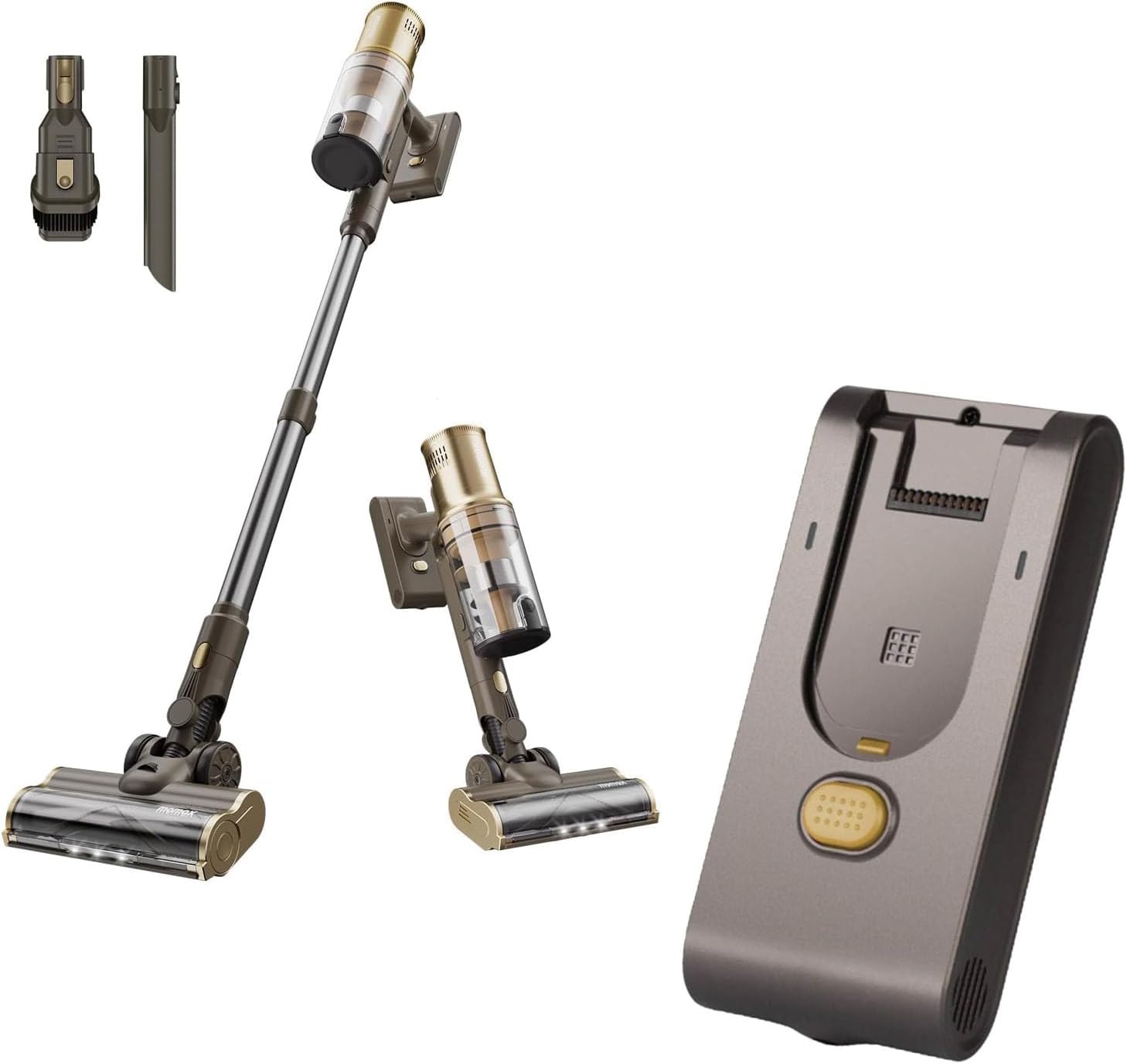
Image: The momax RO8 vacuum cleaner shown with its components, including the main body where the battery is installed. The separate battery unit is also visible, illustrating its form factor for installation.
Operating: Charging and Usage
Charging the Battery
For optimal battery life, fully charge the battery before first use and whenever the battery indicator shows low charge.
- Connect the vacuum cleaner's charging adapter to a power outlet.
- Plug the charging cable into the charging port on the vacuum cleaner.
- The battery indicator lights on the vacuum cleaner will show the charging status. Refer to your RO8 vacuum cleaner's main manual for specific indicator patterns.
- Charging time typically ranges from 3-5 hours for a full charge.
- Do not leave the battery on charge for extended periods after it is fully charged.
Battery Usage
The battery powers the momax RO8 Vacuum Cleaner. Use the vacuum cleaner as per its original instruction manual. The battery provides consistent power until it requires recharging.
Maintenance
Proper maintenance extends the life of your battery:
- Cleaning: Wipe the battery pack with a dry, soft cloth. Do not use abrasive cleaners or immerse in water.
- Storage: If storing the vacuum cleaner or battery for an extended period, ensure the battery is charged to approximately 50-60%. Store in a cool, dry place away from direct sunlight and extreme temperatures.
- Regular Use: For best performance, avoid completely draining the battery frequently. Recharge when the power is low.
Troubleshooting
Refer to the table below for common battery-related issues and their solutions:
| Problem | Possible Cause | Solution |
|---|---|---|
| Battery not charging | Loose connection; Faulty charger; Battery not properly installed. | Check all connections; Try a different outlet; Reinstall the battery ensuring it clicks into place. |
| Short run time | Battery not fully charged; Battery degradation over time. | Ensure full charge; Consider if battery has reached end of life (typically 2-3 years). |
| Vacuum not turning on with new battery | Battery not installed correctly; Battery not charged; Vacuum cleaner issue. | Reinstall battery; Charge battery fully; Consult the momax RO8 vacuum cleaner manual for general power issues. |
Specifications
Key specifications for the momax RO8 Replacement Battery:
| Feature | Detail |
|---|---|
| Model Compatibility | momax RO8 Vacuum Cleaner ONLY |
| Battery Type | Lithium-ion |
| Nominal Voltage | 25.2V (Typical) |
| Capacity | 2500mAh (Typical) |
| Charging Time | Approx. 3-5 hours (from empty) |
| Operating Temperature | 0°C to 40°C (32°F to 104°F) |
| Storage Temperature | -20°C to 60°C (-4°F to 140°F) |
Warranty and Support
momax provides a limited warranty for this replacement battery. Please refer to the warranty card included with your original purchase or visit the official momax website for detailed warranty terms and conditions.
For technical support, troubleshooting assistance, or to inquire about warranty claims, please contact momax customer service:
- Website: Visit the momax Store on Amazon
- Email: support@momax.com (Example email, actual email not provided)
- Phone: 1-800-XXX-XXXX (Example number, actual number not provided)
Please have your product model (RO8) and purchase information ready when contacting support.