Introduction
This manual provides essential instructions for the installation, operation, maintenance, and troubleshooting of the Generic 6870C-0805A T-CON (Timing Controller) Board. This board is designed as a replacement component for specific LG 65-inch UHD television models. Please read this manual thoroughly before attempting any installation or repair to ensure proper function and safety.
The T-CON board is a critical component responsible for processing video signals from the main board and distributing them to the display panel, ensuring correct image timing and data transfer.
Safety Precautions
- Always disconnect the television from the power source before beginning any repair or installation.
- Wear anti-static gloves or use an anti-static wrist strap to prevent electrostatic discharge (ESD), which can damage sensitive electronic components.
- Handle the T-CON board by its edges to avoid touching components or connectors.
- Ensure you have the correct tools for the job, including appropriate screwdrivers and prying tools.
- If you are unsure about any step, consult a qualified technician.
Setup and Installation
This T-CON board is intended as a direct replacement part. Verify that the model number on your existing board matches 6870C-0805A before proceeding.
- Preparation: Disconnect the television from all power sources and external devices. Place the TV face down on a soft, clean surface to protect the screen.
- Access the T-CON Board: Carefully remove the back cover of the television. The T-CON board is typically located at the top or bottom center of the display panel, often under a metal shield.
- Disconnect Cables: Gently disconnect the ribbon cables (LVDS cables) connecting the T-CON board to the main board and the display panel. Note their orientation for reinstallation.
- Remove Old Board: Unscrew any retaining screws holding the old T-CON board in place and carefully remove it.
- Install New Board: Position the new 6870C-0805A T-CON board in the same location. Secure it with the screws removed earlier.
- Connect Cables: Reconnect all ribbon cables, ensuring they are fully seated and correctly oriented. Improper connection can cause display issues.
- Initial Test: Before reattaching the back cover, temporarily connect the TV to power and turn it on to verify basic functionality. If the display appears normal, proceed to the next step.
- Reassemble: Disconnect power again, then reattach the back cover of the television.

Image 1: Top view of the 6870C-0805A T-CON board, illustrating the layout of the main LG Display chip, capacitors, resistors, and connectors. This view helps in identifying the board and its primary components during installation.
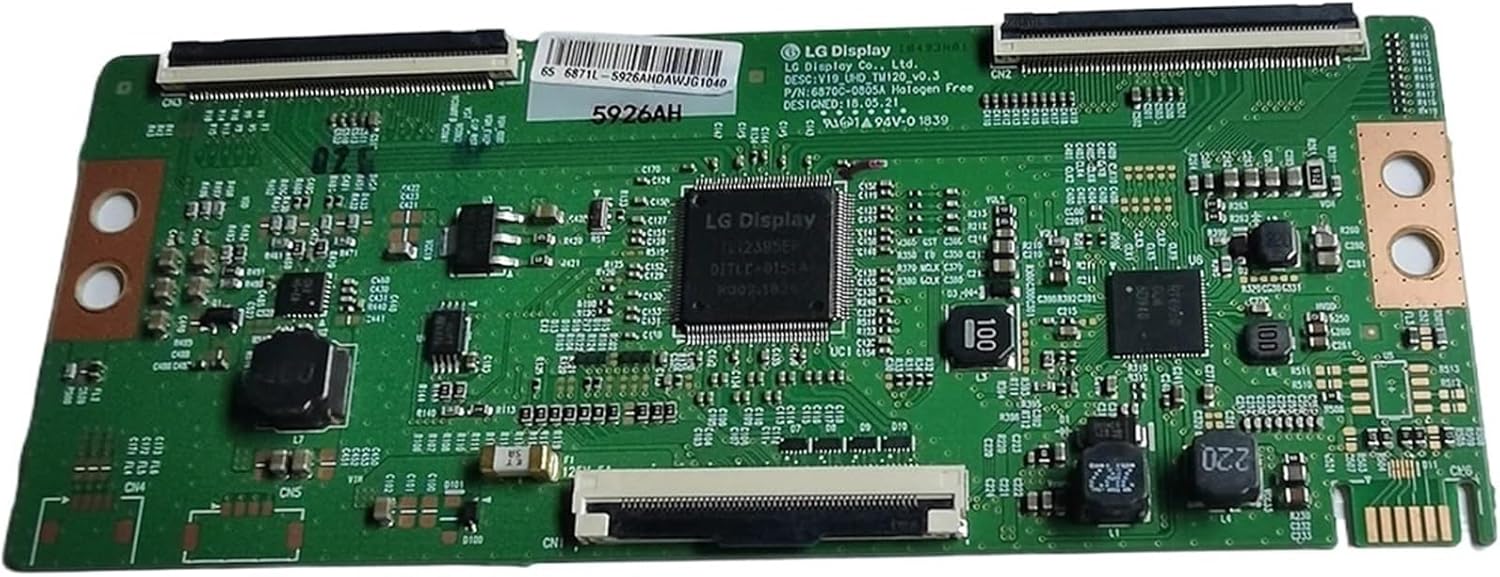
Image 2: An angled perspective of the 6870C-0805A T-CON board, providing a clearer view of the various connectors for ribbon cables and the general arrangement of surface-mounted components. This angle can assist in proper cable alignment.

Image 3: A detailed close-up of a section of the 6870C-0805A T-CON board, clearly showing the printed model number (P/N: 6870C-0805A) and other identifying marks. This image is crucial for verifying the correct board model before installation.

Image 4: A close-up view centered on the main LG Display integrated circuit (IC) on the 6870C-0805A T-CON board. This IC is the primary processing unit for the display signals.
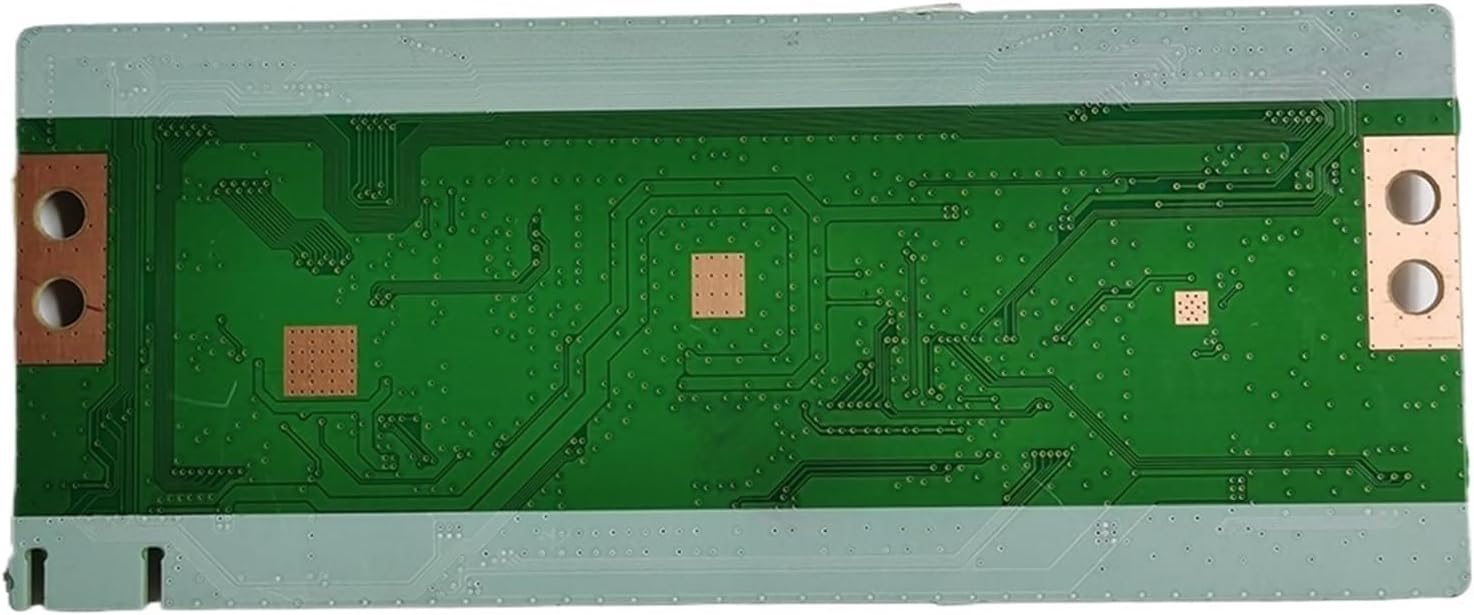
Image 5: The bottom view of the 6870C-0805A T-CON board, revealing the solder points, electrical traces, and mounting holes. This perspective is useful for understanding the board's physical dimensions and how it interfaces with the TV chassis.
Operation Verification
After successful installation, perform the following checks to ensure the T-CON board is functioning correctly:
- Power On: Connect the television to power and turn it on.
- Display Check: Observe the screen for a clear, stable image. Look for any flickering, lines, color distortions, or areas of no display.
- Input Test: Connect a known working video source (e.g., a Blu-ray player, streaming device) to an input and verify that the image is displayed correctly.
- Sound Check: Ensure audio is also functioning, as some display issues can indirectly affect sound synchronization.
If the display is clear and stable, the T-CON board is likely installed and operating correctly.
Maintenance
The T-CON board itself requires minimal maintenance once installed. However, general care for your television can prolong the life of all its components:
- Dust Prevention: Keep the television's ventilation openings clear of dust and debris to ensure proper airflow and prevent overheating.
- Environmental Conditions: Operate the television in a stable environment, avoiding extreme temperatures or high humidity.
- Professional Cleaning: If internal cleaning is required, it is recommended to consult a professional technician to avoid damaging sensitive components.
Troubleshooting
If you encounter issues after installing the T-CON board, consider the following troubleshooting steps:
| Problem | Possible Cause | Solution |
|---|---|---|
| No display or black screen | Loose or improperly connected ribbon cables; faulty T-CON board; faulty main board. |
|
| Flickering, lines, or distorted image | Damaged ribbon cables; T-CON board issue; display panel issue. |
|
| Incorrect colors or washed-out image | T-CON board issue; main board issue; display panel issue. |
|
If these steps do not resolve the issue, professional assistance may be required.
Specifications
| Feature | Detail |
|---|---|
| Model Number | 6870C-0805A V19_UHD_TM120_V0.3 |
| Compatibility | LG 65-inch UHD TVs (verify existing board model) |
| Part Number | 6870C-0805A |
| Item Weight | 1.76 pounds |
| Package Dimensions | 7.87 x 7.87 x 3.94 inches |
| Manufacturer | Generic |
Warranty and Support
Specific warranty information for this replacement part is not provided in this manual. Please refer to the original purchase documentation or contact the seller directly for details regarding warranty coverage and technical support.
For further assistance or inquiries, please reach out to the vendor from whom the product was purchased.


