
1. Introduction
This instruction manual provides essential information for the proper handling, installation, and maintenance of the Generic 6870C-0805A T-CON (Timing Controller) board. This board is designed as a replacement part for compatible LG 55-inch UHD televisions. Please read this manual thoroughly before attempting any installation or repair to ensure safety and optimal performance of your display equipment.
2. Product Overview
The 6870C-0805A T-CON board is a critical component in modern LCD/LED televisions, responsible for processing video signals from the main board and converting them into timing signals that control the pixels on the display panel. This ensures accurate image display and color reproduction.
Key features of this replacement board include:
- Designed for 6870C-0805A models, ensuring compatibility.
- A direct replacement for damaged or malfunctioning original parts.
- Engineered for reliable performance to restore display functionality.
- Easy to install, matching the original board's specifications.

Figure 1: Top view of the Generic 6870C-0805A T-CON board, showing the main chip and various components.
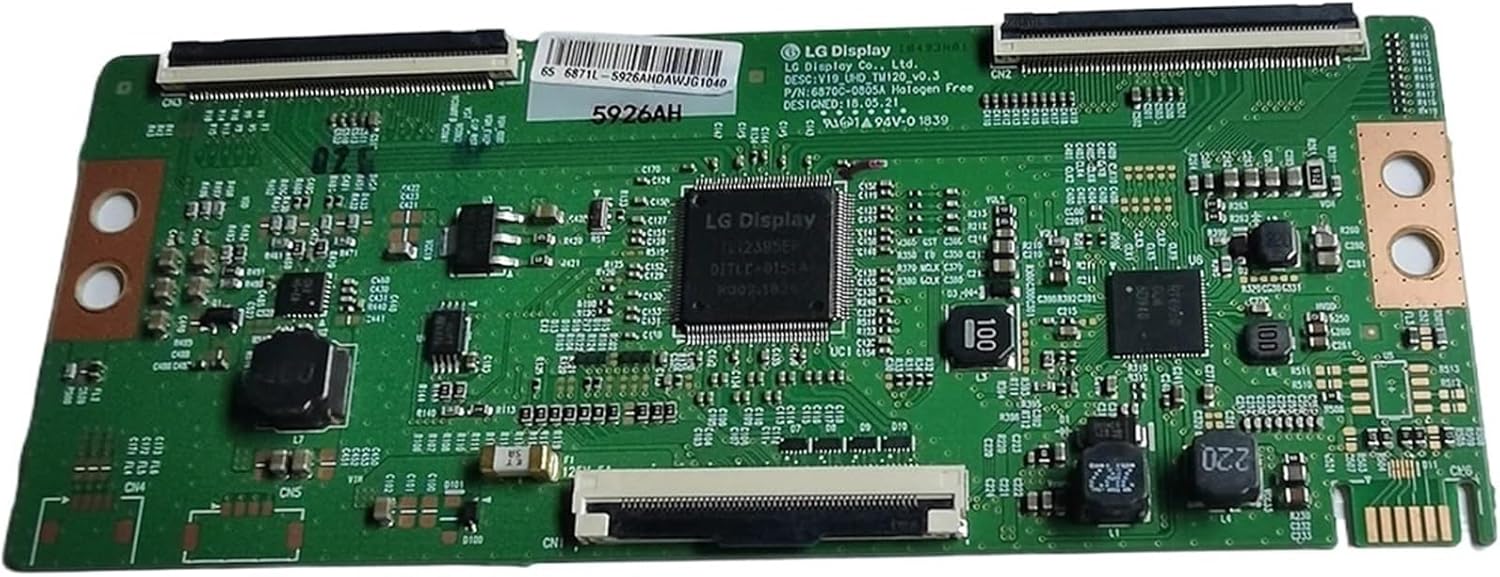
Figure 2: Angled perspective of the T-CON board, highlighting the connectors and integrated circuits.
3. Specifications
| Model Number | 6870C-0805A (V19_UHD_TM120_V0.3) |
| Compatibility | LG 55-inch UHD TVs (verify original board model) |
| Manufacturer | Generic |
| Item Weight | 1.76 pounds (approximately 0.8 kg) |
| Package Dimensions | 7.87 x 7.87 x 3.94 inches (approximately 20 x 20 x 10 cm) |
| Part Type | T-CON Board (Timing Controller Board) |
4. Installation and Setup
Important Safety Notice: Before attempting any installation, ensure the television is completely disconnected from the power source. Working with electronic components requires caution to prevent electric shock and damage to the equipment. If you are not comfortable performing this repair, seek assistance from a qualified technician.
- Preparation:
- Disconnect the TV from all power outlets and external devices.
- Place the TV face down on a soft, clean surface to protect the screen.
- Remove the back cover of the television, typically secured by screws. Keep track of all screws.
- Identify the T-CON Board:
Locate the existing T-CON board. It is usually positioned at the top center or bottom center of the TV panel, often covered by a metal shield. It connects to the main board via a ribbon cable and to the display panel via two or more flat flexible cables (FFCs).

Figure 3: Detailed view of a section of the T-CON board, showing the part number "P/N: 6870C-0805A" and various connection points.
- Verify Compatibility:
Before proceeding, carefully compare the model number (6870C-0805A) and physical appearance of your existing T-CON board with the replacement board. Ensure all connectors and mounting points match precisely. Inconsistencies can lead to damage.

Figure 4: Close-up of the central LG Display chip and one of the flat flexible cable (FFC) connectors on the T-CON board.
- Remove the Old Board:
- Gently disconnect all ribbon cables and FFCs from the old T-CON board. Be extremely careful with the FFCs, as they are delicate. Lift the locking tabs on the connectors before pulling the cables out.
- Unscrew any mounting screws holding the old T-CON board in place and carefully remove it.
- Install the New Board:
- Position the new 6870C-0805A T-CON board in the same location as the old one.
- Secure it with the appropriate screws.
- Carefully re-connect all ribbon cables and FFCs. Ensure they are fully inserted and the locking tabs are securely closed. Improper connection can cause display issues.
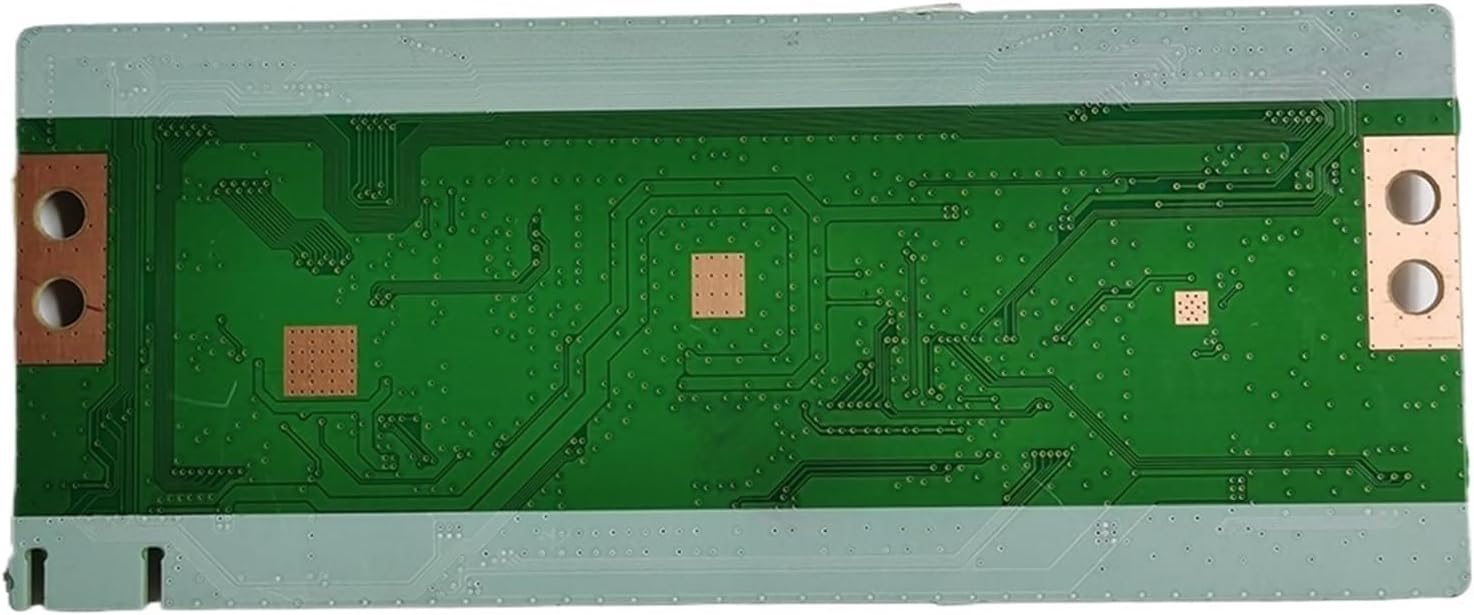
Figure 5: Rear view of the T-CON board, illustrating the circuit traces and solder points.
- Testing:
- Before reattaching the back cover, temporarily connect the TV to power and turn it on to verify that the display is functioning correctly. Check for any visual anomalies like lines, distorted images, or no picture.
- If the display is working, disconnect power again.
- Final Assembly:
Reattach the TV's back cover and secure all screws. Ensure no tools or loose parts are left inside the television.
5. Operation
The T-CON board operates automatically as part of the television's internal circuitry. Once correctly installed, it requires no user interaction. Its function is to receive video data from the main board and generate the precise timing signals required by the LCD/LED panel to display images. Proper operation is indicated by a clear, stable, and correctly rendered picture on the television screen.
6. Maintenance
The 6870C-0805A T-CON board is a sealed electronic component and does not require routine maintenance. To ensure its longevity and proper function:
- Keep the TV Clean: Regularly clean the exterior of your television to prevent dust buildup, which can lead to overheating of internal components over time.
- Ensure Proper Ventilation: Do not block the ventilation openings on the TV's back cover. Adequate airflow is crucial for dissipating heat generated by internal electronics, including the T-CON board.
- Avoid Physical Shock: Protect the television from impacts or drops, as physical shock can damage internal components and connections.
- Environmental Conditions: Operate the television within recommended temperature and humidity ranges to prevent stress on electronic parts.
7. Troubleshooting
If you experience display issues after installing the new T-CON board, consider the following troubleshooting steps:
- No Picture / Black Screen:
- Verify all power connections to the TV.
- Ensure all ribbon cables and FFCs on the T-CON board are securely seated and locked. A loose connection is a common cause of no picture.
- Check the connection between the main board and the T-CON board.
- Distorted Image / Lines on Screen / Incorrect Colors:
- This often indicates a problem with the FFCs connecting the T-CON board to the LCD panel. Carefully re-seat these cables, ensuring they are inserted straight and fully.
- Inspect the FFCs for any visible damage (creases, tears).
- Confirm the T-CON board is the correct model for your specific TV panel.
- Intermittent Display Issues:
- Check for any loose screws or connections on the T-CON board or other internal components.
- Ensure the TV is not overheating.
- Still Experiencing Problems:
If troubleshooting steps do not resolve the issue, it may indicate a problem with another component of the television (e.g., main board, power supply board, or the LCD panel itself), or a faulty replacement T-CON board. It is recommended to consult a professional technician.
8. Warranty and Support
Specific warranty information for this Generic 6870C-0805A T-CON board is not provided in this manual. Please refer to the purchase documentation or contact the seller directly for details regarding warranty coverage, return policies, and technical support. When contacting support, please have your purchase details and the model number (6870C-0805A) readily available.