
Introduction
This user manual provides essential information for the safe and efficient use of your Dawnwake Mushroom Table Lamp. Please read these instructions carefully before assembly and operation, and retain them for future reference.
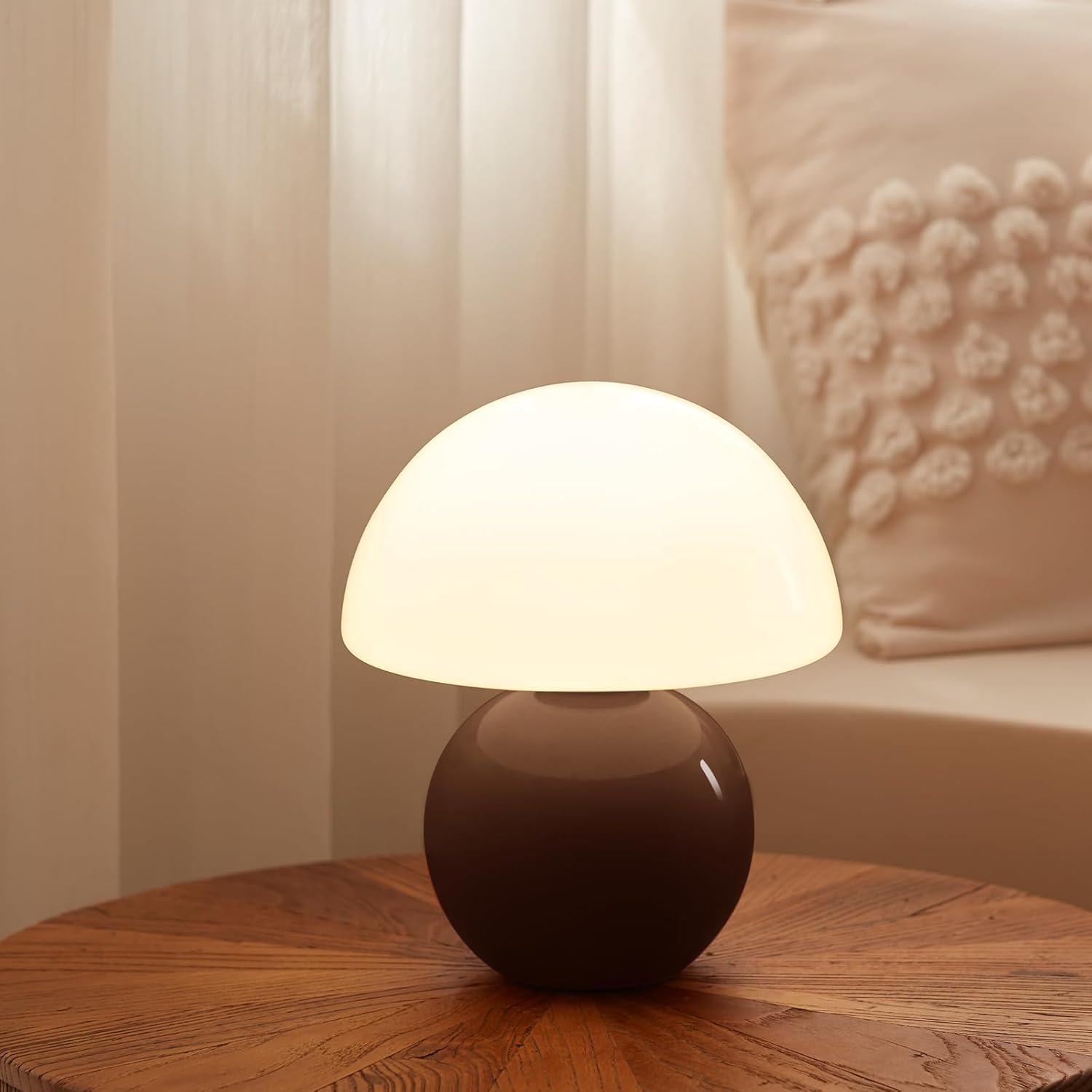
Image: The Dawnwake Mushroom Table Lamp in Coffee color, providing a warm glow on a wooden surface.
Safety Instructions
- Ensure the lamp is unplugged before assembly, cleaning, or bulb replacement.
- Do not operate the lamp with a damaged cord or plug. If damaged, contact qualified service personnel.
- This lamp is intended for indoor use only. Do not expose to water or high humidity.
- Keep the lamp away from heat sources and direct sunlight.
- The glass lampshade is fragile. Handle with care to prevent breakage.
- Use only the specified bulb type (G9 LED) to avoid overheating or damage.
- Do not attempt to modify or disassemble the lamp beyond the instructions provided.
Package Contents
Verify that all components are present and undamaged upon unpacking:
- 1 x Ceramic Lamp Base (Coffee color)
- 1 x Glass Lampshade
- 1 x G9 LED Bulb
- 1 x Power Cord with Stepless Dimmer Switch

Image: Detailed view of the lamp's components, including the G9 bulb, power cord with dimmer, glass lampshade, and ceramic base with a non-slip mat.
Setup Instructions
Follow these steps to assemble your Dawnwake Mushroom Table Lamp:
- Unpack Components: Carefully remove all parts from the packaging and place them on a flat, stable surface.
- Install the Bulb: Gently insert the provided G9 LED bulb into the bulb socket located on the top of the ceramic base. Ensure it is seated firmly.
- Attach the Lampshade: Carefully place the glass lampshade over the bulb and onto the ceramic base. Ensure it rests securely and evenly.
- Connect to Power: Plug the power cord into a standard AC electrical outlet.

Image: Visual guide for bulb installation and lamp assembly, highlighting the G9 bulb and dimmer switch.
Operating Instructions
Your Dawnwake Mushroom Table Lamp features a stepless dimmer for adjustable brightness.
- Turning On/Off: Locate the in-line dimmer switch on the power cord. Rotate the switch clockwise to turn the lamp on. Continue rotating to increase brightness.
- Adjusting Brightness: Rotate the dimmer switch clockwise to increase the light intensity from 0% to 100%. Rotate counter-clockwise to decrease brightness and turn the lamp off.

Image: The lamp displaying 25%, 50%, and 100% brightness levels, illustrating the stepless dimming capability.
Maintenance
- Cleaning: Ensure the lamp is unplugged before cleaning. Wipe the ceramic base and glass lampshade with a soft, dry cloth. Do not use abrasive cleaners or solvents.
- Bulb Replacement: If the G9 LED bulb needs replacement, ensure the lamp is unplugged and cool. Gently remove the old bulb and insert a new G9 LED bulb.
Troubleshooting
| Problem | Possible Cause | Solution |
|---|---|---|
| Lamp does not turn on. | Power cord not plugged in. Bulb not installed correctly or faulty. Outlet not functioning. | Ensure cord is securely plugged into a working outlet. Reinstall bulb or replace with a new G9 LED bulb. Test the outlet with another device. |
| Light flickers or is inconsistent. | Bulb loose or incompatible. Dimmer switch issue. | Ensure bulb is tightly screwed in. Use only G9 LED bulbs. Contact customer support if flickering persists. |
| Dimmer not working. | Bulb incompatibility. Faulty dimmer switch. | Ensure a dimmable G9 LED bulb is used. Contact customer support. |
Specifications
| Feature | Detail |
|---|---|
| Model Name | TD3003 |
| Brand | Dawnwake |
| Product Dimensions | 7"D x 7"W x 11"H (17.8 cm D x 17.8 cm W x 27.9 cm H) |
| Item Weight | 2.83 pounds (1.28 kg) |
| Material | Glass (Shade), Ceramic (Base) |
| Color | Coffee |
| Light Source Type | LED |
| Bulb Base | G9 |
| Switch Type | In Line (Stepless Dimmer) |
| Power Source | Corded Electric |
| Included Components | Bulb, Dimmer |

Image: The lamp's dimensions (8.7 inches height, 7.1 inches width) shown in context with common household items.
Warranty and Support
For warranty information or technical support, please refer to the product packaging or contact Dawnwake customer service directly. Keep your purchase receipt as proof of purchase.
For further assistance, you may visit the Dawnwake Store on Amazon.