
1. Introduction
This manual provides detailed instructions for the setup, operation, and maintenance of your LANTOOCAM P601W Trail Camera. Please read this manual thoroughly before using the device to ensure proper functionality and longevity.
2. Package Contents
Verify that all items listed below are included in your package:
- 1x LANTOOCAM P601W Trail Camera
- 1x 32GB TF Card
- 1x Mounting Strap
- 1x USB Data Cable
- 1x USB Power Cable
- 1x Instruction Manual

Figure 2.1: Included Components
3. Product Overview
The LANTOOCAM P601W Trail Camera is designed for outdoor use, featuring a camouflage exterior for discreet placement. It includes a lens, motion sensors, and an internal display for configuration and review.
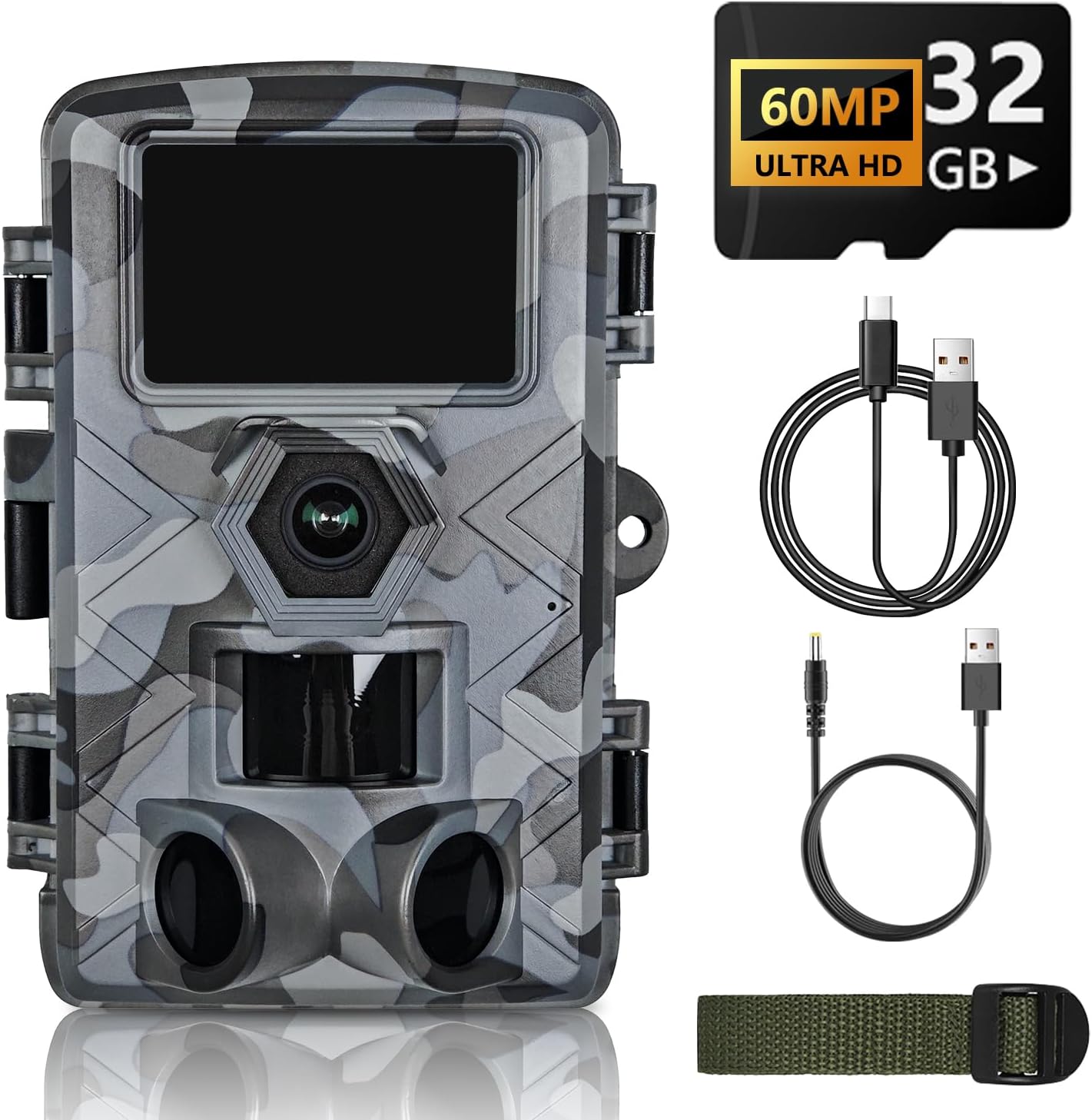
Figure 3.1: Front View of the Trail Camera
4. Setup
4.1 Battery Installation
The camera requires 8 AA batteries (not included). Ensure correct polarity when inserting batteries into the compartment.
4.2 TF Card Installation
Insert the provided 32GB TF card into the designated slot. The camera supports up to 128GB TF cards. Format the TF card before first use via the camera's menu settings.
4.3 Mounting the Camera
Use the included mounting strap to secure the camera to a tree or pole. Position the camera to capture the desired area, ensuring it is stable and level.
5. Operating Instructions
5.1 Powering On/Off
To power on the camera, slide the power switch to the 'ON' position. To power off, slide the switch to 'OFF'.
5.2 Mode Selection
The camera typically operates in three modes: Photo, Video, and Photo+Video. Select your desired mode using the camera's internal controls.
5.3 Menu Settings
Access the camera's menu to configure various settings such as resolution (60MP for photos, 1296P for video), trigger speed, sensitivity, time-lapse, and more. Refer to the on-screen menu for detailed options.
5.4 WiFi and App Control (TrailCam GO)
The camera features built-in WiFi for wireless control via the 'TrailCam GO' app on your smartphone. This allows for adjusting settings, previewing, and downloading media without physically accessing the camera.
- Download the 'TrailCam GO' app from your device's app store.
- Enable Bluetooth on your smartphone.
- Turn on the camera.
- Open the 'TrailCam GO' app and follow the on-screen instructions to connect to the camera's WiFi. Connection is typically initiated via Bluetooth and then switches to WiFi.
- Once connected, you can manage settings and access files within the app. Note that the WiFi range is limited; you must be within proximity to the camera.

Figure 5.1: Steps to Connect to the TrailCam GO Application
5.5 Capturing Photos and Videos
The camera utilizes motion-activated sensors to capture images and videos. It features a 0.2-second trigger speed to minimize missed events. Night vision capabilities allow for clear black and white recordings in low-light conditions up to 50 feet.

Figure 5.2: Fast Trigger Speed for Capturing Motion
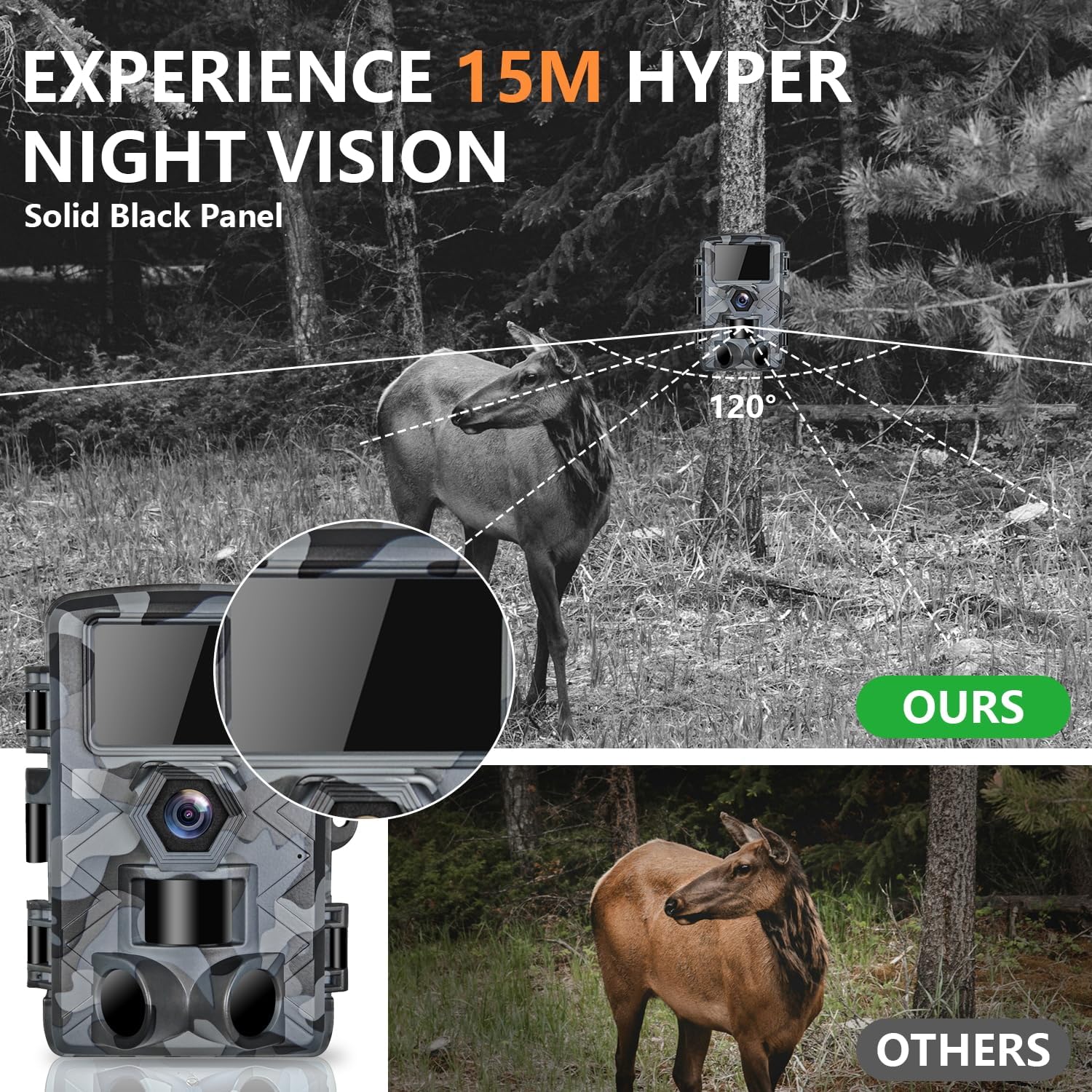
Figure 5.3: Night Vision Performance
6. Maintenance
6.1 Cleaning
Wipe the camera lens and housing with a soft, dry cloth. Avoid using abrasive cleaners or solvents. Ensure the camera is dry before closing the housing.
6.2 Storage
When not in use for extended periods, remove batteries and the TF card. Store the camera in a cool, dry place away from direct sunlight.
6.3 Battery Care
Replace all batteries simultaneously. Do not mix old and new batteries or different types of batteries. Dispose of used batteries responsibly.
7. Troubleshooting
- Camera not powering on: Check battery installation and ensure batteries are charged.
- No images/videos captured: Verify TF card is inserted correctly and formatted. Check motion sensor sensitivity settings. Ensure camera is in the correct operating mode.
- Poor image/video quality: Clean the lens. Check resolution settings. Ensure adequate lighting for daytime captures or proper night vision activation for nighttime.
- WiFi connection issues: Ensure you are within the camera's WiFi range. Restart both the camera and your smartphone. Re-attempt connection via the 'TrailCam GO' app.
- Water ingress: Although rated IP66 waterproof, ensure all latches are securely closed before outdoor deployment. If water enters, dry the camera thoroughly and contact support if issues persist.
8. Specifications
| Feature | Specification |
|---|---|
| Model Name | P601W |
| Effective Still Resolution | 60 MP |
| Video Capture Resolution | 1296p |
| Connectivity Technology | Wi-Fi, Wireless |
| Water Resistance Level | IP66 Waterproof |
| Low Light Technology | Night Color (Infrared LEDs) |
| Power Source | Battery Powered (AA batteries required) |
| Control Method | App, Push Button |
| Lens Angle | 120° Wide-Angle |
| Trigger Speed | 0.2 seconds |
| Material | Acrylonitrile Butadiene Styrene (ABS) |
| Dimensions (L x W x H) | 1 x 1 x 0.99 inches |
| Item Weight | 14.4 ounces |
9. Warranty and Support
For warranty information or technical support, please refer to the contact details provided with your purchase documentation or visit the official LANTOOCAM website. Keep your proof of purchase for warranty claims.