
1. Product Overview
This manual provides essential information for the installation, maintenance, and general use of MCVHREH replacement air purifier filters. These filters are designed to be compatible with various DaiKin MC70KMV2 series air purifiers, including models MC70KMV2N, MC70KMV2R, MC70KMV2A, MC70KMV2K, MC709MV2, and KAC998A4.
The filters are crucial components for maintaining air quality by capturing airborne particles and pollutants. Regular replacement ensures optimal performance of your air purifier.

Image 1.1: A set of six MCVHREH compatible air purifier filters, fanned out to show their pleated design.

Image 1.2: Six individual air purifier filters, indicating the quantity included in the package.
2. Setup and Installation
Replacing your air purifier filter is a straightforward process. Always refer to your specific DaiKin air purifier's user manual for detailed instructions on accessing the filter compartment, as procedures may vary slightly by model.
2.1. Safety Precautions
- Always unplug the air purifier from the power outlet before attempting any installation or maintenance.
- Ensure your hands are clean and dry before handling new filters.
- Dispose of old filters according to local regulations.
2.2. Installation Steps
- Power Off: Unplug your DaiKin air purifier from the wall outlet.
- Access Filter Compartment: Open the front cover or access panel of your air purifier. Consult your air purifier's manual if you are unsure how to do this.
- Remove Old Filter: Carefully remove the used filter. Note its orientation to ensure correct installation of the new filter.
- Install New Filter: Unwrap the new MCVHREH compatible filter. Insert the new filter into the compartment, ensuring it is seated correctly and facing the proper direction. The pleated side typically faces the incoming air flow.
- Close Compartment: Securely close the front cover or access panel.
- Restore Power: Plug the air purifier back into the power outlet.
- Reset Filter Indicator (if applicable): If your air purifier has a filter replacement indicator light, follow your air purifier's manual to reset it.
3. Operating Principles
These replacement filters function by trapping microscopic particles, allergens, dust, and other airborne contaminants as air passes through the air purifier. The pleated design maximizes the surface area for filtration, enhancing efficiency.
Once installed, the filter works continuously with your air purifier's fan system to circulate and clean the air in your environment. No direct user operation is required for the filter itself; its function is integrated into the air purifier's normal operation.
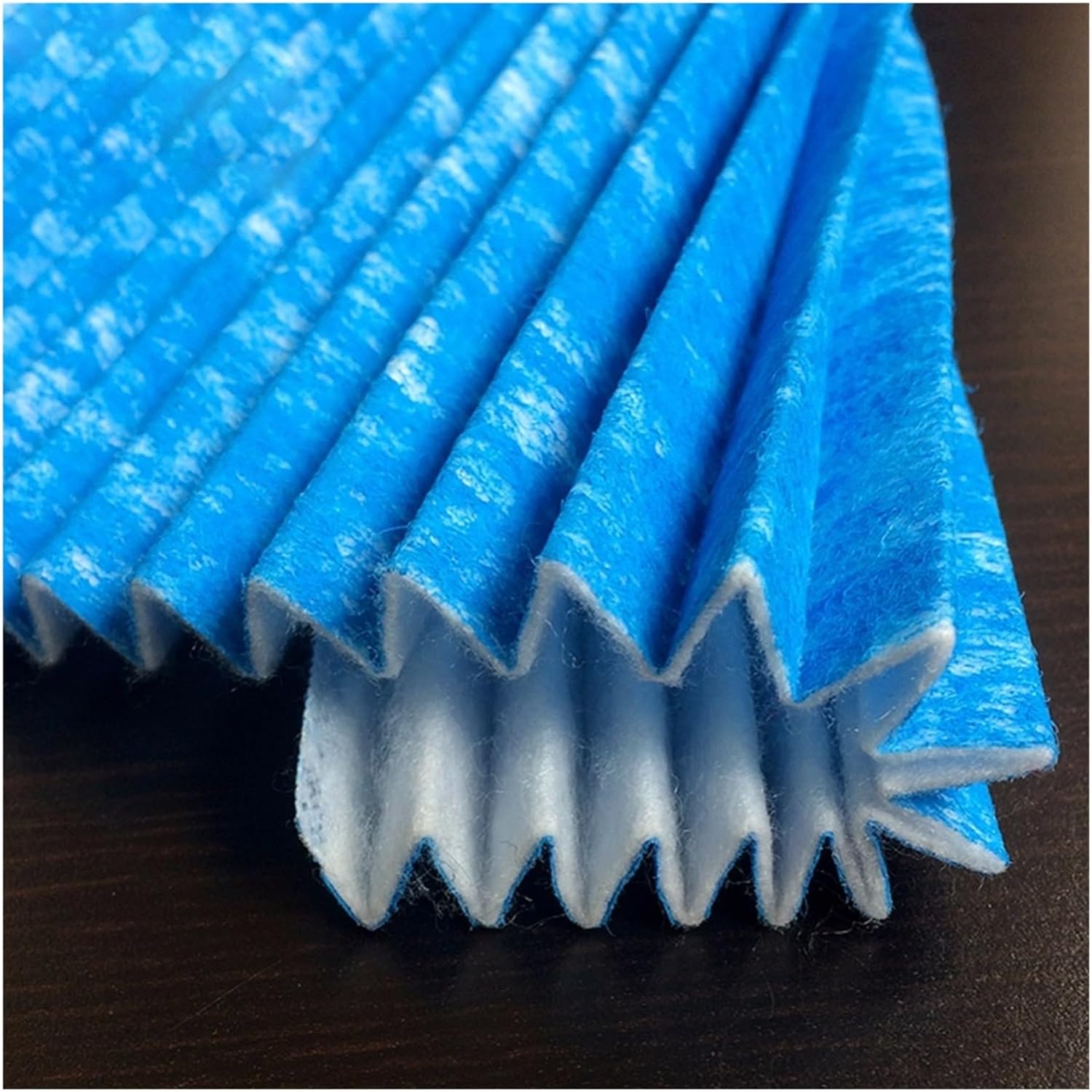
Image 3.1: A close-up view of the filter's pleated structure, designed to maximize filtration surface area.
4. Maintenance and Replacement
The lifespan of your air purifier filter depends on usage frequency, air quality, and environmental factors. For optimal performance and air quality, it is recommended to replace the filter regularly.
4.1. Filter Lifespan
- Under normal operating conditions, filters typically last between 6 to 12 months.
- If your air purifier has a filter indicator light, replace the filter when the light illuminates.
- In environments with high levels of dust, pet dander, or pollutants, more frequent replacement may be necessary.
4.2. Cleaning
These filters are designed for replacement and are generally not washable or reusable. Attempting to clean them may damage the filter media and reduce filtration efficiency.

Image 4.1: Filters shown alongside their packaging, illustrating how they are supplied.
5. Troubleshooting
If you encounter issues after replacing your filter, consider the following common troubleshooting steps:
| Problem | Possible Cause | Solution |
|---|---|---|
| Air purifier not turning on after filter replacement. | Filter not installed correctly, or access panel not fully closed. | Ensure the filter is seated properly and the access panel is securely latched. Many purifiers have safety switches. |
| Reduced airflow or unusual noise. | Filter may be obstructed or not fully compatible. | Check for any obstructions around the filter. Verify the filter model number against your air purifier's requirements. |
| Filter indicator light remains on after replacement. | Filter reset procedure not performed. | Refer to your DaiKin air purifier's manual for instructions on how to reset the filter life indicator. |
6. Specifications
Key specifications for the MCVHREH compatible air purifier filters:
| Attribute | Value |
|---|---|
| Compatible Air Purifier Series | DaiKin MC70KMV2 Series (MC70KMV2N, MC70KMV2R, MC70KMV2A, MC70KMV2K, MC709MV2, KAC998A4) |
| Filter Models | BAC006A4C, BAC017A4C |
| Package Dimensions | 1.18 x 0.79 x 0.39 inches (per filter, approximate) |
| Item Weight | 1.76 ounces (per filter, approximate) |
| Number of Pieces | 6 |
| Material | Durable and environmentally friendly filter media |

Image 6.1: Detailed view of the filter's pleated surface, highlighting the material and construction.

Image 6.2: An extreme close-up showing the fine fibrous texture of the filter material, designed for efficient particle capture.
7. Warranty and Support
MCVHREH is committed to providing high-quality products and comprehensive after-sales service. If you have any questions or concerns regarding your compatible air purifier filters, please do not hesitate to contact our customer support.
We aim to respond to all inquiries within 24 hours to ensure your satisfaction. For support, please refer to the contact information provided with your purchase or on the product packaging.