
1. Introduction
This instruction manual provides essential information for the safe and effective installation, operation, and care of your Upstart Battery YTX7A-BS 12V 6Ah AGM battery. This battery is designed as a replacement for compatible generators, such as the Champion 3400 Dual Fuel Generator Model #100263, and other applications requiring a YTX7A-BS equivalent.
Please read this manual thoroughly before installation and retain it for future reference.
2. Safety Information
Always observe the following safety precautions when handling and installing batteries:
- Wear appropriate personal protective equipment, including safety glasses and gloves, when handling batteries.
- Do not short-circuit the battery terminals. This can cause sparks, heat, and potential injury.
- Keep the battery away from open flames, sparks, and heat sources.
- Do not disassemble, crush, puncture, or modify the battery.
- Avoid exposing the battery to extreme temperatures or direct sunlight for prolonged periods.
- If battery acid comes into contact with skin or eyes, flush immediately with plenty of water and seek medical attention.
- Ensure proper ventilation when charging or operating the battery.
- Dispose of batteries according to local regulations. Do not dispose of in household waste.

Figure 2.1: Upstart Battery YTX7A-BS 12V 6Ah AGM Battery. This image shows the sealed lead-acid battery with its terminals and product labeling.
3. Product Features
The Upstart Battery YTX7A-BS offers several key features for reliable performance:
- Sealed Lead-Acid (SLA) / Absorbed Glass Mat (AGM) Technology: This design ensures a maintenance-free, spill-proof, and leak-proof battery.
- High Cranking Power: Engineered for quick and efficient starts, providing immediate power when needed.
- Durable Construction: Built to resist vibrations and wear, suitable for various applications including portable generators.
- Factory Activated: Ready to use upon arrival, requiring no initial charging or acid filling.
- Temperature Resistance: Designed to perform reliably across a range of temperatures, from cold to hot environments.
- Flexible Mounting: Allows for various mounting options due to its sealed design.

Figure 3.1: Key features of the Upstart Battery YTX7A-BS, highlighting its rechargeable nature, extended lifespan, and consistent power output.

Figure 3.2: Illustration emphasizing the maintenance-free and leak-proof design of the sealed AGM battery, ensuring enhanced safety and convenience.

Figure 3.3: Depiction of the battery's robust construction, featuring cold-resistant technology, heat-proof construction, and dust and water resistance for reliable performance in diverse weather conditions.
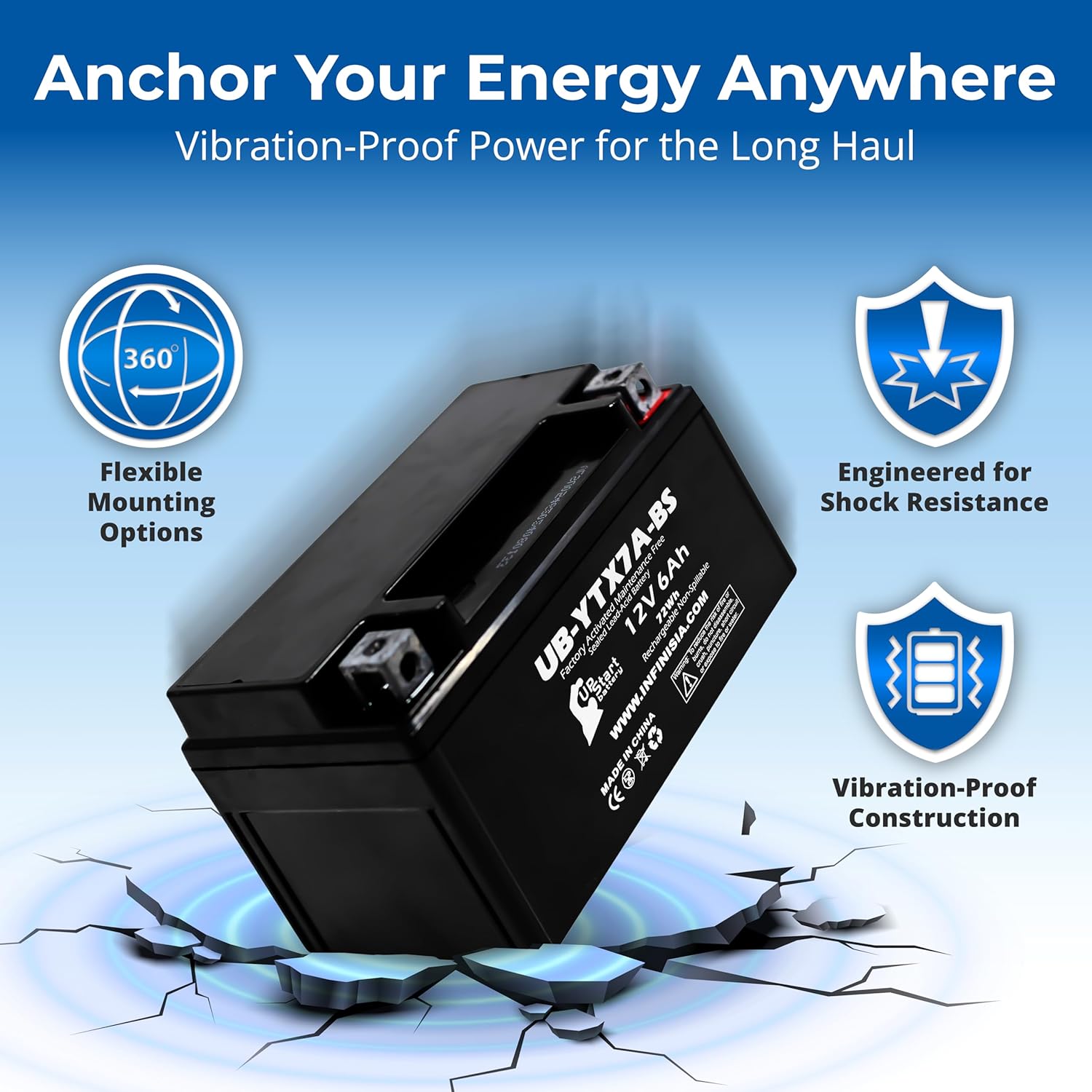
Figure 3.4: This image illustrates the battery's vibration-proof construction and shock resistance, along with flexible mounting options, making it suitable for demanding applications.
4. Specifications
| Attribute | Value |
|---|---|
| Model Number | UB-YTX7A-BS-DL34 |
| Battery Type | Sealed Lead-Acid (SLA) / Absorbed Glass Mat (AGM) |
| Voltage | 12V |
| Capacity | 6Ah |
| Energy | 72Wh |
| Cold Cranking Amps (CCA) | 212 Amps |
| Self-Discharge Rate | <=2%* (when ambient temperature is less than 25°C) |
| Battery Dimensions (L x W x H) | 6.1 x 3.6 x 3.9 inches (155 x 91 x 99 mm) |
| Item Weight | 5.5 pounds (2.5 kg) |
| Manufacturer | UpStart Battery |

Figure 4.1: Detailed dimensions (6.1 in x 3.6 in x 3.9 in) and key electrical specifications of the Upstart Battery YTX7A-BS, including Voltage, Capacity, Energy, Cold Cranking Amps, Self-Discharge Rate, and Weight.
5. Installation Instructions
This battery is factory activated and ready for immediate use. Follow these steps for proper installation:
- Preparation: Ensure the generator or device is turned off and disconnected from any power source. Gather necessary tools (e.g., wrench, screwdriver).
- Locate Old Battery: Identify the location of the existing battery in your generator or device.
- Disconnect Old Battery:
- First, disconnect the negative (-) terminal cable (usually black).
- Then, disconnect the positive (+) terminal cable (usually red).
Note: Disconnecting in this order prevents accidental short circuits.
- Remove Old Battery: Carefully remove the old battery from its compartment.
- Inspect Battery Compartment: Clean any corrosion or debris from the battery tray and terminals.
- Install New Battery: Place the Upstart Battery YTX7A-BS into the battery compartment, ensuring it is securely seated.
- Connect New Battery:
- First, connect the positive (+) terminal cable (red) to the positive terminal of the new battery. Tighten securely.
- Then, connect the negative (-) terminal cable (black) to the negative terminal of the new battery. Tighten securely.
Note: Connecting in this order prevents accidental short circuits. Ensure all connections are tight to prevent power loss and arcing.
- Verify Compatibility: Double-check that the battery fits correctly and all connections are secure.

Figure 5.1: This image highlights the "Factory Activated" and "Plug & Play" nature of the battery, indicating it requires no initial charge and offers a simple installation process.

Figure 5.2: Close-up view of the optimized lead terminal, designed for secure connections to maximize power efficiency and device performance.
6. Operation
Once properly installed, the Upstart Battery YTX7A-BS will provide reliable power to your compatible generator or device. As an AGM battery, it is designed for maintenance-free operation.
- Starting: The battery's high cranking amps ensure quick and efficient starting of your generator.
- Charging: The battery will recharge automatically when the generator is running, or it can be charged using a compatible 12V AGM battery charger if needed. Refer to your generator's manual for specific charging system details.
- Discharge: Avoid deep discharges that can shorten battery life. If the battery is not used for extended periods, consider periodic charging to maintain its health.
7. Care and Storage
While the Upstart Battery YTX7A-BS is maintenance-free, proper care and storage practices can extend its lifespan:
- Cleaning: Keep the battery terminals and top clean and free of dirt or corrosion. Use a damp cloth to wipe the battery exterior. Do not use solvents or harsh chemicals.
- Terminal Connections: Periodically check that the terminal connections are tight and free from corrosion.
- Storage: If storing the battery for an extended period, ensure it is fully charged and stored in a cool, dry place away from direct sunlight and extreme temperatures. AGM batteries have a low self-discharge rate, but periodic charging (e.g., every 3-6 months) is recommended during long-term storage to prevent sulfation.
- Temperature: Optimal operating and storage temperature is between 20°C and 25°C (68°F and 77°F).
8. Troubleshooting
If you encounter issues with your battery, consider the following common troubleshooting steps:
- Generator Not Starting:
- Check battery terminal connections for tightness and corrosion.
- Verify the battery charge level. If low, attempt to charge it with a compatible 12V AGM charger.
- Ensure the generator's starter motor and other electrical components are functioning correctly.
- Battery Not Holding Charge:
- Confirm the generator's charging system is working properly.
- Ensure no parasitic drains are present in the electrical system when the generator is off.
- If the battery is old or has been deeply discharged multiple times, its capacity may be reduced.
- Corrosion on Terminals:
- Clean terminals with a wire brush and a solution of baking soda and water. Rinse thoroughly and dry.
- Apply a thin layer of dielectric grease or anti-corrosion spray to prevent future buildup.
If problems persist after following these steps, consult a qualified technician or contact Upstart Battery customer support.
9. Warranty and Support
For information regarding warranty coverage, product support, or to purchase replacement parts, please refer to the official Upstart Battery website or contact their customer service department.
Manufacturer: UpStart Battery
Please have your battery model number (UB-YTX7A-BS-DL34) and purchase date available when contacting support.