1. Introduction
This manual provides detailed instructions for the proper use, setup, operation, maintenance, and troubleshooting of your new High Power Binoculars. Please read this manual thoroughly before using the product to ensure optimal performance and longevity.
These binoculars are designed for various outdoor activities such as hunting, bird watching, shooting, and sports games, offering high clarity and brightness.
2. Product Overview
The High Power Binoculars feature a robust design with BAK4 prism for superior optical performance and a fogproof, waterproof construction for durability in various weather conditions.

Figure 2.1: Front view of the High Power Binoculars. This image displays the overall design of the binoculars, highlighting the objective lenses, eyepieces, and central focus wheel.
Key Features:
- High Power Magnification: Delivers best-in-class clarity and brightness for detailed viewing.
- Premium BAK4 Prism: Ensures high light transmittance and clear, sharp imaging by eliminating phase shift.
- Dual Focus Capability: Allows for precise adjustment to suit both adults and children.
- Environmental Protection: Rubber armor coating and anti-fog lens coating provide waterproof, shockproof, and durable performance.

Figure 2.2: Detailed views of the binocular features. This composite image shows close-ups of the central focus wheel, the "LUXUN Field 8.2° Bak-4 Prism" marking, the textured rubber grip, and the adjustable eyepieces.
3. Setup and Initial Use
Before using your binoculars, follow these steps for proper setup.
3.1 Unpacking
Carefully remove all components from the packaging. Ensure the following items are present:
- High Power Binoculars
- Lens caps
- Carrying strap
- Cleaning cloth (if included)
- Instruction Manual (this document)
3.2 Attaching the Neck Strap
- Thread the ends of the carrying strap through the strap lugs on each side of the binoculars.
- Secure the strap by feeding it back through the buckle, ensuring it is tightly fastened.
3.3 Adjusting Interpupillary Distance
The interpupillary distance (the distance between the centers of your pupils) varies from person to person. To set the correct distance for your eyes:
- Hold the binoculars with both hands and look through them.
- Bend the body of the binoculars until you see a single, clear circular field of view.

Figure 3.1: Binoculars with dimensions indicated. This image shows the approximate dimensions of the binoculars (200mm width, 180mm height), which can help in understanding their physical size and how they might adjust.
4. Operating Instructions
4.1 Focusing
Your binoculars feature a central focus wheel and a diopter adjustment for precise focusing.
- First, close your right eye and look through the left eyepiece. Rotate the central focus wheel until the image is sharp and clear.
- Next, close your left eye and look through the right eyepiece. Rotate the diopter adjustment ring (usually on the right eyepiece) until the image is sharp and clear.
- Now, with both eyes open, use only the central focus wheel to focus on objects at varying distances.
4.2 Using Eyecups
The eyecups can be adjusted for comfortable viewing, especially for those wearing eyeglasses.
- For non-eyeglass wearers: Extend the eyecups by twisting or pulling them out.
- For eyeglass wearers: Retract the eyecups by twisting or pushing them in to allow your eyes to be closer to the lenses.

Figure 4.1: Binoculars in an outdoor setting. This image shows the binoculars positioned in a natural environment, demonstrating their intended use for outdoor activities like hunting or bird watching.
5. Care and Maintenance
Proper care will ensure the longevity and optimal performance of your binoculars.
5.1 Cleaning Lenses
Always use a soft, lint-free cloth specifically designed for optical lenses. Avoid using abrasive materials or harsh chemicals.
- Gently brush off any dust or loose debris from the lens surface using a soft brush or compressed air.
- If necessary, apply a small amount of lens cleaning fluid to the cloth (not directly to the lens) and gently wipe the lens in a circular motion.
- Wipe dry with a clean, dry part of the cloth.
5.2 General Care
- Store binoculars in a cool, dry place when not in use.
- Keep lens caps on when storing to protect the lenses from dust and scratches.
- Avoid exposing binoculars to extreme temperatures or direct sunlight for prolonged periods.
- The rubber armor provides protection, but avoid dropping the binoculars or subjecting them to severe impacts.
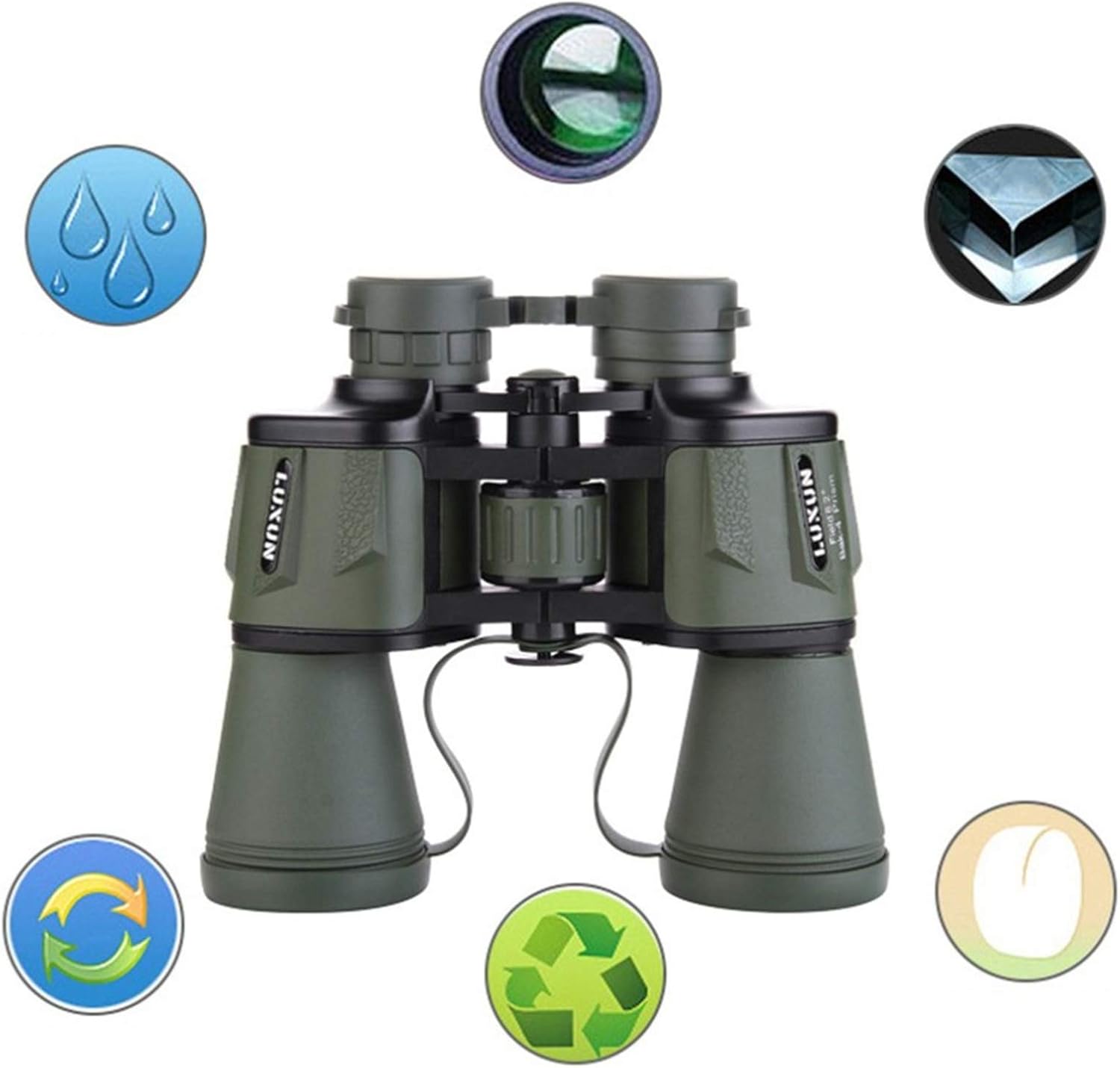
Figure 5.1: Binoculars with icons representing features. This image illustrates key features such as waterproof capability (water droplet icon), anti-fog coating (fog icon), and possibly environmental friendliness (recycle icons), emphasizing the product's durability and design.
6. Troubleshooting
If you encounter issues with your binoculars, refer to the table below for common problems and solutions.
| Problem | Possible Cause | Solution |
|---|---|---|
| Blurred image | Incorrect focus; dirty lenses; incorrect interpupillary distance. | Adjust central focus wheel and diopter. Clean lenses. Adjust interpupillary distance until a single circle is seen. |
| Double image | Incorrect interpupillary distance. | Adjust the hinge of the binoculars until you see a single, perfectly round field of view. |
| Fogging inside lenses | Rapid temperature change; seal compromise. | Allow binoculars to acclimate to ambient temperature. If persistent, contact customer support. |
| Difficulty adjusting focus wheel | Dirt or debris in mechanism. | Do not force. Gently try to clean around the wheel. If still stiff, contact customer support. |
7. Specifications
The following table outlines the key technical specifications of your High Power Binoculars.
| Feature | Description |
|---|---|
| Model | B0F1D2BYLS |
| Brand | Generic |
| Prism Type | BAK4 |
| Coating | Multilayer optical coating |
| Waterproof/Fogproof | Yes (Rubber armor coating, anti-fog lens coating) |
| Color | Black |
| Dimensions (Approx.) | 200mm (width) x 180mm (height) |

Figure 7.1: Angled view of green binoculars. While the product is black, this image shows the general form factor and lens arrangement from an angled perspective, illustrating the optical design.
8. Warranty and Support
Your High Power Binoculars come with a manufacturer's warranty and dedicated customer support.
8.1 Warranty Information
The manufacturer provides a 24-month warranty for this product. This warranty covers defects in materials and workmanship under normal use.
The warranty does not cover damage caused by misuse, accident, unauthorized modification, or improper maintenance.
8.2 Customer Support
For any questions regarding product quality, setup, operation, or warranty claims, please contact customer service. We aim to provide a high standard of customer service and will assist you until your issue is resolved.
Please refer to your purchase documentation or the seller's information for specific contact details.