
Introduction
Thank you for choosing the Huuger 55 Inch L Shaped Desk. This manual provides detailed instructions for assembly, operation, maintenance, and troubleshooting to ensure you get the most out of your new desk. Designed for versatility and comfort, this desk features integrated power outlets, ample storage, and a reversible L-shaped configuration to fit various spaces and needs.
Important Safety Information
Please read all instructions carefully before assembly and use. Keep this manual for future reference.
- Ensure the desk is properly anchored to prevent tipping, especially on uneven floors or carpet.
- Do not exceed the weight limit of 150 lbs (68 kg) for the desktop.
- Keep the desk away from high-traffic areas to avoid accidental bumps.
- Use only the provided hardware for assembly.
- Do not stand or sit on the desk.
- Keep liquids away from the power outlets to prevent electrical hazards.
Package Contents
Verify all components are present before beginning assembly. If any parts are missing or damaged, please contact customer support.
- Desktop Panels (L-shaped)
- Metal Frame Components (18x18mm steel)
- 4 Fabric Drawers
- 2 Adjustable Storage Side Shelves
- Built-in Power Outlet (4 AC outlets, 1 USB port, 1 USB-C port)
- X-shaped Support Bars
- Adjustable Feet
- Assembly Hardware (screws, bolts, etc.)
- Long-handle Screwdriver
- Instruction Manual

Setup and Assembly
Assembly is designed to be straightforward with labeled parts and a provided screwdriver. It is recommended to assemble the desk in the room where it will be used.
- Step 1: Attach Leg Frames. Begin by assembling the metal leg frames according to the diagrams. Ensure all connections are secure but do not fully tighten screws until the entire frame is assembled.
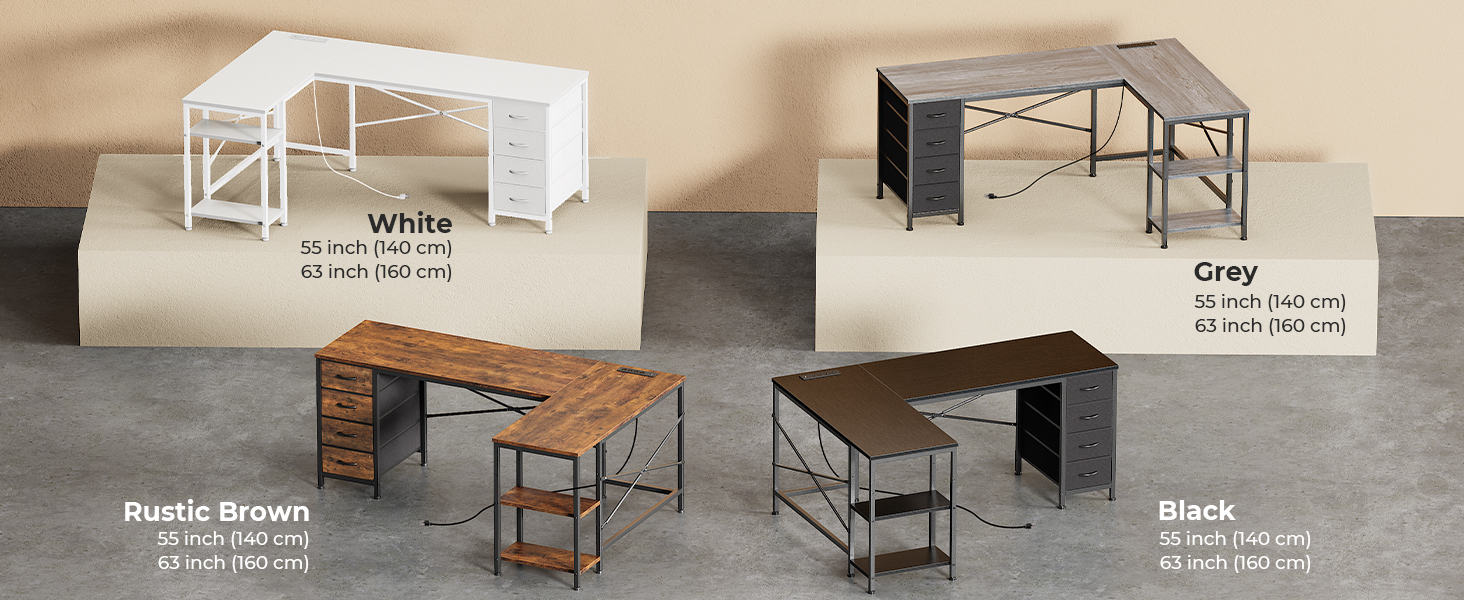
Figure 2: Initial assembly of the leg frames. - Step 2: Set Up Desktop. Place the desktop panels onto the assembled leg frames. Align the pre-drilled holes with the frame.
Figure 3: Attaching the desktop panels to the frame. - Step 3: Install Power Strip. Carefully insert the built-in power outlet into its designated slot on the desktop. Connect the power cable.
Figure 4: Installation of the integrated power strip. - Step 4: Final Tightening and Drawer/Shelf Installation. Once all main components are in place, fully tighten all screws. Install the fabric drawers into their compartments and place the adjustable side shelves as desired.
Figure 5: Completing the assembly with drawers and shelves.
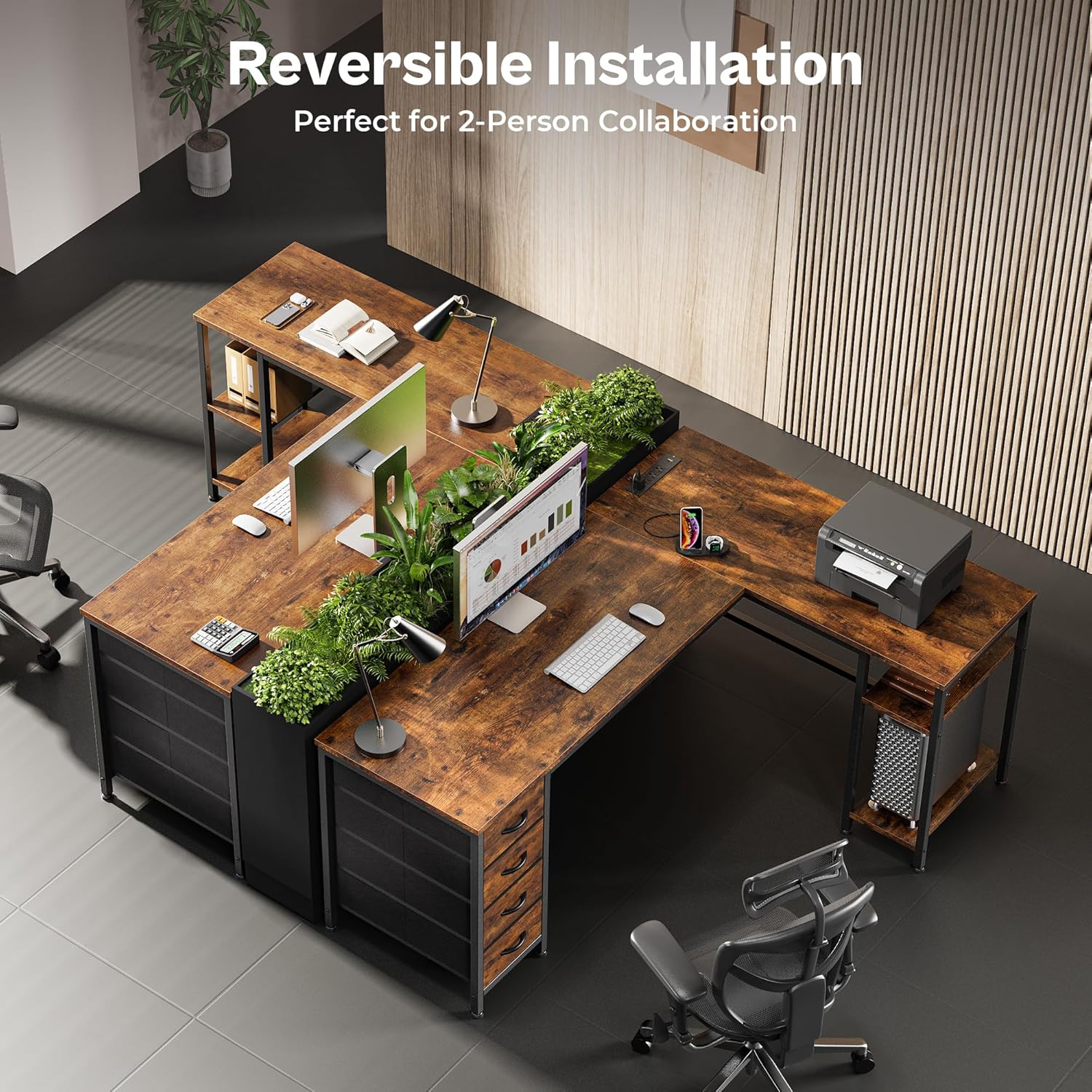
The L-shaped design is reversible, allowing you to configure the longer side to either the left or right to best suit your space. Ensure the X-shaped support bars are correctly installed for stability.
Operating Instructions
Using the Built-in Power Outlet
The desk is equipped with a convenient power outlet featuring 4 AC outlets, 1 USB port, and 1 USB-C port. Simply plug the desk's main power cord into a wall outlet. You can then power and charge your devices directly from the desktop.

Utilizing Storage Features
- Fabric Drawers: The four fabric drawers are ideal for storing everyday essentials such as books, headphones, stationery, and other office supplies. They are lightweight and can be easily removed for cleaning or reorganization.
- Adjustable Side Shelves: The two adjustable side shelves provide additional storage space for items like printers, CPU towers, or decorative elements. Adjust their height to accommodate your specific needs.


Maintenance
- Cleaning: Wipe the desktop and metal frame with a damp cloth. For stubborn marks, use a mild, non-abrasive cleaner. The desktop is waterproof and spill-resistant.
- Fabric Drawers: The fabric drawers can be wiped down with a damp cloth. For deeper cleaning, they can be removed and spot cleaned.
- Stability Check: Periodically check all screws and connections to ensure they remain tight. Retighten if necessary to maintain desk stability.
- Adjustable Feet: Ensure the adjustable feet are properly leveled to prevent wobbling, especially on uneven surfaces.

Troubleshooting
| Problem | Possible Cause | Solution |
|---|---|---|
| Desk is wobbly. | Uneven floor; loose screws. | Adjust the leveling feet at the bottom of the desk. Tighten all assembly screws. |
| Power outlets not working. | Desk not plugged in; circuit breaker tripped; faulty connection. | Ensure the desk's main power cord is securely plugged into a working wall outlet. Check your home's circuit breaker. Verify the power strip is correctly installed. |
| Drawers do not slide smoothly. | Improper installation; obstruction. | Ensure the fabric drawers are fully inserted and aligned correctly within their compartments. Check for any obstructions. |
| Missing parts during assembly. | Packaging error. | Contact Huuger customer support with your purchase details for replacement parts. |
Specifications
- Brand: Huuger
- Model: B0F1D2B7VM
- Product Dimensions: 39"D x 55"W x 29.5"H
- Material: High-density P2 Particle Boards (Engineered Wood), Sturdy 18x18mm Steel Frame
- Color: Rustic Brown (for this variant)
- Weight Capacity: 150 lbs (approx.)
- Power Outlet: 4 AC Outlets (125V/12A), 1 USB Port (5V/2A), 1 USB-C Port (5V/2A)
- Drawers: 4 Fabric Drawers
- Shelves: 2 Adjustable Side Storage Shelves
- Assembly: Required (includes all assembly tools)
- Special Features: Reversible L-shaped design, X-shaped support, Adjustable feet, Waterproof desktop, Odor-free materials.

Warranty and Support
Huuger products come with a limited warranty. For specific warranty details, claims, or technical support, please refer to the warranty information included in your package or visit the official Huuger website. You can also contact Huuger Direct, the seller, for assistance.
Seller Contact: Huuger Direct
Protection Plans: Additional protection plans are available for purchase through Amazon, offering extended coverage for 2 or 3 years, or a monthly "Complete Protect" plan.
Additional Resources
For visual guides and further product information, please refer to the following resources:
Product Images

Figure 12: Top-down view of the Huuger L-shaped desk, showcasing its rustic brown finish, integrated power outlet, and storage features. Figure 13: The desk configured for a two-person workspace, highlighting its reversible design and spacious layout. Figure 14: Detailed view of the built-in power hub, providing multiple charging options for various devices. Figure 15: The four spacious fabric drawers, perfect for organizing books, headphones, and office essentials. Figure 16: Overview of the desk's construction features, including its waterproof surface, adjustable feet for stability, and X-shaped support for durability.
Official Product Videos
No official seller videos are available for this product.