
1. Introduction
The Gosnap - Go Snap Camera-4k Thumb Action Camera is a compact, wearable device designed for hands-free POV (Point of View) recording. Its thumb-sized form factor and lightweight design make it highly portable for various activities, including cycling, vlogging, pet recording, and underwater adventures. This manual provides essential information for setting up, operating, and maintaining your camera.
Key features include:
- 4K Resolution: Captures crisp, high-resolution footage with vivid details at 30 frames per second.
- Thumb-Sized Design: Extremely compact and lightweight (1.25 oz / 35.7g) for discreet and easy carrying.
- Versatile Mounting: Features a magnetic design and a 360° rotating spring clip for diverse attachment options on clothing, gear, or helmets.
- Extended Battery Life: Equipped with an 800mAh lithium-ion battery, offering up to 90 minutes of continuous 4K recording. Supports recording while charging.
- Waterproof Capability: With the included IPX8-rated waterproof housing, the camera can be submerged up to 30 meters (98 feet).
- One-Button Operation: Simple and intuitive control for ease of use.
- Built-in Wi-Fi: Allows for one-click download and sharing of content to a mobile phone.
2. Package Contents (4K Version)
Please verify that all items listed below are included in your package:
- 1 x Gosnap Camera
- 1 x Side Bracket
- 1 x 360° Adapter
- 1 x Curved and Flat Base
- 1 x Helmet Bracket
- 1 x Swivel Back Clip
- 1 x Frame
- 1 x Waterproof Housing
- 1 x Magnetic Lanyard
- 1 x Charging Cable (Type-C)
- 1 x Cycling Bracket
- 1 x Camera Strap
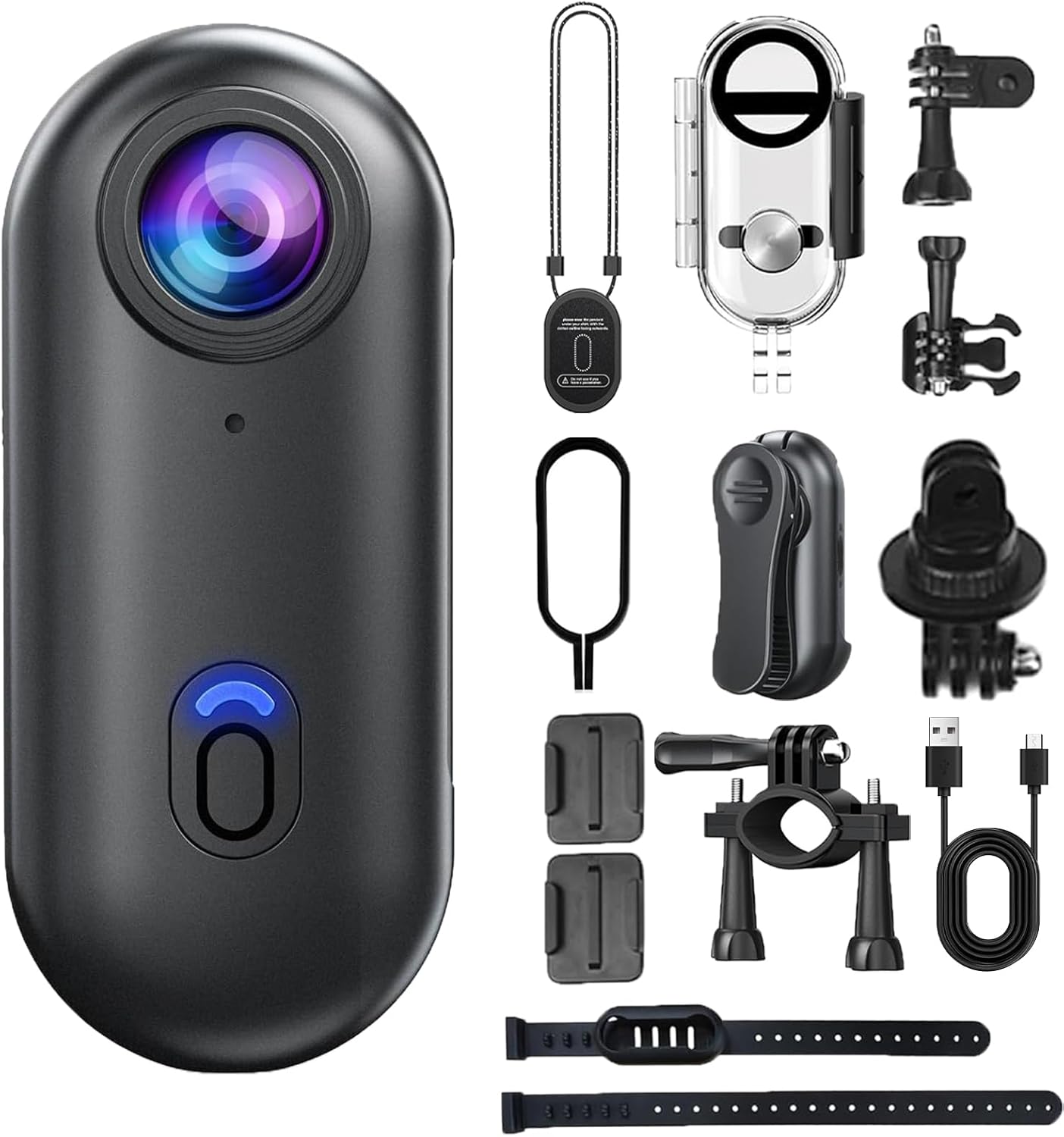
Figure 2.1: Gosnap Camera and all included accessories for the 4K version.
3. Setup
3.1 Charging the Camera
Before first use, fully charge the Gosnap Camera. Connect the provided Type-C charging cable to the camera's Type-C interface and a 5V/2A power adapter (not included). The charging time is approximately 120 minutes. The camera supports recording while charging.
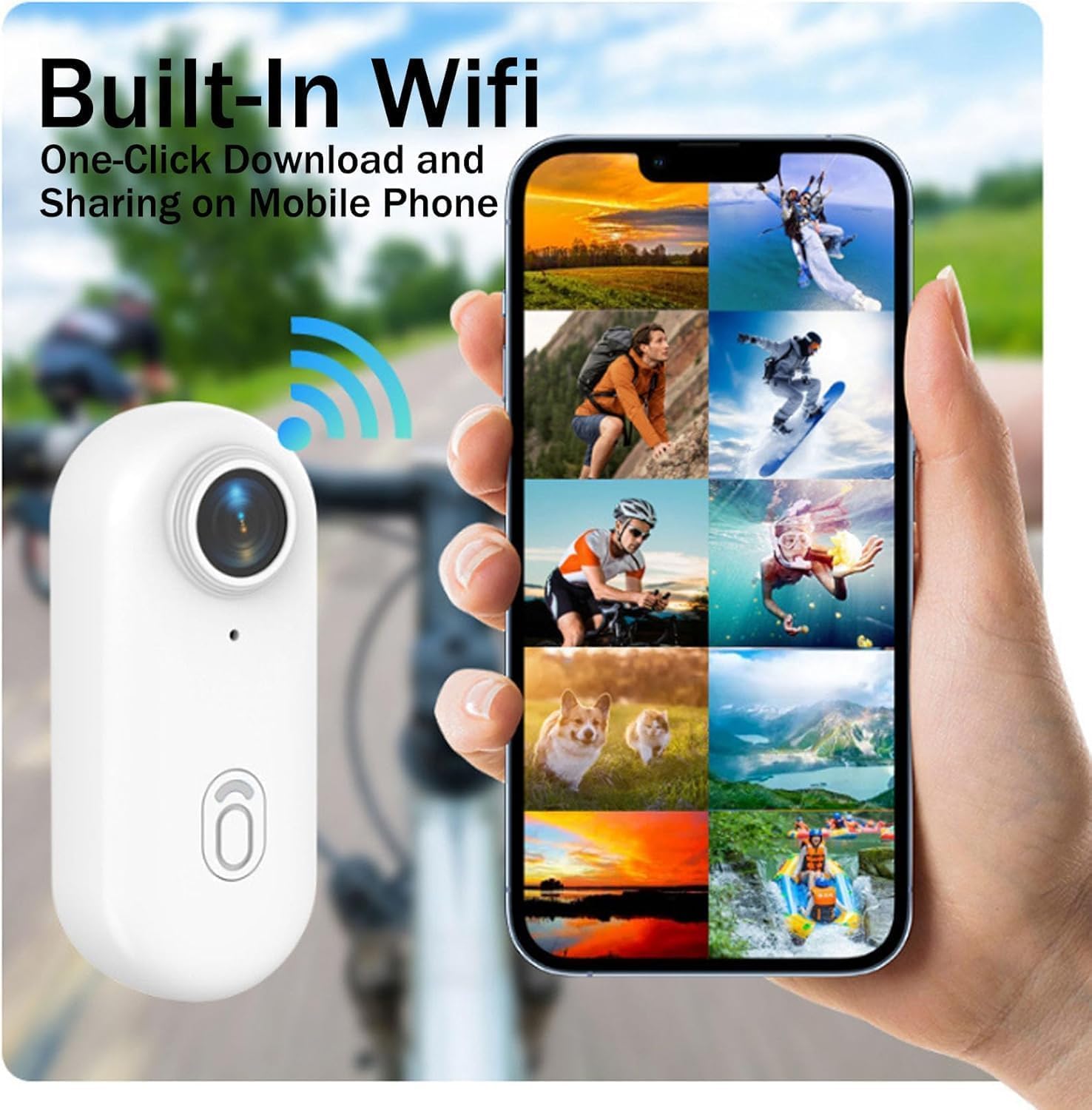
Figure 3.1: Charging the Gosnap Camera.
3.2 Inserting a Memory Card
The Gosnap Camera supports memory cards up to 256GB. Locate the memory card slot on the camera. Insert a compatible microSD card (Class 10 or higher recommended) with the gold contacts facing down until it clicks into place. To remove, gently push the card in until it springs out.
3.3 Attaching Accessories and Mounting
The Gosnap Camera offers various mounting options:
- Magnetic Lanyard: Attach the camera to the magnetic lanyard and wear it around your neck for hands-free, first-person perspective recording.
- Swivel Back Clip: Use the swivel back clip to attach the camera to clothing pockets, backpack straps, or other suitable surfaces. The clip allows for 360° rotation for flexible angle adjustment.
- Side Bracket, 360° Adapter, Curved/Flat Base, Helmet Bracket, Cycling Bracket, Camera Strap: Utilize these accessories with the camera frame to mount the camera on helmets, bicycles, or other equipment for stable recording during activities.

Figure 3.2: Wearing the Gosnap Camera with the magnetic lanyard.

Figure 3.3: Gosnap Camera with portable back clip, demonstrating 360° rotation.

Figure 3.4: Built-in magnetic suction for easy attachment to metallic surfaces.
3.4 Using the Waterproof Housing
For underwater use or protection against splashes and rain, enclose the Gosnap Camera in the provided IPX8-rated waterproof housing. Ensure the housing is properly sealed before submersion. The camera requires this shell for waterproof use up to 30 meters (98 feet).

Figure 3.5: Gosnap Camera in its waterproof housing for underwater use.
4. Operating the Camera
4.1 Power On/Off
To power on the camera, press and hold the central button until the indicator light illuminates. To power off, press and hold the central button again until the indicator light turns off.
4.2 Recording Videos
With the camera powered on, a single press of the central button will start recording. The indicator light will change to indicate recording is in progress. Press the button again to stop recording. The camera supports 4K video resolution at 30 frames per second.
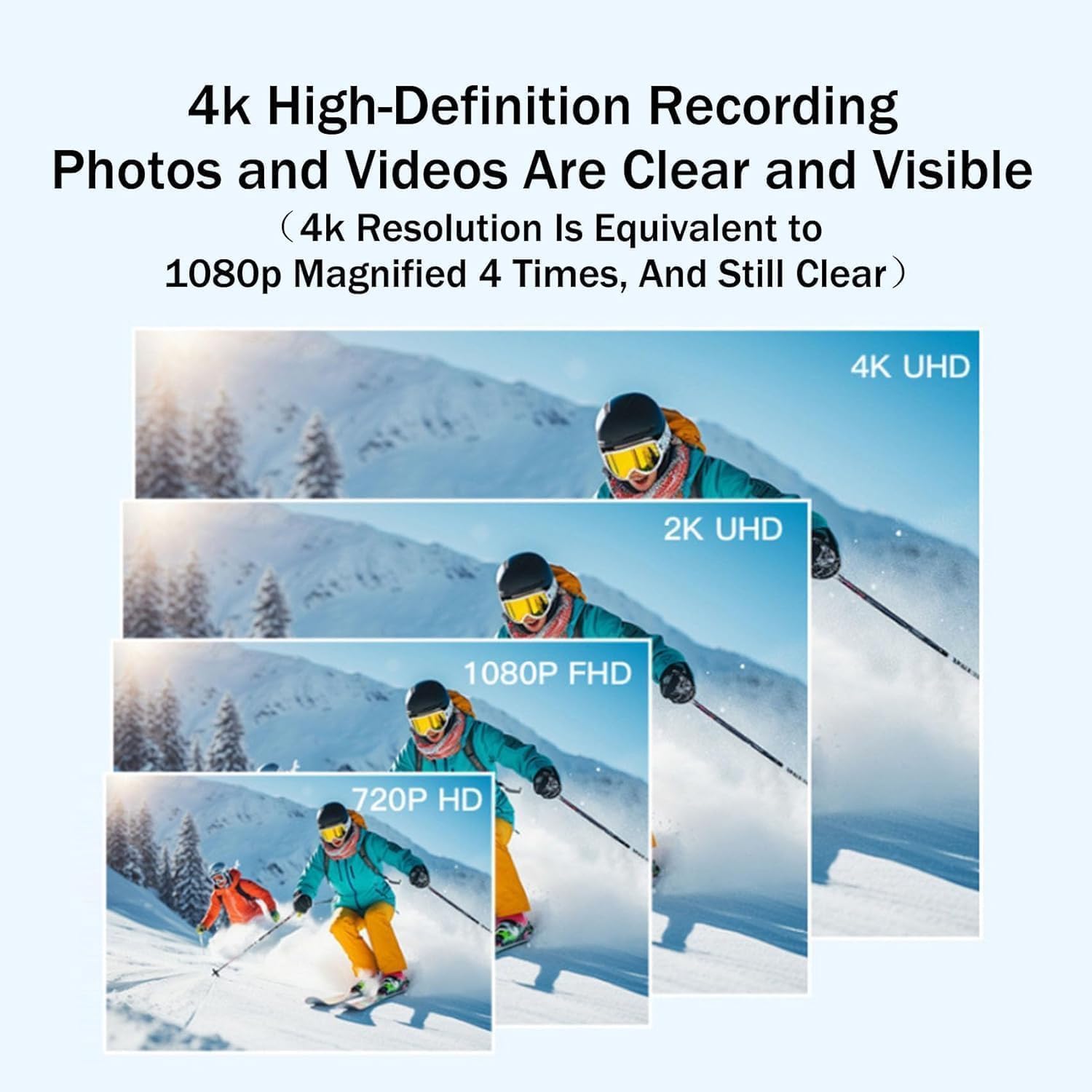
Figure 4.1: Visual representation of 4K high-definition recording clarity.

Figure 4.2: Gosnap Camera in action, demonstrating loop recording and diverse use cases.
4.3 Loop Recording
The camera features loop recording, which automatically overwrites the oldest footage when the memory card is full. This ensures continuous recording without manual intervention, ideal for long sessions or monitoring.
4.4 Wi-Fi Connectivity and Mobile App
The Gosnap Camera has built-in Wi-Fi for easy connection to your smartphone. Download the dedicated mobile application (refer to the packaging or manufacturer's website for app details). Once connected, you can view live footage, download recorded videos and photos, and share them directly from your phone.

Figure 4.3: Built-in Wi-Fi for one-click download and sharing on mobile phone.
5. Maintenance
- Cleaning: Use a soft, dry cloth to clean the camera body. For the lens, use a specialized lens cleaning cloth and solution. Avoid abrasive materials or harsh chemicals.
- Waterproof Housing: After each use in water, rinse the waterproof housing with fresh water and allow it to air dry completely before storing. Inspect the seals for any debris or damage.
- Storage: Store the camera in a cool, dry place away from direct sunlight and extreme temperatures. The recommended storage temperature is -10°C to 60°C (14°F to 140°F).
- Battery Care: For long-term storage, charge the battery to approximately 50% every three months to maintain battery health.
6. Troubleshooting
| Problem | Possible Cause | Solution |
|---|---|---|
| Camera does not power on. | Battery is depleted. | Charge the camera fully using the provided Type-C cable. |
| Cannot record video. | No memory card inserted or card is full/corrupted. | Insert a compatible microSD card. Format or replace the card if full or corrupted. |
| Poor video quality. | Lens is dirty; insufficient lighting; incorrect resolution setting. | Clean the lens. Ensure adequate lighting. Check camera settings for 4K resolution. |
| Wi-Fi connection issues. | Incorrect Wi-Fi password; camera too far from device; app issues. | Ensure correct password. Keep camera and device close. Restart camera and app. Reinstall app if necessary. |
7. Specifications
| Feature | Detail |
|---|---|
| Product Name | Gosnap - Thumb Camera |
| Model Number | GV65473 |
| Video Resolution | 3840x2160 (4K) |
| Video Format | MP4 |
| Frame Rate | 30 FPS |
| Storage Temperature | -10°C to 60°C (14°F to 140°F) |
| Interface Type | Type-C |
| Charging Voltage | 5V/2A |
| Charging Time | Approximately 120 minutes |
| Product Size | 64.5 x 28 x 20 mm |
| Maximum Storage Support | 256GB (microSD) |
| Item Weight | 12.7 ounces (35.7g) |
| Color | Black-4K |
| Waterproof Rating | IPX8 (with included housing, up to 30m) |
8. Warranty and Support
For warranty information and customer support, please refer to the documentation included with your purchase or visit the official SMOCPROX website. Keep your proof of purchase for warranty claims.
For technical assistance or inquiries, please contact SMOCPROX customer service through their official channels.