
1. Introduction
The Marsyu MT500 Smartwatch is a versatile wearable device designed to assist in monitoring various health metrics, facilitate communication, and track fitness activities. It features a 1.97-inch AMOLED touch screen and integrates several advanced sensors for comprehensive data collection. This manual provides essential instructions for setting up, operating, and maintaining your smartwatch.
2. Setup
2.1 Charging the Device
Before initial use, fully charge your Marsyu MT500 Smartwatch. Connect the magnetic charging cable to the charging contacts on the back of the watch and plug the USB end into a standard USB power adapter (not included). The watch display will indicate charging status. A full charge typically takes approximately 2 hours.
2.2 Pairing with Your Smartphone
- Download the companion application (e.g., 'H Band' or similar, as indicated in the product packaging or quick start guide) from your smartphone's app store (iOS or Android).
- Ensure Bluetooth is enabled on your smartphone.
- Open the application and follow the on-screen instructions to create an account and pair your MT500 Smartwatch. The application will guide you through the connection process.
- Grant necessary permissions to the application for full functionality, including notifications and health data synchronization.
3. Operating the Smartwatch
3.1 Display and Navigation
The Marsyu MT500 features a 1.97-inch AMOLED HD touch screen. Swipe left, right, up, or down to navigate through menus and functions. Tap to select items. The screen offers clear visibility, even in sunlight, and is designed for energy efficiency.

Image 1: The Marsyu MT500 Smartwatch displaying its main interface with time, date, and various activity metrics. The 1.97-inch AMOLED screen provides a clear and vibrant visual experience.
3.2 Side Button Functions
The smartwatch includes a physical button on the side. This button typically serves functions such as:
- Short Press: Wake up the screen, return to the previous screen, or access the main menu.
- Long Press: Power on/off the device, or activate the SOS function (if configured).
3.3 Smart Voice Assistant
Utilize the integrated smart voice assistant for hands-free control of certain functions. Activate the voice assistant through the watch interface and speak commands to control your phone or access information.
4. Health Monitoring Features
Disclaimer: This product is not a professional medical device. All measurement data is for reference purposes only and should not be used for medical diagnosis or treatment.
4.1 ECG and Heart Rate Monitoring
The MT500 Smartwatch incorporates an ECG chip and powder metallurgy technology to monitor heart activity. It can detect potential abnormalities and provide timely alerts. Continuous 24-hour heart rate monitoring is also available.

Image 2: The smartwatch showing an ECG reading and heart rate (89 bpm). The accompanying smartphone screen illustrates HRV Lorenz Analysis, providing detailed heart rate variability data.
4.2 HRV Lorenz Analysis
The device supports HRV (Heart Rate Variability) Lorenz analysis, which offers in-depth data to evaluate heart rate variability. This information can help users understand and manage their heart health.
4.3 Uric Acid and Blood Lipid Monitoring
The smartwatch provides real-time detection of uric acid and blood lipids. This feature aims to help users understand their health status and potentially prevent related conditions.

Image 3: The smartwatch screen displaying blood component readings such as uric acid and total cholesterol. A smartphone screen shows a graphical representation of blood component monitoring over time.
4.4 Comprehensive Health Tracking
The MT500 tracks a variety of health indicators:
- Heart Rate: Continuous monitoring.
- Blood Oxygen (SpO2): Measures blood oxygen saturation levels.
- Blood Pressure: Provides estimated blood pressure readings.
- Body Temperature: Monitors skin temperature.
- Stress: Assesses stress levels.
- Menstruation: Tracks menstrual cycles for women.
- Sleep: Monitors sleep patterns and quality.
4.5 Body Composition Measurement
The smartwatch can analyze body composition indicators such as BMI (Body Mass Index), body fat percentage, and muscle percentage.

Image 4: The smartwatch displaying a 'Health Glance' summary, including heart rate, blood pressure, blood oxygen, stress, and body temperature. An adjacent image illustrates body composition measurements, showing BMI, body fat, and muscle percentages.
4.6 Simple Physical Examination Function
The device offers a quick 30-second measurement function to assess multiple health indicators simultaneously, including heart rate, blood oxygen, blood pressure, and body temperature, with a single tap.
5. Communication Features
5.1 Bluetooth Calls and Message Notifications
With dual-mode Bluetooth connectivity, the MT500 allows you to make, answer, and reject calls directly from your wrist. It also supports notifications for messages from various applications, keeping you connected without needing to check your phone constantly.
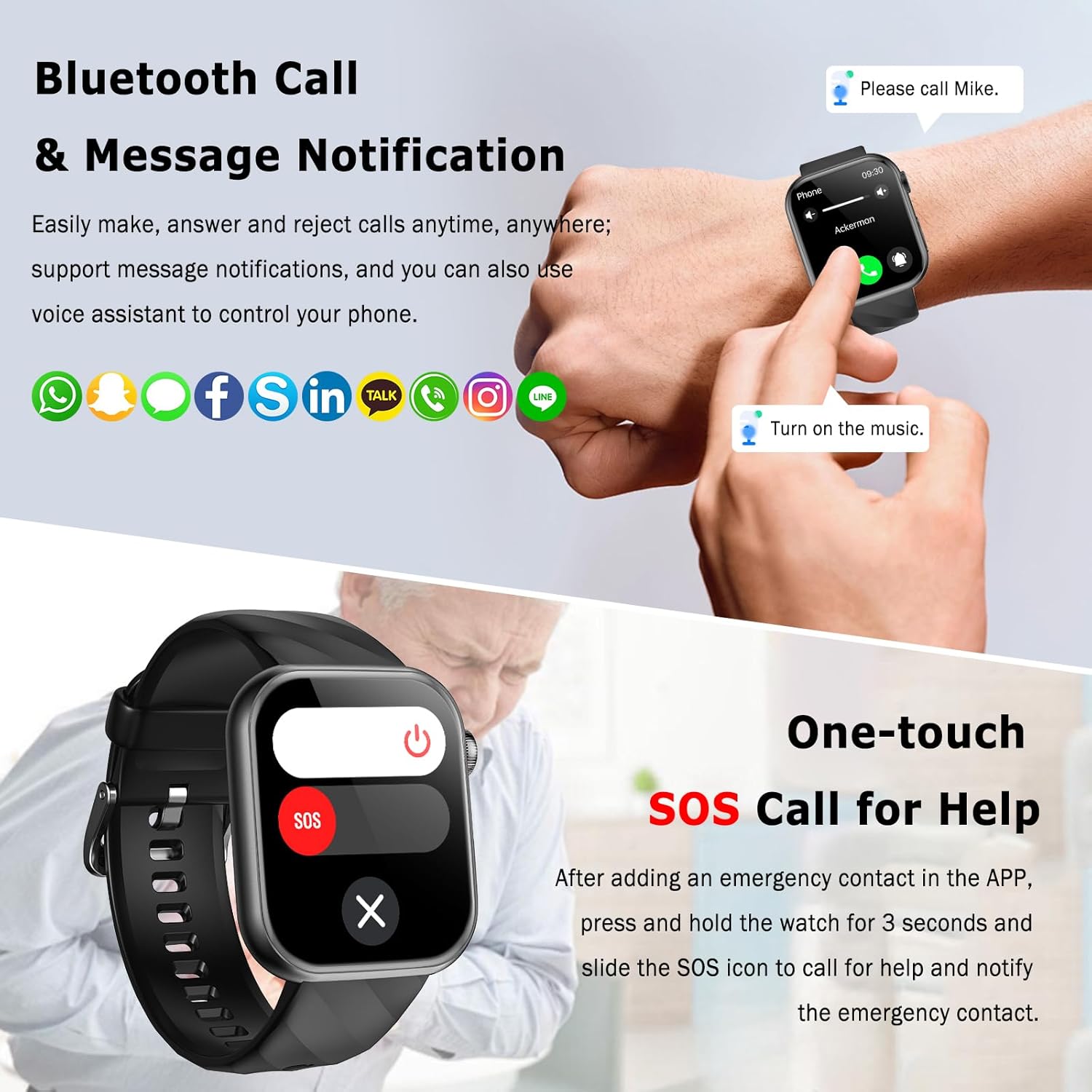
Image 5: The smartwatch displaying a Bluetooth call notification on a user's wrist. Below, the SOS call screen is shown, indicating the emergency contact feature.
5.2 One-touch SOS Call for Help
For emergency situations, the smartwatch features a dedicated SOS function. After configuring an emergency contact in the companion application, you can press and hold the watch's side button for 3 seconds and then slide the SOS icon on the screen to initiate a call for help and notify your emergency contact.
6. Fitness Tracking
6.1 Multiple Sports Modes
The Marsyu MT500 Smartwatch supports various sports modes to track your physical activities, including outdoor cycling, indoor cycling, and mountain cycling. It records data such as distance, steps, and calories burned.

Image 6: The smartwatch interface displaying various sports modes, including cycling. The image also highlights the IP67 waterproof rating, showing a woman engaged in physical activity.
6.2 IP67 Waterproof Rating
The device is rated IP67 waterproof, meaning it is resistant to dust and can withstand immersion in water up to 1 meter for 30 minutes. This makes it suitable for daily use and various training conditions, but it is not recommended for swimming or diving.
7. Maintenance
Proper maintenance ensures the longevity and optimal performance of your smartwatch.
- Cleaning: Regularly clean the watch screen and strap with a soft, dry cloth. For stubborn dirt, a slightly damp cloth can be used. Avoid harsh chemicals or abrasive materials.
- Charging Contacts: Ensure the charging contacts on the back of the watch are clean and dry before charging to prevent corrosion and ensure efficient power transfer.
- Storage: Store the smartwatch in a cool, dry place away from direct sunlight and extreme temperatures.
- Water Exposure: While IP67 rated, avoid prolonged exposure to water, hot water, or steam. Dry the watch thoroughly if it gets wet.
8. Troubleshooting
If you encounter issues with your Marsyu MT500 Smartwatch, try the following steps:
- Device Not Turning On: Ensure the watch is fully charged. Connect it to the charger for at least 30 minutes.
- Connection Issues: Check that Bluetooth is enabled on your smartphone and the smartwatch. Restart both devices and attempt to re-pair through the companion application.
- Inaccurate Readings: Ensure the watch is worn snugly on your wrist, about one finger's width above the wrist bone. Clean the sensor on the back of the watch. Remember that health data is for reference only and not for medical purposes. Some users have reported variations in temperature and blood glucose readings; these devices are not medical-grade.
- Notifications Not Appearing: Verify that notification permissions are granted to the companion app on your smartphone. Check the app settings to ensure notifications are enabled for desired applications.
- Vibration Issues: Some users have reported weak vibration. Check the vibration settings within the watch or companion app. If the issue persists, it might be a known software characteristic.
- App Not Syncing Data: Ensure the app is open and running in the background on your smartphone. Check your internet connection.
If problems persist, refer to the support section for further assistance.
9. Specifications
| Feature | Specification |
|---|---|
| Brand | Marsyu |
| Model Number | MT500 |
| Screen Size | 1.97 Inches AMOLED |
| Connectivity | Bluetooth |
| Special Features | ECG, Uric Acid, Blood Lipids, BMI, Heart Rate, SpO2, Temperature, Bluetooth Calls, Smart Voice Assistant, SOS Button, Sleep Monitoring, Menstruation Tracking, Body Composition |
| Compatible Devices | Smartphone, Tablet |
| Battery Capacity | 350 mAh |
| Waterproof Rating | IP67 |
| GPS | Via smartphone |
| Shape | Rectangular |
10. Warranty and Support
10.1 Warranty Information
Specific warranty details for the Marsyu MT500 Smartwatch are not provided in the product information. Please refer to the retailer's return policy or contact Marsyu customer service for warranty terms and conditions.
10.2 Customer Support
For technical assistance, troubleshooting, or any other inquiries regarding your Marsyu MT500 Smartwatch, please contact Marsyu customer support through their official website or the contact information provided with your product packaging. You may also refer to the support section within the companion application.