
1. Product Overview & Key Features
The TPOB Slime 2 set is designed for professional and home use, offering precision and versatility for various hair cutting needs. It includes a clipper, a trimmer, and a shaver, all engineered for optimal performance.
- Diamond Coated X Blade: Engineered for seamless blends, textures, hard/soft line fading, and efficient bulk hair removal.
- Cordless Operation: Provides freedom of movement and convenience during use.
- Cool Blade Technology: Ensures a cooler performance, smoother finish, and sharper cut, reducing heat build-up.
- Color Coded Guide Combs: Simplifies length selection with easy-to-identify attachment guards.
- 5 Indent Metal Clicking Lever: Allows for precise blade adjustment and consistent cutting lengths.
2. What's in the Box
Your TPOB Slime 2 set comes with the following components:
- TPOB Slime 2 Hair Clipper
- TPOB Trimmer
- TPOB Mini Skull Shaver
- Multiple Color Coded Guide Combs
- Charging Cables
- User Manual
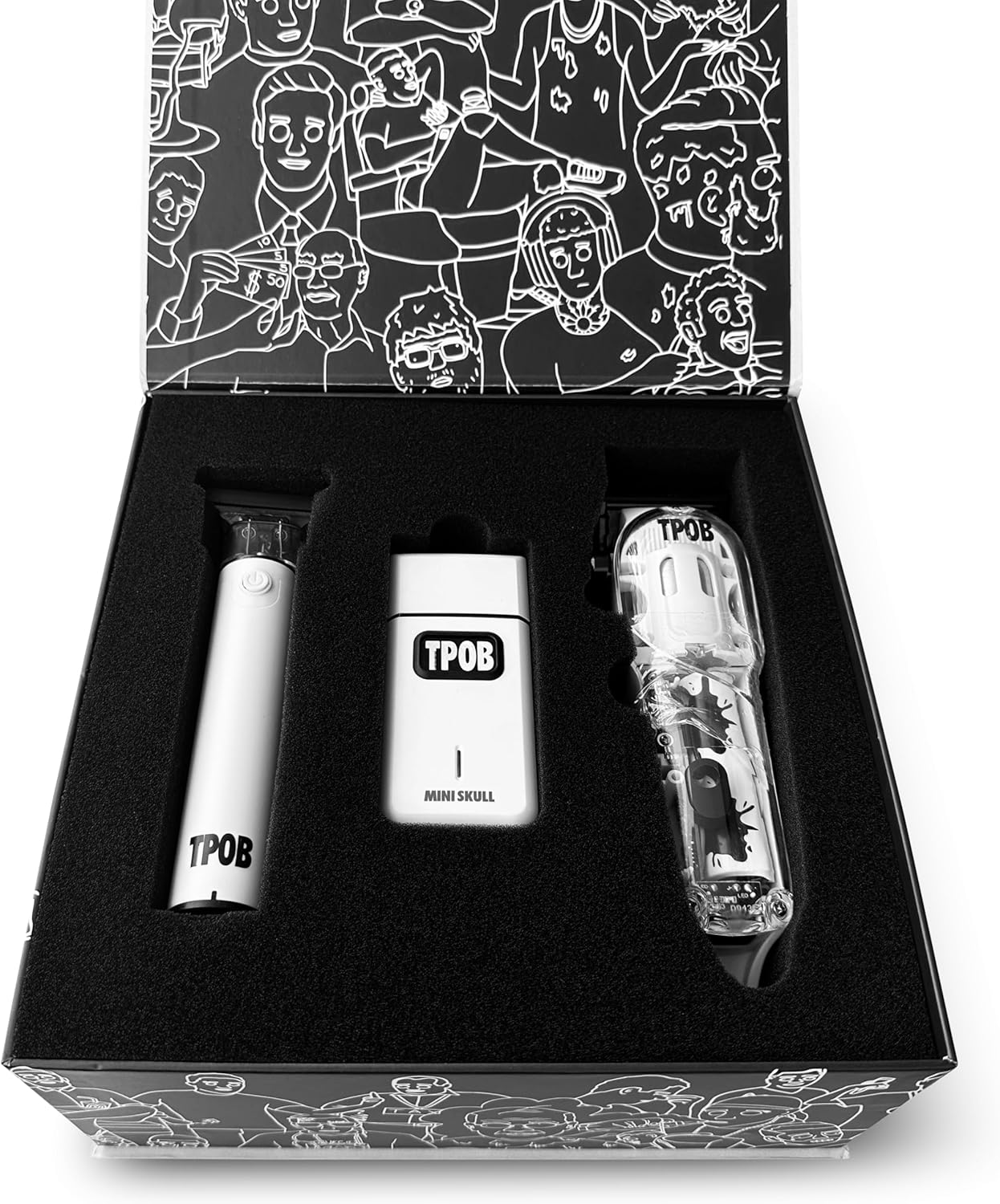
Image: The TPOB Slime 2 set components neatly arranged in their packaging.

Image: TPOB Slime 2 devices with their corresponding guide combs.
3. Setup
3.1 Initial Charging
Before first use, fully charge all devices. The set includes Lithium Ion batteries. Connect the appropriate charging cable to each device and plug it into a suitable power source. An indicator light will typically show charging status.
3.2 Attaching Guide Combs
Select the desired guide comb based on the hair length required. The guide combs are color-coded for easy identification. Align the comb with the clipper or trimmer blade and snap it securely into place. Ensure it is firmly attached before use.
3.3 Blade Adjustment (Clipper)
The clipper features a 5-indent metal clicking lever for precise blade adjustment. Move the lever up or down to change the cutting length without a guide comb. This allows for fine-tuning fades and blending.
4. Operating Instructions
4.1 Powering On/Off
Press the power button located on each device to turn it on or off. Ensure the device is fully charged for optimal performance.
4.2 Hair Cutting (Clipper)
- Ensure hair is clean and dry.
- Attach the desired guide comb.
- Start cutting from the bottom of the head, moving upwards against the direction of hair growth.
- Use the metal clicking lever to adjust blade length for blending and fading.
- Overlap strokes to ensure an even cut.
4.3 Trimming & Outlining (Trimmer)
The trimmer is ideal for precise outlining, edging, and detailing. Use it without a guide comb for sharp lines around the neckline, sideburns, and beard. Hold the trimmer at a slight angle to the skin for best results.
4.4 Shaving (Shaver)
The shaver is designed for close shaves and finishing touches. Use it on dry skin for a smooth, irritation-free result. Move the shaver gently against the direction of hair growth.
5. Maintenance
5.1 Cleaning the Blades
After each use, turn off the device and remove any guide combs. Use the provided cleaning brush to remove loose hairs from the blades. For a deeper clean, the blades can often be detached (refer to specific device instructions for removal) and rinsed under water, ensuring they are completely dry before reattaching.
5.2 Oiling the Blades
Regular oiling is crucial for maintaining blade sharpness and longevity. Apply a few drops of clipper oil (not included, but commonly available) to the teeth of the blades after every few uses, or as needed. Turn on the device for a few seconds to distribute the oil evenly.
5.3 Storage
Store the devices and accessories in a cool, dry place, preferably in their original packaging or a protective case, to prevent damage.
6. Troubleshooting
6.1 Device Not Turning On
- Ensure the device is fully charged.
- Check if the power button is pressed firmly.
6.2 Poor Cutting Performance
- Clean the blades thoroughly to remove any trapped hair or debris.
- Oil the blades as described in the maintenance section.
- Ensure the guide comb is correctly attached and not damaged.
- If blades are dull, consider professional sharpening or replacement.
6.3 Excessive Noise or Vibration
- Check for any loose parts or foreign objects near the blades.
- Ensure blades are properly aligned and secured.
- Apply oil to the blades.
7. Specifications
| Feature | Detail |
|---|---|
| Model Number | VV876786GGF |
| Product Dimensions | 3.15 x 3.15 x 3.15 inches |
| Item Weight | 9.03 ounces (256 Grams) |
| Power Source | Battery Powered |
| Batteries | 1 Lithium Ion battery required (included) |
| Blade Material | Carbon |
| Material Type | Acrylonitrile Butadiene Styrene |
| Color | White Pack |
| Recommended Uses | Professional barber, Outlining, Edging, Trimming |
| Hair Type | All |
| Target Audience | Unisex-Adults |
8. Warranty and Support
For warranty information or technical support, please refer to the contact details provided with your purchase documentation or visit the official TPOB website. Keep your proof of purchase for any warranty claims.
9. Important Safety Information
- Read all instructions before using the appliance.
- Keep the appliance away from water. Do not use it near bathtubs, showers, basins, or other vessels containing water.
- Do not immerse the appliance in water or other liquids.
- Always unplug the appliance immediately after use and before cleaning.
- Do not use the appliance with a damaged cord or plug, or if it is not working properly.
- Keep the appliance out of reach of children.
- Use only attachments supplied by the manufacturer.
- Blades are sharp; handle with care to avoid injury.