1. Introduction
This manual provides detailed instructions for the installation, operation, and maintenance of your QDXCJF Steering Wheel Audio Volume Cruise Control Switch Button. This product is designed as a direct replacement for the original equipment (OE) part, ensuring proper fit and function in compatible vehicles. Please read this manual thoroughly before installation and use to ensure safe and correct operation.
2. Vehicle Compatibility
This steering wheel control switch is compatible with the following Toyota vehicle models and years:
- Toyota RAV4: 2013, 2014, 2015, 2016
- Toyota Corolla: 2015, 2016, 2017, 2018
- Toyota Levin: 2014, 2015, 2016, 2017, 2018
Important: Always verify the OE reference number (84250-02560) matches the part you are replacing to ensure correct fitment.

Figure 2.1: Steering Wheel Control Switch with OE Reference Number 84250-02560.
This image displays the QDXCJF steering wheel control switch, emphasizing its Original Equipment (OE) reference number, 84250-02560. This number is crucial for confirming compatibility with your vehicle's existing part.
3. Package Contents
Upon opening the package, please ensure all items listed below are present and undamaged:
- 1x QDXCJF Steering Wheel Audio Volume Cruise Control Switch Button (OE 84250-02560)
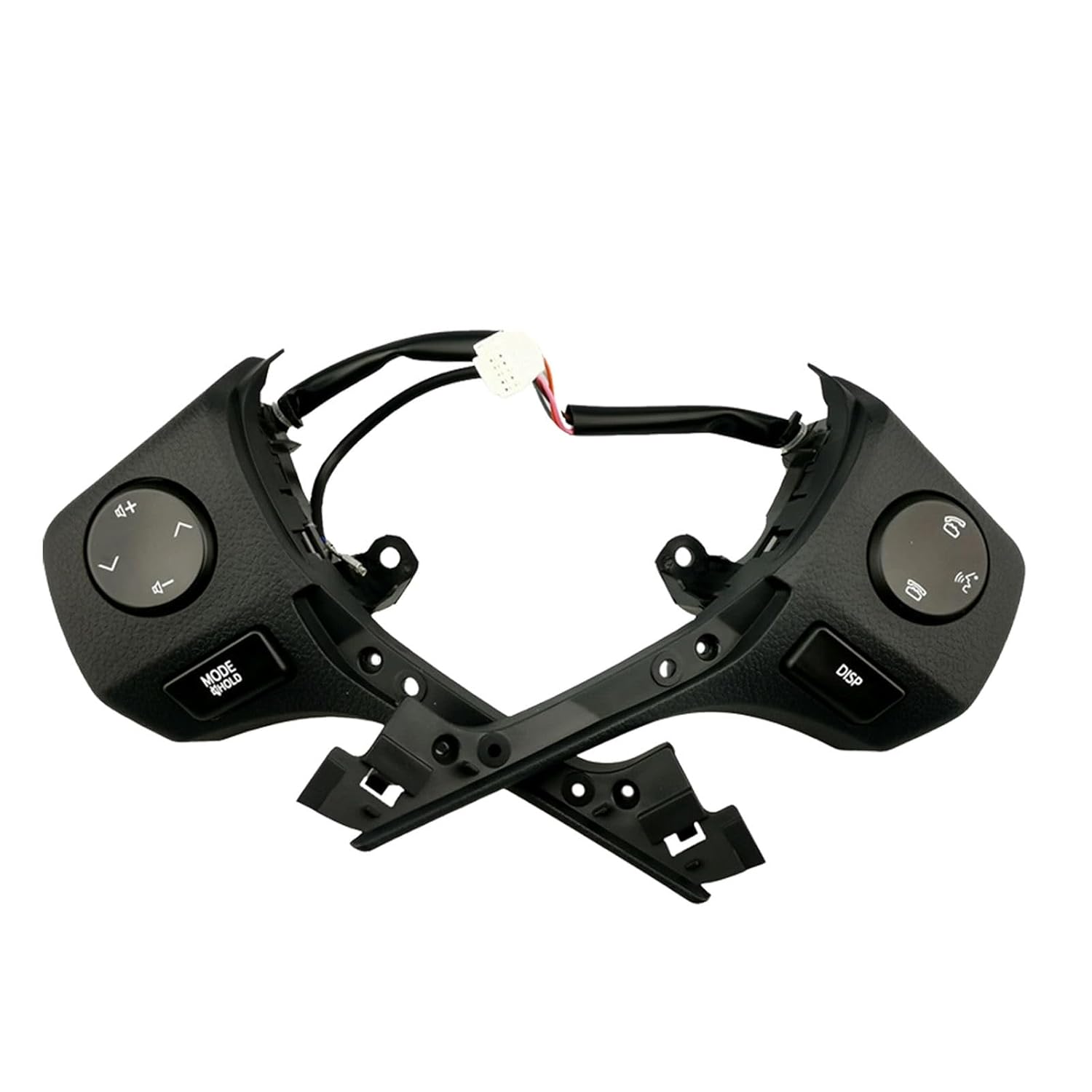
Figure 3.1: QDXCJF Steering Wheel Control Switch.
This image shows the complete QDXCJF steering wheel audio volume cruise control switch button, consisting of two main sections designed to integrate into the steering wheel.
4. Specifications
| Feature | Detail |
|---|---|
| Brand | QDXCJF |
| OE Reference Number | 84250-02560 |
| Manufacturer Model Number | FI2BCF2222F222B |
| Material | ABS Plastic |
| Color | Black |
| Unit Count | 1 |
5. Setup and Installation
Safety Warning: Disconnecting vehicle electrical components can be hazardous. It is highly recommended that installation be performed by a qualified automotive technician. If you choose to proceed with self-installation, ensure the vehicle's battery is disconnected before beginning any work to prevent electrical shock or damage to vehicle systems.
This control switch is designed for direct replacement of the original part, requiring no modifications to your vehicle's existing wiring or steering wheel structure.
Installation Steps:
- Prepare the Vehicle: Park the vehicle on a level surface, engage the parking brake, and turn off the engine. Disconnect the negative terminal of the vehicle's battery to prevent accidental airbag deployment or electrical shorts. Wait at least 10 minutes after disconnecting the battery before proceeding.
- Access the Steering Wheel Controls: Carefully remove the airbag module from the steering wheel according to your vehicle's service manual. This typically involves releasing clips or screws from the rear or sides of the steering wheel.
- Disconnect Old Switch: Locate the wiring harness connected to the existing steering wheel control switch. Gently disconnect the electrical connectors and unclip the old switch from its mounting points.
- Install New Switch: Align the QDXCJF replacement switch with the mounting points on the steering wheel. Press firmly until it clicks securely into place. Connect the electrical wiring harness to the new switch, ensuring all connections are snug.
- Reassemble Steering Wheel: Carefully reattach the airbag module to the steering wheel, ensuring all clips or screws are properly secured.
- Reconnect Battery: Reconnect the negative terminal of the vehicle's battery.
- Test Functionality: Start the vehicle and test all functions of the new steering wheel control switch, including audio volume, track selection, mode, and cruise control, to ensure proper operation.

Figure 5.1: Installation Overview.
This image provides a visual representation of the steering wheel control switch being installed onto a vehicle's steering wheel, highlighting its design for direct replacement.
6. Operating Instructions
Once installed, the QDXCJF Steering Wheel Audio Volume Cruise Control Switch Button functions identically to your vehicle's original equipment. Refer to your vehicle's owner's manual for specific details on operating these features.
Key Functions:
- Audio Volume Control: Use the '+' and '-' buttons to increase or decrease the audio volume of your vehicle's infotainment system.
- Audio Mode/Source: The 'MODE' button typically cycles through different audio sources (e.g., Radio, CD, USB, Bluetooth).
- Track/Station Selection: The arrow buttons (left/right or up/down) are used to change audio tracks, radio stations, or navigate menus.
- Cruise Control: Buttons related to cruise control (e.g., ON/OFF, SET, RESUME, CANCEL) allow you to activate, set, adjust, and deactivate the vehicle's cruise control system.
- Display (DISP): The 'DISP' button may cycle through various information displays on your vehicle's instrument cluster or infotainment screen.
7. Maintenance
The QDXCJF Steering Wheel Audio Volume Cruise Control Switch Button requires minimal maintenance. To ensure its longevity and proper function:
- Cleaning: Wipe the surface of the switch with a soft, damp cloth. Avoid using harsh chemicals, abrasive cleaners, or solvents, as these can damage the finish or internal components.
- Avoid Force: Do not apply excessive force to the buttons or attempt to pry them open, as this can cause damage.
- Environmental Protection: Protect the switch from extreme temperatures and direct prolonged sunlight, which can degrade plastic materials over time.
8. Troubleshooting
If you experience issues with your steering wheel control switch after installation, consider the following troubleshooting steps:
- No Functionality:
- Ensure all electrical connectors are securely attached to the switch and the vehicle's wiring harness.
- Verify that the vehicle's battery is properly reconnected and fully charged.
- Check for any blown fuses related to the audio system or cruise control in your vehicle's fuse box (refer to your vehicle's owner's manual for fuse locations).
- Intermittent Functionality:
- Loose connections can cause intermittent operation. Re-check all wiring connections.
- Ensure the switch is securely seated in its mounting points within the steering wheel.
- Incorrect Functionality:
- Double-check that the installed switch is the correct OE part number (84250-02560) for your specific vehicle model and year. An incorrect part may lead to incompatible functions.
If troubleshooting steps do not resolve the issue, it is recommended to consult a qualified automotive technician for diagnosis and repair.
9. Customer Support
Should you have any questions regarding the installation, operation, or compatibility of your QDXCJF Steering Wheel Audio Volume Cruise Control Switch Button, please do not hesitate to contact our customer support team. We are committed to providing timely assistance to ensure your satisfaction.
For support inquiries, please refer to the contact information provided with your purchase or visit the QDXCJF official website.