
MOMAX Q.MAG X 10000mAh Power Bank & Magnetic Mini Speaker
MOMAX Magnetic Power Bank & Wireless Speaker User Manual
Model: MOMAX Q.MAG X 10000mAh Power Bank & Magnetic Mini Speaker
Introduction
Thank you for choosing the MOMAX Magnetic Power Bank and Wireless Speaker. This product combines a high-capacity magnetic power bank with a versatile magnetic wireless speaker, designed to enhance your mobile experience. Please read this manual carefully before use to ensure proper operation and maintenance.
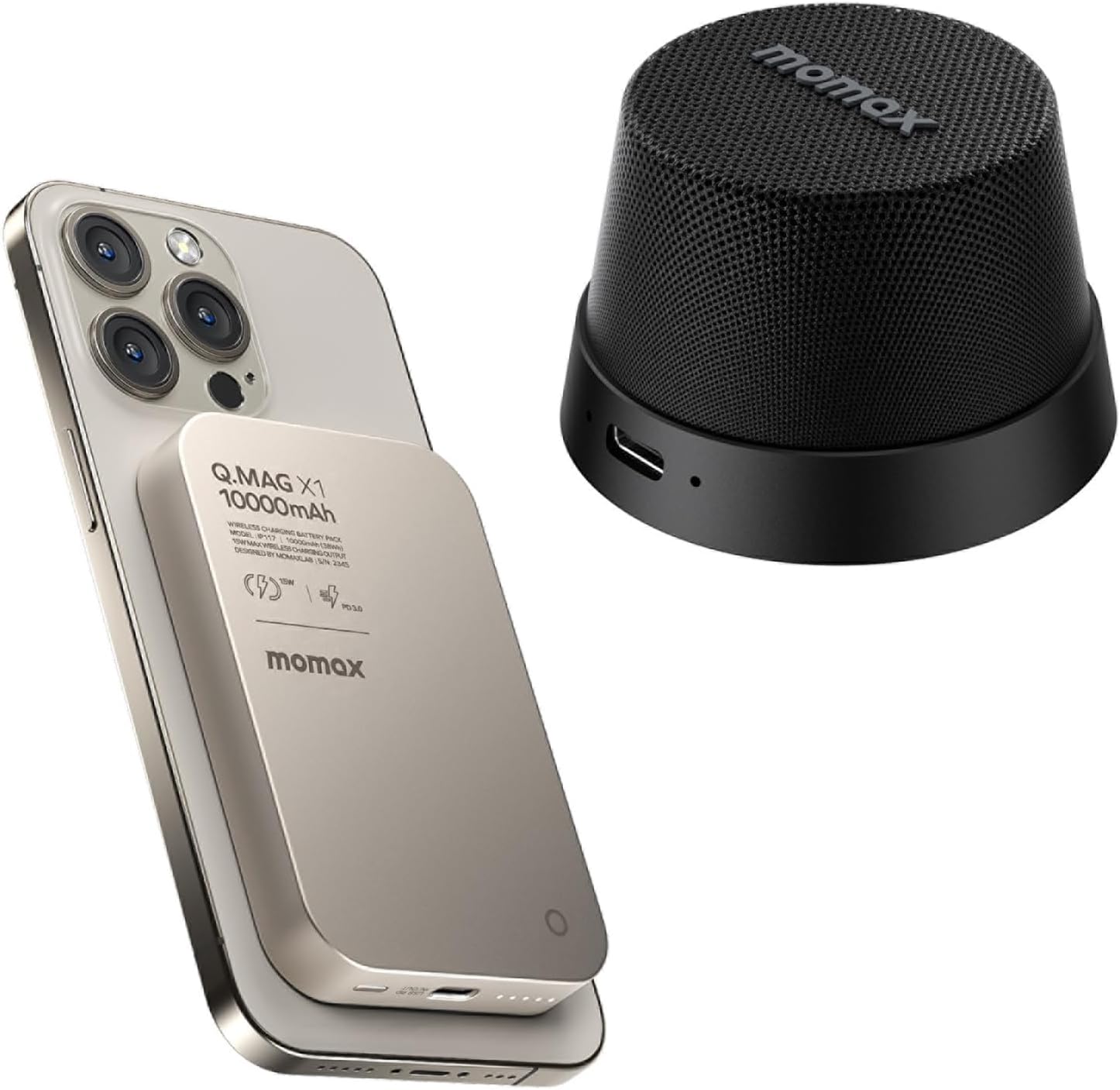
Image: The MOMAX Magnetic Power Bank wirelessly charging an iPhone, alongside the compact MOMAX Magnetic Mini Speaker.
Important Safety Information
To ensure safe operation and prevent damage, please observe the following precautions:
- Do not expose the product to extreme temperatures, direct sunlight, or high humidity.
- Do not disassemble, repair, or modify the product. This will void the warranty.
- Keep the product away from water and other liquids, especially the power bank, unless specifically stated for the speaker (IPX6 for speaker).
- Avoid dropping or subjecting the product to strong impacts.
- Use only certified charging cables and adapters.
- Keep out of reach of children.
- Dispose of the product responsibly according to local regulations.
Package Contents
Please check the package for the following items:
- MOMAX Magnetic Power Bank (10000mAh)
- MOMAX Magnetic Mini Speaker
- USB-C Charging Cable
- User Manual
MOMAX Magnetic Power Bank
Product Features
- 10000mAh Large Capacity: Provides multiple charges for compatible devices.
- Magnetic Wireless Charging: Securely attaches to and charges MagSafe-compatible iPhones (iPhone 12/13/14/15/16 Pro series).
- Ultra-Slim Design: At approximately 0.5 inches (13mm) thick, it's designed for portability.
- Wired Charging: USB-C port for fast wired charging of devices and recharging the power bank.
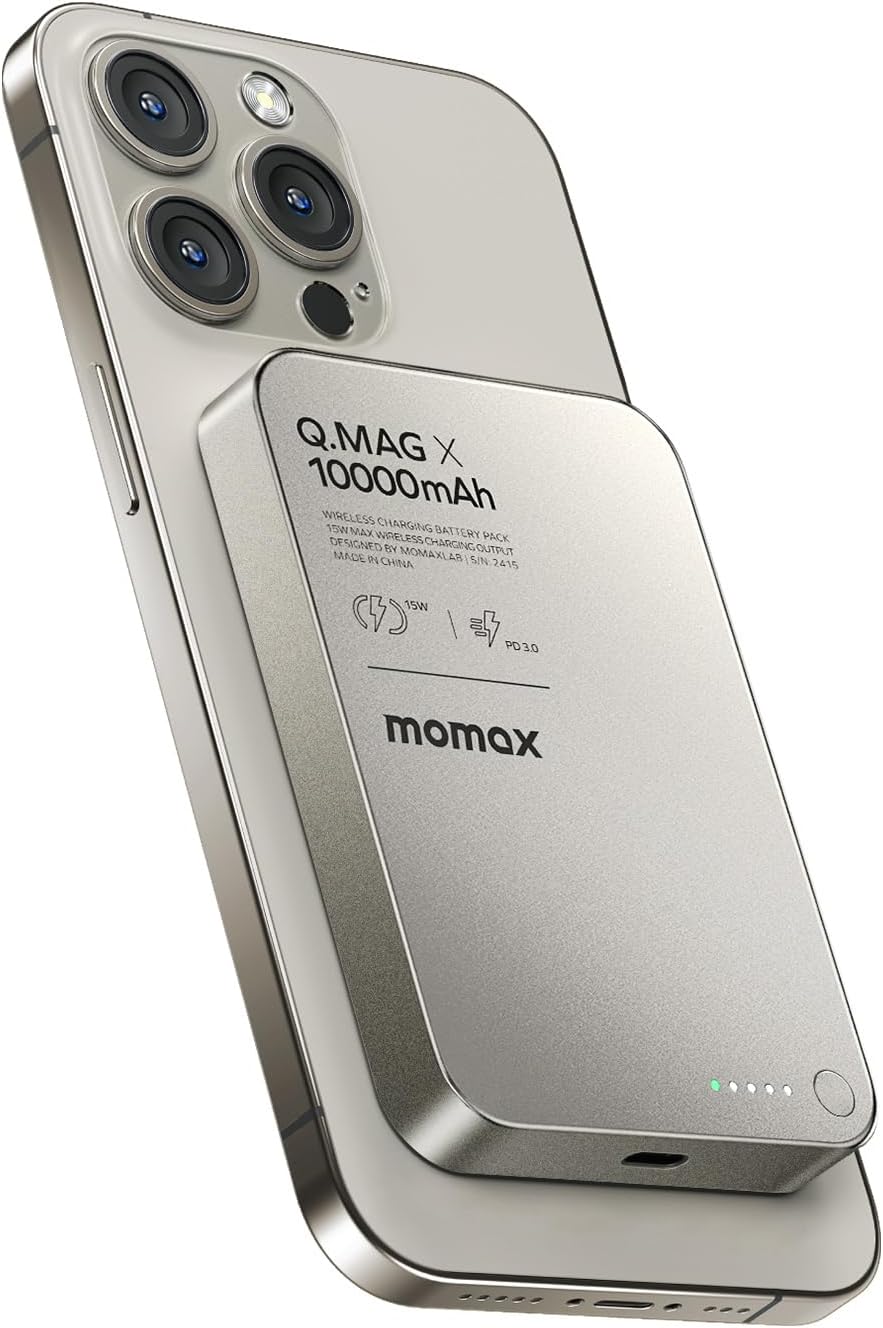
Image: A detailed view of the MOMAX Magnetic Power Bank magnetically attached to an iPhone, highlighting its sleek integration.
Charging the Power Bank
- Connect the provided USB-C cable to the USB-C port on the power bank.
- Connect the other end of the USB-C cable to a compatible USB power adapter (not included).
- The LED indicators on the power bank will illuminate to show the charging status. A full charge is indicated when all LEDs are solid.
Using the Power Bank (Charging Your Device)
Wireless Charging (for MagSafe-compatible iPhones)
- Align the MOMAX Magnetic Power Bank with the MagSafe area on the back of your iPhone. The magnets will automatically snap it into place.
- Wireless charging will begin automatically. The power bank's LED indicators may show activity.

Image: Demonstrates the MOMAX Magnetic Power Bank's capacity, showing it can provide approximately 1.7 charges for an iPhone 15 Pro and 1.2 charges for an iPhone 15 Pro Max.
Wired Charging (for various devices)
- Connect your device's charging cable (e.g., USB-C to USB-C, USB-C to Lightning) to the USB-C port on the power bank.
- Connect the other end of the cable to your device.
- Charging will begin automatically.
MOMAX Magnetic Mini Speaker
Product Features
- Magnetic Base: Easily attaches to MagSafe-compatible iPhones or other metal surfaces, functioning as a phone stand.
- Portable Wireless Speaker: Delivers clear audio with a 40mm dynamic driver.
- Built-in Microphone: Allows for hands-free calls.
- IPX6 Waterproof: Resistant to strong jets of water, suitable for outdoor use.
- TWS Pairing: Connect two MOMAX Magnetic Mini Speakers for true wireless stereo sound.
- 12-Hour Playtime: Extended battery life for continuous audio enjoyment.

Image: The MOMAX Magnetic Mini Speaker demonstrating its IPX6 waterproof capability, suitable for use in various environments.
Charging the Speaker
- Locate the USB-C charging port on the speaker.
- Connect the provided USB-C cable to the speaker's charging port.
- Connect the other end of the USB-C cable to a USB power source (e.g., computer USB port, wall adapter).
- The indicator light will show charging status (e.g., red for charging, off/blue for fully charged).
Bluetooth Pairing
- Power On: Press and hold the power button on the speaker until you hear an audible prompt or see the indicator light flash.
- Pairing Mode: The speaker will automatically enter pairing mode (indicator light will flash rapidly, usually blue).
- Enable Bluetooth: On your device (smartphone, tablet, etc.), go to Bluetooth settings and enable Bluetooth.
- Select Device: Look for "MOMAX Speaker" (or similar name) in the list of available devices and select it.
- Connection Confirmation: Once connected, you will hear a confirmation sound, and the indicator light will turn solid.
True Wireless Stereo (TWS) Pairing (Optional)
To achieve a stereo sound experience, you can pair two MOMAX Magnetic Mini Speakers together:
- Ensure both speakers are fully charged and powered off.
- Power on both speakers simultaneously. They will enter pairing mode.
- Double-press the power button on one of the speakers (this will be the primary speaker). It will search for the second speaker.
- Once successfully paired, you will hear a confirmation sound, and the indicator lights on both speakers will change (e.g., one solid, one flashing slowly).
- Now, connect your device to the primary speaker via Bluetooth as described in the "Bluetooth Pairing" section. Audio will play through both speakers in stereo.

Image: An illustration of two MOMAX Magnetic Mini Speakers set up for True Wireless Stereo (TWS) sound, providing immersive 360-degree audio.
Using the Speaker as a Phone Stand
The strong magnetic base of the speaker allows it to securely attach to the back of your MagSafe-compatible iPhone, providing a convenient stand for hands-free viewing or video calls.

Image: The MOMAX Magnetic Mini Speaker attached to an iPhone, demonstrating its function as a magnetic phone stand for hands-free media consumption.
Maintenance and Care
- Clean the product with a soft, dry cloth. Do not use abrasive cleaners or solvents.
- Store the product in a cool, dry place when not in use.
- Avoid exposing the power bank to water. While the speaker is IPX6 waterproof, avoid submerging it.
- Do not place heavy objects on the product.
Troubleshooting
| Problem | Possible Cause | Solution |
|---|---|---|
| Power Bank not charging device | Low power bank battery; Incorrect alignment (wireless); Loose cable connection (wired); Device not compatible. | Recharge power bank; Realign phone for wireless charging; Check cable connections; Ensure device is MagSafe-compatible for wireless charging. |
| Speaker not pairing via Bluetooth | Speaker not in pairing mode; Bluetooth off on device; Speaker too far from device; Interference. | Ensure speaker is in pairing mode (flashing light); Enable Bluetooth on your device; Move speaker closer to device; Turn off other Bluetooth devices. |
| No sound from speaker | Volume too low; Speaker not connected; Audio source issue. | Increase speaker and device volume; Re-pair speaker; Check audio playback on your device. |
| TWS pairing failed | Speakers not reset; Incorrect pairing steps. | Ensure both speakers are off before starting TWS pairing; Follow TWS pairing steps carefully. |
Specifications
MOMAX Magnetic Power Bank
- Model: Q.MAG X
- Capacity: 10000mAh
- Wireless Output: Up to 15W (MagSafe compatible)
- Wired Output: PD 3.0 (Power Delivery)
- Input: USB-C
- Dimensions: Approximately 0.5 inch (13mm) thickness
MOMAX Magnetic Mini Speaker
- Driver Size: 40mm dynamic driver
- Connectivity: Bluetooth
- Waterproof Rating: IPX6
- Playtime: Up to 12 hours
- Features: Built-in microphone, TWS pairing, Magnetic base
Warranty and Support
MOMAX products come with a standard manufacturer's warranty. For detailed warranty information, product support, or technical assistance, please visit the official MOMAX website or contact their customer service.
MOMAX Official Store: Visit the MOMAX Store on Amazon
Please retain your proof of purchase for warranty claims.
Ask a question about this manual
Ask about setup, troubleshooting, compatibility, parts, safety, or missing instructions. Manuals+ will review the question and use this page’s manual context to help answer it.