
LoraTap SP7512Q1-US-V3
LoraTap Wireless Remote Control Outlet User Manual
Model: SP7512Q1-US-V3
Product Overview
The LoraTap Wireless Remote Control Outlet system provides a convenient and flexible solution for controlling lamps, fans, and small appliances without the need for wiring, Wi-Fi, or Bluetooth. This plug-and-play system includes a wireless remote switch and two plug-in outlets, allowing for instant control up to 100 feet away through walls and floors.

Image: Overview of the LoraTap Wireless Remote Control Outlet system, showing the remote switch, wall plate, and two plug-in outlets.
What's in the Box
- One Wireless Remote Switch
- One Wall Plate for Remote Switch
- Two Plug-in Outlets
- One Hand Lanyard for Remote
- One CR2032 Battery (pre-installed in remote)
Setup and Installation
The LoraTap Remote Control Outlet system is designed for quick and easy setup. No wiring or drilling is required.
1. Initial Setup (Plug & Play)
- Unpack all components from the box.
- Ensure the CR2032 battery is properly seated in the remote switch. A small plastic pull tab might need to be removed from the battery compartment if present.
- Plug one or both plug-in outlets into standard wall receptacles.
- The remote switch and outlets are pre-paired from the factory. You can immediately use the remote to control the plugged-in devices.

Image: Visual guide for setting up the remote switch, including removing the battery tab and mounting the wall plate.
2. Mounting the Remote Switch (Optional)
The remote switch can be mounted to a wall using the included wall plate, attached to metal surfaces, or used as a portable remote.
- Wall Mounting: The wall plate can be affixed to any flat surface using the adhesive backing. Peel off the protective film from the adhesive and press the wall plate firmly onto the desired location. The remote switch magnetically attaches to the wall plate.
- Magnetic Attachment: The remote switch contains magnets and can be directly attached to metal surfaces like refrigerators or filing cabinets.
- Portable Use: The remote switch can be used as a handheld device without mounting.

Image: Example of the remote switch mounted on a wall, demonstrating its convenient placement.
Operation
The LoraTap Remote Control Outlet system offers simple and reliable control of your devices.
Controlling Devices
- Each plug-in outlet has a power button on its side for manual control.
- The remote switch has two buttons, typically labeled '1' and '2'. Each button controls one plug-in outlet.
- To turn a device ON or OFF, simply press the corresponding button on the remote switch.
- The system uses a reliable RF (Radio Frequency) signal, allowing control up to 100 feet indoors, even through walls and floors.

Image: Demonstrates the convenience of using the remote control from a distance, such as from a bed.
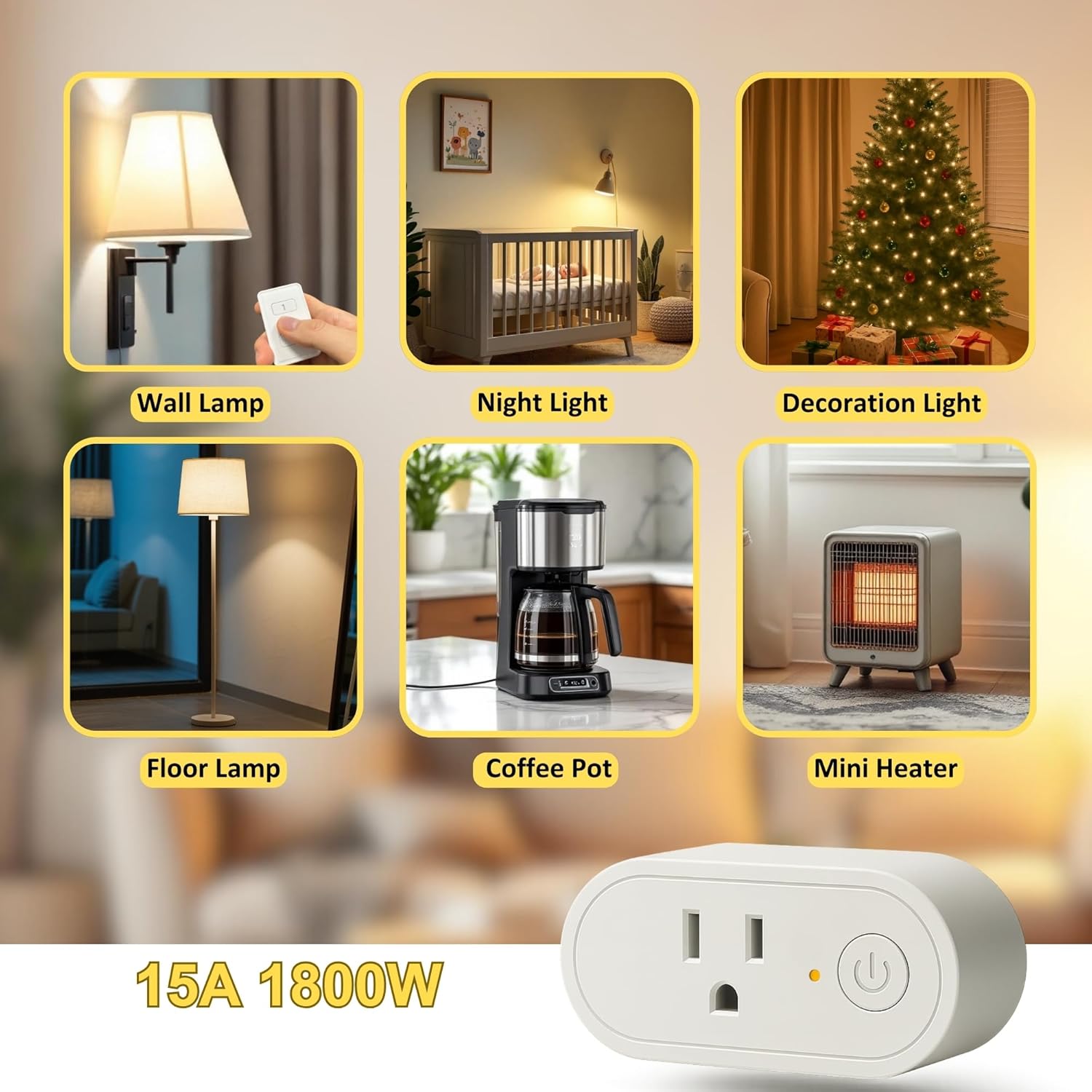
Image: Examples of common household items that can be controlled with the LoraTap remote outlets.
Space-Saving Design
The compact design of the plug-in outlets allows them to be stacked in a standard duplex wall outlet without blocking the second receptacle.

Image: Illustration of the space-saving design, showing two outlets plugged into one wall receptacle.
Maintenance
Battery Replacement (Remote Switch)
The remote switch is powered by a CR2032 coin cell battery. When the remote's range decreases or it becomes unresponsive, it may be time to replace the battery.
- Gently pry open the back cover of the remote switch.
- Remove the old CR2032 battery.
- Insert a new CR2032 battery with the positive (+) side facing up.
- Snap the back cover securely into place.
Note: Be careful when handling the battery near the internal magnets to avoid damaging the battery.
Cleaning
Wipe the remote switch and plug-in outlets with a soft, dry cloth. Do not use abrasive cleaners or immerse in water.
Troubleshooting
| Problem | Possible Cause | Solution |
|---|---|---|
| Device does not respond to remote. |
|
|
| Reduced remote control range. |
|
|
| Outlet does not turn on/off manually. |
|
|
Specifications
| Feature | Detail |
|---|---|
| Model Number | SP7512Q1-US-V3 |
| Product Dimensions | 3.27 x 1.1 x 1.5 inches (Outlets); 7.37 ounces (Total) |
| Operating Voltage | 120 Volts |
| Current Rating | 15 Amps |
| Operation Mode | ON-OFF |
| Contact Type | Normally Closed |
| Connector Type | Plug In |
| Circuit Type | 1-way |
| Remote Battery | 1 x CR2032 (included) |
| Wireless Range | Up to 100ft (indoor) |
| Material | Copper (Contact Material) |
| Manufacturer | LoraTap |

Image: Visual representation of the 100-foot indoor control range.
Warranty and Support
For warranty information or technical support, please contact LoraTap customer service. Refer to the product packaging or the official LoraTap website for the most current contact details.
LoraTap Official Store: Visit the LoraTap Store on Amazon