
1. Introduction
Thank you for choosing the TIQLAB 47x28 Inch Electric Standing Desk. This manual provides essential information for the safe assembly, operation, and maintenance of your new adjustable height desk. Please read these instructions carefully before use and retain them for future reference.
2. Safety Information
Important Safety Warnings:
- Always ensure the desk is properly anchored to the floor to prevent tipping.
- Do not exceed the weight limit of 150 lbs (68 kg) for the desktop to maintain stability.
- Keep fingers and other body parts away from moving parts when adjusting the desk height.
- Ensure all cables are properly managed and secured to prevent entanglement during height adjustments.
- Do not allow children to operate the desk without adult supervision.
3. Product Features
- Spacious Storage Design: A raised monitor shelf maximizes desktop space for multiple screens while keeping the lower area open for organization and decor.
- Smart Surround LED Strip: An ambient LED strip with 358 preset modes, customizable via remote control, enhances workspace atmosphere and visual comfort.
- Keyboard Tray & Drawer Storage: Equipped with a sliding keyboard tray and two drawers to enhance workspace organization and improve daily work efficiency.
- Wider Desktop Design: Compared to standard standing desks, the extended desktop offers a more spacious and comfortable work environment.
- Smooth and Quiet Operation: The electric lift system operates at less than 45dB, ensuring minimal noise during height adjustments.
- Multifunctional Controller: Features up/down movement, 3 memorable height settings, an LED screen display, and anti-collision technology.
4. Setup and Assembly
The TIQLAB Electric Standing Desk is designed for straightforward assembly. All necessary components and instructions are included in the packaging. It is recommended to have a second person assist with assembly for easier handling of larger components.
4.1 Unpacking
Carefully unpack all components and verify against the parts list provided in your package. Ensure no parts are missing or damaged before proceeding.
4.2 Assembly Steps
Follow the step-by-step instructions provided in your product's assembly guide. Pay close attention to diagrams and ensure all fasteners are securely tightened. The desk includes cable management accessories to help organize wires underneath the desktop.
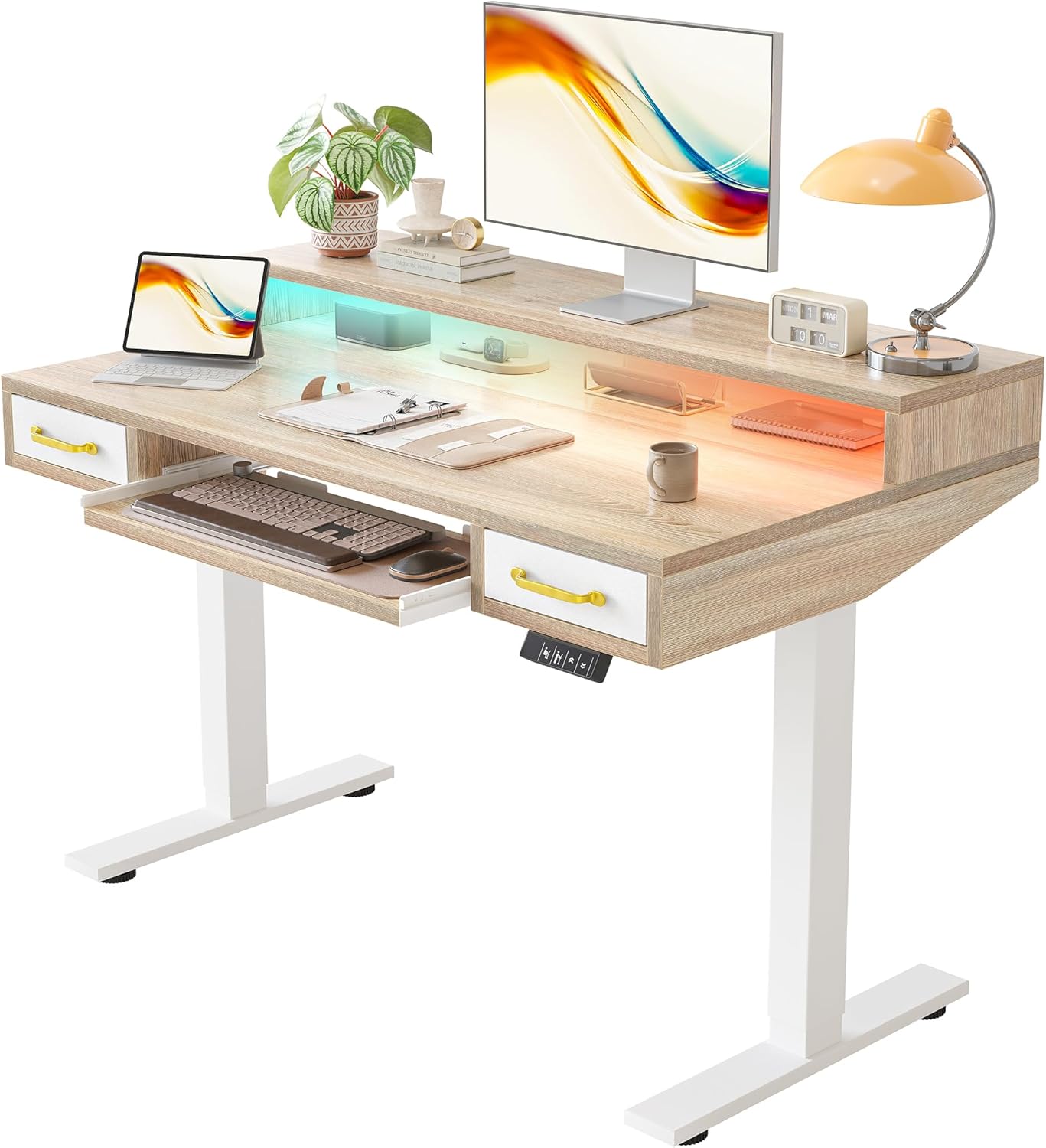
Figure 1: Fully assembled TIQLAB Electric Standing Desk.
5. Operating Instructions
5.1 Height Adjustment
Your desk features an electric lift system for seamless height adjustments. The control panel is located on the underside of the desktop.
- Up/Down Arrows: Press and hold the up (↑) or down (↓) arrow buttons to manually adjust the desk height. The current height will be displayed on the LED screen.
- Preset Buttons: The control panel includes buttons for preset sitting (💺) and standing (🚶) positions. Press one of these buttons, and the desk will automatically move to the saved height.
5.2 Setting Memory Presets
To program your preferred sitting and standing heights:
- Adjust the desk to your desired sitting height using the up/down arrows.
- Press and hold the sitting preset button (💺) until the LED display flashes or indicates the setting is saved.
- Repeat the process for your desired standing height using the standing preset button (🚶).
5.3 LED Light Operation
The integrated LED strip can be controlled using the provided remote control.
- Power On/Off: Use the power button on the remote to turn the LED strip on or off.
- Mode Selection: Cycle through 358 preset modes, including 20 static colors and 21 dynamic modes, using the remote control.
- Brightness Adjustment: Adjust the brightness levels to your preference.
- Speed Control: For dynamic modes, adjust the speed of the light effects.

Figure 2: Desk with LED strip in operation and remote control.
5.4 Storage Features
The desk is designed with multiple storage options to keep your workspace tidy.
- Monitor Shelf: The raised shelf provides space for monitors, allowing for better ergonomics and freeing up the main desktop area.
- Drawers: Two integrated drawers offer convenient storage for office supplies. While the exterior appears wooden, the drawers are constructed from a durable vinyl/felt material.
- Keyboard Tray: A sliding keyboard tray provides an ergonomic position for your keyboard and mouse, keeping them out of the way when not in use.
- Headphone Hooks: Hooks are provided for hanging headphones or other accessories, keeping them easily accessible and off the desktop.
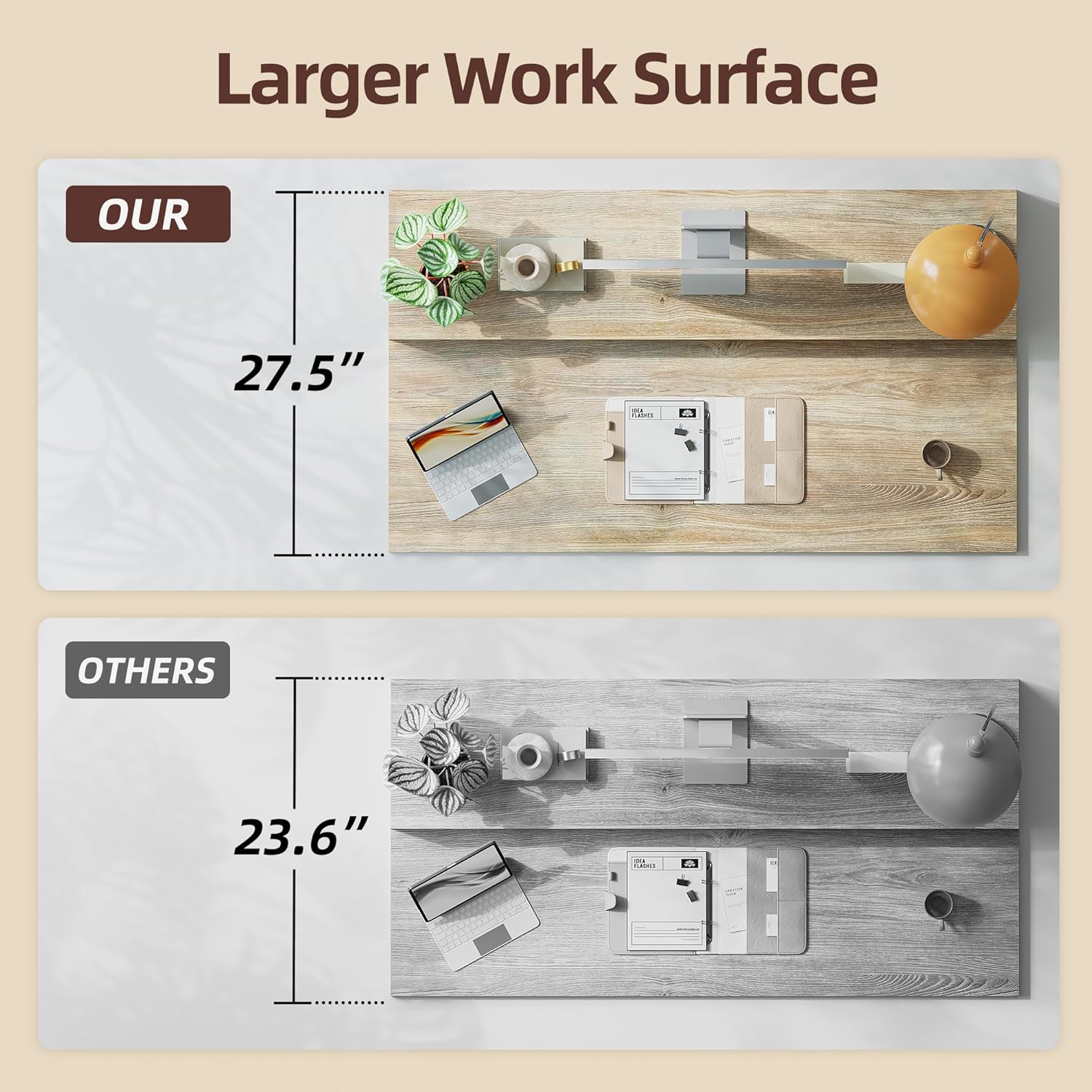
Figure 3: Close-up of monitor stand, storage drawers, and keyboard tray.
6. Maintenance
To ensure the longevity and optimal performance of your TIQLAB Electric Standing Desk, follow these maintenance guidelines:
- Cleaning: Wipe the desktop and frame with a soft, damp cloth. Avoid abrasive cleaners or harsh chemicals that may damage the finish.
- Cable Management: Regularly check and adjust cable management to prevent wires from snagging or becoming damaged during height adjustments.
- Motor Inspection: Periodically inspect the motor and moving parts for any signs of wear or obstruction. Do not attempt to lubricate or repair the motor yourself.
- Weight Distribution: Distribute weight evenly across the desktop to prevent strain on the lift mechanism.
7. Troubleshooting
If you encounter any issues with your TIQLAB Electric Standing Desk, refer to the following common troubleshooting tips:
- Desk Not Moving: Check if the power cord is securely plugged into both the desk and a working power outlet. Ensure no objects are obstructing the desk's movement.
- Uneven Height: If the desk appears uneven, perform a reset procedure (refer to your specific assembly guide for details) or manually adjust to the lowest setting and then back up.
- LED Lights Not Working: Check the remote control battery and ensure there are no obstructions between the remote and the LED receiver.
- Unusual Noises: Minor operational sounds are normal. If you hear loud grinding or unusual noises, discontinue use and contact customer support.
For persistent issues not covered here, please contact TIQLAB customer support.
8. Specifications
| Feature | Specification |
|---|---|
| Brand | TIQLAB |
| Product Dimensions | 28"D x 48"W x 28"H |
| Color | Maple |
| Style | Modern |
| Base Material | Metal |
| Finish Type | Metal |
| Special Feature | Electric |
| Furniture Finish | Maple |
| Size | 47*28 inch with keyboard tray |
| Number of Shelves | 1 |
| Top Material Type | Engineered Wood |
| Mounting Type | Freestanding |
| Drawer Type | Multi-drawer |
| Storage Options | 2 drawers, 1 keyboard tray |
| Number of Drawers | 2 |
| Tabletop Thickness | 1 Inches |
| Maximum Height | 47 Inches |
| Required Assembly | Yes |
9. Warranty and Support
Your TIQLAB Electric Standing Desk comes with a Limited Warranty. For specific details regarding warranty coverage, terms, and conditions, please refer to the warranty documentation included with your purchase or contact the seller directly.
For any product inquiries, technical support, or warranty claims, please contact TIQLAB Direct, the seller of this product. Contact information can typically be found on your purchase receipt or the seller's page on the platform where the product was purchased.