
1. Important Safety Information
Please read all instructions carefully before using the KIWIBIRD C1 Mini Water Flosser. Keep this manual for future reference.
- Do not use if you have a heart condition, epilepsy, or are pregnant. Consult a medical professional if unsure.
- Keep away from children. This device is not a toy.
- Do not immerse the entire device in water, despite its IPX8 rating. Ensure the charging port is dry before connecting the charging cable.
- Do not use with a damaged cord or plug.
- Unplug from the power source before cleaning.
- Allow to dry completely before storing.
- Do not use with a damaged nozzle. Replace if necessary.
- Always follow the instructions provided with the product.
2. Package Contents
Your KIWIBIRD C1 Mini Water Flosser package includes:
- KIWIBIRD C1 Mini Water Flosser unit
- 3 Interchangeable Nozzles (Standard, Orthodontic, Sensitive)
- Type-C Charging Cable
- Travel Carrying Bag
- Instruction Manual
3. Product Overview
The KIWIBIRD C1 Mini Water Flosser is designed for effective and convenient oral hygiene, featuring a compact and portable design with advanced UVC sanitization.
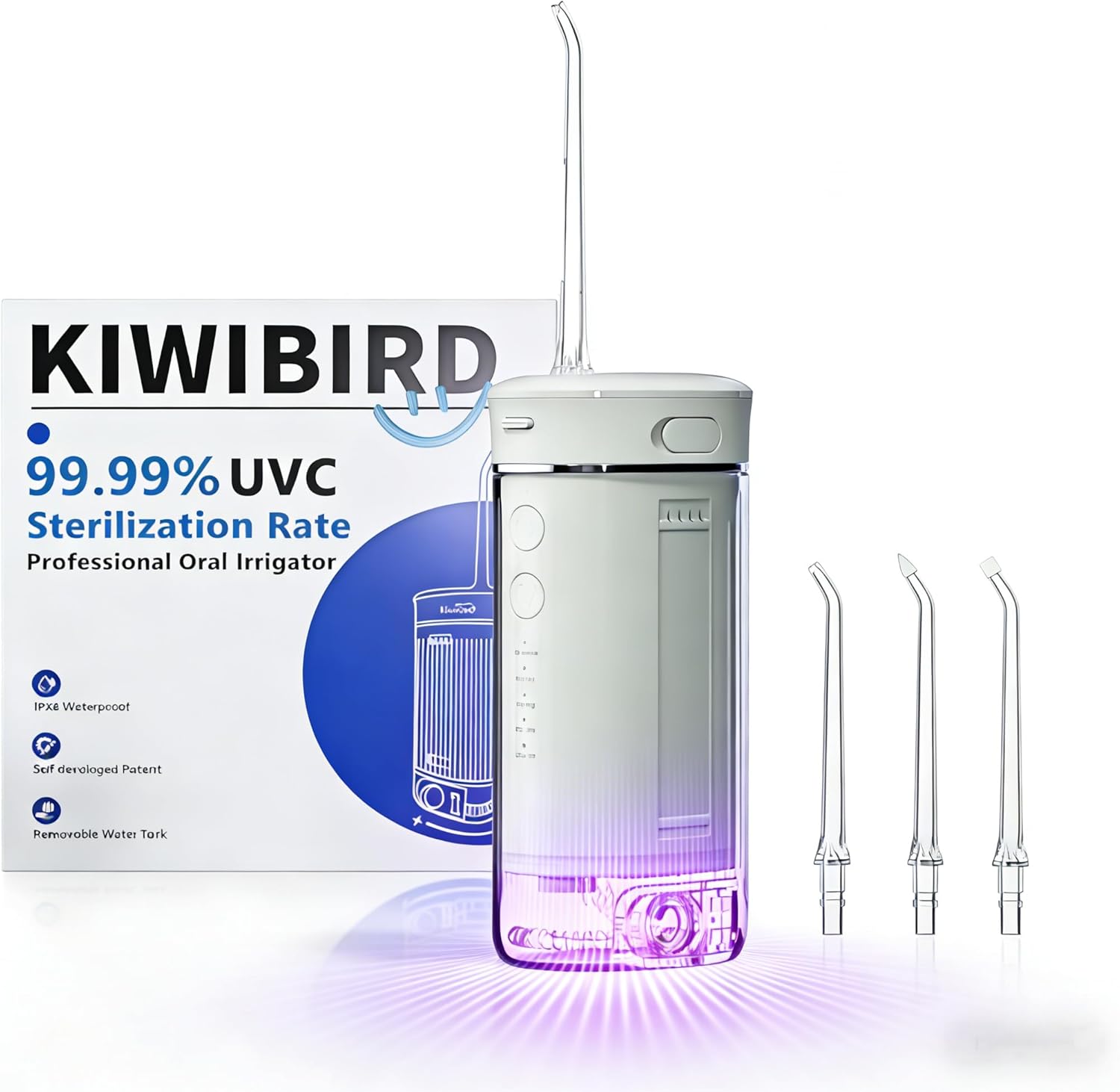
Image 1: KIWIBIRD C1 Mini Water Flosser in Grey. This image shows the compact and sleek design of the water flosser, highlighting its portability.

Image 2: KIWIBIRD C1 Mini Water Flosser with Jet Tips Storage. The image illustrates the compact size of the flosser next to a smartphone, emphasizing its travel-friendly nature and integrated tip storage.

Image 3: KIWIBIRD C1 Mini Water Flosser 30-Day Battery Life and Type-C Charging. This image highlights the long battery life and convenient Type-C charging port for easy recharging.

Image 4: KIWIBIRD C1 Mini Water Flosser IPX8 Waterproof. The flosser is shown partially submerged in water, demonstrating its IPX8 waterproof rating for safe use in wet environments.
Key Features:
- Compact & Portable Design: Retractable design, weighing only 230g, folds to 5.85 inches.
- Long Battery Life: 1100mAh rechargeable battery lasts approximately 30 days on a single charge. Features a convenient Type-C charging port.
- Advanced 360° UV-C Sanitization: Enhances cleanliness of tank, pipes, and nozzles with a smart 90-second timer.
- Deep Cleaning: Delivers 1800 ultra-fine water pulses per minute with 40-120 PSI pressure for effective plaque removal and fresher breath.
- Personalized Flossing: 4 modes (Gentle, Normal, Strong, Sterilization) and 3 interchangeable tips with 360° rotation.
- Upgraded BPA-Free 230ML Water Tank: Extra-large, detachable tank with leakproof drainage and dual water inlets for easy cleaning and refilling.
- IPX8 Waterproof: Safe for use in the shower. Ergonomic, textured handle for a secure grip.
4. Setup
- Charge the Device: Before first use, and whenever needed, charge the device using the provided Type-C charging cable. The charging port is located on the top of the unit.
- Fill the Water Tank: Extend the detachable water tank by sliding it down. Open the water inlet cover and fill the tank with lukewarm water. Close the cover securely.
- Attach the Nozzle: Select your desired nozzle (Standard, Orthodontic, or Sensitive). Insert the nozzle into the opening on the top of the main unit until you hear a click, ensuring it is firmly in place.

Image 5: KIWIBIRD C1 Mini Water Flosser with 3 Jet Tips. This image displays the three different types of nozzles: Sensitive, Orthodontic, and Standard, each designed for specific cleaning needs.

Image 6: KIWIBIRD C1 Mini Water Flosser Guide to Use. This visual guide demonstrates the steps for installing the nozzle, filling the water tank, and selecting modes.
5. Operating Instructions
- Select Mode: Press the 'Mode' button to cycle through the available cleaning modes: Gentle, Normal, Strong, and Sterilization. The corresponding indicator light will illuminate.
- Position the Nozzle: Before turning on the device, place the nozzle tip in your mouth, aiming it at your gumline. Tilt your head slightly over the sink to allow water to drain.
- Start Flossing: Press the 'On/Off' button to start flossing. The device features a 3-second gradual pressure build-up for a gentler start.
- Maneuver the Nozzle: Guide the water jet along your gumline and between your teeth. Ensure you clean all areas of your mouth.
- Sterilization Mode: After use, you can activate the Sterilization mode by pressing the 'Mode' button until the 'Sterilize' indicator lights up. The UVC light will turn on for 90 seconds to sanitize the tank and nozzle.
- Turn Off: Press the 'On/Off' button to turn off the device when finished.
Video 1: KIWIBIRD Mini Water Flosser for Travel. This video provides a quick overview of the flosser's features and demonstrates its compact design and ease of use.
Video 2: KIWIBIRD C1 Unboxing. This video shows the unboxing experience, highlighting the included components and the initial setup of the device.
6. Cleaning and Maintenance
Regular cleaning and maintenance ensure the longevity and hygiene of your water flosser.
- Empty and Dry Tank: After each use, empty any remaining water from the tank. The wide-mouth design and leakproof drainage system make this easy. Ensure the tank is dry before storing to prevent water buildup and maintain freshness.
- Clean Nozzles: Remove the nozzle by holding the nozzle release button and pulling it out. Rinse the nozzle under running water.
- UVC Sanitization: Utilize the built-in UVC sanitization mode (90-second timer) to sterilize the tank, internal pipes, and nozzles. This helps prevent bacteria growth.
- Clean Exterior: Wipe the exterior of the device with a soft, damp cloth.
- Filter Maintenance: The built-in filter helps prevent clogging. Periodically check and clean the filter as needed to ensure optimal performance.
Video 3: KIWIBIRD Portable Water Flosser for Travel, UVC Light. This video demonstrates the UVC sterilization feature and the portability of the device, showing how to activate the cleaning mode.
7. Troubleshooting
If you encounter any issues with your KIWIBIRD C1 Mini Water Flosser, please refer to the following common solutions:
- Device not turning on: Ensure the device is fully charged. Check the Type-C charging cable connection.
- Weak water pressure: Ensure the water tank is sufficiently filled. Check if the nozzle is securely attached and not clogged. Clean the built-in filter if necessary.
- Water leakage: Ensure the water tank is properly extended and securely attached to the main unit. Check that the water inlet cover is tightly closed.
- UVC light not activating: Ensure the device is powered on and the 'Sterilize' mode is selected.
If the problem persists, please contact KIWIBIRD customer support for assistance.
8. Specifications
| Feature | Detail |
|---|---|
| Product Dimensions | 5.2 x 2.5 x 1.7 inches |
| Item Model Number | C1 |
| Batteries | 1 P76 battery required (included) |
| Manufacturer | KWIBIRD |
| Brand Name | KIWIBIRD |
| Product Benefits | 360° UV-C Sanitization, Gum Health, Prevents Bad Breath, Prevents Cavities, Removes Plaque |
| Item Weight | 230 Grams |
| Power Source | Battery Powered |
| Additional Features | 360° UV-C Sanitization, Compact, Portable |
| Unit Count | 1.0 Count |
| Tank Volume | 230 Milliliters |
| Recommended Uses | Deep Cleaning |
| Target Use Body Part | Teeth |
| Specification Met | FDA |
| Color | Grey |
| Material Type | Plastic |
9. Warranty and Support
For warranty information, product support, or any questions regarding your KIWIBIRD C1 Mini Water Flosser, please refer to the warranty card included in your package or visit the official KIWIBIRD website.
You can also contact KIWIBIRD customer service directly for assistance.