
Introduction
The ELIVED EV3206 dual monitor mount is designed to enhance your workspace ergonomics. It allows monitors to be positioned at eye level, with easy adjustments for rotation, tilt, and movement, reducing neck strain during long working or gaming sessions. This manual provides detailed instructions for the safe and efficient installation, operation, and maintenance of your monitor mount.
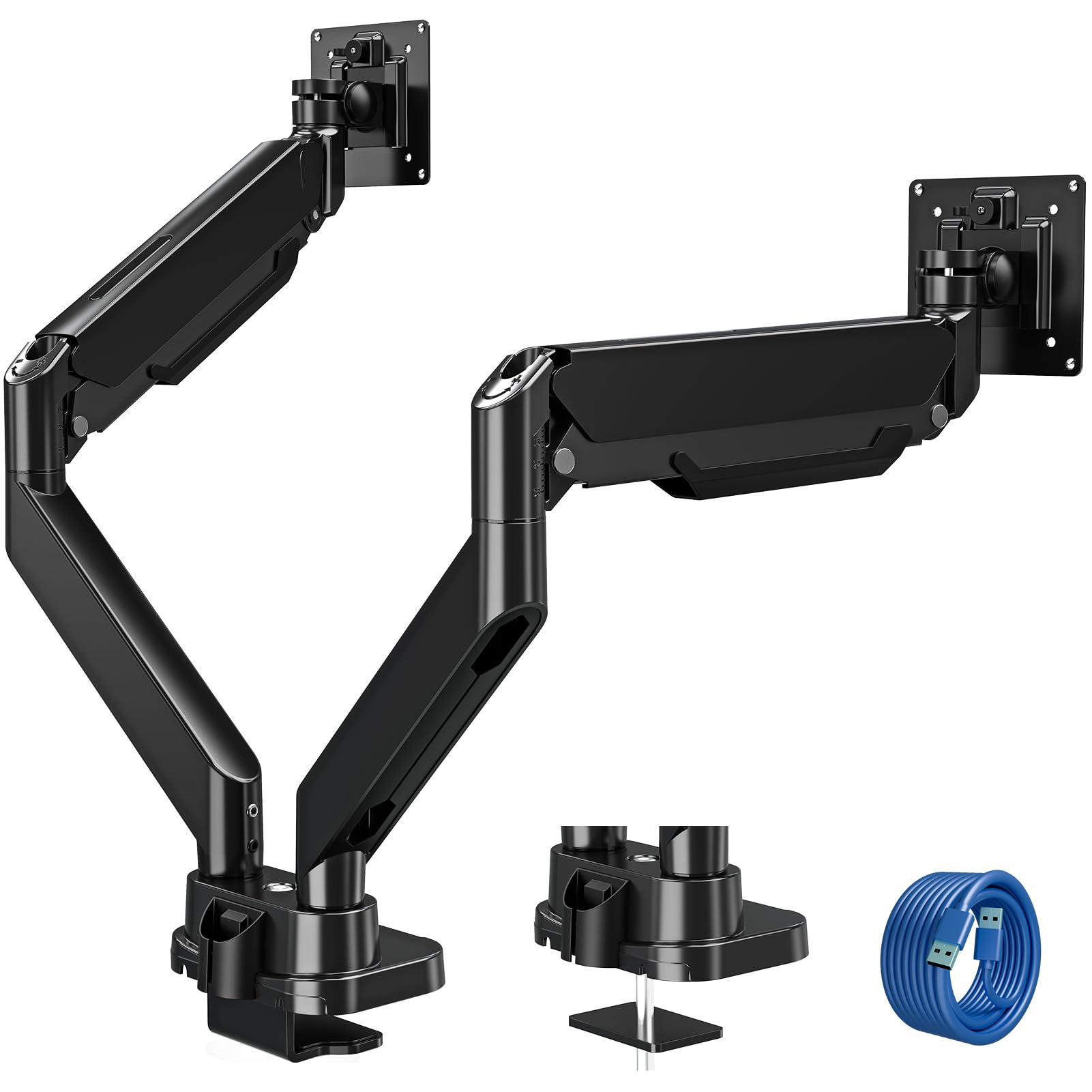
Image: The ELIVED EV3206 dual monitor mount in use, supporting two monitors on a desk, demonstrating its ergonomic benefits.
Package Contents
Before beginning installation, please verify that all parts are present and undamaged. If any parts are missing or damaged, please contact customer support.
- 1 x ELIVED EV3206 Dual Monitor Mount
- Mounting Hardware (screws, washers, spacers)
- Tools for assembly
- Installation Instructions (this manual)
- 2 x USB 3.0 Cables (1.5m length each)
Setup and Installation
The ELIVED EV3206 offers two primary installation methods: C-clamp mounting and grommet mounting. Choose the method that best suits your desk and preferences.
Desk Compatibility
- C-Clamp Mount: Suitable for desk thickness between 10-45 mm.
- Grommet Mount: Suitable for desk thickness between 10-45 mm, with a pre-drilled hole diameter of 10-60 mm.

Image: Illustration of the two installation options: C-clamp for desk edges and grommet mount for desks with a pre-existing hole.
Monitor Compatibility
- Supports screens from 13 to 39 inches.
- Compatible with VESA mounting patterns: 75x75mm and 100x100mm.
- Each arm supports monitors weighing between 2 kg and 15 kg.

Image: The dual monitor mount securely holding two monitors, highlighting its capacity of up to 15 kg per arm.
General Installation Steps (Summary)
- Assemble the base and mounting mechanism (C-clamp or grommet).
- Secure the base to your desk.
- Attach the monitor arms to the central pole.
- Attach the VESA plates to the back of your monitors.
- Mount the monitors onto the arms.
- Adjust the gas spring tension for each arm according to your monitor's weight.
- Connect the integrated USB cables if desired.
Operating and Adjustments
The ELIVED EV3206 offers extensive adjustability to achieve optimal ergonomic positioning for your monitors.
Adjusting Gas Spring Tension
The gas spring mechanism allows for smooth height adjustments. It is crucial to set the correct tension for your monitor's weight to ensure stability and ease of movement.
- Use the provided tool to adjust the tension screw on each arm.
- Turn clockwise to increase tension (for heavier monitors) or counter-clockwise to decrease tension (for lighter monitors).
- A scale on the arm indicates the gas spring force, where one division corresponds to approximately 0.9 kg (2 lbs). Adjust until the scale line is correctly displayed for your monitor's weight.

Image: Close-up view of the gas spring adjustment mechanism, illustrating the tension scale where each mark represents approximately 0.9 kg.
Monitor Positioning
The mount provides maximum flexibility for monitor placement:
- Height Adjustment: Up to 545 mm (21.5 inches) from the desk surface.
- Arm Reach: Up to 530 mm (20.9 inches), ideal for larger desks or specific viewing distances.
- Tilt: +90° to -45° for optimal viewing angles.
- Swivel: 180° at the arm joint for sharing your screen.
- Rotation: 360° at the VESA plate, allowing for landscape or portrait orientation.

Image: Visual representation of the maximum height (545mm) and arm reach (530mm) capabilities of the monitor mount.

Image: Demonstrates the tilt (+90° to -45°), swivel (180°), and rotation (360°) features for flexible monitor positioning.
Integrated USB Ports
The mount includes two integrated USB 3.0 ports in the base. Connect the provided USB cables from the mount to your computer's USB ports to enable convenient data transfer or charging for your devices directly from your desk.
Maintenance
To ensure the longevity and optimal performance of your ELIVED EV3206 monitor mount, follow these simple maintenance guidelines:
- Regular Cleaning: Wipe the mount surfaces with a soft, dry cloth to remove dust. For stubborn marks, a slightly damp cloth can be used, followed by drying. Avoid abrasive cleaners or solvents.
- Check Connections: Periodically check all screws and bolts to ensure they are securely tightened. Loose connections can affect stability and safety.
- Gas Spring Adjustment: If you change monitors or notice that the arms are not holding position correctly, re-adjust the gas spring tension as described in the "Operating and Adjustments" section.
- Cable Management: Ensure cables are routed neatly through the integrated cable management channels to prevent pinching or damage.
Troubleshooting
If you encounter any issues with your monitor mount, refer to the following common problems and solutions:
- Problem: Monitor arm sags or does not stay in position.
Solution: The gas spring tension is likely too low for the monitor's weight. Increase the gas spring tension by turning the adjustment screw clockwise. Refer to the "Adjusting Gas Spring Tension" section. - Problem: Monitor arm is difficult to move or too stiff.
Solution: The gas spring tension may be too high. Decrease the gas spring tension by turning the adjustment screw counter-clockwise. - Problem: Monitor wobbles or feels unstable.
Solution: Ensure that the desk clamp or grommet mount is securely tightened to the desk. Also, check that the VESA plate screws attaching the monitor to the arm are tight. - Problem: USB ports are not functioning.
Solution: Verify that the USB cables from the mount's base are correctly connected to your computer's USB ports. Check for any kinks or damage to the cables. - Problem: Monitors are not level.
Solution: Most VESA plates allow for minor leveling adjustments. Loosen the leveling screw slightly, adjust the monitor, and then re-tighten.
If these solutions do not resolve the issue, please contact ELIVED customer support for further assistance.
Specifications
| Brand | ELIVED |
| Model Number | EV3206 |
| Material | Metal |
| Color | Black |
| Compatible Monitor Sizes | 13 - 39 inches |
| Weight Capacity (per arm) | 2 - 15 kg |
| VESA Compatibility | 75x75mm, 100x100mm |
| Mounting Type | Desk Mount (C-clamp or Grommet) |
| Desk Thickness (C-clamp/Grommet) | 10 - 45 mm |
| Grommet Hole Diameter | 10 - 60 mm |
| Height Adjustment | Up to 545 mm |
| Arm Reach | Up to 530 mm |
| Tilt Angle | +90° to -45° |
| Swivel Angle | 180° |
| Rotation Angle | 360° |
| Integrated Ports | 2 x USB 3.0 |
| Product Weight | 6.68 kg |
Warranty and Support
ELIVED is committed to providing high-quality products and customer satisfaction. While specific warranty details are not provided in this manual, please retain your proof of purchase for any warranty claims.
For technical support, troubleshooting assistance, or any questions regarding your ELIVED EV3206 dual monitor mount, please do not hesitate to contact ELIVED customer service. Contact information can typically be found on the product packaging or the official ELIVED website.