
1. Introduction
The Huepar WS02 Wall Scanner Stud Finder is a precision instrument designed to detect wood and metal studs, joists, and other objects hidden behind various wall surfaces. Utilizing an advanced microprocessor chip, it provides quick and accurate localization, enhancing safety and efficiency for your home improvement projects. This manual provides essential information for the proper setup, operation, maintenance, and troubleshooting of your device.
2. Safety Information
Please read and understand all safety instructions before operating the device. Failure to follow these instructions may result in electric shock, fire, or serious injury.
- Always assume live electrical wires are present behind walls. Exercise extreme caution.
- Do not use the device in wet or damp conditions.
- Keep the device away from children.
- Do not attempt to open or modify the device. There are no user-serviceable parts inside.
- Dispose of batteries according to local regulations.
3. Product Overview
Familiarize yourself with the components of your Huepar WS02 Wall Scanner.
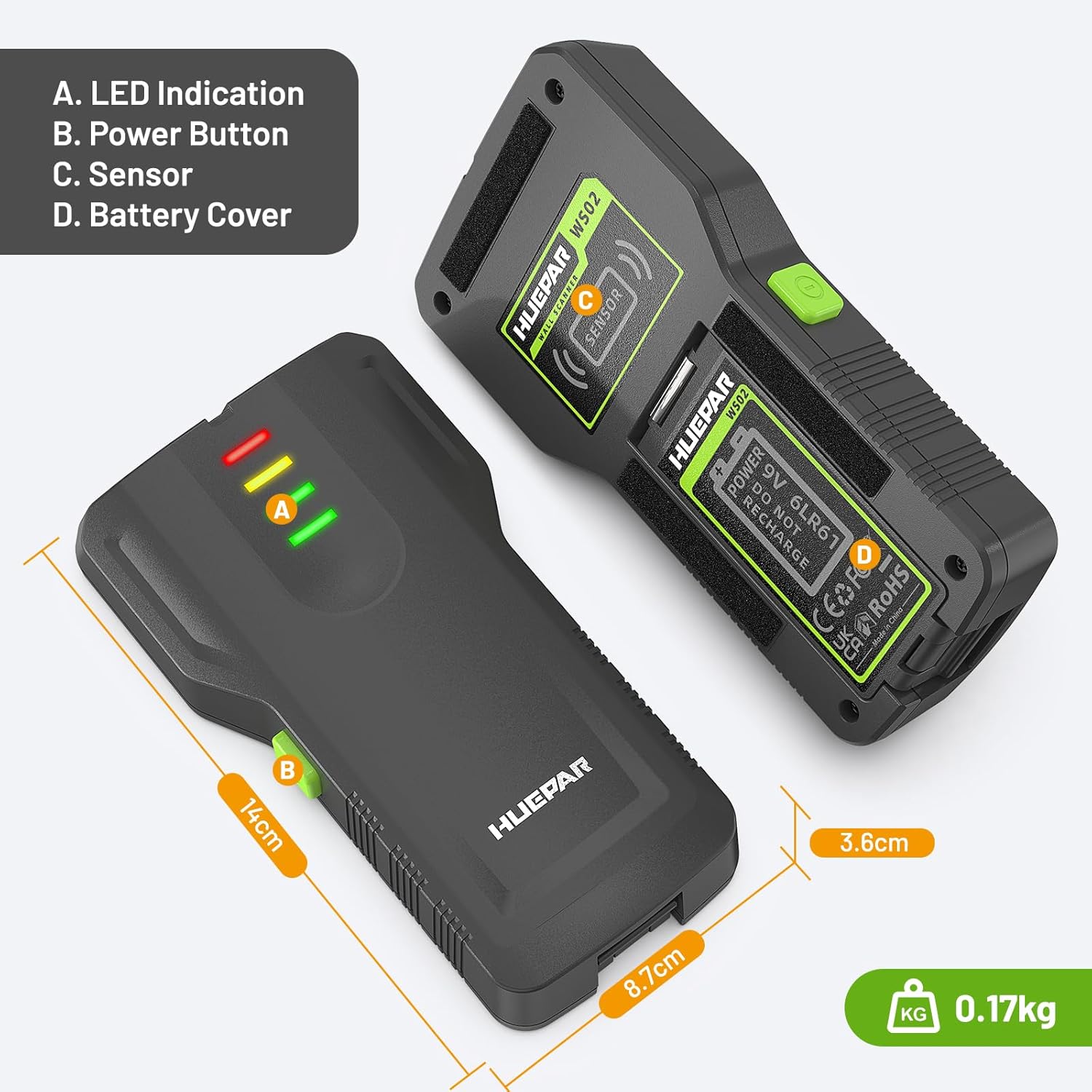
Image: Huepar WS02 Wall Scanner components. A: LED Indication, B: Power Button, C: Sensor, D: Battery Cover.
Included Components:
- 1 x Huepar WS02 Wall Detector
- 1 x 9V Alkaline Battery
- 1 x User Manual (this document)
4. Setup
4.1 Battery Installation
- Locate the battery cover (D) on the back of the device.
- Slide the battery cover open.
- Insert the included 9V alkaline battery, ensuring correct polarity (+/-).
- Close the battery cover securely.
4.2 Initial Calibration
The device requires calibration before each use to ensure accurate readings.
- Place the device flat against the wall surface where you intend to scan. Ensure there are no known studs or objects directly beneath the device during calibration.
- Press and hold the Power Button (B). The device will emit a short beep and the LED indicators (A) will flash.
- Keep the button pressed until the calibration process is complete (typically a few seconds). The device is ready when the LED indicators stabilize.
5. Operating Instructions
The Huepar WS02 is designed for simple, one-button operation to detect objects behind various wall types.
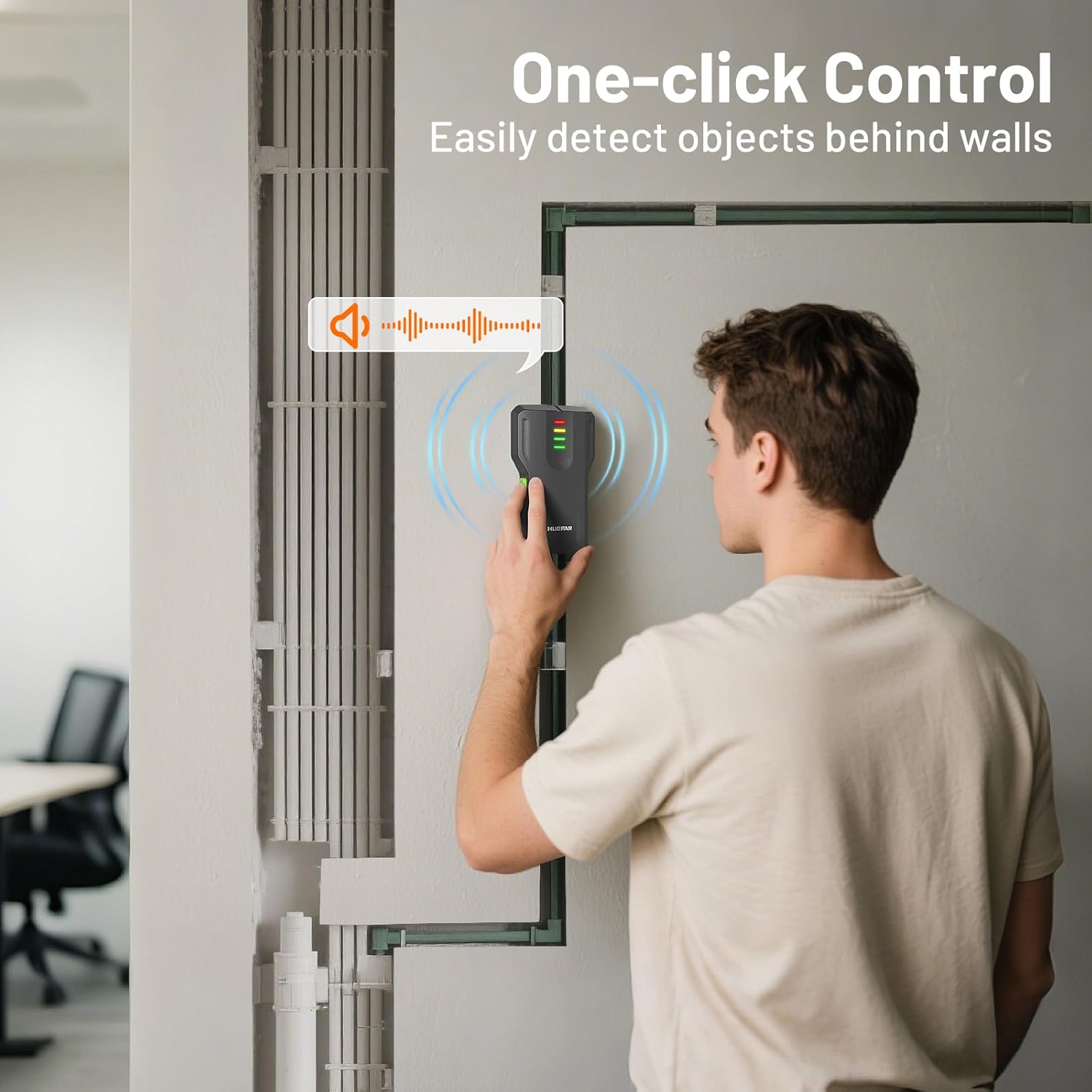
Image: One-click control for detecting objects behind walls.
5.1 Scanning Procedure
- Perform initial calibration as described in Section 4.2.
- While continuously holding the Power Button (B), slowly slide the device horizontally across the wall surface.
- Observe the LED indicators (A) and listen for audible alerts.
5.2 Interpreting Alerts

Image: LED Indication levels for stud detection.
- Green LED: Indicates a 'Start Signal' or no object detected.
- Yellow LED: Indicates the device is approaching the edge of a stud or object. The audible beep will intensify.
- Red LED: Indicates the device is directly over the center of a stud or object. The audible beep will be continuous and strongest.
To confirm the location of a stud, scan the area from both left and right directions. Mark the points where the red LED illuminates to identify the edges and center of the stud.
5.3 Applicable Wall Types
The WS02 accurately detects wood, metal, and joists behind various common wall materials.

Image: The Huepar WS02 is applicable to various surface materials including walls, wallpaper, wooden floors, and acoustic ceilings.
- Drywall
- Plaster
- Wallpaper
- Wooden Floors
- Acoustic Ceilings
- Painted Surfaces
The device uses density-based detection technology to scan for changes behind walls, making it suitable for safely installing items like TVs, shelves, and pictures.

Image: Examples of applications for the wall scanner, such as installing curtains, drilling into walls, and hanging pictures.
6. Maintenance
- Cleaning: Wipe the device with a soft, dry cloth. Do not use abrasive cleaners or solvents.
- Battery Replacement: Replace the 9V battery when the device indicates low power or fails to operate. Always use a fresh alkaline battery.
- Storage: Store the device in a cool, dry place, away from direct sunlight and extreme temperatures. Remove the battery if the device will not be used for an extended period.
7. Troubleshooting
| Problem | Possible Cause | Solution |
|---|---|---|
| Device does not turn on. | Dead or incorrectly installed battery. | Check battery polarity. Replace with a new 9V alkaline battery. |
| Inaccurate readings or inconsistent detection. | Improper calibration; scanning too fast; presence of moisture or dense materials. | Recalibrate the device on a clear section of the wall. Scan slowly and consistently. Note that very dense materials or high moisture content can affect accuracy. |
| No detection on a known stud. | Device not calibrated correctly; stud too deep; wall material too dense. | Ensure proper calibration. The device has a limited detection depth. Try scanning from different angles. |
8. Specifications
| Feature | Detail |
|---|---|
| Model Number | WS02 |
| Power Source | 1 x 9V 6F22 Alkaline Battery |
| Material | ABS |
| Item Weight | 159 g (0.35 lbs) |
| Parcel Dimensions | 14.3 x 8.79 x 3.81 cm (5.63 x 3.46 x 1.5 inches) |
| Detection Type | Wood and Metal Studs, Joists |
| Alerts | Visual (4-level flashing light) and Audible (beeping) |
9. Warranty and Support
9.1 Warranty Information
Huepar products are manufactured to high-quality standards. For specific warranty terms and conditions applicable to your WS02 Wall Scanner, please refer to the warranty card included with your purchase or visit the official Huepar website. Keep your purchase receipt as proof of purchase for warranty claims.
9.2 Customer Support
If you have any questions, require technical assistance, or need to report an issue with your Huepar WS02, please contact Huepar customer support. You can typically find contact information on the official Huepar website or through the retailer where you purchased the product.
Online Resources: For additional information, FAQs, and product updates, please visit the official Huepar website: www.huepar.com