
Introduction
This manual provides detailed instructions for the operation and maintenance of your Gydom Smart Watch. Please read this manual thoroughly to ensure proper use and to maximize the features of your device. The Gydom Smart Watch is designed to enhance your daily life with comprehensive health monitoring, fitness tracking, and smart connectivity features.
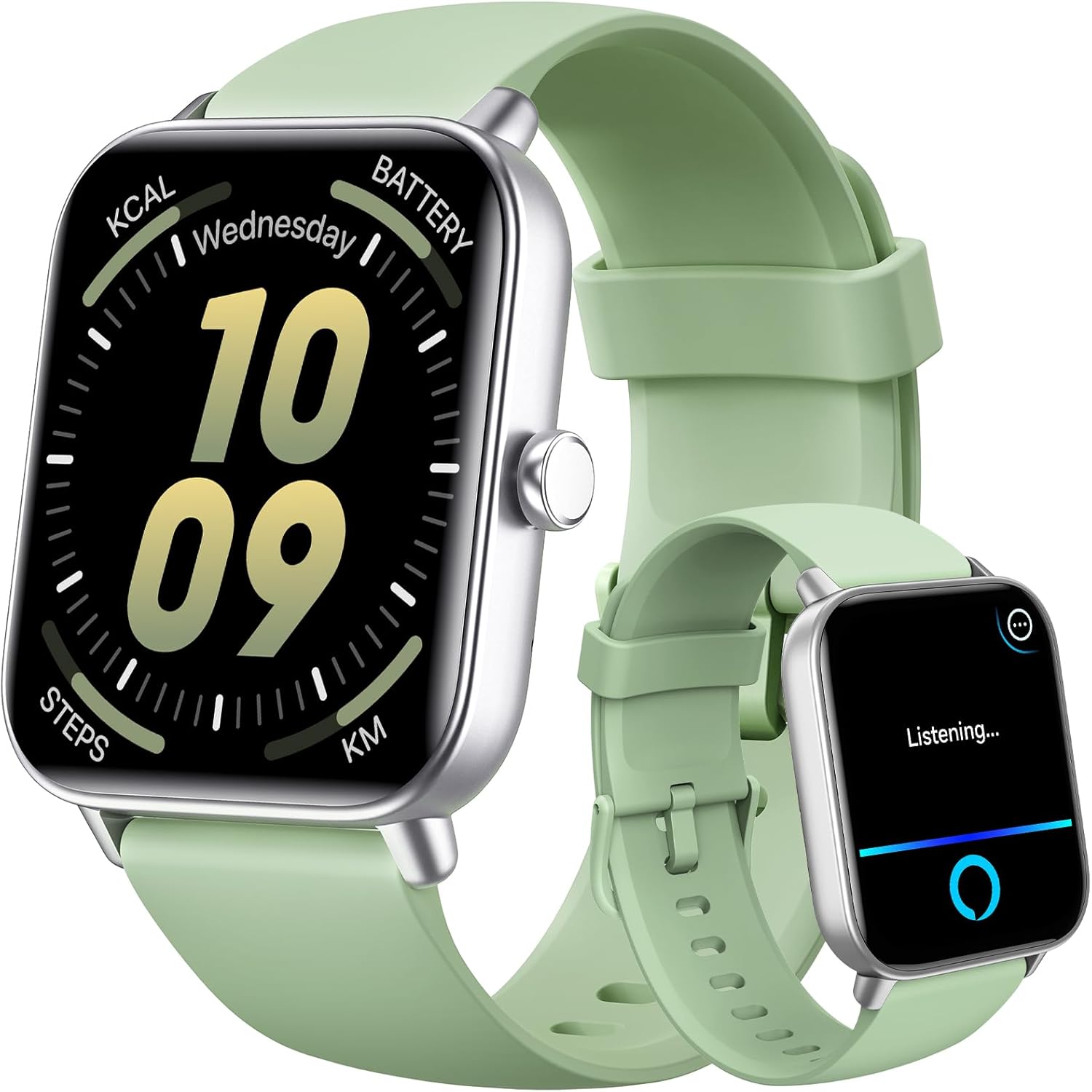
Image: Gydom Smart Watch in LightGreen, displaying time, date, and activity metrics.
What's in the Box
- Gydom Smart Watch (Model: 1fbb21d6-3e38-41bd-a9a9-df10e8c61c8c)
- Magnetic Charging Cable
- User Manual
Setup
1. Charging the Device
Before initial use, fully charge your Gydom Smart Watch. Connect the magnetic charging cable to the charging points on the back of the watch. Plug the USB end of the cable into a compatible USB power adapter (not included).

Image: The Gydom Smart Watch connected to its magnetic charging cable, displaying a 100% battery icon.
2. Downloading and Pairing with the VeryFit App
- Scan the QR code in the manual or search for 'VeryFit' in your smartphone's app store (iOS 9.0+ or Android 6.0+).
- Install and open the VeryFit app.
- Follow the on-screen instructions to create an account and input your personal information.
- In the app, navigate to 'Device' and select 'Add Device'. The app will search for your smartwatch.
- Select your Gydom Smart Watch from the list to pair. Confirm the pairing request on both your phone and watch.
3. Initial Setup and Customization
- Watch Face Selection: Choose from over 100 free watch faces or upload your own photos via the VeryFit app.
- Personal Information: Ensure your gender, birth date, height, and weight are accurately entered in the app for precise health and fitness tracking.

Image: Various customized watch dial options displayed on the Gydom Smart Watch and within the VeryFit app.
Operating the Smartwatch
Basic Navigation
- Swipe Up/Down: Access quick settings or notifications.
- Swipe Left/Right: Navigate through widgets like activity, heart rate, weather, etc.
- Side Button: Press to wake the screen, return to the home screen, or access the main menu.
Key Features
- Alexa Built-in: Use voice commands to set alarms, check weather, control music, and more.
- Bluetooth Calling: Answer, make, or reject calls directly from your wrist.
- Notifications: Receive alerts from social media, messages, and other apps.
- Music Control: Play, pause, skip tracks, and adjust volume for music playing on your phone.
- Camera Control: Remotely trigger your phone's camera.
- Flashlight: Activate the screen as a flashlight.
- Weather Forecast: View current weather and extended forecasts.
- Alarm Clock: Set and manage alarms.
- Find Your Phone: Locate your paired smartphone by making it ring.

Image: The Gydom Smart Watch displaying voice assistant listening mode, call function, and various app notifications.
Video: A demonstration of the various functions and navigation of the Gydom Smart Watch interface.
Health Monitoring
The Gydom Smart Watch offers continuous monitoring of key health metrics to help you maintain a healthy lifestyle.
- Heart Rate Monitoring: Tracks your heart rate 24/7.
- Blood Oxygen (SpO2) Monitoring: Measures your blood oxygen levels.
- Sleep Monitoring: Automatically tracks sleep patterns and provides detailed analysis of sleep quality (light, deep, REM sleep).
- Stress Monitoring: Monitors your stress levels throughout the day.
- Breathing Training: Guided breathing exercises to help you relax.
- Cycle Tracking: Helps women track their menstrual cycles.

Image: The Gydom Smart Watch screen showing real-time data for heart rate, blood oxygen (SpO2), stress levels, and sleep monitoring.
Fitness Tracking (101+ Sport Modes)
With over 101 sport modes, your Gydom Smart Watch is a versatile fitness companion. It tracks steps, distance, calories burned, and active minutes for various activities.
- Activity Tracking: Monitors daily steps, distance, and calories burned.
- Sport Modes: Includes modes for walking, running, cycling, swimming, yoga, and many more.
- IP68 Waterproof: Suitable for hand washing, rain, and swimming (up to 10 meters).

Image: The Gydom Smart Watch showcasing its 100+ sports modes, activity tracking metrics, and IP68 waterproof capability with visuals of various activities.
Battery Life
The Gydom Smart Watch is equipped with a 300mAh battery, providing extended usage on a single charge.
- Charging Time: Approximately 2 hours for a full charge.
- Normal Usage: Up to 7 days.
- Standby Time: Up to 30 days.
Specifications
| Feature | Detail |
|---|---|
| Model Number | 1fbb21d6-3e38-41bd-a9a9-df10e8c61c8c |
| Screen Size | 1.8 Inches |
| Connectivity | Bluetooth |
| Water Resistance | IP68 |
| Battery Capacity | 300 Milliamp Hours |
| Item Weight | 3.52 ounces |
| Special Features | Voice Call, Sleep Monitor, Heart Rate Monitor, Blood Oxygen (SpO2), Cycle Tracking, Activity Tracker, Weather Forecast, Alarm Clock, Music Player, Voice Control, Phone Call, Notifications, Find your Phone |
| Compatible Devices | iOS 9.0+ and Android 6.0+ smartphones |
Troubleshooting
- Connectivity Issues: Ensure Bluetooth is enabled on your phone and the watch is within range. Restart both devices and try pairing again.
- Charging Problems: Verify the magnetic charger is correctly aligned with the watch's charging points. Use a compatible USB power adapter.
- App Sync Issues: Check your internet connection and ensure the VeryFit app is updated to the latest version. Restart the app and watch.
- Inaccurate Readings: Ensure the watch is worn snugly on your wrist, not too tight or too loose. Clean the sensors regularly.
Maintenance
- Cleaning: Regularly clean the watch screen and strap with a soft, damp cloth. Avoid harsh chemicals.
- Storage: Store the watch in a cool, dry place when not in use.
- Water Exposure: While IP68 waterproof, avoid prolonged submersion in hot water or exposure to high-pressure water.
Warranty and Support
Your Gydom Smart Watch comes with a 1-year free replacement warranty. Additionally, a 30-day no-reason return policy is available. For any support inquiries, please refer to the contact information provided in your product packaging or visit the official Gydom website.


