
LSD4BT-E66ALSP001 E66
User Manual: LSD4BT-E66ALSP001 E66 Bluetooth Module
Model: LSD4BT-E66ALSP001 E66 | Brand: Generic
1. Product Overview
This manual provides essential information for the proper use and integration of the LSD4BT-E66ALSP001 E66 Bluetooth Module. This module features a PCB antenna and is designed for various embedded applications requiring Bluetooth connectivity.
The LSD4BT-E66ALSP001 E66 is a compact and efficient Bluetooth module, ideal for integration into electronic devices. Its integrated PCB antenna simplifies design and reduces external component requirements.

Figure 1.1: Top view of the LSD4BT-E66ALSP001 E66 Bluetooth Module, showing the integrated PCB antenna and main chip.
2. Specifications
| Feature | Description |
|---|---|
| Model Number | LSD4BT-E66ALSP001 E66 |
| Connectivity | Bluetooth |
| Antenna Type | Integrated PCB Antenna |
| Dimensions | Refer to Figure 2.1 for approximate dimensions. |
| Manufacturer | Generic |
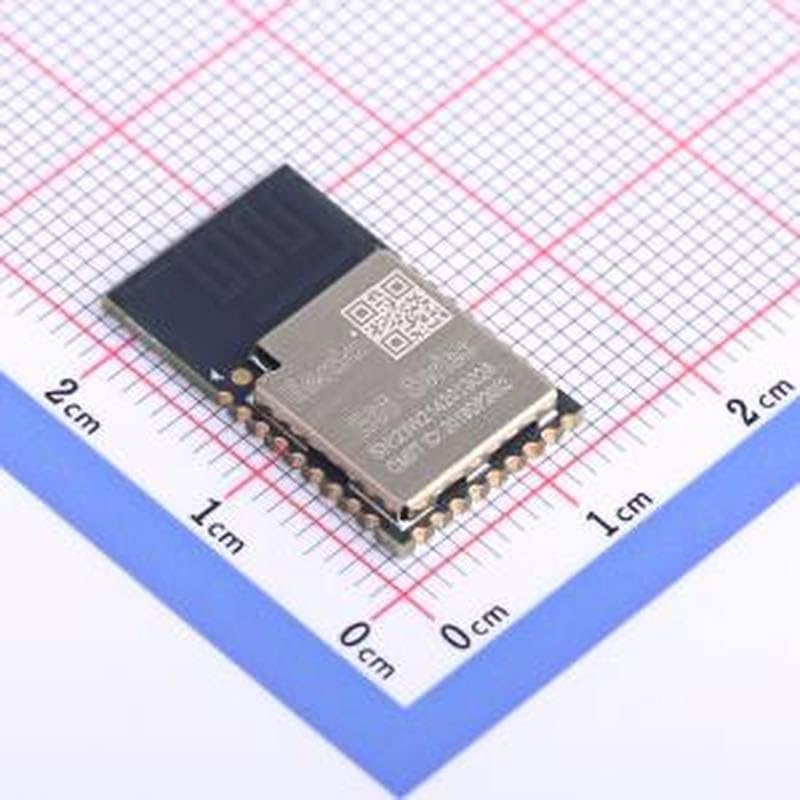
Figure 2.1: The Bluetooth module placed on a grid, indicating its compact size. Each large square on the grid represents 1 cm.
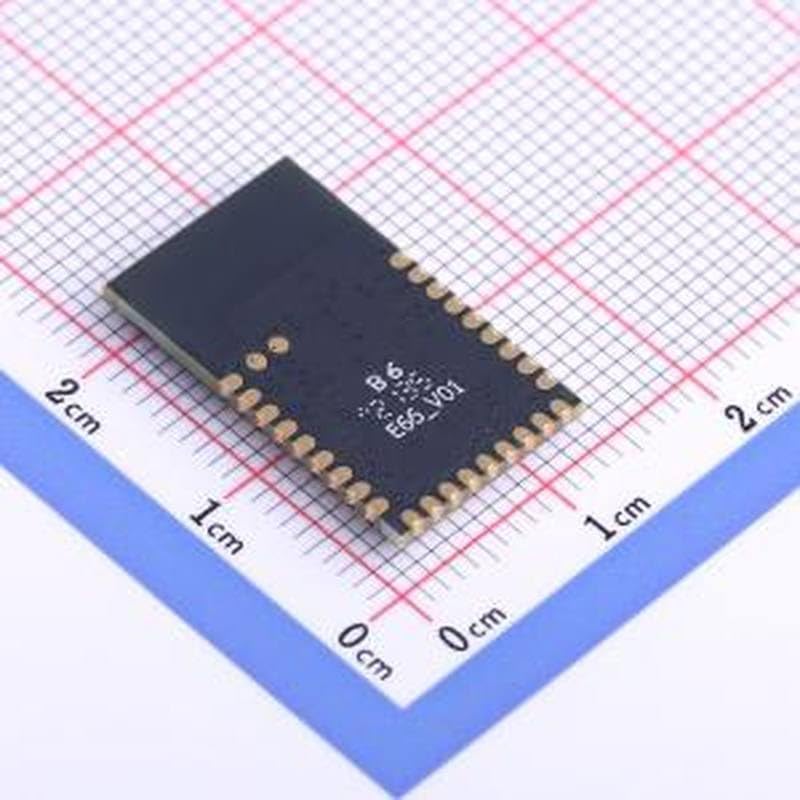
Figure 2.2: Bottom view of the module, displaying the solder pads and model markings for integration purposes.
3. Setup and Integration
Integrating the LSD4BT-E66ALSP001 E66 Bluetooth Module requires careful attention to power supply, data lines, and physical mounting. This module is designed for surface-mount applications.
3.1. Pinout Description
Refer to the module's datasheet for the complete pinout diagram and electrical characteristics. Key pins typically include VCC (power supply), GND (ground), TX (transmit data), and RX (receive data) for UART communication.
3.2. Power Supply
Ensure the power supply voltage and current meet the module's specifications. An unstable power supply can lead to erratic behavior or damage to the module.
3.3. Antenna Considerations
The module features an integrated PCB antenna. For optimal performance, ensure there are no metallic objects or ground planes directly beneath or too close to the antenna area on your host PCB. Maintain adequate clearance as specified in the module's design guidelines.
4. Operating Instructions
Once integrated, the module communicates via a serial interface (typically UART). The specific commands and protocols for Bluetooth pairing, data transmission, and configuration will depend on the module's firmware and the host microcontroller's programming.
4.1. Initializing the Module
Upon power-up, the module typically enters a default state. Your host system will need to send appropriate AT commands or similar control signals to initialize Bluetooth functions, such as setting the device name, discoverability, and pairing mode.
4.2. Bluetooth Pairing
To establish a connection, the module can be configured to act as a master or slave device. Follow the specific pairing procedure outlined in the module's detailed technical documentation, which may involve a passkey or simple pairing.
4.3. Data Transmission
After successful pairing, data can be transmitted and received over the established Bluetooth link. Ensure your application handles data buffering and error checking as necessary.
5. Maintenance
The LSD4BT-E66ALSP001 E66 Bluetooth Module is a solid-state electronic component and generally requires minimal maintenance once properly integrated.
5.1. Environmental Conditions
Ensure the module operates within its specified temperature and humidity ranges. Extreme conditions can affect performance and longevity.
5.2. Cleaning
If cleaning is necessary, use a dry, soft cloth. Avoid using liquid cleaners or solvents, as these can damage the module's components or PCB antenna.
5.3. Firmware Updates
Periodically check with the manufacturer or supplier for any available firmware updates. Firmware updates can improve performance, add features, or resolve issues. Follow the provided instructions carefully when performing updates.
6. Troubleshooting
If you encounter issues with the Bluetooth module, consider the following common troubleshooting steps:
- No Power/Module Not Responding:
- Verify power supply voltage and current.
- Check all power and ground connections for continuity.
- Cannot Pair/Connect:
- Ensure both devices are in pairing mode.
- Check for correct passkey/PIN entry.
- Reduce distance between devices and remove obstructions.
- Check for interference from other 2.4 GHz devices.
- Intermittent Connection/Poor Range:
- Ensure the PCB antenna area has clear line-of-sight and no metallic obstructions.
- Verify environmental conditions are within specifications.
- Check for strong electromagnetic interference.
- Data Transmission Errors:
- Verify UART settings (baud rate, parity, stop bits) match between the module and host.
- Check TX/RX line connections.
For more complex issues, consult the module's detailed technical documentation or contact the manufacturer's technical support.
7. Support
For technical assistance, detailed datasheets, or further inquiries regarding the LSD4BT-E66ALSP001 E66 Bluetooth Module, please refer to the official documentation provided by the manufacturer, Generic. If you purchased this product from a reseller, please contact their customer support for assistance.
Always ensure you are using the latest version of the module's firmware and documentation for the most accurate information.