
1. Introduction
This manual provides essential information for the proper installation, operation, and maintenance of the SIMCom A7670C-LASE LTE Cat 1 Module. Please read this manual thoroughly before using the module to ensure optimal performance and safety.
2. Product Overview
The SIMCom A7670C-LASE is a compact LTE Cat 1 module designed for various IoT and M2M applications. It supports LTE-FDD/TDD, GSM/GPRS/EDGE, and features a small SMD form factor, making it suitable for integration into space-constrained devices. This module provides reliable cellular connectivity for data transmission.
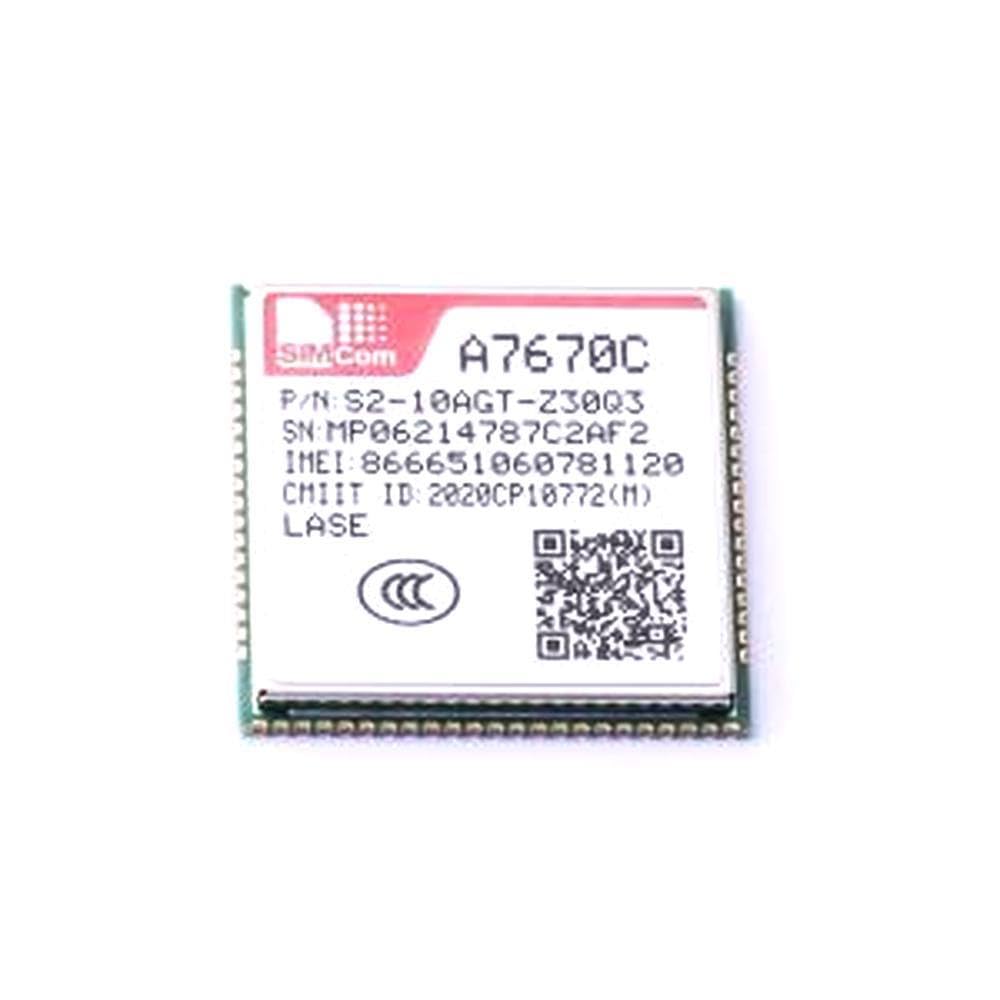
Figure 2.1: Top view of the SIMCom A7670C-LASE module, showing the SIMCom logo, model number A7670C, part number, serial number, IMEI, and CMIIT ID. The module is a surface-mount device (SMD).
3. Specifications
Key technical specifications for the A7670C-LASE module:
| Feature | Description |
|---|---|
| Model | A7670C-LASE |
| Type | LTE Cat 1 Module |
| Form Factor | SMD (Surface Mount Device) |
| Dimensions | Approximately 24mm x 24mm |
| Connectivity | LTE-FDD/TDD, GSM/GPRS/EDGE |
| Manufacturer | Generic (SIMCom is the chip manufacturer) |
| ASIN | B0F18CJFNF |
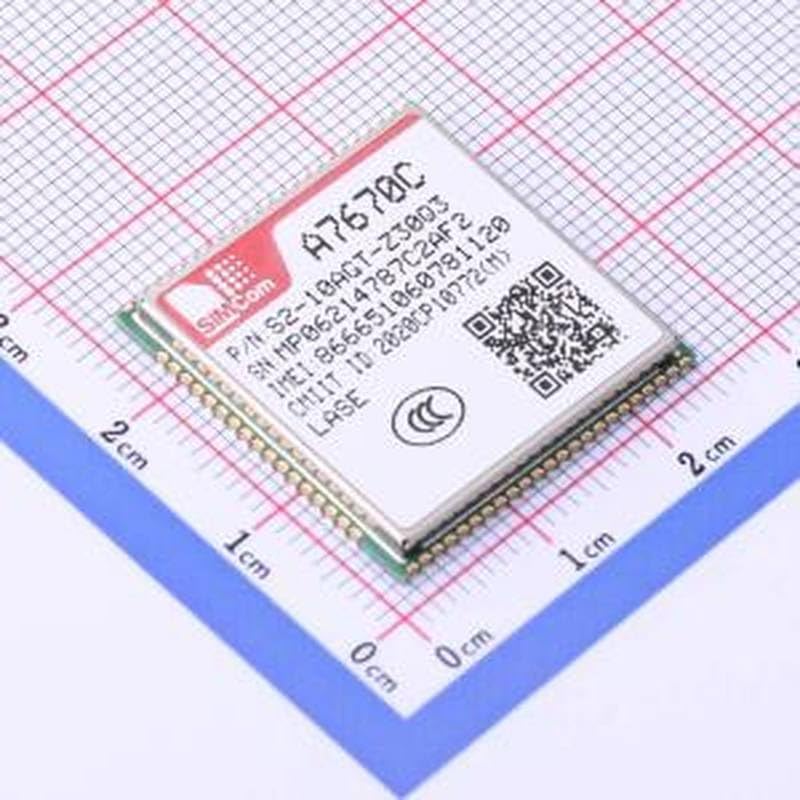
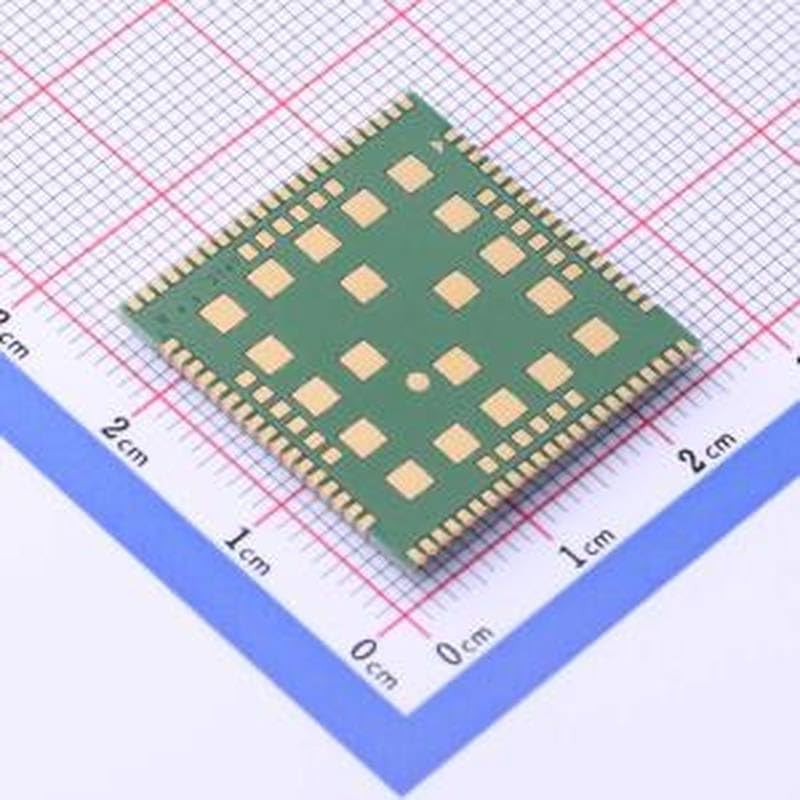
Figure 3.1: Top and bottom views of the A7670C-LASE module placed on a centimeter grid, illustrating its compact 24x24mm dimensions and the arrangement of its solder pads.
4. Setup and Integration
Integrating the A7670C-LASE module requires expertise in electronics and surface-mount technology. It is recommended that integration be performed by qualified personnel.
- Hardware Design: Design your PCB to accommodate the module's footprint and ensure proper power supply, antenna connections, and data interfaces (e.g., UART, USB). Refer to the official SIMCom A7670C-LASE hardware design guide for detailed recommendations.
- Soldering: The module is an SMD component. Use appropriate reflow soldering techniques to mount it onto the host PCB. Ensure correct temperature profiles to prevent damage.
- Antenna Connection: Connect a compatible LTE antenna to the module's antenna pad. Proper antenna selection and placement are crucial for optimal signal reception and transmission.
- SIM Card Installation: Integrate a SIM card holder into your design and ensure the SIM card is correctly inserted before powering on the module.
- Power Supply: Provide a stable power supply within the specified voltage range. Refer to the module's datasheet for exact voltage requirements and current consumption.
5. Operating Instructions
Once integrated and powered, the A7670C-LASE module is typically controlled via AT commands through a serial interface (e.g., UART).
- Power On: Apply the specified power voltage to the module. Monitor the power indicator (if available on your host board) or use a multimeter to confirm power.
- Serial Communication: Establish a serial connection between your host microcontroller/processor and the module. Configure the baud rate and other serial parameters as per the module's datasheet.
- AT Commands: Send AT commands to the module to configure network settings, establish data connections, send/receive SMS, and manage other functionalities. Examples include:
AT: To check module response.AT+CPIN?: To check SIM card status.AT+CSQ: To check signal quality.AT+CGACT=1,1: To activate a PDP context for data.
- Data Transmission: Once a data connection is established, the module can be used for internet access, cloud communication, and other data-centric applications.
Refer to the SIMCom A7670C-LASE AT Command Manual for a comprehensive list of commands and their usage.
6. Maintenance
The A7670C-LASE module is a robust electronic component designed for long-term operation. Minimal maintenance is typically required.
- Environmental Conditions: Ensure the module operates within its specified temperature and humidity ranges. Avoid exposure to extreme temperatures, moisture, dust, and corrosive environments.
- Cleaning: If necessary, gently clean the module and surrounding PCB area with a soft, dry, anti-static brush or cloth. Do not use liquid cleaners directly on the module.
- Firmware Updates: Periodically check the SIMCom website for firmware updates. Follow the provided instructions carefully for any firmware upgrade procedures to ensure compatibility and stability.
7. Troubleshooting
If you encounter issues with the A7670C-LASE module, consider the following troubleshooting steps:
- No Power:
- Verify the power supply voltage and current capacity meet the module's requirements.
- Check all power connections for proper soldering and continuity.
- No Network Registration:
- Ensure the SIM card is correctly inserted and activated.
- Check antenna connection and ensure the antenna is suitable for LTE frequencies.
- Verify signal strength using
AT+CSQ. If signal is weak, reposition the device or use a higher gain antenna. - Confirm APN settings are correct for your network operator.
- Communication Issues (AT Commands):
- Check serial port settings (baud rate, data bits, parity, stop bits) match the module's configuration.
- Verify RX/TX lines are correctly connected.
- Ensure proper voltage levels for serial communication (e.g., 3.3V logic).
- Module Overheating:
- Ensure adequate ventilation around the module.
- Verify power supply voltage is not exceeding the maximum rating.
For advanced troubleshooting, consult the SIMCom A7670C-LASE documentation or contact technical support.
8. Warranty and Support
This SIMCom A7670C-LASE module is manufactured by Generic. For specific warranty information, please refer to the terms and conditions provided by your supplier or reseller at the time of purchase. Technical support for the SIMCom A7670C-LASE module is typically provided by the module manufacturer (SIMCom) through their official channels or by the distributor from whom the module was acquired.
It is recommended to visit the official SIMCom website for the latest documentation, drivers, and support resources related to the A7670C-LASE module.