
1. Introduction
This manual provides detailed instructions for the installation and use of your Svenirven Battery Replacement for iPhone 12 and iPhone 12 Pro. Please read this manual carefully before proceeding with the battery replacement to ensure proper installation and safe operation.
2. Compatibility
This battery is compatible with iPhone 12 and iPhone 12 Pro models. Specifically, it supports model numbers A2403, A2172, A2402, A2404, A2407, A2341, A2406, and A2408. It is NOT compatible with iPhone 12 Mini, iPhone 12 Pro Max, or any other iPhone models. Please verify your phone's model number on the back of the device before proceeding.
3. Package Contents
Your Svenirven battery replacement package includes the following items:
- Svenirven Replacement Battery
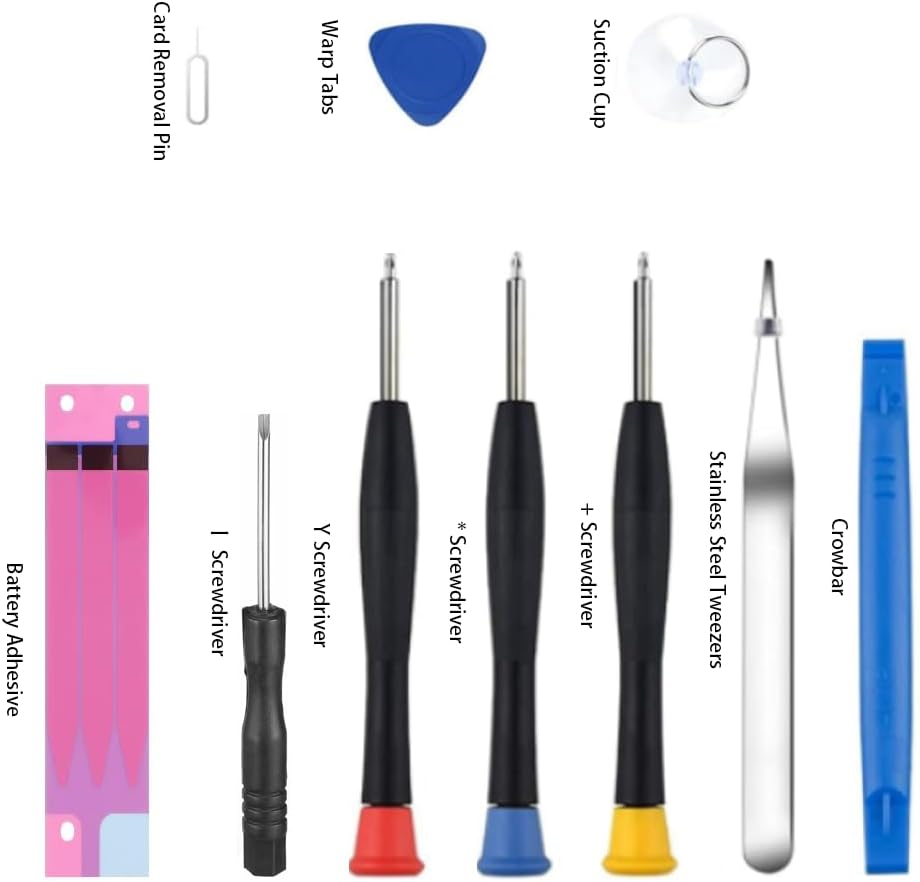
- Professional Repair Tool Kit, which typically includes:
- Screwdrivers (various types)
- Suction Cup
- Pry Tools (e.g., crowbar, warp tabs)
- Tweezers
- Card Removal Pin
- Battery Adhesive
4. Safety Information and Warnings
Your Svenirven replacement battery incorporates advanced lithium-ion technology with multiple safety features. However, it is crucial to follow all safety guidelines to prevent damage or injury.
- Over-charging Protection: Prevents the battery from being charged beyond its capacity.
- Over-discharging Protection: Protects the battery from being drained too low, which can cause damage.
- Short-circuit Protection: Safeguards against electrical shorts.
- Over-heating Protection: Monitors and prevents the battery from reaching unsafe temperatures.

General Warnings:
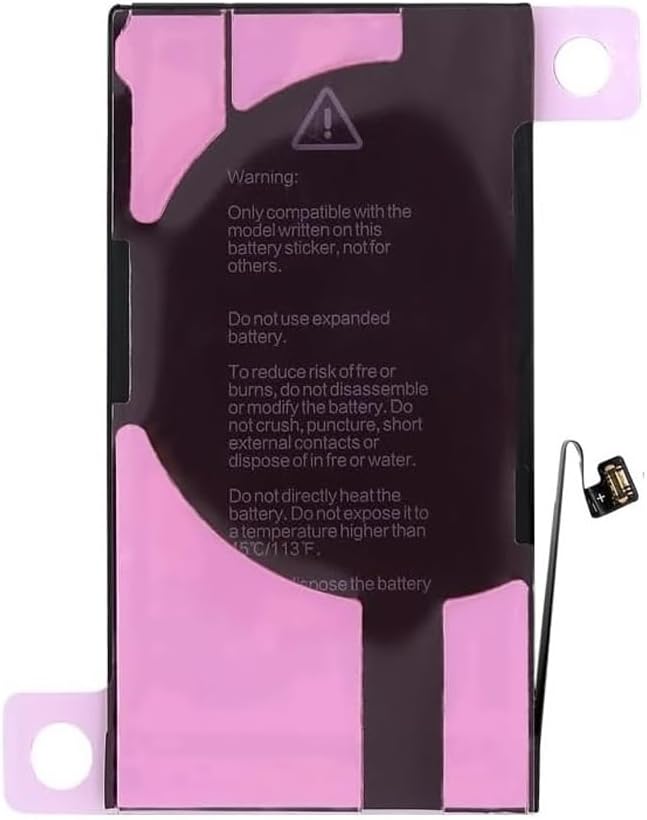
- This battery is only compatible with the model written on its sticker. Do not use for other models.
- Do not use an expanded battery.
- To reduce risk of fire or burns, do not disassemble or modify the battery.
- Do not crush, puncture, short external contacts, or dispose of in fire or water.
- Do not directly heat the battery. Do not expose it to a temperature higher than 45°C / 113°F.
- Only authorized service providers should handle battery replacement. Potential for fire or burning if mishandled.
5. Setup (Installation)
Battery replacement for iPhone models requires careful attention and specific tools. It is recommended that this procedure be performed by individuals with experience in electronics repair or by following detailed video tutorials.
- Preparation: Power off your iPhone completely. Ensure you are working in a clean, well-lit, and static-free environment. Gather all tools from the provided kit.
- Disassembly: Carefully remove the two pentalobe screws at the bottom edge of the iPhone. Use the suction cup and pry tools to gently separate the display assembly from the phone body. Be cautious of internal cables.
- Disconnect Battery: Once the display is safely opened, disconnect the old battery's flex cable from the logic board. This is a critical step to prevent short circuits.
- Remove Old Battery: Carefully remove the adhesive strips holding the old battery in place. Use a pry tool if necessary, but avoid bending or puncturing the old battery.
- Install New Battery: Apply the new battery adhesive strips to the back of the new Svenirven battery. Position the new battery correctly in the phone's chassis.
- Connect New Battery: Connect the new battery's flex cable to the logic board.
- Reassembly: Carefully reattach the display assembly, ensuring all cables are properly connected and seated. Secure the pentalobe screws at the bottom.
- Initial Charge: After reassembly, connect your iPhone to a charger and allow it to charge fully before powering it on.
For a visual guide, it is highly recommended to search for "iPhone 12 battery replacement tutorial" or "iPhone 12 Pro battery replacement tutorial" on platforms like YouTube. These videos provide step-by-step visual instructions that complement this written guide.
6. Operating (Usage)
Once installed, your Svenirven replacement battery is designed to provide reliable and long-lasting power for your iPhone 12 or iPhone 12 Pro. It utilizes advanced lithium-ion technology to ensure consistent performance and extended usage time, reducing the need for frequent charging.

First Use: After installation, fully charge the battery to 100% before its first use. This helps calibrate the battery and optimize its performance.
Charging: Use a certified charger and cable for optimal charging. Avoid using damaged or non-compliant charging accessories.
7. Maintenance
Proper maintenance can extend the lifespan and performance of your Svenirven battery.
- Avoid Extreme Temperatures: Do not expose your phone to very high or very low temperatures, as this can degrade battery health.
- Optimal Charging Habits: While modern batteries are smart, try to keep your battery charge between 20% and 80% for long-term health. Avoid consistently draining it to 0% or keeping it at 100% for extended periods.
- Software Updates: Keep your iPhone's operating system updated, as software optimizations can improve battery efficiency.
- Storage: If storing the phone for an extended period, charge the battery to about 50% before storage.
8. Troubleshooting
If you encounter issues after replacing your battery, consider the following troubleshooting steps:
- Battery Not Charging / Phone Not Powering On:
- Double-check all internal connections, especially the battery flex cable to the logic board. A loose connection is a common cause.
- Ensure the charging cable and adapter are functional and certified.
- Perform a force restart on your iPhone (specific steps vary by model, typically involves pressing volume up, then volume down, then holding the side button).
- Rapid Battery Drain:
- Verify that the battery is fully seated and connected.
- Check for background app activity or excessive usage by certain apps in your iPhone's Battery settings.
- Ensure your iPhone's software is up to date.
- Battery Percentage Inaccurate:
- Fully charge the battery to 100%, then let it drain completely until the phone shuts off. Recharge it to 100% without interruption. This can help recalibrate the battery.
- Phone Overheating:
- If the phone overheats significantly, power it off immediately. Re-check the battery installation for any signs of damage or improper seating.
- Avoid using the phone while charging, especially for demanding tasks.
If these steps do not resolve the issue, please contact Svenirven customer support for further assistance.
9. Specifications
| Feature | Detail |
|---|---|
| Model Number | EB-BG900BBC |
| Compatibility | iPhone 12 / iPhone 12 Pro (A2403, A2172, A2402, A2404, A2407, A2341, A2406, A2408) |
| Battery Type | Rechargeable Lithium-ion |
| Rated Voltage | 3.83V |
| Capacity | 2815mAh |
| Energy | 10.78Wh |
| Item Weight | 0.32 ounces |
| Safety Certifications | CE, TIS 2217-2548 |

10. Warranty and Support
Svenirven provides a comprehensive service guarantee for your battery replacement. If you encounter any problems or have questions regarding installation, operation, or after-sales support, please do not hesitate to contact us.
Our customer support team is available to assist you with:
- Installation guidance
- Troubleshooting assistance
- Product inquiries
- Warranty claims
Please refer to your purchase documentation or the Svenirven official website for specific contact information and warranty terms.