
Introduction
This manual provides essential instructions for the safe and efficient use of your XSPLENDOR 5000mAh replacement battery, Model CS-YFA800PW. This battery is designed for various Yard Force robotic lawn mower models. Please read this manual thoroughly before installation and operation to ensure proper function and longevity of your battery.

Image 1: The XSPLENDOR 5000mAh replacement battery (Model CS-YFA800PW) shown alongside a compatible Yard Force robotic lawn mower.
Important Safety Instructions
Always follow these safety precautions to prevent injury or damage to the battery and equipment.
- Do not attempt to disassemble, open, or service the battery pack. Unauthorized tampering can lead to severe injury and voids the warranty.
- Replace only with the battery pack designated for this product. Using incompatible batteries may cause fire, explosion, or other hazards.
- Do not crush, puncture, short external contacts, or dispose of in fire or water. These actions can cause the battery to overheat, explode, or leak.
- Do not store above 60°C (140°F). High temperatures can degrade battery performance and pose a safety risk.
- New battery packs must be fully charged before use. Refer to the charging instructions in your lawn mower's manual.
- Keep the battery away from children and pets.
- If the battery leaks, avoid contact with skin and eyes. In case of contact, rinse immediately with plenty of water and seek medical advice.

Image 2: A detailed view of the battery label, showing model number CS-YFA800PW, part numbers, rating (28.0VDC, 5000mAh, 140.00Wh), and critical safety warnings. The label also indicates "Made in China" and a link to cameronsino.com.
Setup and Installation
This section guides you through the proper installation of your replacement battery into your compatible Yard Force robotic lawn mower.
Before Installation:
- Ensure the robotic lawn mower is turned off and disconnected from its charging station.
- Wear appropriate safety gear, such as gloves, if necessary.
- Locate the battery compartment on your specific Yard Force robotic lawn mower model. Refer to your mower's original user manual for exact location and access instructions.
Installation Steps:
- Carefully open the battery compartment cover on your robotic lawn mower. This may require a screwdriver depending on the model.
- If replacing an old battery, gently disconnect the old battery from its connector and remove it from the compartment. Dispose of old batteries responsibly according to local regulations.
- Align the new XSPLENDOR battery (Model CS-YFA800PW) with the battery compartment. Ensure the connectors on the battery match the connectors in the mower.
- Firmly connect the battery to the mower's power connector. Ensure a secure fit.
- Place the battery securely within the compartment. Do not force it if it does not fit; recheck alignment.
- Close and secure the battery compartment cover.
- After installation, place the robotic lawn mower on its charging station to fully charge the new battery before its first use.
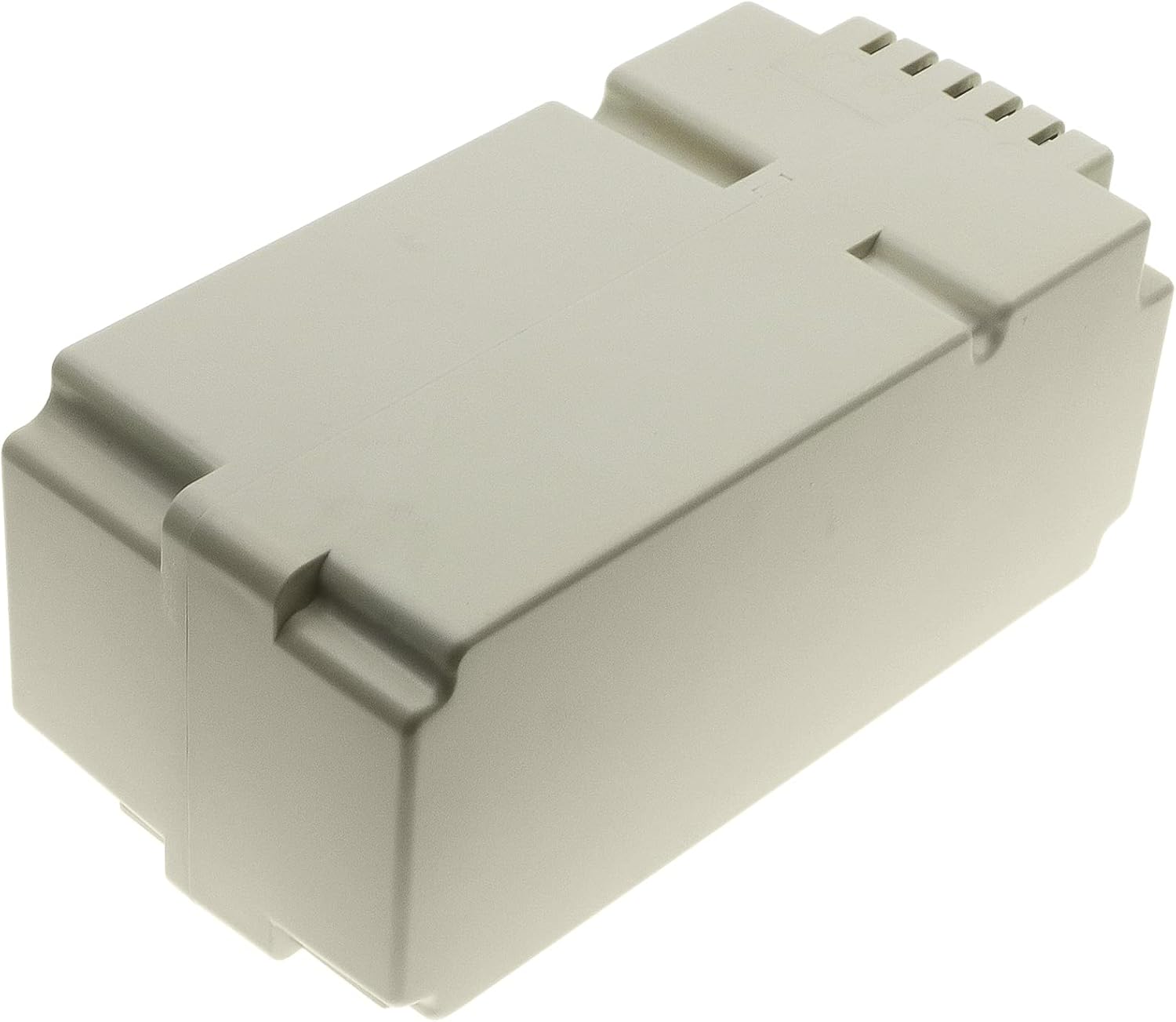
Image 3: A side profile of the XSPLENDOR 5000mAh replacement battery, highlighting its physical dimensions and connector interface for proper installation.
Operation
This battery is designed to power your Yard Force robotic lawn mower. Its operation is integrated with the mower's system.
Charging the Battery:
- Always charge the battery using the original charging station and power adapter provided with your Yard Force robotic lawn mower.
- Ensure the mower is correctly docked on the charging station. The charging indicator on the mower or station should confirm charging is in progress.
- Allow the battery to fully charge before the first use and after each mowing cycle for optimal performance and battery life.
- Do not interrupt the charging cycle unnecessarily.
Discharging and Usage:
- The battery will discharge during the robotic lawn mower's operation.
- The mower's system will automatically return to the charging station when the battery level is low.
- Avoid completely draining the battery whenever possible, as this can reduce its overall lifespan.
Maintenance and Storage
Proper maintenance and storage are crucial for extending the life of your XSPLENDOR replacement battery.
General Maintenance:
- Keep the battery contacts clean and free from dirt or debris. Use a dry cloth to wipe them if necessary.
- Regularly inspect the battery for any signs of damage, swelling, or leakage. If any issues are observed, discontinue use immediately and contact support.
Storage:
- If storing the battery for an extended period (e.g., during winter), ensure it is charged to approximately 50-60% capacity.
- Store the battery in a cool, dry place, away from direct sunlight, extreme temperatures, and moisture. The ideal storage temperature is between 0°C and 20°C (32°F and 68°F).
- Avoid storing the battery fully charged or completely discharged for long periods.
- For very long storage periods, it is recommended to periodically check the charge level and recharge to 50-60% every few months.
Troubleshooting
If you encounter issues with your XSPLENDOR replacement battery, refer to the following common problems and solutions.
| Problem | Possible Cause | Solution |
|---|---|---|
| Battery not charging |
|
|
| Short operating time |
|
|
| Mower not starting |
|
|
For problems not listed here, or if the suggested solutions do not resolve the issue, please refer to your Yard Force robotic lawn mower's original user manual or contact XSPLENDOR customer support.
Specifications
| Feature | Detail |
|---|---|
| Model Number | CS-YFA800PW |
| Brand | XSPLENDOR |
| Battery Type | Lithium Polymer (Li-ion) |
| Voltage | 28.0 V |
| Capacity | 5000 mAh / 140.00 Wh |
| Dimensions (L x W x H) | Approximately 150.60 x 74.40 x 65.30 mm (5.93 x 2.93 x 2.57 inches) |
| Weight | Approximately 50 Grams (Note: This weight appears unusually low for the battery's capacity and voltage, please verify with product packaging if concerned.) |
| Reusability | Yes |
| Compatible Part Numbers | 862622, 862621, 862617, 862618, DYMA113, 862615 |
| Recommended Use | Indoor/Outdoor (for robotic lawn mower) |
Warranty and Support
XSPLENDOR is committed to providing high-quality products. For warranty information and customer support, please refer to the documentation included with your purchase or contact your retailer.
Important: The warranty may be void if the battery label is removed or if the battery is disassembled or serviced by unauthorized personnel. Always follow the safety and usage instructions provided in this manual.
For further assistance, you may also visit the manufacturer's website or contact their customer service department. Please have your product model number (CS-YFA800PW) and purchase details ready when contacting support.