
1. Introduction
This manual provides detailed instructions for the installation, operation, and maintenance of your Hodozzy 2G+64G Android 15 1 DIN Retractable Screen Car Stereo. Please read this manual thoroughly before using the product to ensure proper function and safety. This car stereo features an Android 15 operating system, 2GB RAM, 64GB ROM, a 7-inch retractable touchscreen, wireless CarPlay and Android Auto, GPS navigation, Wi-Fi, Bluetooth, FM/RDS radio, DSP, and split-screen functionality.
2. Safety Information
- Professional Installation Recommended: Due to the complexity of car electrical systems, professional installation is highly recommended to prevent damage to the unit or your vehicle.
- Power Supply: Ensure the car stereo is connected to a 12V DC power supply with a negative ground. Incorrect voltage can cause damage.
- Wiring: Connect all wires correctly according to the wiring diagram. Incorrect wiring can lead to malfunctions or electrical hazards.
- Driving Safety: Do not operate the unit in a way that distracts you from driving. Always prioritize road safety.
- Temperature: Avoid exposing the unit to extreme temperatures or direct sunlight for prolonged periods.
- Moisture: Keep the unit away from water and excessive moisture to prevent electrical shock or damage.
- Cleaning: Use a soft, dry cloth for cleaning. Avoid abrasive cleaners or solvents.
3. Package Contents
Verify that all items are present in the package:
- 1 x Android Player (Main Unit)
- 1 x Reversing Camera
- 1 x Microphone
- 1 x Power Cable
- 1 x USB Cable
- 1 x GPS Antenna
- 1 x Rear Camera Cable
- 1 x RCA Cable
- 1 x User Manual
- 2 x Mounting Brackets
- 1 x Radio Antenna
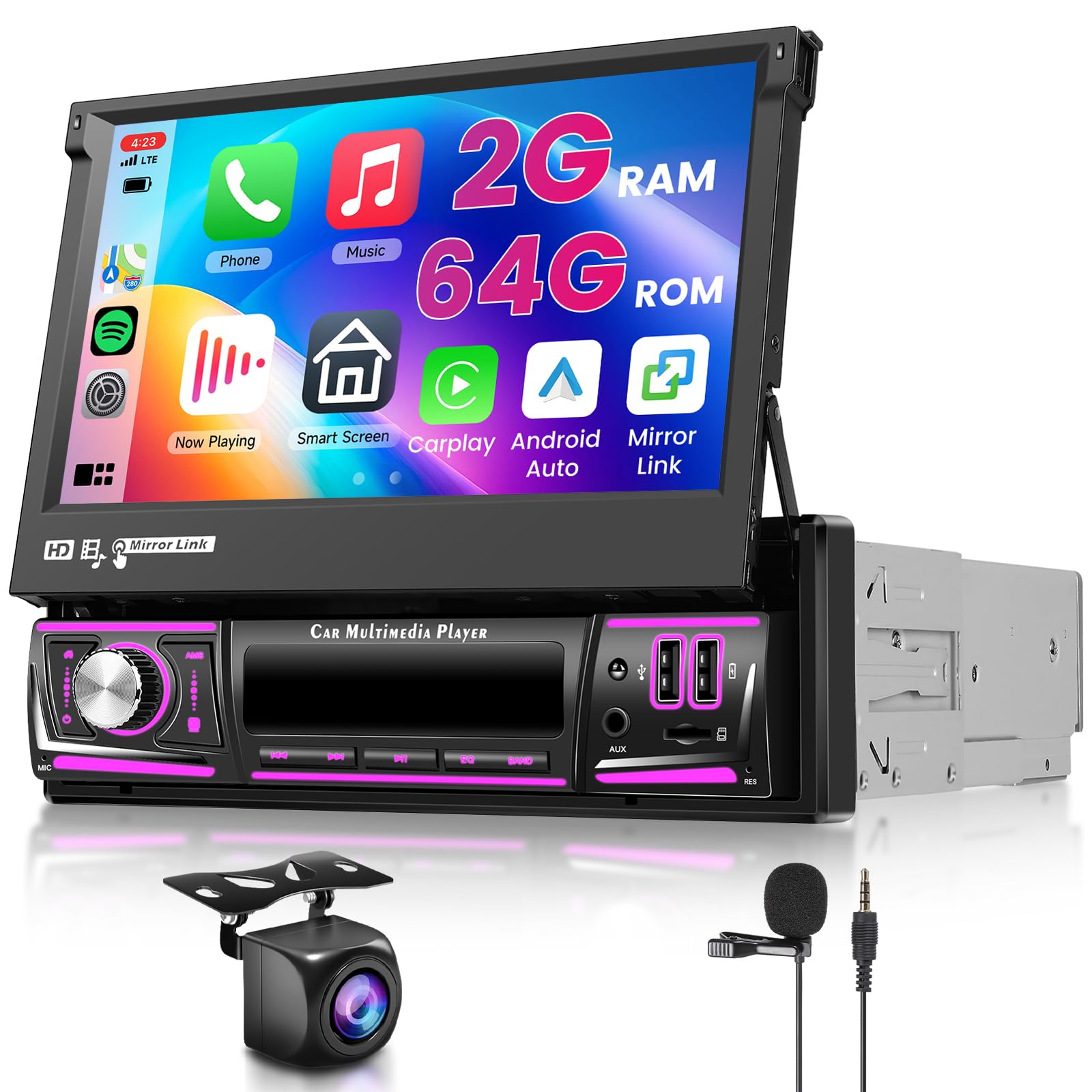
Image: The Hodozzy 1 DIN car stereo main unit with its 7-inch retractable screen, alongside all included accessories: power cable, rear camera input cable, RCA cable, 6-pin USB cable, mounting brackets, radio antenna, GPS antenna, user manual, camera, and microphone. Dimensions of the unit are also shown.
4. Specifications
| Feature | Detail |
|---|---|
| Screen Material | IPS |
| System | Android 15 |
| Chipset | MT8163 |
| Screen Size | 7 inches |
| Memory | 2GB (RAM) + 64GB (ROM) |
| Screen Resolution | 1024*600 |
| Radio Chip | MT6625LN |
| Output Power | 4*45W |
| Bluetooth Version | 4.1 |
| Operating Temperature | -20℃ to 75℃ |
| Wireless Carplay & Android Auto | Supported |
| Mirror Link | Supported |
| Steering Wheel Control Function | Supported |
| GPS | Supported (Built-in offline maps, requires internet for data download) |
| WIFI | Supported |
| Power Amplifier Chip | YD7388 |
| Radio Band | FM/RDS |
| Reversing Input | AHD/CVBS |
| External Microphone | Supported |
| Split Screen | Supported |
| USB | Dual USB interface |
| Audio Format | APE/FLAC/WAV/MP3/WMA etc. |
| Video Format | MKV/RMVB/AVI/MP4/MDV etc. |
| Image Format | PNG/JPEG/JPG/GIF/WBMP/BNP etc. |
| Factory Setting Keyword | 000000 |
| Supported Languages | Chinese/English/French/Italian/Korean/Japanese/Arabic/Spanish/Portuguese/Russian/Turkish/Vietnamese/Hebrew/Polish/German/Romanian etc. |
| Weight | 1.2 Kilograms |
5. Installation Guide
5.1. Pre-Installation Checks
- Ensure the vehicle's battery is disconnected before starting installation.
- Confirm the vehicle's dashboard opening is a standard 1 DIN size.
- Review the wiring diagram carefully before making any connections.
5.2. Wiring Connections
Connect the power cable, speaker wires, and other accessory cables according to the provided wiring diagram. Ensure all connections are secure to prevent short circuits or poor performance.
- Power Cable: Connect the yellow wire to the constant 12V supply, the red wire to the accessory 12V supply (switched with ignition), and the black wire to ground.
- Speaker Wires: Connect the corresponding speaker wires to your vehicle's speakers, ensuring correct polarity.
- GPS Antenna: Mount the GPS antenna in a location with a clear view of the sky, typically on the dashboard or under the windshield.
- Radio Antenna: Connect the radio antenna for FM/RDS reception.
- Rear Camera: Connect the rear camera cable to the designated input. Ensure the reverse trigger wire is connected to the vehicle's reverse light circuit.
- External Microphone: Plug in the external microphone for improved call quality.
- USB Cables: Utilize the dual USB interfaces for media playback or charging devices.
5.3. Unit Mounting
Secure the main unit into the 1 DIN slot using the provided mounting brackets. Ensure the unit is firmly in place and does not obstruct any vehicle controls.
5.4. Manual Screen Retraction
The 7-inch screen can be manually retracted and adjusted for angle. This feature allows for space-saving when the screen is not in use or for optimal viewing angles.
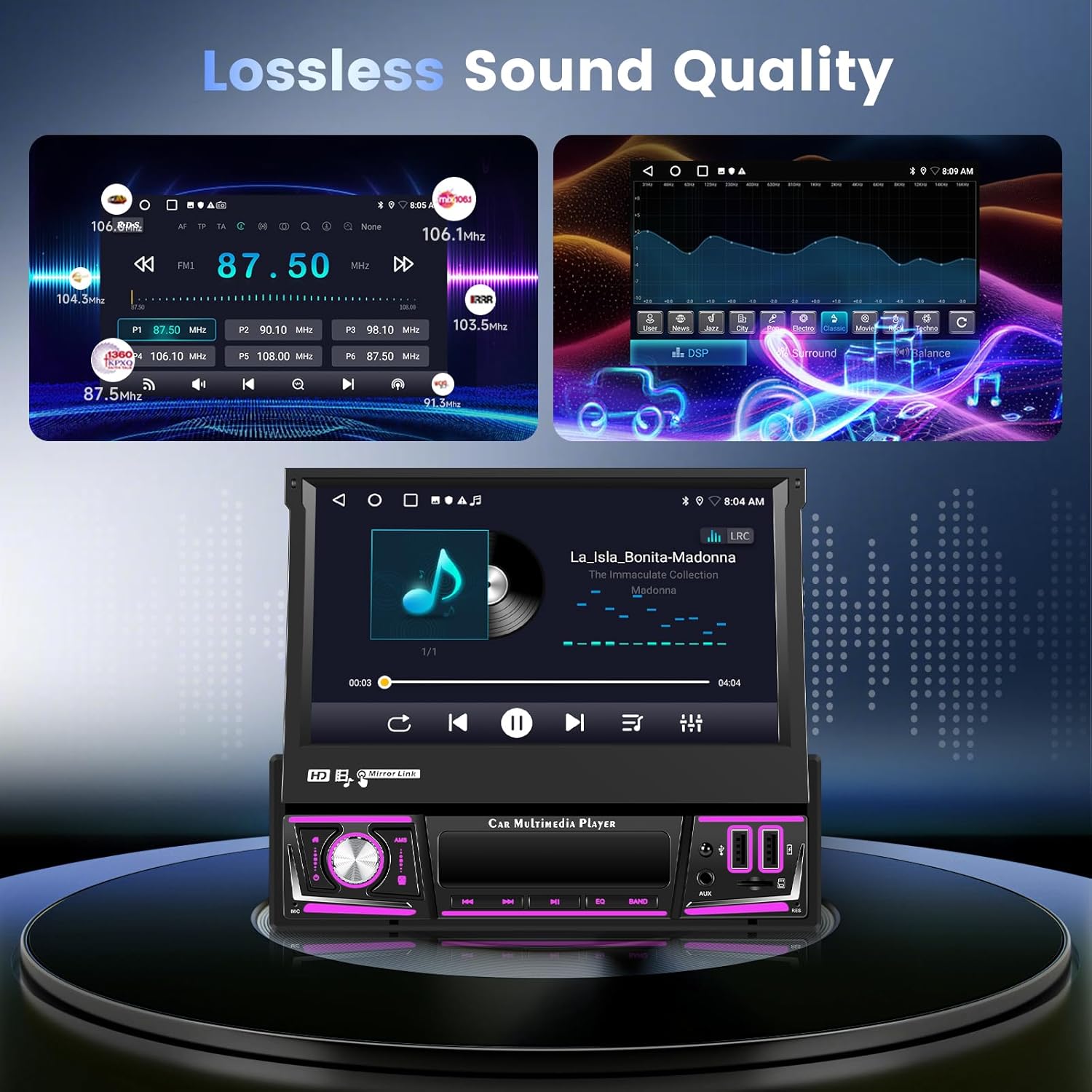
Image: A diagram illustrating the three steps for manual retraction of the 7-inch screen on the Hodozzy 1 DIN car stereo. The screen folds down and slides into the unit, showing how it can be collapsed to save space.
6. Operating Instructions
6.1. Basic Controls
The unit features a 7-inch touchscreen and physical buttons for essential functions. Refer to the image below for button identification.
Image: The front panel of the Hodozzy 1 DIN car stereo, highlighting controls such as Power, Home, Microphone, Off Screen, AMS, EQ, Band, AUX, SD Slot, USB Port, RES, and USB Charging Port.
- Power Button: Press to turn the unit on/off.
- Volume Knob: Rotate to adjust volume. Press to mute/unmute.
- Home Button: Returns to the main Android home screen.
- Off Screen Button: Turns off the display while audio continues.
- EQ Button: Accesses equalizer settings for sound customization.
6.2. Wireless CarPlay and Android Auto
Connect your smartphone wirelessly to access CarPlay (for iPhone) or Android Auto (for Android phones). This allows for seamless integration of navigation, music, calls, and messages directly on the car stereo screen.

Image: The Hodozzy car stereo display showing both CarPlay and Android Auto interfaces, along with icons for WiFi, USB, GPS Navigation, Online Music, Hands-free Calling, and Voice Control. A smartphone is shown mirroring its screen to the car stereo.
6.3. Mirror Link
The Mirror Link function allows you to mirror your smartphone's screen directly onto the car stereo display. This is compatible with a wide range of devices.
6.4. GPS Navigation and Wi-Fi
The unit comes with built-in GPS for precise navigation. Offline maps are pre-installed, but an internet connection (via Wi-Fi) is required to download map data updates or stream online content.
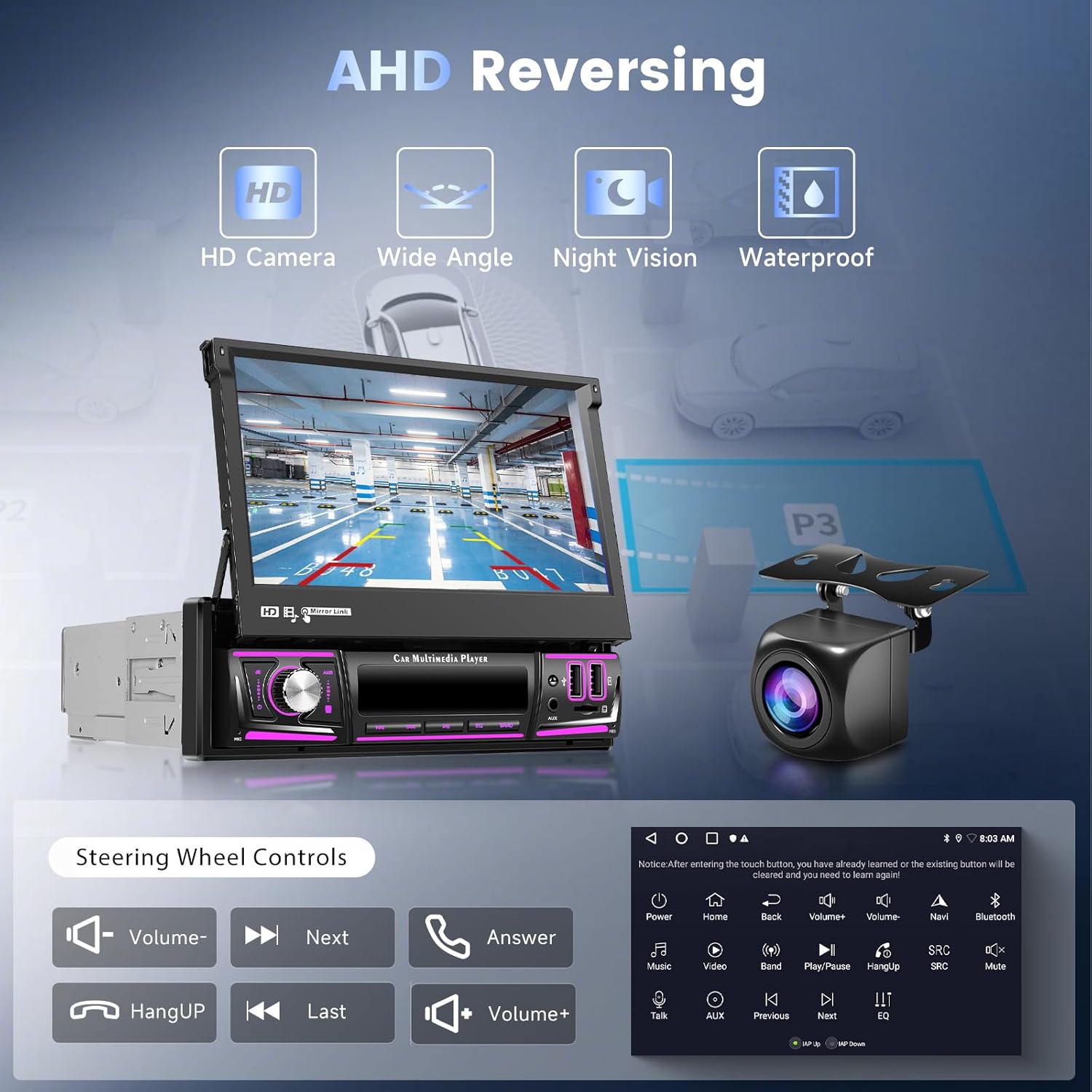
Image: The Hodozzy car stereo displaying a navigation map, with icons for various apps like Spotify and YouTube. The image highlights 2GB+64GB memory, online map capabilities, and the ability to download apps and play videos online via Wi-Fi.
6.5. FM/RDS Radio and DSP
Tune into FM radio stations with RDS (Radio Data System) for station information. The integrated DSP (Digital Signal Processor) and lossless music playback technology enhance audio quality, providing a superior listening experience.
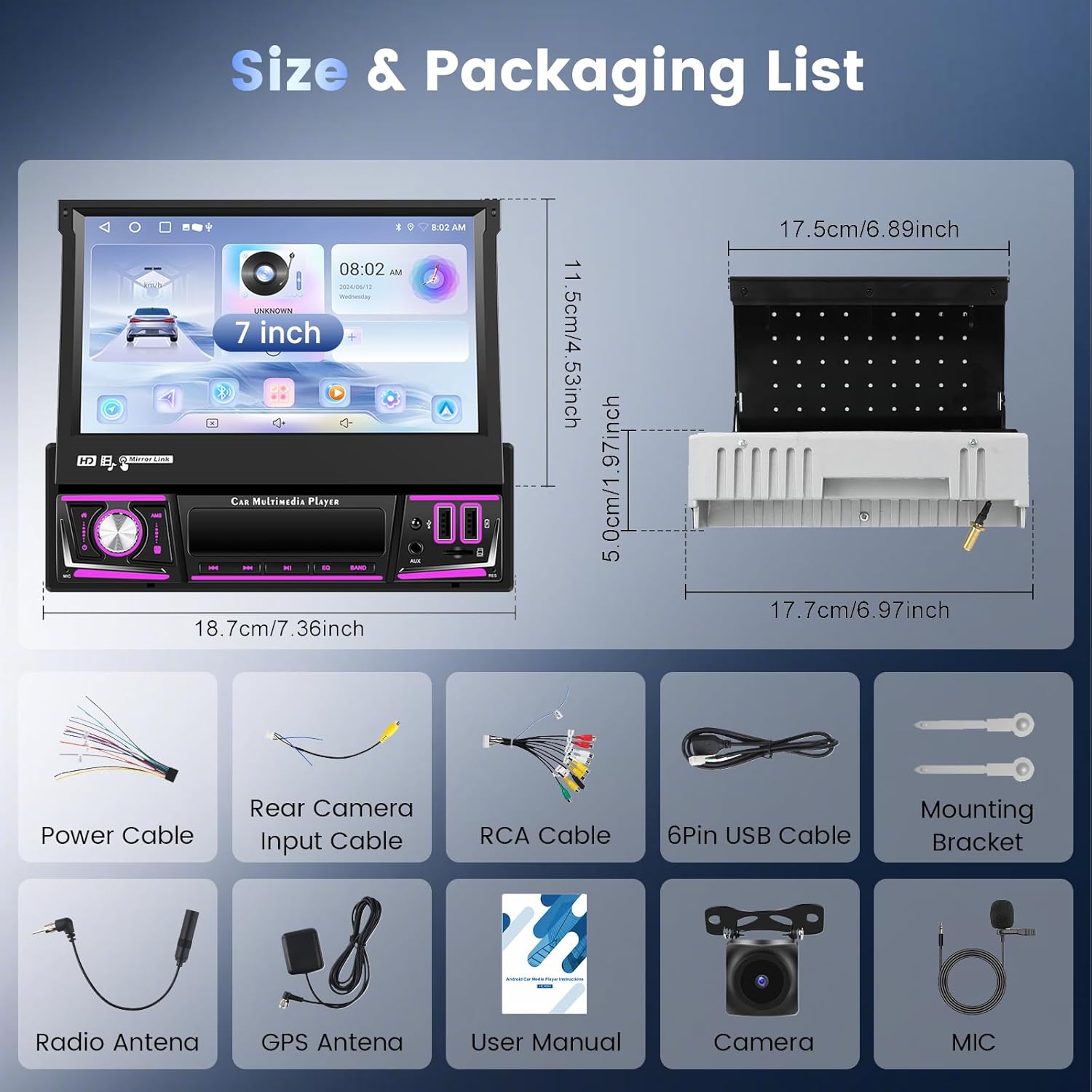
Image: The Hodozzy car stereo displaying FM radio tuning interface and a graphic equalizer (DSP) for sound customization. A music playback screen is also shown, emphasizing lossless sound quality.
6.6. Bluetooth Connectivity
Connect your phone via Bluetooth for hands-free calling and wireless audio streaming. This allows you to make and receive calls safely while driving and enjoy your music library without cables.
6.7. Split Screen Functionality
The split-screen feature allows you to run two applications simultaneously on the 7-inch display, for example, navigation on one side and music playback on the other.
6.8. Steering Wheel Controls
The unit supports steering wheel controls, allowing you to manage media playback, volume, and calls without taking your hands off the wheel. Configuration may be required in the system settings.

Image: The Hodozzy car stereo displaying a rear camera view (AHD Reversing) and a separate panel showing icons for steering wheel controls, including volume up/down, next/previous track, answer/hang up calls.
6.9. AHD Reversing Camera
When the vehicle is put into reverse, the unit automatically displays the feed from the connected AHD reversing camera, providing a clear, wide-angle view with night vision and waterproof capabilities for safer parking and maneuvering.
7. Maintenance
- Screen Cleaning: Use a soft, lint-free cloth to gently wipe the touchscreen. For stubborn smudges, slightly dampen the cloth with water or a screen-safe cleaner. Avoid harsh chemicals.
- Software Updates: Periodically check for software updates through the system settings or the manufacturer's website to ensure optimal performance and access to new features.
- General Care: Keep the unit free from dust and debris. Ensure proper ventilation around the unit to prevent overheating.
8. Troubleshooting
| Problem | Possible Cause | Solution |
|---|---|---|
| Unit does not power on. | Incorrect wiring; Blown fuse; Insufficient power supply. | Check power connections (yellow, red, black wires). Inspect vehicle fuses. Ensure 12V DC power. |
| No sound. | Volume muted; Incorrect speaker wiring; Amplifier issue. | Check volume level and mute status. Verify speaker connections. Consult a professional if amplifier is suspected. |
| GPS signal lost or inaccurate. | GPS antenna obstructed or improperly installed. | Ensure GPS antenna has a clear view of the sky. Check antenna connection. |
| Bluetooth connection issues. | Device not in pairing mode; Interference; Unit's Bluetooth off. | Ensure Bluetooth is enabled on both devices. Put phone in pairing mode. Restart both devices. |
| Rear camera not displaying. | Camera not connected; Reverse trigger wire not connected; Faulty camera. | Check rear camera cable connection. Verify reverse trigger wire connection. Test camera if possible. |
| Touchscreen unresponsive. | System freeze; Calibration issue. | Perform a soft reset (refer to manual for specific method, usually a small reset button). If persistent, factory reset may be needed (data loss). |
For issues not listed here, please contact customer support.
9. Warranty and Customer Support
Your Hodozzy car stereo comes with a 2-year warranty. For any product-related inquiries, technical assistance, or warranty claims, please contact our customer support team.
- Customer Service Email: hodozzyofficial@163.com
- Response Time: Expect a response within 18 hours.
- Return Policy: 60 days return period.
- Support: Lifetime support is provided.

Image: An infographic detailing Hodozzy's customer support, including 18-hour response time, 60-day return policy, 2-year replacement/warranty, and lifetime support. The customer service email is also displayed.