1. Introduction
The TaiLaiEra DP102-HD is a DisplayPort to HDMI DisplayPort splitter adapter designed to expand your display capabilities. It allows you to connect a single DisplayPort source to two monitors, one via DisplayPort and one via HDMI, supporting resolutions up to 4K@60Hz. This device supports both Extended (MST) and Mirror (SST) modes, enhancing productivity for various applications including schools, conference rooms, and retail environments.
2. Package Contents
Please verify that all items are present in your package:
- 1 x TaiLaiEra DP102-HD MST-Splitter
- 1 x USB-C Power Cable (0.8M)
- 1 x User Manual

Image: Package contents and device dimensions.
3. Product Overview
The TaiLaiEra DP102-HD splitter features a compact design with clearly labeled ports for easy connection.

Image: Front view of the splitter with input and output cables connected.
- DP-INPUT: Connects to your source device (PC, laptop) via a DisplayPort cable.
- DC/5V (USB-C): Power input for the splitter. A USB-C power cable is included.
- DP-OUT1: Connects to your first monitor via a DisplayPort cable.
- HD-OUT2: Connects to your second monitor via an HDMI cable.

Image: Side view of the splitter showing output ports.
4. Setup Instructions
Follow these steps to set up your TaiLaiEra DP102-HD splitter:
- Power Connection: Connect the included USB-C power cable to the DC/5V port on the splitter and to a 5V power source (e.g., a USB wall adapter or a USB port on your computer). Ensure the splitter is powered on.
- Source Connection: Connect your PC, laptop, or graphics card's DisplayPort output to the DP-INPUT port on the splitter using a DisplayPort cable (not included).
- Monitor Connections:
- Connect your first monitor to the DP-OUT1 port on the splitter using a DisplayPort cable (not included).
- Connect your second monitor to the HD-OUT2 port on the splitter using an HDMI cable (not included).
- Display Configuration: Once all connections are made, your operating system should detect the connected monitors. You can then configure your display settings for Mirror or Extended mode as desired.
Important Notes:
- This device is plug-and-play; no driver installation is required.
- Do not connect this splitter to other DisplayPort docks or hubs.
- The use of a KVM switch, converter head, or similar devices with this splitter is not supported.

Image: Connection diagram for the DP102-HD splitter.
5. Operating Modes
The TaiLaiEra DP102-HD splitter supports two primary display modes:
5.1. Mirror Mode (SST)
In Mirror Mode (Single Stream Transport), both connected monitors display the exact same content from your source device. This is useful for presentations or sharing content across multiple screens.

Image: Two monitors displaying identical content in Mirror Mode.
5.2. Extended Mode (MST)
In Extended Mode (Multi-Stream Transport), each connected monitor can display different content, effectively extending your desktop workspace. This allows for multitasking and increased productivity.

Image: Two monitors displaying different content in Extended Mode.
Operating System Specifics:
- Windows OS supports both MST (Extended Mode) and SST (Mirror Mode).
- macOS only supports SST (Mirror Mode).
- Most laptops and PCs with integrated graphics may only be able to mirror the screen (SST) or expand to only one additional monitor.
6. Compatibility
The TaiLaiEra DP102-HD splitter offers broad compatibility with various operating systems and devices:
- Operating Systems: Windows, macOS (Mirror Mode only), Linux, Chrome OS.
- Compatible Devices: Laptops, Desktop Personal Computers, Monitors.
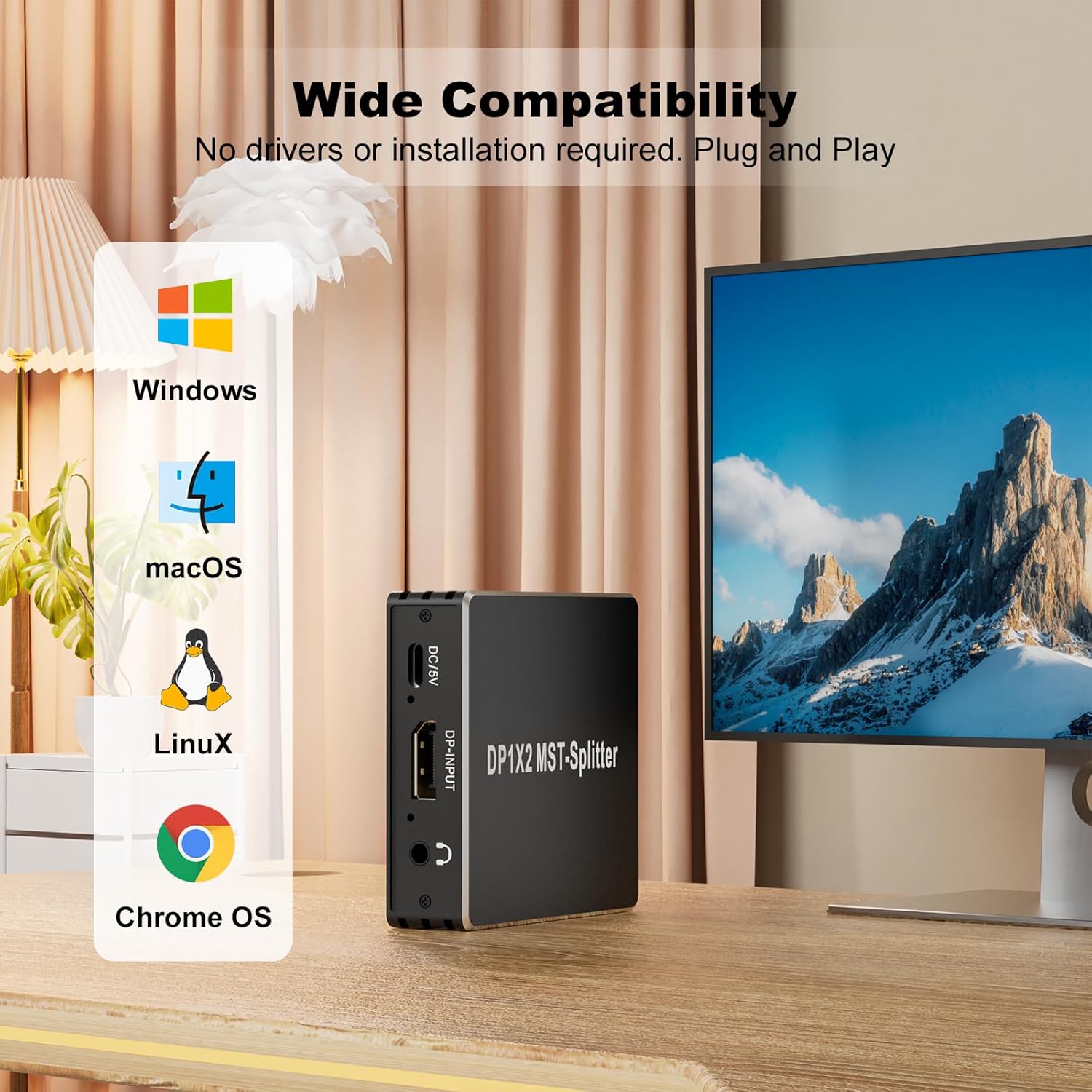
Image: Compatibility with various operating systems.
7. Specifications
Technical specifications for the TaiLaiEra DP102-HD splitter:
| Feature | Specification |
|---|---|
| Model Number | DP102-HD |
| Input Port | 1 x DisplayPort 1.4 |
| Output Ports | 1 x DisplayPort, 1 x HDMI 2.0 |
| Max Resolution | 4K@60Hz |
| Data Transfer Rate | DP: Up to 32.4Gbps (8.1Gbps/4 channel), HDMI: Up to 18Gbps |
| Supported Modes | MST (Extended), SST (Mirror) |
| HDR Support | HDR10 |
| HDCP Compliance | HDCP 2.3 |
| Power Input | DC 5V (via USB-C) |
| Product Dimensions | 3.1 x 2.8 x 0.8 inches |
| Item Weight | 3.84 ounces |
| Color | Black |

Image: Visual representation of 4K@60Hz resolution.
8. Troubleshooting
If you encounter issues with your TaiLaiEra DP102-HD splitter, please refer to the following common problems and solutions:
- No Display or Incorrect Resolution:
- Ensure the splitter is properly powered using the included USB-C cable and a 5V power source.
- Verify that all DisplayPort and HDMI cables are securely connected and are of high quality, supporting 4K@60Hz.
- Check your computer's display settings to ensure the correct resolution and refresh rate are selected for each monitor.
- Confirm that your source device (PC/laptop) and monitors support 4K@60Hz.
- Only Mirror Mode Available (No Extended Mode):
- If using macOS, only Mirror Mode (SST) is supported. Extended Mode (MST) is not available on macOS.
- Laptops and PCs with integrated graphics may have limitations and might only support Mirror Mode or expansion to a single additional monitor.
- Ensure your graphics card drivers are up to date.
- Signal Degradation or Flickering:
- Use high-quality, certified DisplayPort and HDMI cables. Longer cables may require active signal amplification.
- Ensure the splitter is receiving adequate power.
- Device Not Recognized:
- Restart your computer after connecting the splitter and monitors.
- Ensure the DisplayPort cable from your source to the splitter is firmly connected.
9. Maintenance
To ensure the longevity and optimal performance of your TaiLaiEra DP102-HD splitter, follow these maintenance guidelines:
- Keep the device in a cool, dry place, away from direct sunlight and extreme temperatures.
- Avoid exposing the splitter to water or excessive moisture.
- Clean the device with a soft, dry cloth. Do not use liquid cleaners or aerosols.
- Handle cables and connectors gently to prevent damage.
10. Warranty and Support
TaiLaiEra provides a 1-year warranty for this 4K DisplayPort Splitter Adapter. We are committed to delivering high-performance, reliable smart solutions and offer lifetime technical support.
If you encounter any problems or have questions regarding your product, please contact TaiLaiEra customer support. Refer to the contact information provided with your purchase or visit the official TaiLaiEra website for assistance.