
1. Introduction
Thank you for choosing the Monyhigh S48 Wireless Earbuds. These earbuds are designed to provide a high-quality audio experience with advanced features for daily use, sports, and travel. Enjoy immersive Hi-Fi stereo sound, crystal-clear calls with ENC noise cancellation, and a stable Bluetooth 5.4 connection.
2. Package Contents
Please ensure all items are present in your package:
- Monyhigh S48 Wireless Earbuds (Left and Right)
- Charging Case
- USB-C Charging Cable
- Extra Ear Tips (S/M/L sizes)
- English User Manual

Image: The Monyhigh S48 Earbuds package contents, showing the earbuds, charging case, USB-C cable, extra ear tips, and user manual.
3. Product Overview
The Monyhigh S48 earbuds feature an ergonomic design for comfort and stability. The charging case includes a digital LED display to show battery levels in real-time.

Image: The Monyhigh S48 Earbuds charging case displaying battery levels for the case and individual earbuds.

Image: An earbud worn by a user, illustrating the ergonomic design and lightweight nature of the S48 earbuds, along with the included S/M/L ear tips.
4. Setup and Pairing
4.1 Initial Charge
Before first use, fully charge the earbuds and the charging case. Connect the USB-C charging cable to the port on the case and a power source. The LED display will indicate charging progress.
4.2 Power On/Off
The earbuds automatically power on when removed from the charging case and power off when placed back into the case and the lid is closed.
4.3 Bluetooth Pairing
- Open the charging case. The earbuds will automatically power on and enter pairing mode (indicated by a blue light).
- On your device (smartphone, tablet, etc.), enable Bluetooth.
- Search for available devices and select "S48" from the list to connect.
- Once connected, a voice prompt will confirm successful pairing.

Image: Visual guide for one-step auto pairing, illustrating how to connect the S48 earbuds to a mobile device.
5. Operating Instructions (Touch Controls)
The Monyhigh S48 earbuds feature intuitive touch controls for easy management of audio and calls:
| Function | Action (Left/Right Earbud) |
|---|---|
| Play/Pause | Double tap (L/R) |
| Volume Up/Down | Single tap (L for Volume-, R for Volume+) |
| Next Track | Hold for 2 seconds (R) |
| Previous Track | Hold for 2 seconds (L) |
| Answer/Hang Up Call | Double tap (L/R) |
| Reject Call | Hold for 2 seconds (L/R) |
| Activate Voice Assistant | Triple tap (L/R) |

Image: A visual representation of the touch controls available on the S48 earbuds.
6. Features and Performance
6.1 Audio Quality
Experience Hi-Fi stereo sound with 13.4mm dynamic drivers, delivering crisp treble, rich midrange, and deep bass for an immersive music experience.

Image: An exploded view of the earbud's internal components, highlighting the 13.4mm dynamic driver for premium stereo sound.
6.2 Call Quality
Equipped with 4 ENC (Environmental Noise Cancelling) microphones, the S48 earbuds effectively reduce 95% of background noise, ensuring loud and clear calls even in noisy environments.

Image: A user demonstrating the clear call quality of the S48 earbuds with ENC noise cancellation.
6.3 Connectivity and Low Latency
Featuring Bluetooth 5.4, the earbuds offer a stable 15-meter connection and ultra-low latency (≤40ms), ideal for synchronized audio during mobile gaming or video playback.
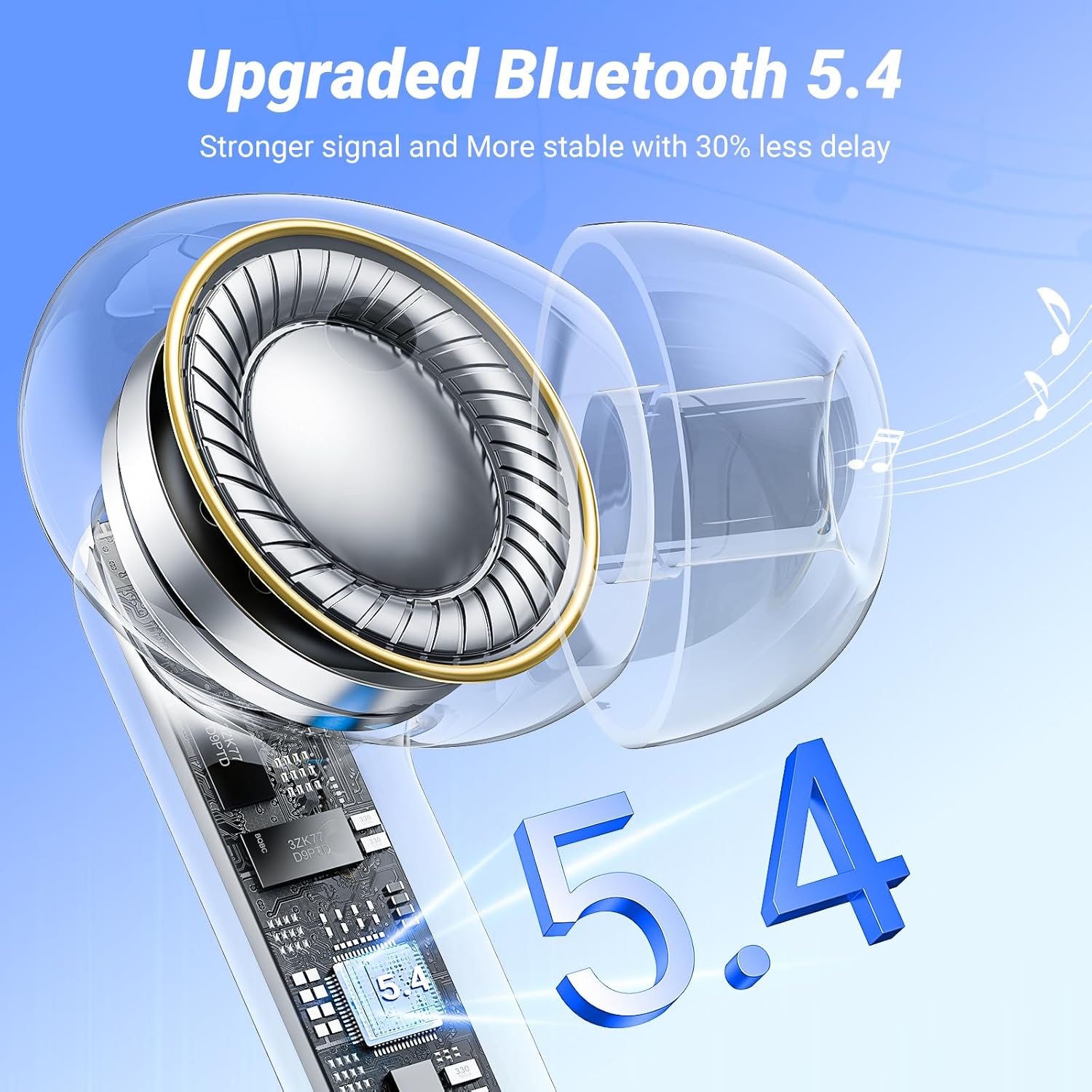
Image: A visual representation of the advanced Bluetooth 5.4 technology for stable and low-latency connectivity.
6.4 Water Resistance
With an IPX7 water resistance rating, the earbuds are protected against heavy sweat and rain, making them suitable for workouts and outdoor activities.
6.5 Battery Life and Display
Enjoy up to 8 hours of continuous playback on a single charge, with a total battery life of up to 42 hours using the charging case. The digital LED screen on the case displays the battery percentage (1%-100%) in real-time.
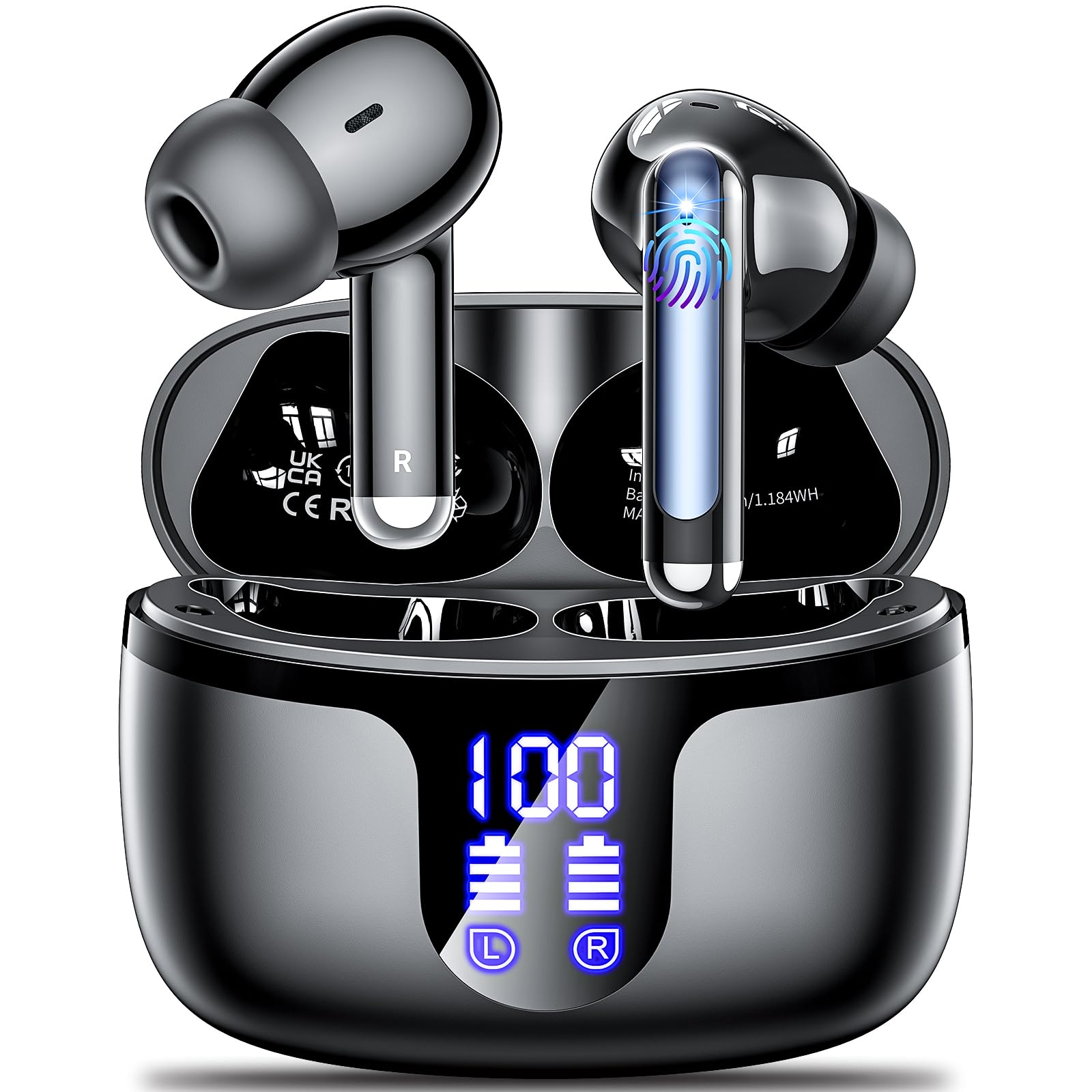
Image: An infographic detailing the 42-hour total battery life and charging capabilities of the S48 earbuds.
7. Specifications
| Feature | Detail |
|---|---|
| Model Name | S48 |
| Connectivity Technology | Wireless (Bluetooth 5.4) |
| Bluetooth Range | 15 Meters |
| Audio Driver Type | Dynamic Driver |
| Noise Control Features | Environmental Noise Cancellation (ENC) |
| Water Resistance Level | IPX7 Waterproof |
| Battery Life (Earbuds) | 8 hours (single charge) |
| Total Battery Life (with Case) | 42 hours |
| Charging Port | USB-C |
| Control Method | Touch, Voice |
| Ear Placement | In Ear |
| Material | Plastic |
| Item Weight | 3.2 ounces |
8. Maintenance and Care
- Clean earbuds and charging contacts regularly with a dry, soft cloth to prevent charging issues.
- Store the earbuds in the charging case when not in use to protect them and conserve battery.
- Avoid extreme temperatures and direct sunlight.
- Do not use abrasive cleaners or immerse the case in water.
9. Troubleshooting
9.1 Earbuds Not Pairing
- Ensure both earbuds are fully charged.
- Place both earbuds back into the charging case, close the lid, then open it again to reactivate pairing mode.
- Turn off and on your device's Bluetooth, then try searching for "S48" again.
9.2 No Sound or Low Volume
- Check the volume level on both your device and the earbuds.
- Ensure earbuds are properly seated in your ears.
- Reconnect the earbuds to your device.
9.3 Charging Issues
- Verify the USB-C cable is securely connected to both the charging case and the power source.
- Clean the charging contacts on the earbuds and inside the case.
- Try using a different USB-C cable or power adapter.
10. Warranty and Support
The Monyhigh S48 Wireless Earbuds come with an 18-month after-sales warranty. For any product-related issues, questions, or support, please refer to the contact information provided in your user manual or visit the official Monyhigh website.