
KOSGHO YC-01
KOSGHO Cordless Robotic Pool Cleaner (Model YC-01) User Manual
Model: YC-01 | Brand: KOSGHO
Introduction
This manual provides essential instructions for the safe and efficient operation, maintenance, and troubleshooting of your KOSGHO Cordless Robotic Pool Cleaner, Model YC-01. Please read this manual thoroughly before using the product and retain it for future reference.
Safety Information
- Ensure the product is fully charged before first use.
- Do not operate the cleaner if the pool water is not at the recommended levels or if there are any visible damages to the unit.
- Keep children and pets away from the pool area when the cleaner is in operation.
- Only use the provided charger and accessories.
- Avoid submerging the charging port in water. Ensure it is dry before charging.
- Do not attempt to open or repair the unit yourself. Contact customer support for assistance.
Package Contents
Verify that all items are present in the package:
- KOSGHO Cordless Robotic Pool Cleaner (Main Unit)
- Charging Adapter
- User Manual
- Retrieval Hook (for use with a standard pool pole, not included)
- Handle Assembly
- Scrapers (pre-installed or to be installed)

Image: The KOSGHO Robotic Pool Cleaner main unit, charging adapter, user manual, retrieval hook, and handle components.
Setup
1. Handle Assembly
- Attach the orange handle to the top of the cleaner using the provided screws. Ensure it is securely fastened.

Image: The KOSGHO Robotic Pool Cleaner with its handle attached, ready for use.
2. Scraper Installation (if not pre-installed)
- Turn the cleaner upside down.
- Locate the slots on the underside of the unit.
- Insert the scrapers into the slots until they click securely into place.

Image: The underside of the cleaner, highlighting the wheels and areas for scraper installation.
3. Charging the Unit
- Ensure the charging port is completely dry before connecting the charger.
- Connect the charging adapter to the cleaner's charging port and then plug it into a standard electrical outlet.
- The indicator light will show charging status (e.g., red for charging, green for fully charged).
- A full charge typically takes approximately 3.5 hours and provides up to 120 minutes of runtime.

Image: The robotic pool cleaner charging next to a pool, illustrating the charging process.
Video: Demonstrates the ease of use and setup of the KOSGHO Cordless Robotic Pool Cleaner, including unboxing and initial placement in the pool.
Operating Instructions
1. Starting the Cleaner
- Once fully charged, locate the power switch on the underside of the unit.
- Press the power switch to turn the cleaner on. It may beep to confirm activation.
2. Placing in the Pool
- Gently submerge the cleaner into the pool water. Allow it to fill with water and sink to the bottom.
- The cleaner is designed for both above-ground and flat in-ground pools, covering areas up to 1000 sq. ft.
- It will begin its cleaning cycle automatically, navigating the pool floor to collect debris.

Image: The robotic cleaner actively moving across the pool floor, demonstrating its cleaning action.
3. Self-Parking Feature
When the battery is low or the cleaning cycle is complete, the cleaner will automatically move to the edge of the pool for easy retrieval. This eliminates the need to manually fish it out from the middle of the pool.
4. Retrieval
- Once the cleaner has self-parked at the pool edge, use the provided retrieval hook (attached to a standard pool pole) to lift the unit out of the water.
- Allow excess water to drain from the unit before fully removing it from the pool.

Image: The robotic cleaner being retrieved from the pool using a hook, showing the easy removal process.
Maintenance
1. Cleaning the Filter
- After each use, unclip the top cover of the cleaner.
- Remove the filter basket.
- Empty any collected debris and rinse the filter basket thoroughly with a hose.
- Rinse the main unit's debris collection area as well.
- Ensure all components are clean before reassembling.
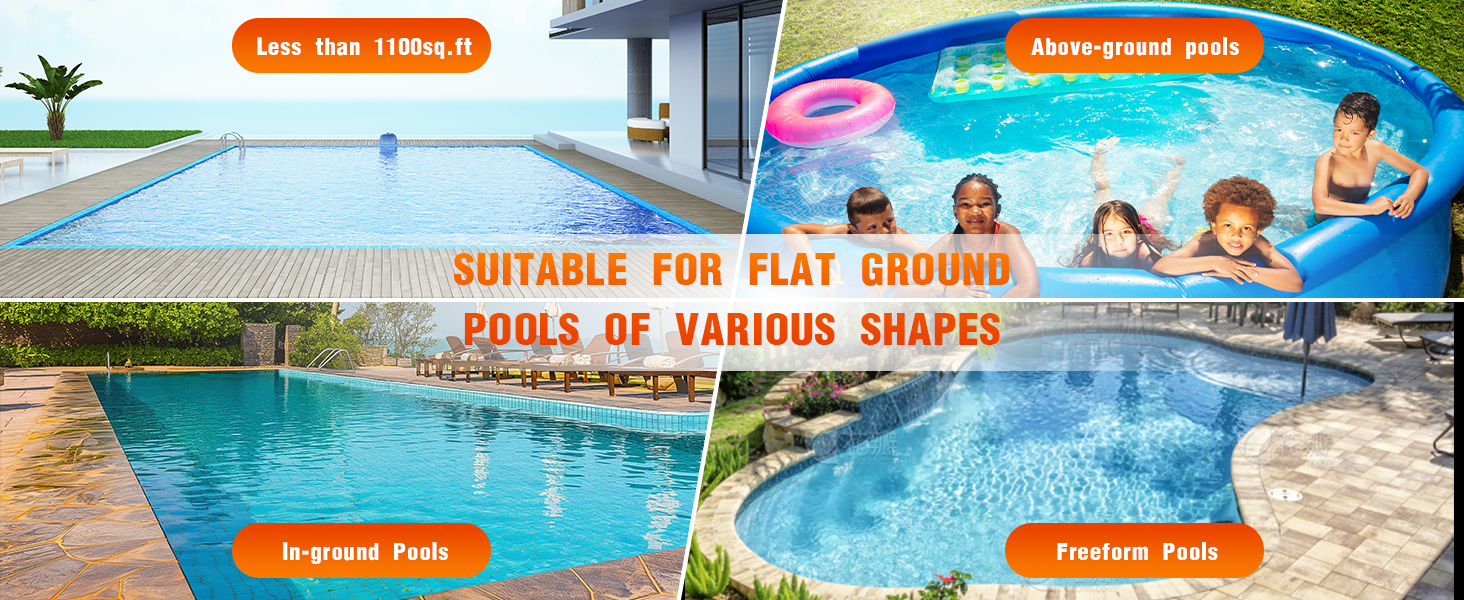
Image: A visual guide demonstrating the simple steps to open the cleaner and clean the internal filter.
Video: Shows the process of removing and cleaning the filter basket, highlighting the amount of debris collected from the pool.
Video: Another demonstration of cleaning the filter and the base of the robotic cleaner after use, showing effective debris removal.
2. Storage
Store the cleaner in a cool, dry place away from direct sunlight when not in use. Ensure it is clean and dry before storage to prevent mold or mildew buildup.
Troubleshooting
| Problem | Possible Cause | Solution |
|---|---|---|
| Cleaner does not turn on. | Low battery or not charged. | Ensure the unit is fully charged (approx. 3.5 hours). Check charging indicator light. |
| Cleaner moves erratically or gets stuck. | Debris caught in wheels or suction ports. | Remove the cleaner from the pool, turn it off, and inspect the wheels and suction ports for obstructions. Clean as necessary. |
| Poor cleaning performance. | Full filter basket or clogged suction ports. | Clean the filter basket and ensure suction ports are clear of debris. |
| Cleaner does not self-park. | Battery completely depleted or unit malfunction. | Manually retrieve the unit. If the issue persists after charging, contact customer support. |
Specifications
- Model: YC-01
- Brand: KOSGHO
- Product Dimensions: 13 x 13 x 5.9 inches
- Item Weight: 8.51 pounds
- Installation Type: Robotic
- Battery Type: Lithium-Ion
- Lithium Battery Energy Content: 2 Watt Hours
- Runtime: Up to 120 minutes
- Charging Time: Approximately 3.5 hours
- Coverage Area: Up to 1000 Sq.Ft
- Special Feature: Portable, Self-Parking
- Control Method: Touch
- Efficiency: High efficiency, dual-motor power, strong suction
Warranty and Support
Your KOSGHO Cordless Robotic Pool Cleaner is covered by a manufacturer's warranty. For detailed warranty information, product support, or service inquiries, please refer to the contact information provided on the product packaging or visit the official KOSGHO website.