
1. Introduction and Overview
The XVX HE68 Pro is a 60% compact mechanical keyboard designed for high-performance gaming and precise input. Featuring Hall Effect switches, an 8000Hz polling rate, and customizable rapid trigger technology, it offers an advanced typing and gaming experience. This manual provides detailed instructions for setting up, operating, maintaining, and troubleshooting your HE68 Pro keyboard.
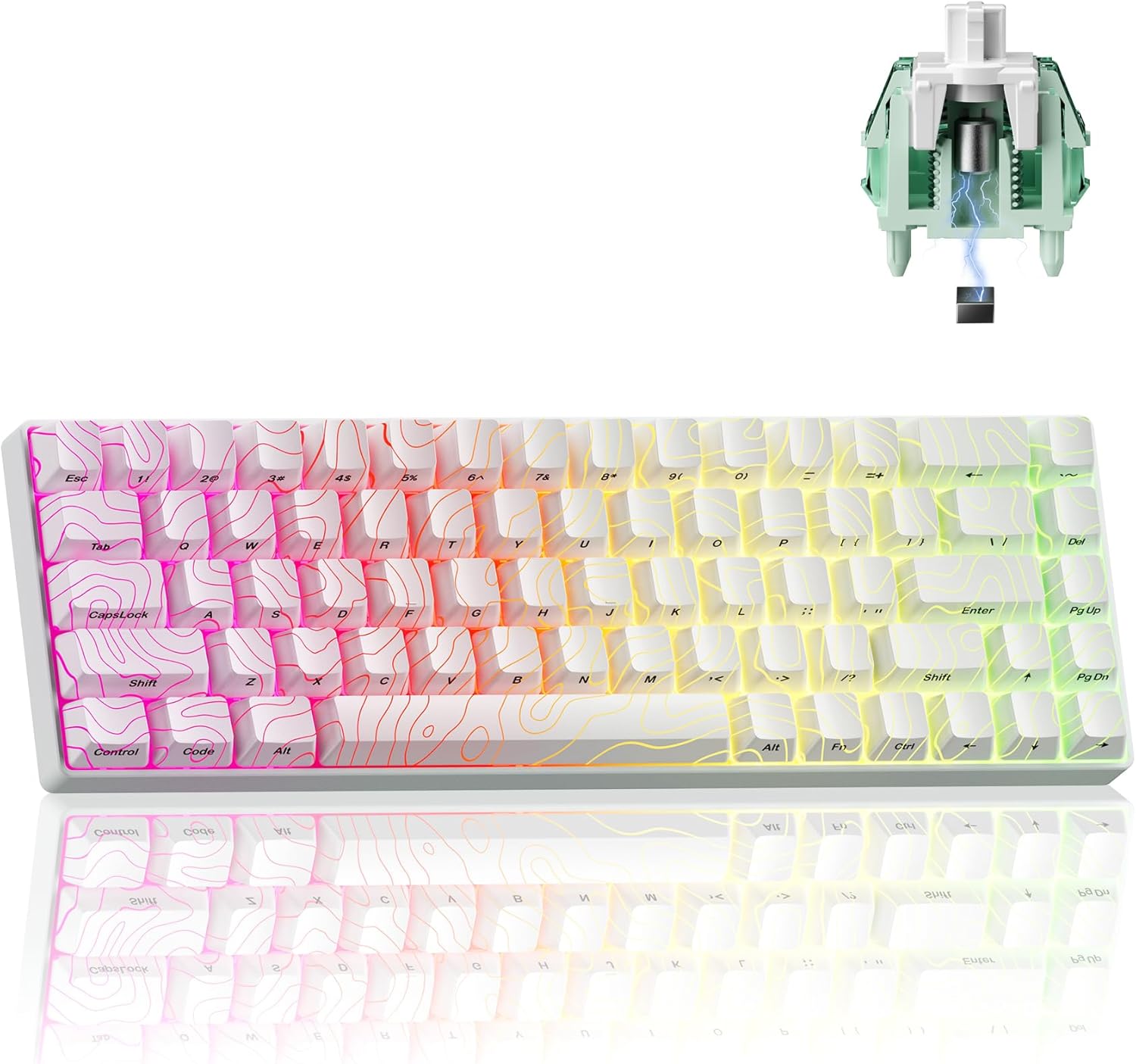
Image: The XVX HE68 Pro keyboard in white, showcasing its compact 60% layout and RGB backlighting.
Product Unboxing and Initial Look
Video: An unboxing and initial overview of the XVX HE68 Hall Effect Keyboard, demonstrating its contents and design.
2. Key Features
- Self-developed Driver: XVX's new design makes it easier for all users to operate. Customizable adjustments appear instantly on the user interface, including real-time key sensitivity tweaks.
- Fast Response with Low Latency: HE68 Pro magnetic switch keyboard features both an 8000Hz polling rate and an 8000Hz PCB scan rate. The latency is significantly lower than most 8000Hz magnetic switch keyboards and the response time is 50 times faster than traditional gaming keyboards.
- Rapid Trigger Technology: HE68 Pro Magnetic Switches offer a sensitivity range of 0.1-3.3mm with a maximum adjustable accuracy of 0.01mm. This allows you to personalize the entire keyboard with a high degree of precision, meeting your requirements for high-precision key triggering.
- Backlight Support: HE68 Pro gaming keyboard supports backlight mode, which can be adjusted via the web driver, and the light pulsates with your every keystroke, making you feel like you're in the gaming world.
- Gateron Magnetic Jade Pro Switches: These switches offer a sensitivity range of 0.1-3.3mm, with a maximum adjustable accuracy of 0.02mm. This allows for high precision and responsiveness.

Image: Visual summary of key features including Magnetic Jade Pro Switch, 8000Hz Polling Rate, 0.01mm Rapid Trigger, 60% Compact Layout, Aluminum Top Plate, Custom Web Driver, DKS Support, Music Rhythm Light Effect, and 16 Million RGB.

Image: Detailed specifications for the Gateron Magnetic Jade Pro Switch, including initial force, end force, actuation range, bottom-out magnetic flux, and lifespan.
3. Setup
Follow these steps to set up your XVX HE68 Pro keyboard:
- Connect the Keyboard: Use the provided USB-C cable to connect the keyboard to an available USB port on your PC, laptop, Xbox, PS4, or PS5.
- System Recognition: The keyboard should be automatically recognized by your operating system. No additional drivers are typically required for basic functionality.
- Install Web Driver (Optional but Recommended): For full customization, including Rapid Trigger settings, RGB backlight adjustments, and custom key bindings, download and install the XVX web driver from the official XVX channel website. The driver currently supports Windows operating systems.
- Switch System Mode:
- For Windows mode: Press FN + O
- For Mac mode: Press FN + P

Image: The XVX HE68 Pro keyboard connected to various devices, illustrating its compatibility with PC, Laptop, Xbox, PS4, and PS5.
4. Operating Instructions
Rapid Trigger Technology
The Rapid Trigger feature allows for dynamic actuation and de-actuation points, enabling faster key presses and releases. This is particularly beneficial for competitive gaming.
- Adjustment: The actuation range can be set from 0.1mm to 3.3mm with 0.01mm accuracy via the web driver.
- Benefits: Reduces input lag and allows for quick, repeated key presses without needing to fully release the key.

Image: A visual comparison demonstrating the difference between a regular switch and a Rapid Trigger switch, highlighting the faster reset and activation.
Backlight Control
The keyboard features customizable RGB backlighting:
- Change Backlight Color: Press FN + Y
- Change Backlight Effect: Press FN + U
- Advanced Customization: Use the web driver for 16.8 million RGB color options, multiple effects, and to create your own animations.
Programmable Web Driver
The self-developed web driver provides extensive customization options:
- Trigger Travel Set: Adjust the actuation point for each key.
- RGB Backlit Setting: Fine-tune lighting effects and colors.
- Custom Shortcut Keys: Remap keys and create custom shortcuts.
- DKS/MT/TGL Custom: Advanced key functionality customization.
- Macro Recording & Editing: Create and manage complex macros for gaming or productivity.
- Magnetic Switch Performance Custom: Optimize switch performance to your preference.

Image: Screenshot of the XVX programmable web driver interface, showing options for remapping, performance, advanced settings, macros, and lighting.
5. Maintenance
Proper maintenance ensures the longevity and optimal performance of your keyboard:
- Cleaning: Regularly clean the keycaps and the keyboard frame with a soft, dry cloth. For deeper cleaning, you can use a can of compressed air to remove dust and debris from between the keys. Avoid using harsh chemicals or abrasive materials.
- Hot-Swappable Switches: The HE68 Pro features hot-swappable Gateron Magnetic Jade Pro switches, allowing for easy replacement or customization without soldering. Use the included switch puller tool to carefully remove and insert switches.
- Cable Management: Ensure the USB-C cable is not kinked or strained to prevent damage to the cable or the keyboard's port.

Image: Illustration of the hot-swappable switches and the internal layered structure of the keyboard, including aluminum frame, silicone pad, and PET pad, contributing to its feel and sound.
6. Troubleshooting
If you encounter issues with your XVX HE68 Pro keyboard, refer to the table below for common problems and solutions:
| Problem | Possible Cause | Solution |
|---|---|---|
| Keyboard not responding | Loose cable connection, incorrect system mode, driver issue. | Check USB-C cable connection. Ensure correct system mode (FN+O for Windows, FN+P for Mac). Restart your computer. Reinstall or update the web driver. |
| Keys not registering or double-typing | Switch malfunction, incorrect Rapid Trigger setting. | If hot-swappable, try replacing the affected switch. Adjust Rapid Trigger sensitivity via the web driver. Clean under the keycap. |
| Backlight not working or incorrect colors | Backlight setting issue, software glitch. | Use FN+Y/FN+U to cycle through effects/colors. Check backlight settings in the web driver. Restart the keyboard by unplugging and replugging. |
| Web driver not detecting keyboard | Driver installation issue, USB port problem. | Ensure the web driver is installed correctly. Try a different USB port. Restart your computer. Ensure the keyboard is in Windows mode (FN+O). |
For further assistance, please refer to the official XVX channel website or contact HITIME customer support.
7. Specifications
Detailed specifications for the XVX HE68 Pro keyboard:
| Feature | Detail |
|---|---|
| Model Name | HE68 Pro |
| Brand | HITIME |
| Keyboard Description | Gaming Keyboard (60% Percent) |
| Switch Type | Gateron Magnetic Jade Pro (Hall Effect) |
| Actuation Range | 0.1-3.3mm (0.01mm adjustable accuracy) |
| Polling Rate | 8000Hz |
| PCB Scan Rate | 8000Hz |
| Latency | Ultra-low (50 times faster than traditional keyboards) |
| Connectivity Technology | USB-C |
| Compatible Devices | PC, Laptop, Xbox, PS4, PS5 |
| Number of Keys | 68 |
| Material | CNC Aluminum Frame (Top Plate) |
| Keycaps | IMD Keycaps with Topographic Design |
| Backlight | 16.8 Million RGB, South-Facing LEDs |
| Special Features | Rapid Trigger Tech, Hot-Swappable, Programmable Web Driver, DKS/MT/TGL Custom, Macro Recording |
| Item Weight | 2.14 pounds |
| Package Dimensions | 13.86 x 5.94 x 1.85 inches |
8. Warranty and Support
For warranty information and customer support regarding your XVX HE68 Pro keyboard, please contact the manufacturer, HITIME, directly. Details can typically be found on their official website or through the retailer where the product was purchased.
You can also visit the HITIME Store on Amazon for more product information and support resources.