
1. Introduction
Welcome to the Midlocater Android Smart Tracker user manual. This guide provides essential information for setting up, operating, maintaining, and troubleshooting your new smart tracker. Designed to seamlessly integrate with Google's Find Hub network, this device helps you keep track of your valuable items with ease and peace of mind.

Figure 1.1: Midlocater Android Smart Tracker packaging.
The image displays the product packaging for the Midlocater Android Smart Tracker, highlighting its compatibility with Android and Google Find Hub.
2. Key Features
- Smart Item Finding with Google: Seamlessly integrated with Google’s Find Hub network for quick location of lost items via your Android device.
- Close-Range Precision Finding: Offers short-range directional guidance for accurate item recovery when nearby.
- Proactive Left-Behind Alerts: Sends instant separation alerts when out of Bluetooth range (if enabled) to prevent leaving items behind.
- Loud, Tough, & Connected: Features a 90dB loud ring, IP67 waterproofing, and real-time tracking via Google’s massive Android network. Supports tracking of up to 100+ items simultaneously.
- Secure & Private Sharing: Protects privacy with end-to-end encryption and no location history storage. Allows secure sharing with trusted contacts.
- 1-Year Battery Life: Powered by a replaceable CR2032 battery, lasting up to 12 months. Battery levels can be checked in the Find My Device or Find My Hub app.

Figure 2.1: Key features and dimensions of the Midlocater Android Smart Tracker.
This image illustrates the compact dimensions of the tracker (32mm diameter, 8mm thickness) and visually highlights its compatibility with Google Find My Device, close-range precision finding, global positioning, and 8-12 months battery life with a replaceable battery.
3. Setup Guide
3.1. What's in the Box
- Midlocater Android Smart Tracker
- Keychain & Case
- User Manual (this document)
- CR2032 Battery (pre-installed)

Figure 3.1: Contents of the Midlocater Android Smart Tracker package.
The image shows the various pack sizes (1, 2, and 4 pack) and their corresponding contents, including the tracker, keychain & case, and CR2032 batteries.
3.2. Initial Setup & Pairing
To begin using your Midlocater Smart Tracker, follow these steps to pair it with your Android device:
- Download the App: Ensure you have the official Google Find My Device app installed on your Android phone (Android 9 or later is required). You can download it from the Google Play Store.
- Activate Find My Device: Find My Device is automatically activated upon signing into a Google account on an Android phone. To ensure everything is set:
- Go to Settings > Google to confirm you're signed in to your Google account.
- Go to Settings > Location to confirm that Location sharing is turned on.
- Go to Settings > Google > All Services > Find My Device to confirm that Find My Device is active.
- Power On the Tracker: Press the power button on the tracker.
- Open Find My Device App: Open the Find My Device app on your Android phone.
- Detect and Connect: The app will automatically detect the tracker. Tap "Connect" when prompted.
- Agree and Continue: Follow any on-screen prompts to agree to terms and continue the pairing process.
- Complete Setup: Once successfully paired, tap "Open App" to finalize the setup.
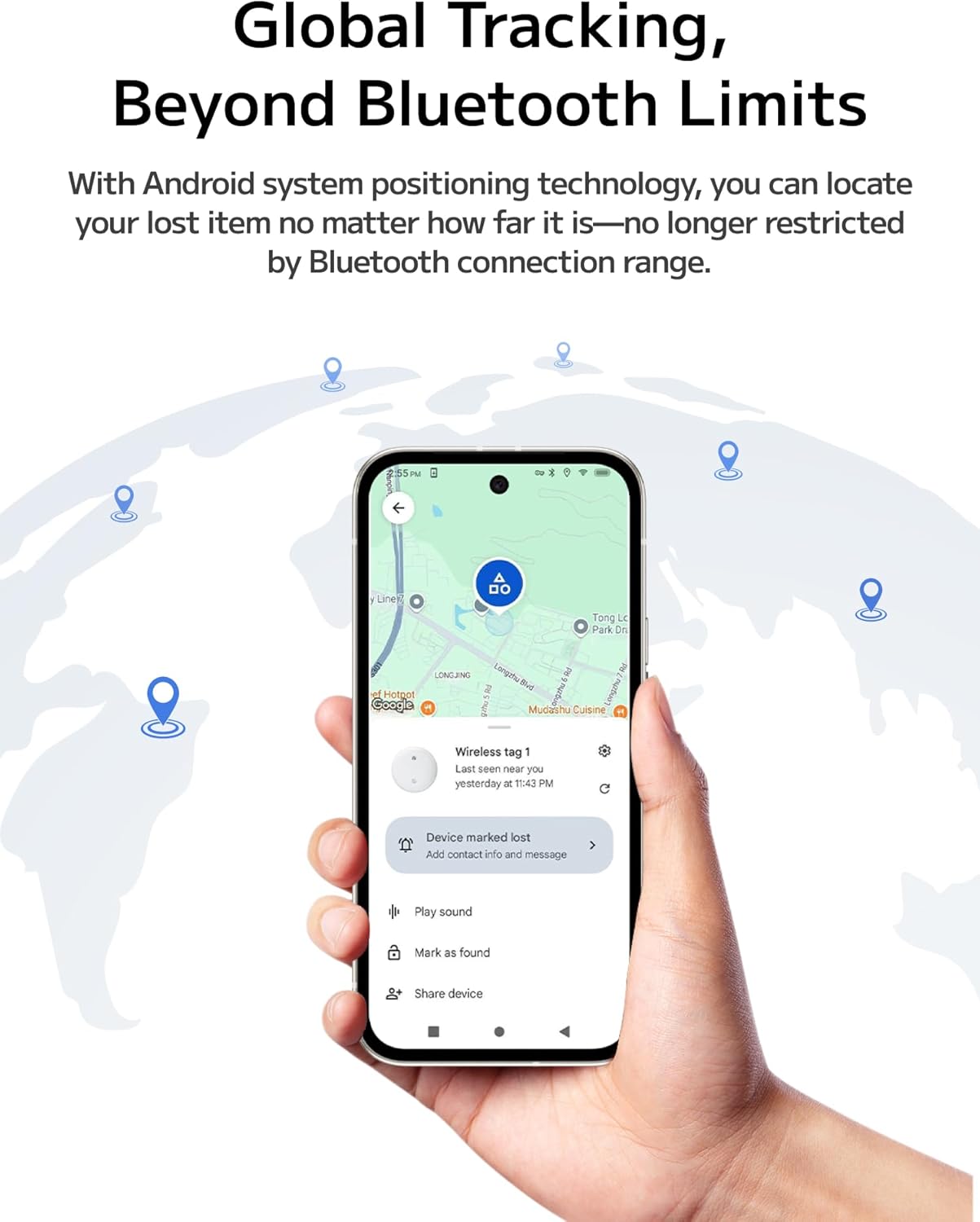
Figure 3.2: Visual guide for quick setup and pairing.
This image provides a step-by-step visual representation of the pairing process, from opening the Find My Device app to connecting and confirming the wireless tag.
4. Operating Instructions
4.1. Locating Items with Google Find Hub
The Midlocater Smart Tracker leverages Google's Find Hub network to help you locate your items. You can use two primary methods:
- Ring Your Tracker (Within Bluetooth Range): If your item is within 350ft (100m) Bluetooth range, you can make the tracker ring loudly (90dB) from the Find My Device app to pinpoint its exact location.
- Check Last Seen Location (Out of Range): If your item is out of Bluetooth range, the Find My Device app will display its last known location on a map, utilizing the vast Android network for global tracking.

Figure 4.1: Close-range precision finding.
This image illustrates the proximity tracking capabilities, showing how the app indicates if the device is very close (up to 1m), farther away (up to 50m in open areas), or out of range (over 50m).

Figure 4.2: Global tracking capabilities.
The image depicts a hand holding an Android phone displaying a map with location pins, emphasizing that the tracker can be located anywhere using Android system positioning technology, not just within Bluetooth range.
4.2. Proactive Left-Behind Alerts
To prevent accidental loss, enable the left-behind alert feature. Your phone will send an instant notification if you move out of Bluetooth range from your tracker, ensuring you don't forget your essentials.
4.3. Secure & Private Sharing
The Midlocater Smart Tracker prioritizes your privacy with end-to-end encryption and no stored location history. You can also securely share access to your tracker with trusted contacts through the Find My Device app, allowing multiple users to locate a shared item.
4.4. Multiple Item Tracking
You can track up to 100+ items simultaneously using the Find My Device app or Google Assistant voice commands, making it ideal for managing multiple valuables.

Figure 4.3: Common applications for the Smart Tracker.
This image showcases various items and scenarios where the tracker can be used, including traveling, wallets, passports, outdoor activities, keys, valuable items, cars, and car keychains.
5. Maintenance
5.1. Battery Replacement
The Midlocater Smart Tracker uses a replaceable CR2032 coin cell battery, providing up to 12 months of life. To replace the battery:
- Gently pry open the tracker casing.
- Remove the old CR2032 battery.
- Insert a new CR2032 battery with the positive (+) side facing up.
- Carefully close the tracker casing, ensuring it snaps shut securely.

Figure 5.1: Battery replacement guide.
This image provides a four-step visual guide on how to open the tracker, remove the old CR2032 battery, insert a new one, and close the device.
5.2. Water Resistance
The Midlocater Smart Tracker boasts an IP67 waterproof rating, meaning it is protected from dust and can withstand immersion in water up to 1 meter (3.3 feet) for up to 30 minutes. While durable, it is recommended to avoid prolonged submersion or exposure to high-pressure water jets.

Figure 5.2: IP67 Waterproof Rating.
The image shows the Midlocater Smart Tracker submerged in water, illustrating its IP67 waterproof capability, indicating it's built to endure various conditions.
6. Troubleshooting
6.1. Common Issues & Solutions
- Tracker Not Found/Connecting:
- Ensure Bluetooth is enabled on your Android device.
- Check if the tracker's battery is not depleted.
- Make sure the Google Find My Device app is updated to the latest version.
- Restart your Android device and try pairing again.
- Sound Too Low/Muffled:
- When placing the tracker into its keychain case, ensure the side with the speaker holes is facing outwards to avoid muffling the sound.
- Battery Life Shorter Than Expected:
- Frequent use of the ringing feature or constant tracking in busy network areas may slightly reduce battery life.
- Ensure you are using a fresh, high-quality CR2032 battery.
- Inaccurate Location:
- Ensure your Android device's location services (GPS) are enabled and accurate.
- Location accuracy can be affected by environmental factors (e.g., dense buildings, underground areas).
7. Specifications
| Feature | Detail |
|---|---|
| Model Number | S10-ad |
| Package Dimensions | 3.35 x 2.68 x 0.75 inches |
| Item Weight | 0.705 ounces |
| Battery Type | 1 CR2032 battery (included, replaceable) |
| Battery Life | Up to 12 months |
| Connectivity Technology | Bluetooth |
| Waterproof Rating | IP67 |
| Supported Application | Google Find My Device |
| Special Features | Made for Android device, works with Google Find My device |
8. Warranty and Support
The Midlocater Android Smart Tracker comes with a standard manufacturer's warranty. For specific warranty terms and conditions, please refer to the product packaging or the official Midlocater website.
For technical support, troubleshooting assistance, or any inquiries regarding your product, please refer to the contact information provided on the product packaging or visit the Midlocater brand store on Amazon.