1. Introduction
This instruction manual provides essential information for the proper use and care of your Generic Electronics Organizer, Model smb-001-1. This compact carrying bag is designed to store and organize various electronic accessories such as cables, chargers, USB drives, and small hard drives, keeping them tidy and accessible.
2. Product Features
- Material: Constructed from water-resistant 900D encrypted Oxford cloth for durability and scratch resistance.
- Closure: Equipped with durable dual metal zippers for secure and smooth opening/closing.
- Portability: Features a sturdy handle for easy carrying.
- Compartments: Multiple internal pockets for organized storage, including two large compartments, four small compartments, and one central zippered pocket.
- Design: Compact and lightweight, suitable for travel or daily use.

Figure 2.1: Product details illustrating the metal zippers, portable handle, and material quality.
3. Setup and Initial Use
Upon receiving your electronics organizer, perform the following steps:
- Unpacking: Carefully remove the organizer from its packaging.
- Initial Inspection: Inspect the organizer for any signs of damage or manufacturing defects. Contact customer support if any issues are found.
- Air Out (Optional): If a new product scent is present, allow the organizer to air out in a well-ventilated area for a few hours.
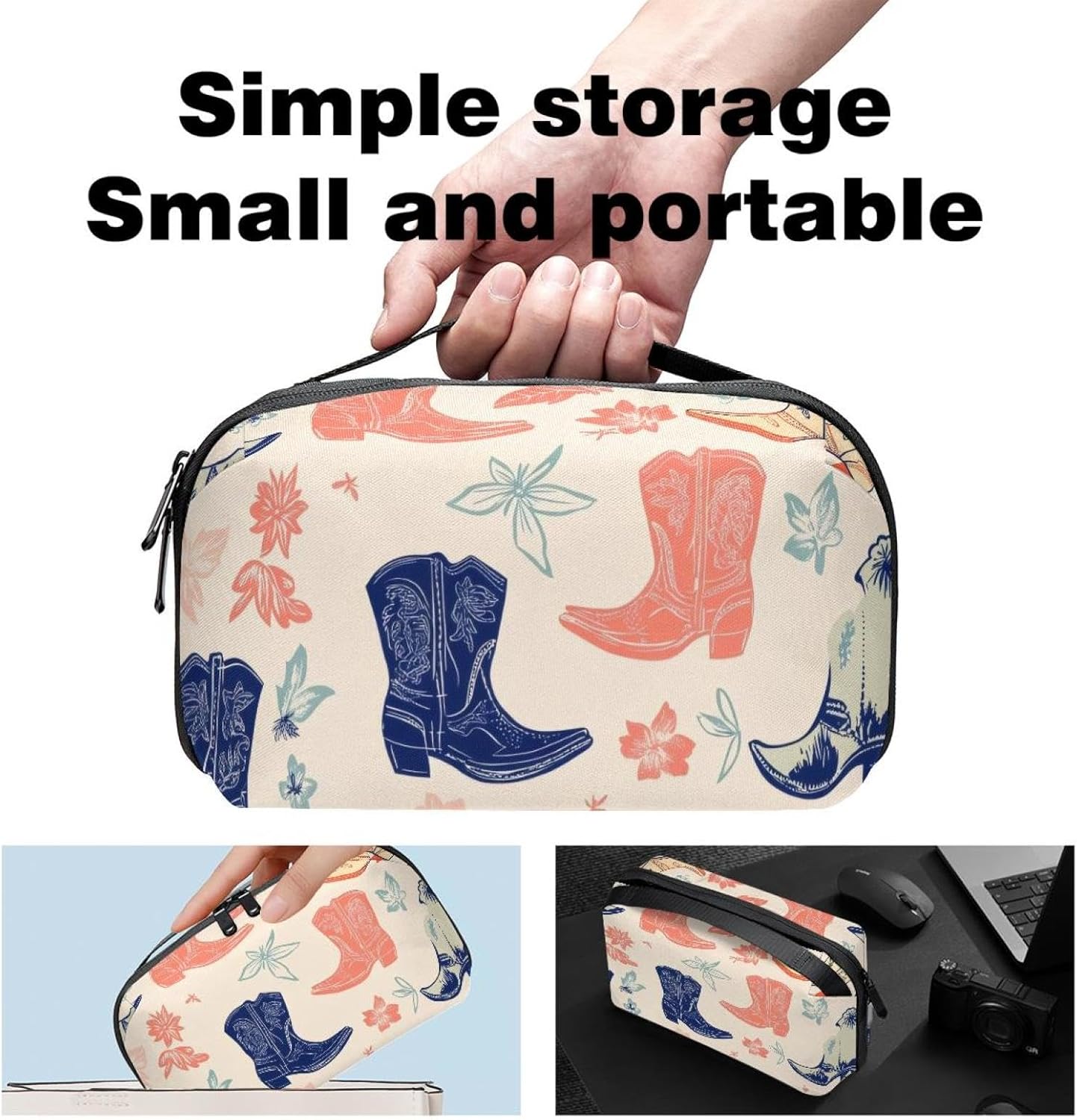
Figure 3.1: The organizer's compact size and portability, demonstrating its suitability for various small items.
4. Operating Instructions
To effectively organize your electronic accessories:
- Main Compartments: Use the two large compartments for bulkier items such as power banks, larger cables, or travel adapters.
- Small Pockets: The four smaller compartments are suitable for chargers, earphones, or smaller cables.
- Zippered Center Pocket: Securely store sensitive or small items like USB drives, SD cards, or hard drives in the central zippered slot to prevent loss.
- Arrangement: Arrange items logically to maximize space and allow for easy access. Consider coiling cables neatly to prevent tangling.
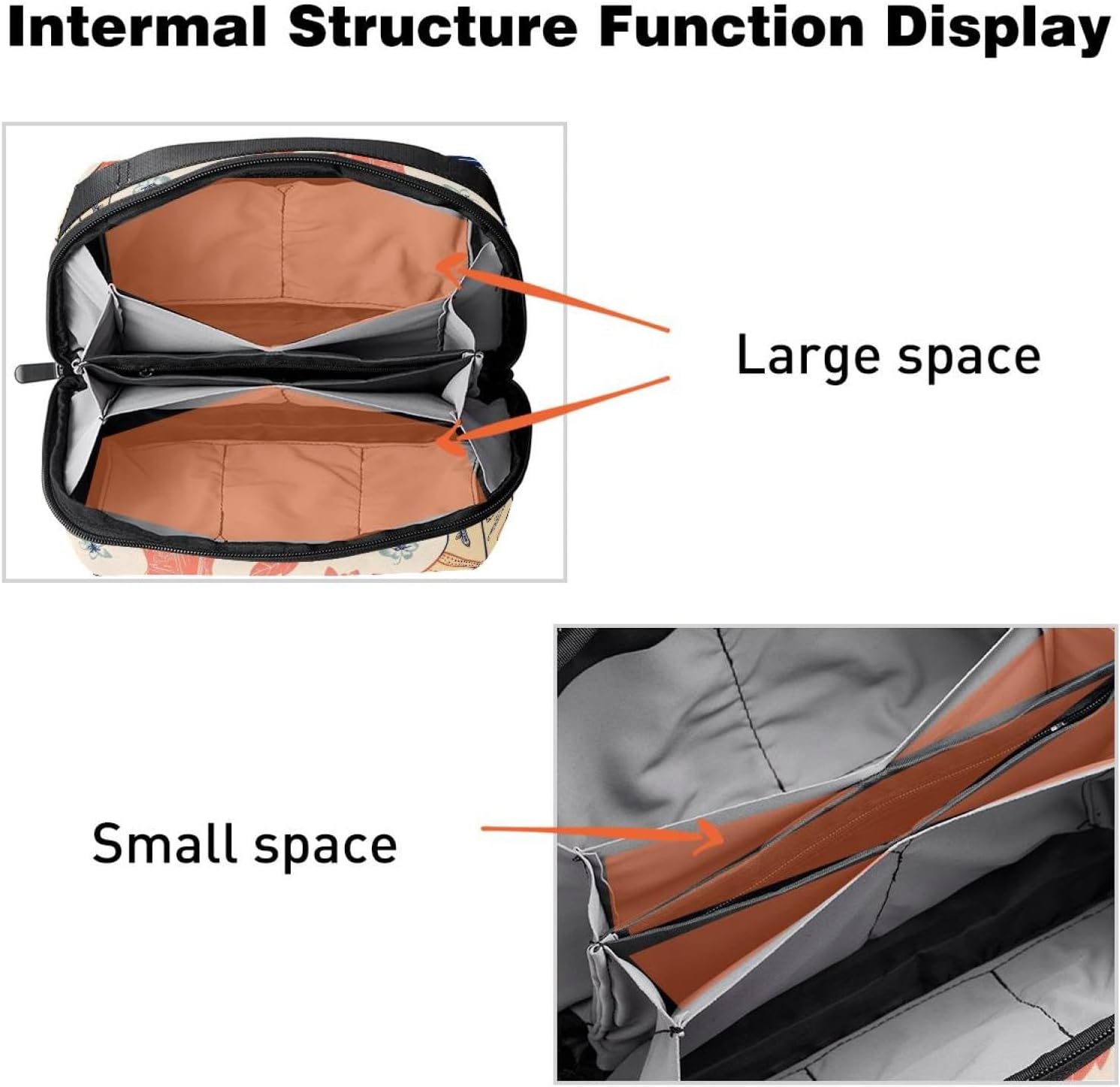
Figure 4.1: Internal structure displaying the large and small storage spaces for various accessories.

Figure 4.2: Illustration of how the organizer helps manage and store multiple electronic devices and accessories efficiently.
5. Maintenance and Care
To ensure the longevity of your electronics organizer:
- Cleaning: Wipe the exterior with a damp cloth and mild soap if necessary. Do not machine wash or tumble dry.
- Drying: Allow the organizer to air dry completely before storing or using it again.
- Storage: Store in a cool, dry place away from direct sunlight when not in use.
- Avoid Overfilling: Do not overstuff the organizer, as this can strain zippers and seams.
6. Troubleshooting
- Zipper Sticking: If a zipper becomes stiff, apply a small amount of zipper lubricant or rub a graphite pencil lead along the teeth. Avoid forcing the zipper.
- Stains: For minor stains, gently spot clean with a soft brush and mild detergent. Rinse thoroughly and air dry.
- Odor: If an odor develops, air out the organizer in a well-ventilated area. A sachet of baking soda placed inside for a few days can also help absorb odors.
7. Specifications
| Attribute | Value |
|---|---|
| Model Number | smb-001-1 |
| Material | 900D encrypted Oxford cloth |
| Dimensions (L x W x H) | 9.44 x 5.9 x 3.14 inches (24 x 15 x 8 cm) |
| Weight | 7 ounces (0.4 lb) |
| Color/Pattern | Aesthetic Seamless Cowboy Boots Pattern (Multi-color) |
| Water Resistance | Yes |

Figure 7.1: Dimensional overview of the electronics organizer.
8. Warranty and Support
Specific warranty information for the Generic Electronics Organizer, Model smb-001-1, is not provided within this manual. For warranty details or customer support inquiries, please refer to the product packaging or contact the retailer from whom the product was purchased.


