
Introduction
This manual provides detailed instructions for the installation, operation, and maintenance of your Pawfly 12W Aquarium LED Light. This full-spectrum LED light is designed to enhance the aquatic environment by simulating natural light cycles and offering various customizable lighting options for your fish tank.

Image: Pawfly Aquarium LED Light enhancing the vibrancy of an underwater environment.
Package Contents
Please verify that all items are present in the package:
- 1 x Pawfly 12W Aquarium LED Light
- 1 x Power Adapter
- Mounting Accessories (Velcro, Suction Cups)
- User Manual
Setup and Installation
Follow these steps to properly install your aquarium LED light:
- Attach Mounting Accessories: Securely attach the provided Velcro strips or suction cups to the light fixture. The Velcro allows for flexible placement, while suction cups provide a firm hold on smooth surfaces.
- Position the Light: Place the light fixture on the rim of your aquarium or adhere it to the inside of the tank lid using the chosen mounting method. Ensure the light is stable and positioned to provide optimal illumination for your aquatic environment.
- Connect Power: Connect the power adapter to the light fixture and then plug it into a suitable power outlet.

Image: Visual guide demonstrating the four steps to install the light using Velcro, showing separation of strips, removal of adhesive, sticking to glass and light, and finally fixing them together.

Image: Detail of the strong suction cups designed for secure attachment to the smooth surface of a fish tank.
Operating Instructions
Your Pawfly Aquarium LED Light features multiple operating modes and adjustable settings for optimal control.
Controller Overview
The inline controller allows you to manage all light functions. Familiarize yourself with the buttons:
- Brightness/Time Buttons (+/-): Short press to adjust brightness (10 levels). Long press to set the starting hour/minute.
- Daytime Mode (D Timer): Set daytime duration (6h, 8h, 10h).
- Night Mode (N Timer): Set night duration (2h, 3h, 4h).
- 24/7 Full Spectrum Mode: Activates the natural day-night cycle.
- Single Light Mode & On/Off (M): Short press to cycle through single color effects (S-01 to S-09) and RGB mode. Long press to turn the light on/off.
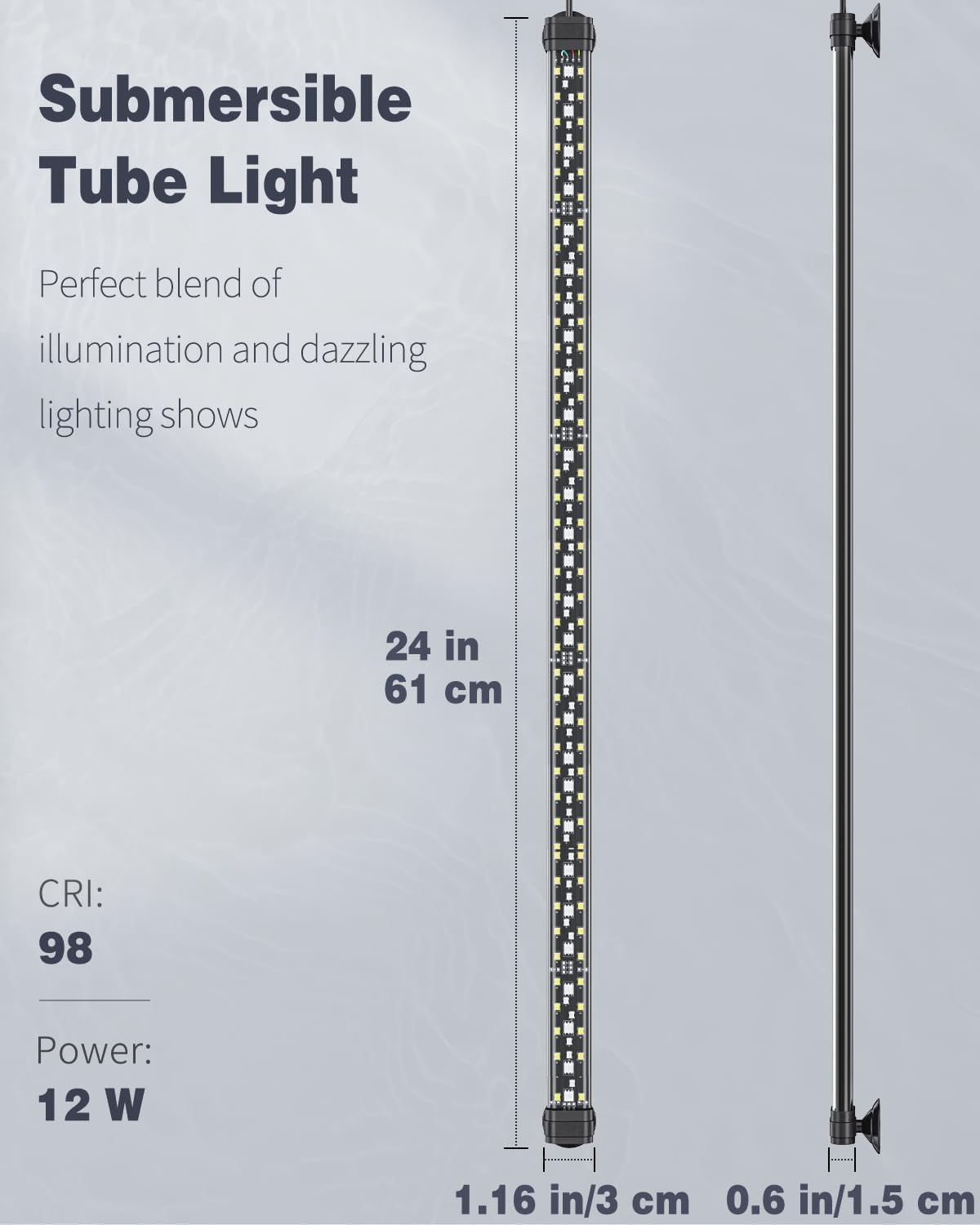
Image: Detailed view of the light controller, highlighting buttons for brightness, time, daytime mode, night mode, 24/7 mode, and single light/on-off functions.
24/7 Natural Mode
This mode simulates a natural sunrise-to-moonlight cycle. The light automatically starts at 6 a.m. and turns off at 10 p.m., gradually changing intensity and color to mimic natural daylight and moonlight. This provides a stable environment for your aquatic life.
- To activate: Press the '24/7' button on the controller.
- To set current time: Long press the 'Hour' or 'Minute' buttons to set the current time. The light will then synchronize its 24/7 cycle with your set time.

Image: A visual representation of the 24/7 natural day-night cycle, showing light intensity and color changes from 06:00 (sunrise) to 22:00 (turn off).
D/N Mode (Daytime/Nighttime Customization)
Customize the duration of daytime and nighttime lighting:
- Daytime Duration: Choose between 6 hours, 8 hours, or 10 hours.
- Nighttime Duration: Choose between 2 hours, 3 hours, or 4 hours.
- To set: Use the 'D Timer' and 'N Timer' buttons to select desired durations.

Image: Illustration of the D/N Mode, allowing users to customize daytime and nighttime working hours for the fish tank light.
DIY Mode and Brightness Adjustment
The DIY mode allows you to set specific starting times and adjust brightness levels:
- Set Starting Time: Use the 'Hour' and 'Minute' buttons to set the desired starting time for your custom lighting.
- Adjust Brightness: The light offers 10 adjustable levels of brightness. Use the brightness buttons (+/-) to select your preferred intensity.
- Single Color Effects: Press the 'M' button to cycle through various single color effects (S-01 to S-09) and RGB mode.

Image: Visual guide to the DIY Mode, showcasing different single color effects (S-01 to S-09) and RGB color cycling for customizable aquarium lighting.

Image: Instructions on how to use the controller's 'Hour' and 'Minute' buttons for manual time adjustment and short presses for 10 levels of brightness adjustment.
Official Product Video: Pawfly Aquarium LED Light 24/7 Fish Tank Light
Video: This video demonstrates the various features and modes of the Pawfly Aquarium LED Light, including its 24/7 natural cycle and customizable settings.
Official Product Video: Pawfly Aquarium LED Light for 18 to 24 Inch Fish Tank
Video: This video showcases the Pawfly Aquarium LED Light, specifically designed for 18 to 24-inch fish tanks, highlighting its functionality and aesthetic appeal.
Maintenance
Proper maintenance ensures the longevity and optimal performance of your aquarium light.
- Cleaning: Regularly wipe the clear board of the light fixture with a soft, damp cloth to remove any water spots or algae buildup. Ensure the light is unplugged before cleaning.
- Waterproof Design: The light features an IP68 waterproof rating, meaning its edges are strictly sealed with silicone to prevent moisture or droplets from entering. This allows for full submersion without damage or electrical leakage.
- Heat Dissipation: The solid aluminum shell is designed to accelerate heat dissipation, contributing to the long lifespan of the LED bulbs.

Image: The light fixture fully submerged in water, demonstrating its IP68 waterproof rating and strict silicone sealing to prevent damage or electrical leakage.

Image: A close-up view of the dependable circuit board, emphasizing its design for extremely fast heat dissipation.
Troubleshooting
If you encounter issues with your Pawfly Aquarium LED Light, refer to the following common solutions:
- Light Not Turning On:
- Check all power connections to ensure they are secure.
- Verify the power outlet is functional.
- Ensure the light is not in an 'Off' state from the controller. Long press the 'M' button to toggle power.
- Timer/Mode Not Working as Expected:
- Re-check your time settings for 24/7, D/N, or DIY modes. Ensure the current time is correctly set.
- Refer to the 'Operating Instructions' section for detailed mode setup.
- Light Flickering or Inconsistent Brightness:
- Ensure the power adapter is securely connected and receiving stable power.
- If issues persist, contact customer support.
- Mounting Issues (Light not staying in place):
- Ensure the tank surface is clean and dry before applying suction cups or Velcro.
- Periodically check the adhesion of suction cups and replace if they lose their grip.
Specifications
| Feature | Detail |
|---|---|
| Product Dimensions | 64 x 4.6 x 7.2 cm; 290.3 g |
| Item Model Number | PSTL-23.4 |
| Light Source Type | LED (6500 K white, 450-495 nm blue, 495-570 nm green, 620-750 nm red) |
| Light Source Wattage | 12 Watts |
| CRI | 98 |
| Waterproof Rating | IP68 |
| Power Source | AC (alternating current) adapter (ETL-certified) |
| Material | Plastic, Solid Aluminum Shell |
| Special Features | 24/7 Natural Mode, D/N Mode, DIY Mode, Remote Control, Heavy-duty Design |

Image: A detailed view of the light bar, illustrating its three rows of lamp beads with white, red, blue, and green LEDs, designed for no bulb replacement.

Image: Features an ETL-certified adapter for safety and a heavy-duty clear board that is firmly embedded and resistant to cracking.
Warranty and Support
Your Pawfly 12W Aquarium LED Light comes with a 1-Year Manufacturer Warranty.
For technical support, warranty claims, or any inquiries, please contact Pawfly customer service through the retailer's platform or visit the official Pawfly website for contact information.